
Challenges IT Admins Face When Migrating from Slack to Teams
Migrating from Slack to Teams comes with seven recurring challenges: direct messages, channels and threads, file migration, security, migration speed, structural differences, and user permissions. Each one can be solved with the right migration tool and a bit of planning.
This guide breaks down each challenge and how CloudFuze’s migration tool solves it.
Key Takeaways:
Slack to Teams Migration: Is It Possible?
Yes, Slack to Teams migration is possible, and there are several solutions that help companies of all sizes transfer the chats securely and successfully. CloudFuze’s Slack migration tool helps you migrate all your Slack data along with channels, users, attachments, and more, to Teams with accuracy.
What Are the Challenges of Migrating from Slack to Teams?
Here are the main challenges IT teams run into when moving from Slack to Teams, and how to solve each one.
1. Migrating Slack Direct Messages to Teams
Migrating Slack channels to Microsoft Teams is fairly straightforward. The challenging part is migrating Slack direct messages, mainly because most migration tools do not support it.
Most native or free migration options skip DMs entirely, which means employees lose access to one-on-one conversations, shared files, and decisions buried in private threads.
CloudFuze’s Slack to Teams migration tool helps you seamlessly migrate Slack DMs along with necessary metadata to Teams.
2. Migrating Other Slack Features
The whole point of migrating chats to Teams and not starting fresh is that your company’s employees should have access to all their previous conversations and interactions in Slack along with features attached to them, such as hyperlinks, channels, timestamp files, etc.
Losing any of these breaks continuity and forces users to go digging for context that used to be one click away.
CloudFuze migrates Slack channels, threads, and user groups together, so Teams retain the context and collaboration history they relied on in Slack.
3. File Migration Challenge
Slack conversations are full of attached files, and those files need to move with everything else, or you end up with real business data loss. When evaluating a Slack to Teams migration service, check its file migration capability specifically.
Simple drag and drop processes are not sufficient for proper file migration. Many tools export files as links inside the channel history, and retrieving the actual files in Teams can require extra steps or custom scripting to match files to the right channels and download them into the correct Teams folders.
Look for a migration tool that can handle high-volume file transfer on its own, including mapping files to the correct Teams channel and preserving the original folder structure.
4. Security Concerns
Slack chats too are a part of a company’s data. They needed to be handled with the same care as the other business data, such as documents or emails. A data breach could expose sensitive business interactions.
Always check for security and inquire about the safety of the app or application. Our migration platform uses only API calls to migrate the chats from Slack to Teams.
CloudFuze also offers on-prem deployment options for large enterprises and government agencies that need a high level of control and data localization.
5. Slack to Teams Migration Speed
Migration speed affects your entire project timeline. In most cases, a slow migration means paying for an extended Slack subscription and delaying the full switch to Microsoft Teams.
When researching a Slack migration tool, demo it for the speed of migration. Have the following information handy to get accurate migration timelines.
- The total number of channels
- Total number of users
- Number of direct messages
- The size of the data used
Assess Your Slack Workspace Before Migration:
Review how many workspaces you are migrating, how many channels exist per workspace, and which ones see the most activity. Slack’s built-in analytics can show channel and member usage patterns, which helps you prioritize what actually needs to move.
Importance of Channel and User Details:
For each Slack workspace, identify the active channels with their last usage date. Slack plans offer detailed analytics. It allows you to view member counts and usage statistics for each channel. This helps you avoid unnecessary delays by focusing your migration on what matters most.
Exporting Data:
Depending on your Slack plan, you can export public channels, private channels, and DMs. Make sure to review your company’s privacy and compliance requirements regarding data exports before proceeding with the Slack export.
App Integrations and Custom Workflows:
Don’t forget to take stock of any apps or custom integrations in your Slack workspace. Some integrations may need to be planned for separately, as not all Slack apps have a direct equivalent in Teams.
6. Structural Differences
Slack and Teams organize conversations differently, and that mismatch is one of the bigger challenges in any migration.
Slack is built around workspaces, channels, and threads. Teams is built around Teams, with Channels nested inside each Team, and Tabs nested inside each Channel.
| Slack Structure | Microsoft Teams Structure |
|---|---|
| Workspace | Team |
| Thread | Reply (nested inside a Channel message) |
| Private channel | Private channel (limited cross-Team visibility) |
| Direct message | Chat |
| Slack Connect (external) | Shared channel (different permission model) |
Why this matters:
- Format differences make direct one-to-one mapping harder than it looks on paper.
- Private channels and DMs don’t map cleanly into Teams’ hierarchy.
- IT admins need a proper mapping strategy to ensure messages land where they should.
7. Preserving User Permissions
Microsoft Teams does not have exact equivalents for Slack’s permission roles like channel admins, owners, and guest users. Slack does give you control over public and private channel access, but translating that control into Teams takes planning.
Challenges in preserving user permissions include:
- In Teams, over-provisioning users can result in security vulnerabilities.
- Disruption in workflow continuity can take place in cases of inadequate provisioning.
- External contributors can lose access if permissions aren’t mapped carefully.
CloudFuze Migrate is Built to Solve These Exact Challenges
Every challenge discussed above shapes how CloudFuze’s Slack to Teams migration tool actually works. The tool was built for exactly this kind of migration; it is not a generic file mover adapted for chat platforms.
- Complete Chat Migration: Channels, direct messages, files, threads, and messaging properties are migrated together.
- Delta Migration: Each incremental change (that accumulates when users continue working on Slack during one-time migration) is captured and transferred over to Teams.
- Enterprise-Grade Security and Compliance: CloudFuze complies with SOC 2 Type 2, GDPR, and ISO 27001 standards. It also ensures enterprise-grade security with RSA 2048 encryption, OAuth authentication, and on-prem deployment options.
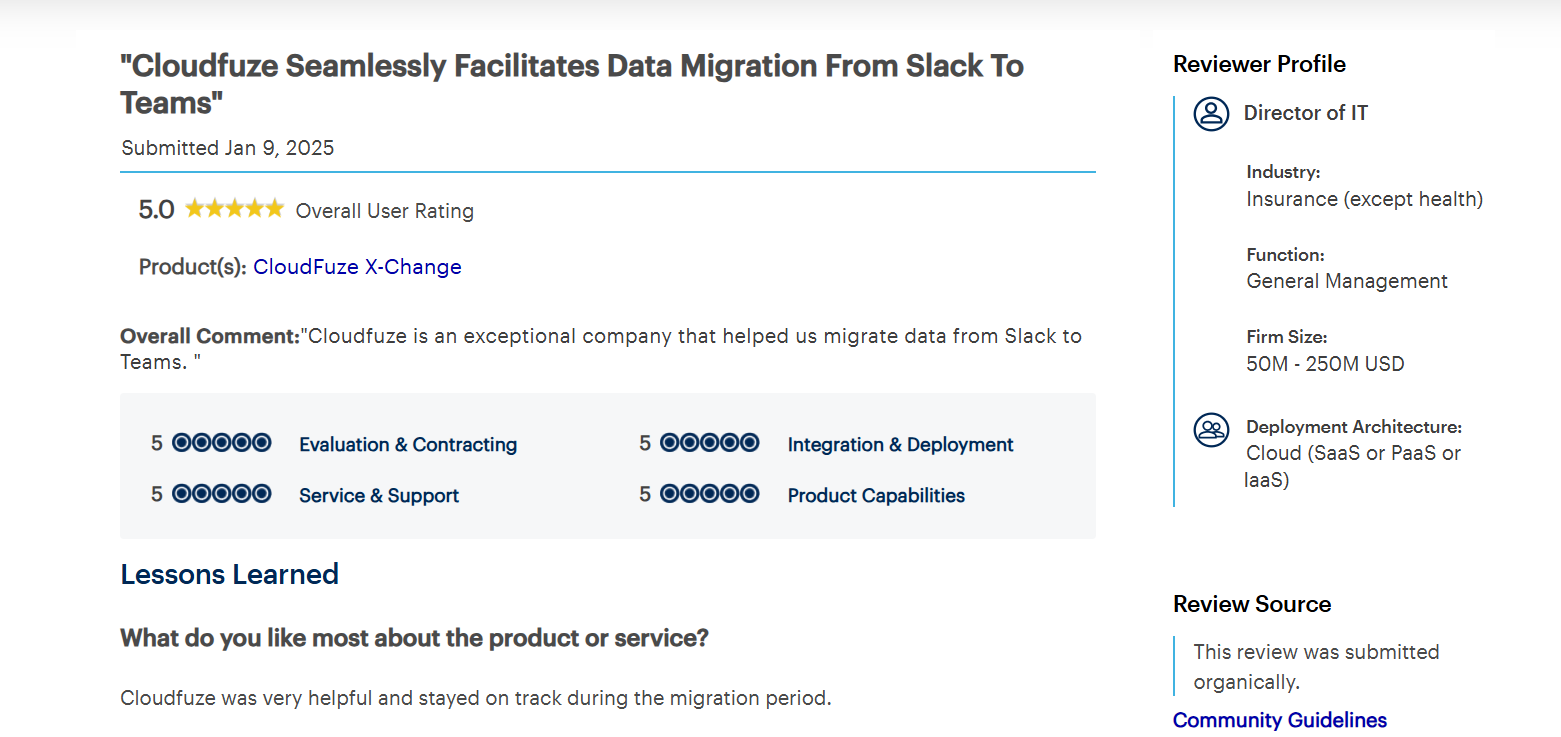
- Proven At Scale: CloudFuze holds a strong rating on Gartner Peer Insights, back by migrations like the one below.
Migration Success Story: Litera’s Slack to Teams Migration
Litera wanted to perform Slack to Teams migration of 200+ channels and around a million messages. They wanted to migrate in a short time period. Our teams at CloudFuze helped to migrate along with important metadata such as files, chat, emojis, replies and @mentions.
We helped them migrate within a week ensuring zero downtime and complete replication. Check out our approach to solve the customer’s migration challenges here.
Migrate from Slack to Teams Without the Guesswork
None of these challenges have to derail your migration. With over 12 years of proven expertise, we, at CloudFuze, are well equipped to handle Slack to Teams migrations of all sizes and complexities.
Share your migration requirement with us and we’ll share the best possible roadmap with you. Interested? Contact us today.
Frequently Asked Questions
1. Which tool is best for migrating from Slack to Teams?
CloudFuze is a chat migration tool is built specifically for migrating channels, messages, attachments, and other messaging features from Slack to Teams and other business messaging platforms.
2. Can I migrate from Slack to Teams manually or use a tool?
Manual migration is possible but limited. It typically means losing metadata, direct messages, and file context. A dedicated migration tool preserves all of that automatically, which is why most IT teams choose that route for anything beyond a handful of channels.
3. What happens to Slack Channel permissions after migrating to Teams?
Permissions don’t map one to one between the two chat platforms, they need to be planned properly. Without a clear mapping strategy, admins risk over-provisioning users, under-provisioning others, or cutting off external contributors entirely.
4. Can direct messages be migrated too, or only channels?
Yes, but not every migration tool supports it. CloudFuze migrates Slack DMs along with their metadata, which is one of the more difficult parts of a Slack to Teams migration.
5. Can I transfer self-messages when migrating from Slack to Teams?
Yes. With CloudFuze, you can transfer self-messages along with the rest of your chat data from Slack to Microsoft Teams.
About the Author: Pankaj Rai


