About Pankaj Rai

Pankaj Rai, at CloudFuze, constantly seeks to help IT admins/managers, business leaders, and decision-makers access insights critical to strategizing business data migrations and making informed decisions.

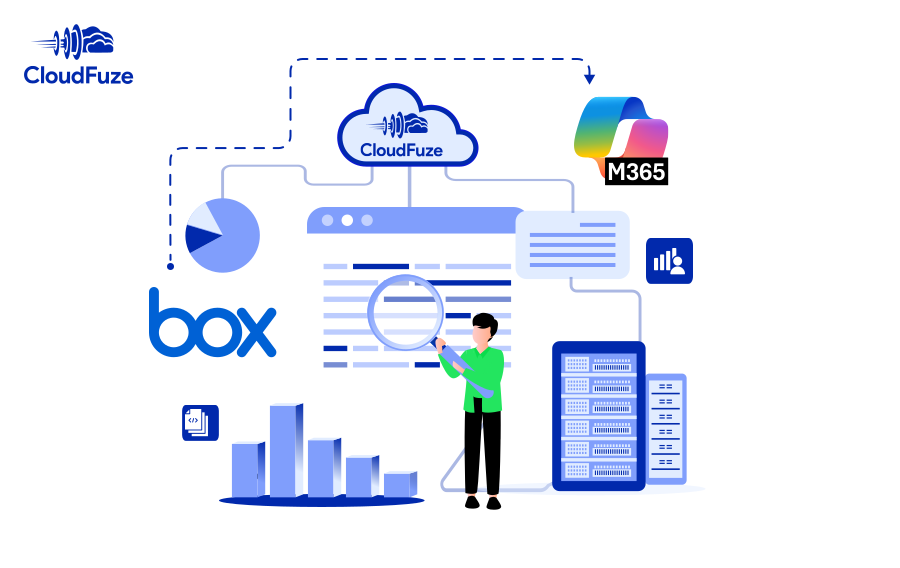
10 Steps for Box to Microsoft 365 Migration Success

Planning a Box to Microsoft 365 migration for your company? Meet all your business migration needs with our secure and scalable migration solution. Transfer permissions, timestamps, Box Notes, embedded links, versions, shared links, in-line comments, and external shares with our managed migration service.

  • Transfer hundreds/thousands of users
  • Secure REST API data access
  • RSA-2048 encrypted data transfer
  • Transfer TBs/PBs of data
  • Secure OAuth 2.0 authentication
  • Preserve all types of metadata

ShareFile to SharePoint Migration Guide for IT Admins

Perform your company’s ShareFile to SharePoint migration with CloudFuze and transfer entire users and data swiftly and securely. Migrate sharing permissions, timestamps, and other features with zero downtime.

  • One-time and delta migration
  • Root and inner permissions migration
  • Timestamps migration
  • Fully managed migration
  • SharePoint limitations resolution
  • 24/7 premium support

How to Migrate ShareFile to OneDrive? (2026 Guide)

Migrate ShareFile to OneDrive with CloudFuze to transfer your company’s entire files and folders along with sharing permissions, versions, and timestamps. Ensure a professional, secure, and swift migration with CloudFuze’s managed migration.

  • One-time and delta migration
  • Root and inner permissions migration
  • Timestamps migration
  • Managed migration for complete hand holding
  • Support for OneDrive limitations resolution
  • 24/7 premium support

Dropbox to Google Shared Drives Migration Guide 2026

Migrate Dropbox to Google Shared Drives and transfer terabytes of files quickly and securely. Preserve all types of metadata to ensure accurate replication in Google Shared Drives.

  • One-time & delta migrations
  • Version history migration
  • Shared Links migration
  • Root folder permissions migration
  • Sub-folder permissions migration
  • External Shares Migration

Slack to Teams Migration Guide for IT Admins

Is your organization planning to migrate from Slack to Teams? Find out how CloudFuze can help migrate your Slack channels, users, direct messages, and more, to Microsoft Teams. As an industry-leader in Slack to Teams migrations of all sizes and complexities, we support these features out of the box:

  • Public and Private Channels Migration
  • Channel Members and User Groups Migration
  • One-time and Delta Migration
  • Direct Messages Migration
  • Attachments, Emojis Migration
  • Threads and Mentions Preservation

How to Transfer Files from Google Shared Drives to SharePoint Online?

The task to migrate Google Shared Drive to SharePoint can be challenging for not just small companies but also large enterprises. CloudFuze uses a structured way which makes the migration a smooth-sailing process.

  • One-time & delta user migrations
  • Version history migration
  • Root and subfolder permissions migration
  • Root file permissions migration
  • External shares migration
  • Shared links migration
  • Embedded links migration
  • Special characters replacement

Dropbox to SharePoint Migration Guide for IT Admins

Performing a large-scale Dropbox to SharePoint migration can be challenging for businesses and their IT teams, especially when trying to migrate with a manual approach. It is important to plan the migration properly and lay out a roadmap that streamlines that entire journey. With CloudFuze as the migration partner, securing and streamlining the migration process becomes hassle-free.

  • One-time and Delta Migration
  • Root and Inner Folder Permissions Migration
  • Root and Inner File Permissions Migration
  • Dropbox Paper Migration
  • Embedded Links Migration and Correction
  • Timestamps, Versions, and External Shares Preservation

IT Admin Guide to Migrate Dropbox to OneDrive

When planning to migrate Dropbox to OneDrive, it is critical to check several boxes to ensure your business and your IT team does not go wrong in any area. And with CloudFuze as the migration partner, you can streamline every aspect of the migration and ensure complete success.

  • One-time and delta migration
  • Preservation of root and sub folder permissions
  • Preservation of root and inner file permissions
  • Migration of embedded links, versions, and external shares
  • Migration of Dropbox Paper
  • Pre- and post-migration support
Go to Top