
IT Guide to Move AI-Ready Data from Slack to Google Chat
Moving chat data from Slack to Google Chat is now no longer just about migrating channels, chat messages, and messaging context; the migration trend has now shifted to AI readiness.
Business and IT leaders are not looking at migration as a traditional IT project anymore. They are now thinking about what comes after. Post-migration data quality, a secure foundation for AI deployment and adoption, and continuous governance of SaaS and AI stacks in the changing AI landscape are now some of the top priorities.
Key Takeaways:
Why Moving Chat Data from Slack to Google Chat is Now About AI Readiness
A couple of years back, the IT focus when planning to move from Slack to Google Chat (or from one chat collaboration platform to another) was mostly about accurately transferring messages, channels, and messaging properties and then calling it done.
However, this playbook does not work in 2026 and years to come. This is because almost all companies are racing to adopt AI in secure ways to improve their operational efficiency and productivity at each individual user level. As a result, cloud migration trends have evolved to accommodate these needs with AI readiness as the main focus.
How to Move AI-Ready Chat Data from Slack to Google Chat?
To move AI-ready chat data from Slack to Google Chat, it is first important to clean up the messaging data in Slack. This approach helps improve data quality, which, in turn, helps enable secure AI deployment in Google Workspace post-migration.
These are the three essential stages of moving from Slack to Google Chat with AI readiness as the prime focus:
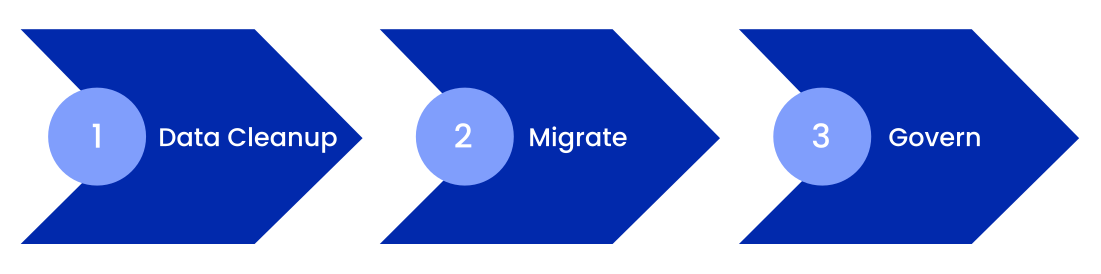
1. Clean Up Chat Data in Slack
The first stage of migrating AI-ready chat data from Slack to Google Chat is to clean up data in your company’s Slack environment. To do this, you can use CloudFuze Manage to have complete visibility on message sprawl and set up various types of governance policies, such as:
- Deleting duplicate and stale content
- Revoking stale permissions
- Creating automatic alerts on external sharing and more
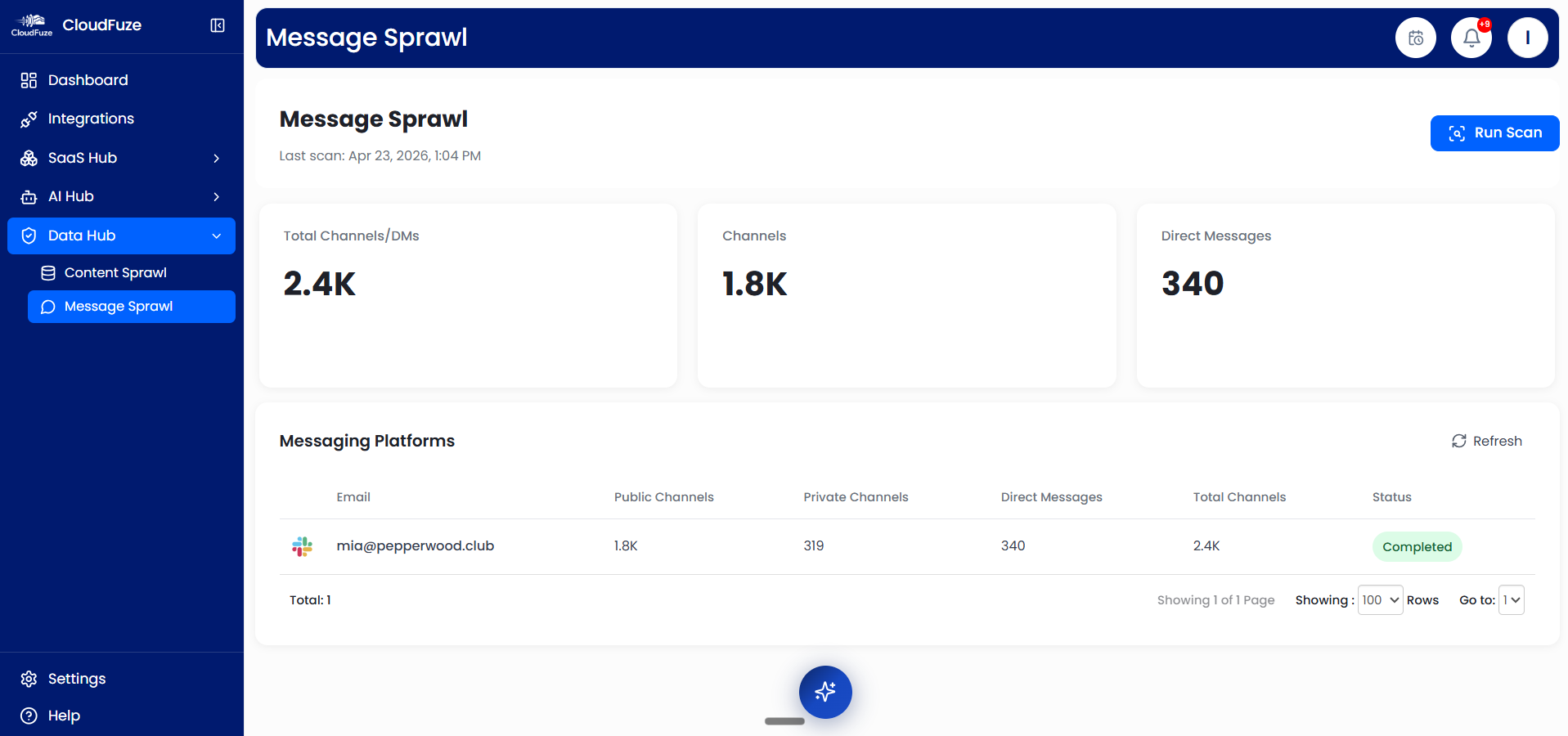
With proper governance, you can clean up all the message sprawl and permission mess and make them ready for AI adoption in Google Workspace post-migration.
2. Migrate AI-Ready Chat Data
After cleaning message and permissions sprawl in Slack, the next step is to use a Slack to Google Chat migration tool to migrate all channels, direct messages, and all messaging context, including:
- Chat history
- Replies
- Threads
- Reactions
- Pinned messages
- User mentions
- Attachments
The combination of clean messaging data and rich collaboration context helps ensure secure Gemini adoption and enables high quality outputs relevant to workflows in your company’s Google Workspace environment.
3. AI-Focused Governance in Google Workspace
After completing the migration and deploying Gemini and other AI tools and agents, it is important to continuously monitor Gemini adoption to ensure your AI investments pay off. CloudFuze Manage enables detailed Gemini adoption tracking through the Gemini Insights dashboard that provides information on key metrics like:
- Total number of users
- Number of active and inactive users
- Monthly subscription costs
- Cost per active user
- Gemini usage across Google Workspace apps
- Top actions performed on Gemini
- Gemini usage source distribution
- Productivity index
- Gemini adoption health
- And Gemini usage activity of each user
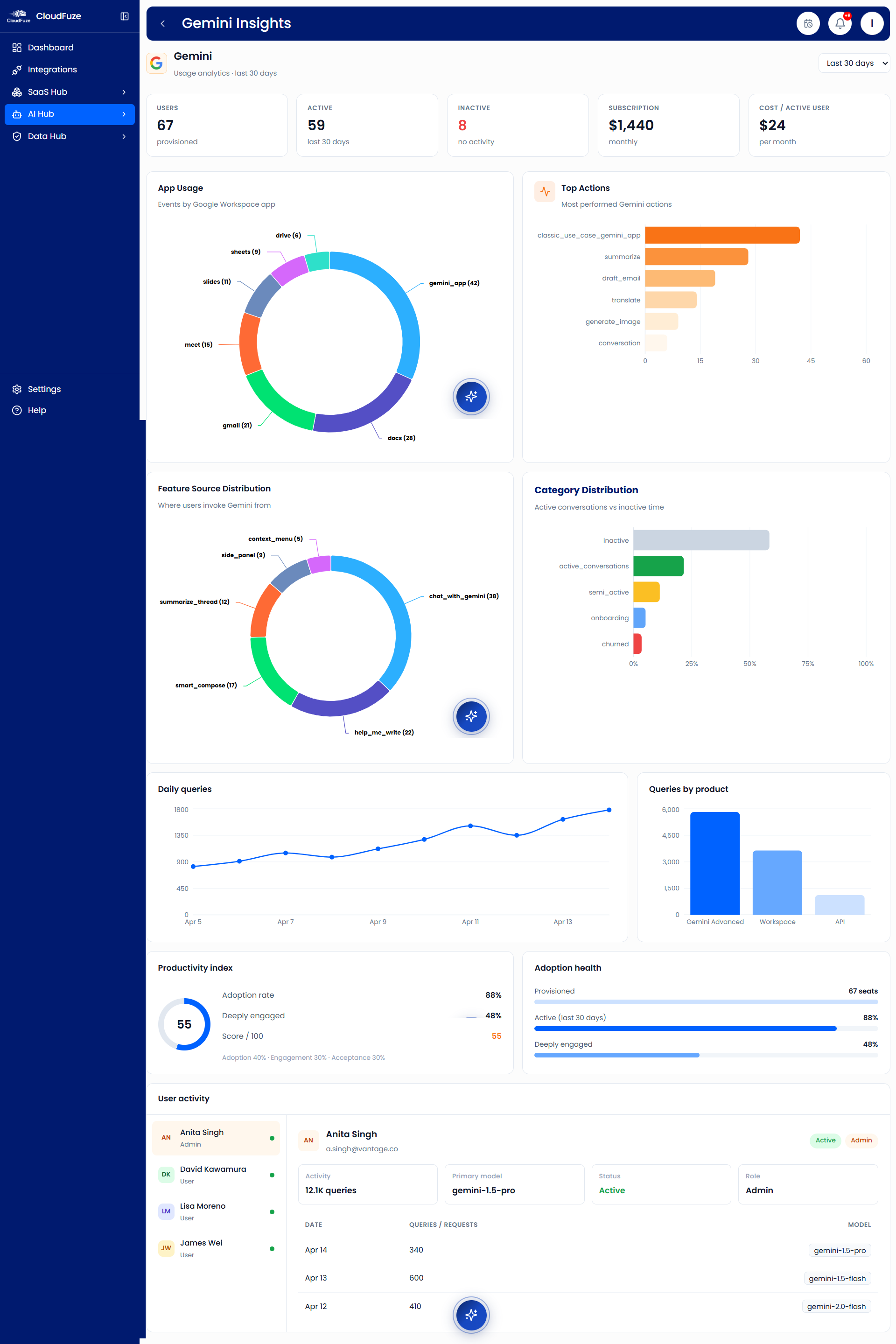
With these insights, you can understand how users across teams are adopting Gemini and refine your organization’s Gemini adoption strategies to ensure organized, efficient adoption.
Make Your Slack to Google Chat Migration AI-Ready with CloudFuze
With our AI-focused migration strategy, you can ensure proper AI readiness when migrating to Google Chat and consolidating into the entire Google Workspace suite. Post-migration, you can ensure secure AI deployment and usage across the organization.
Our team can help you understand more through a professional demo. Contact us today!
Frequently Asked Questions
1. What is AI-ready data and why is it important for communication tools?
AI-ready data is clean data that does not have years of unmanaged and disjointed permissions or redundant duplicates, which, otherwise, can raise security and compliance issues when AI is deployed on top of it.
Having clean data in communication tools like Google Chat and Microsoft Teams is important when their relevant AI assistants, including Gemini and Copilot, are deployed.
2. What are the benefits of transferring AI-ready data from Slack to Google Chat?
Similar to most companies, if your organization is planning to adopt Gemini after Slack to Google Chat migration, it is important that you clean up the chat data with a strong focus on AI readiness. With clean data migrated to Google Chat, deploying and adopting AI assistants like Gemini on Google Workspace becomes secure and compliant.
3. Tools for moving chat history between business communication platforms.
CloudFuze Migrate is built to move entire chat history between business communication platforms such as Slack, Google Chat, and Microsoft Teams. When moving chat history, it preserves all message context, such as replies, reactions, pinned messages, user mentions, attachments, and more.
About the Author: Pankaj Rai



