
5 Copilot Stats Driving Microsoft 365 Tenant Modernization
As more and more businesses start using Microsoft 365 Copilot in their organizations, the importance of strategic tenant modernization projects is growing. Microsoft 365 Copilot is now used by millions of people across more than one million companies worldwide.
When you’re planning an Microsoft 365 tenant to tenant migration into your organization, your migration strategy is going to have a direct impact on how effectively your organization uses AI. Microsoft’s latest research highlights why organizations need AI-ready Microsoft 365 environments.
Here are five Copilot statistics that drive Microsoft tenant modernization initiatives.
Key Takeaways:
Here are 5 Data-Driven Reasons Why Businesses Are Modernizing Microsoft 365 Tenant to work with Copilot
1. 49% of Copilot Interactions Support Deep Cognitive Work
Microsoft looked at over 100,000 conversations involving Copilot and found that 49% of user interactions involve complex cognitive tasks, like analysis, problem-solving, research and content synthesis.
This statistic highlights the growing importance of preserving historical business knowledge during a Microsoft 365 cross-tenant migration. Copilot relies on all that content you’ve stored in SharePoint, OneDrive, Teams and mailbox to give employees accurate answers. If you lose any of that data during migration, or the permissions are broken, your employees may not be able to get the context they need from Copilot.
When it comes to planning a Microsoft 365 cross-tenant migration, preserving data integrity and keeping all your metadata in order is going to be key to getting your organization’s AI up to speed.
2. The Number of Active AI Agents Has Increased by 15x in the Past Year
According to Microsoft, there has been an astonishing 15-fold increase in the active AI agents across the Microsoft ecosystem, and this is even more pronounced among large enterprises.
A lot of organizations are now using Copilot Studio, automated workflows and AI-driven business processes that all depend on Microsoft 365 content and collaboration data.
That creates a new challenge to migrate from one Microsoft 365 tenant to another. IT teams will need to figure out where all those AI dependencies are, and what automated workflows or SharePoint integrations they need to preserve before the migration even begins. A successful modernization initiative is about keeping the whole operational environment intact that supports those AI-driven workflows.
Our Microsoft 365 to Microsoft 365 Migration tool, CloudFuze Migrate, is designed to help businesses migrate Microsoft 365 workloads without losing the data structures and permissions that modern AI tools depend on.
3. 86% of Employees Use Copilot Output as a Starting Point
According to Microsoft, 86% of users treat Copilot-generated content as a starting point rather than a final answer.
So what this means is that employees are regularly using Copilot to help them get the information they need from internal repositories but then they’re refining it themselves afterwards. When it comes to a Microsoft 365 tenant-to-tenant migration, that means access permissions are going to become even more critical.
If your users can’t get to the right SharePoint sites or can’t access the right OneDrive folders or Teams channels after migration, Copilot may end up giving them completely wrong or incomplete information.
Organizations who are planning to migrate Microsoft from one tenant to another should pay particular attention to permissions mapping, shared content access, and collaboration structures. This helps Copilot continue delivering accurate results after migration.
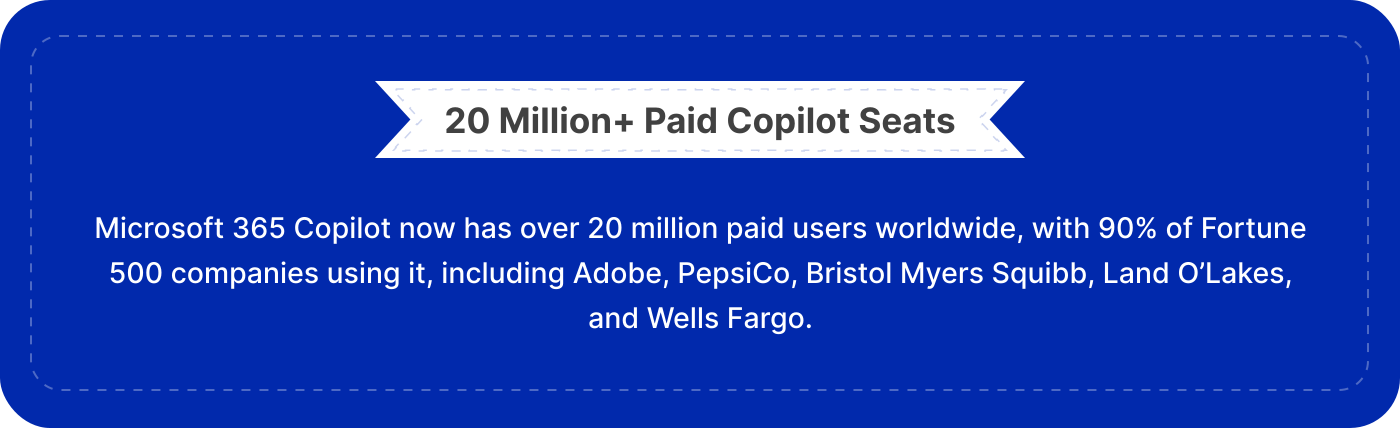
4. 20 million Paid Copilot Seats Across 90% of the Fortune 500 Firms
Microsoft has revealed that Microsoft 365 Copilot now has over 20 million paid users worldwide, with 90% of the Fortune 500 companies actively using it. This is a clear sign that Copilot for Microsoft 365 has outgrown its pilot phase and is now an essential productivity tool for big businesses.
As organizations undertake Microsoft 365 tenant-to-tenant migrations due to mergers, acquisitions, and modernization initiatives, ensuring uninterrupted access to Copilot becomes increasingly important.
Preserving data access, permissions, and governance controls helps users continue benefiting from Microsoft 365 Copilot features immediately after migration while maintaining productivity and business continuity.
5. Governance and Organizational Factors Drive 67% of Copilot Success
Microsoft’s research found that governance, organizational readiness, and data management account for 67% of Copilot’s effectiveness.
That finding says a lot. Basically, in order to make AI work well for you, you need a well-run data environment.
Whenever you do a Microsoft tenant migration, that’s a great chance to get rid of permissions that are no longer needed. Clean up all that shared but unnecessary SharePoint content, apply sensitivity labels, and strengthen compliance controls. These improvements enhance security and also improve the quality of AI-generated responses.
So, when getting ready for Microsoft 365 Copilot features, think of any modernization project as both a migration and a governance initiative.
Why Tenant Modernization Matters More in the Age of Copilot
- Microsoft 365 Copilot requires access to accurate, appropriately governed, and securely accessed organizational data.
- Inadequately executed migrations may impact permissions, collaboration information, and content access, resulting in less efficient Copilot performance.
- Modernization exercises create an ideal chance to remove obsolete permissions, clean up overshared content, and improve governance policies.
- For the Microsoft 365 environment to be prepared for Copilot, integration and consistency of data within mailbox, SharePoint Online, OneDrive, and Microsoft Teams need to be ensured.
- Organizations engaging in mergers and acquisitions or consolidating their tenant infrastructure must retain access to all critical business knowledge after the migration process.
- A tenant-to-tenant Microsoft 365 migration project that succeeds involves moving beyond migrating data to preserve the metadata and permissions required by Copilot for its effectiveness.
By mapping complex permissions and metadata during tenant migrations, we at CloudFuze modernize your Microsoft 365 environment while building a secure, zero-sprawl foundation for Copilot deployment.
Migration expertise, with a focus on robust governance, really helps organizations get the best value from Microsoft 365 Copilot right from day one in their new tenant.
How CloudFuze Helps Large Businesses Get Microsoft 365 Ready for Copilot
As the use of Microsoft 365 Copilot increases, there is the need for Office 365 tenant migration tools like CloudFuze that can ensure that all the data, permissions, and collaborative information that is required by Copilot remains intact.
We at CloudFuze help large organizations execute complex Microsoft tenant-to-tenant migration projects across mailboxes, SharePoint Online, OneDrive, and Microsoft Teams. We help modernize complex, multi-tenant Microsoft 365 environments.
By aligning your enterprise-grade migration with strict data governance frameworks, CloudFuze ensures that your custom AI agents and collaborative histories move flawlessly to the target tenant.
With CloudFuze, you aren’t just shifting infrastructure, but you are also seamlessly transferring your enterprise’s collective digital intelligence with absolute confidence.
What Are the Future Trends for Microsoft 365 Copilot and Tenant Modernization?
Microsoft 365 Copilot is evolving beyond just helping with tasks for driving AI-driven automation and smarter workflows. Companies are starting to adopt AI agents to automate processes, streamline workflows, and make better decisions.
At the same time, enterprises are linking up Copilot with their business-specific knowledge and data to create more bespoke AI experiences. As AI becomes more and more popular, employee roles are shifting towards reviewing AI outputs, managing the governance side of things, and making key strategic decisions.
All of which means that tenant modernization is becoming extremely important to build secure, well-governed and AI-ready Microsoft 365 environments.
Planning a Microsoft 365 Tenant Migration for Copilot Readiness?
As companies keep investing in Microsoft 365 Copilot, it becomes important to get data integrity, governance and business continuity right during the migration. We at CloudFuze help enterprises give Microsoft 365 a major upgrade with secure tenant-to-tenant migrations that help companies build a solid foundation for AI-readiness.
Discover how CloudFuze Manage and Migrate tools work together to transition your infrastructure cleanly and securely. Speak with a migration expert now.
Frequently Asked Questions
1. Why Is Microsoft 365 Copilot So Important for Tenant Modernization?
Microsoft 365 Copilot is driving companies to modernize their Microsoft 365 environments. To get the most out of Copilot, organizations need solid data, good governance, and proper permissions. As a result, tenant Modernization projects are increasingly focused on creating AI-ready environments that let you use Copilot securely and effectively.
2. How Does Microsoft 365 Copilot Compare to Other AI Tools?
Unlike standalone AI tools, Microsoft 365 Copilot is directly built into Teams, Outlook, Word, Excel and SharePoint. It also gets the benefits of Microsoft 365 security, compliance policies and user permissions, so that AI-generated responses are based on the right organizational data and stick to enterprise-grade security.
3. What are the Best Practices for Implementing Microsoft 365 Copilot?
Successful Microsoft 365 Copilot adoption starts with good data governance. Organizations should tidy up any overshared content, review the permissions and make sure data is properly sorted before rolling it out. It’s also best to deploy Copilot in phases, starting with key departments such as Sales, HR, or Legal, while encouraging leadership teams to actively drive its use.
4. How Can Companies Help Employees Get More Value from Microsoft 365 Copilot?
Training should focus on getting employees to use Copilot in their everyday workflows, rather than just writing prompts for it. Employees should be encouraged to review and validate AI-generated content, share good use cases with other teams, and spot opportunities to automate repetitive tasks.
Building a culture of AI adoption is what will help organizations get the most out of Copilot in the long term.
About the Author: Aayushi Raj



