
CloudFuze: Best Microsoft 365 to Microsoft 365 Migration Tool
Looking for the best Microsoft 365 tenant to tenant migration tool? CloudFuze is here!
With 12+ years of experience in enterprise cloud migration, we understand that cross-tenant Microsoft 365 migrations during enterprise M&A or divestitures carry immense operational risk. Standard native features often struggle with multi-petabyte workloads, leaving IT teams managing broken file permissions and severe API throttling.
CloudFuze Migrate, a Microsoft 365 partner, is the best Microsoft 365 to Microsoft 365 migration tool for large enterprises, offering full workload support (Outlook, OneDrive, SharePoint, and Teams), fully managed services, API optimization, delta migration, metadata preservation, and robust security.
Key Takeaways
Challenges Involved in M365 Tenant Migration
A successful M365 to M365 migration isn’t just about moving files from Point A to Point B. It’s about context preservation. Without the right Office 365 tenant to tenant migration tool, IT admins regularly face major challenges:
- Broken permissions and sharing links
- Metadata and file versions get lost
- Microsoft API throttling limitations
- Microsoft Teams migration complexities
- Difficulties in user mapping
- Long migration timelines
- Business disruption during cutover
- Compliance and audit concerns
We’ve designed the CloudFuze Office 365 tenant to tenant migration engine to eliminate these challenges through automation, intelligent migration workflows, elite security protocols, and high-fidelity replication.
Why CloudFuze is Considered the Best Microsoft 365 to Microsoft 365 Migration Tool for Enterprises
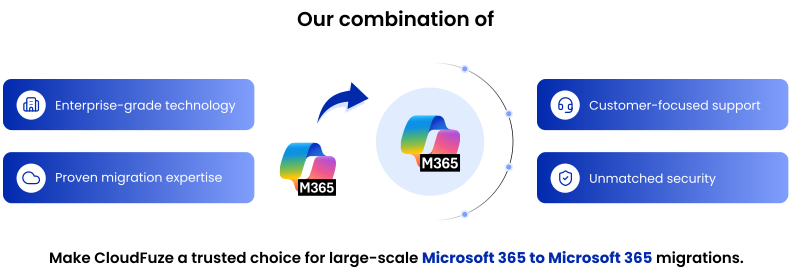
CloudFuze is an end-to-end Office 365 migration solution tailored to help enterprises offer safe, fast, and fully managed migrations between Microsoft 365 tenants. It streamlines the process involved in Microsoft tenant to tenant migration without adding operational burden on IT admins, CIOs, or CTOs.
Here’s why CloudFuze leads the way in Microsoft 365 Tenant-to-Tenant migration:
1. Full Microsoft 365 Migration Workloads Support
While simple solutions only allow migrating email alone, we at CloudFuze provide Microsoft 365 tenant to tenant migration tool for all of your Microsoft 365 workloads:
| Microsoft 365 Workload | What CloudFuze Supports |
|---|---|
| Exchange Online / Outlook | Emails, calendars, contacts, mailbox data, folders, and email metadata |
| OneDrive for Business | Files, folders, permissions, sharing, metadata, and version history |
| SharePoint Online | Document libraries, files, folders, permissions, and metadata |
| Microsoft Teams | Teams, channels, messages, files, memberships, and collaboration data |
| Files & Folders | Folder structures, timestamps, metadata, permissions, and file versions |
| User Accounts & Mapping | Automated and CSV-based source-to-destination user mapping |
| Permissions & Sharing | User permissions, sharing structures, and access controls |
| File Version History | Preserves historical file versions during migration |
Thus, with CloudFuze, you get to move all collaboration workloads at once rather than migrating them separately.
Need to migrate multiple Microsoft 365 workloads? Request a free demo to see how our tool can support your enterprise tenant-to-tenant migration.
2. Enterprise-Level Migrations for Millions of Emails and 10+ Petabytes of Data
CloudFuze is designed to handle migrations ranging from thousands of users to terabytes and even petabytes of data and trusted by 1000+ global enterprises. Automated workflows, batch migration, and optimized transfer options enable you to finish your Microsoft tenant to tenant migration project faster.
In addition, our Microsoft 365 to Microsoft 365 migration tool caters to the unique requirements of enterprise migrations, like API throttling, unsupported filenames, and complicated sharing structures.
3. Intelligent API Throttling Optimization during Tenant Migration
API throttling has been among the major challenges for Microsoft 365 tenant migrations. It can significantly slow down large migration projects.
CloudFuze incorporates intelligent retry logic and dynamic throughput optimization, preventing bandwidth bottlenecks and ensuring rapid, predictable transfer speeds.
4. Granular Permissions & Metadata Preservation
It is common for many organizations to preserve their metadata. CloudFuze retains all necessary Microsoft metadata, such as created dates, modified dates, ownership details, file properties, folder structures, file version histories, and email timestamps.
It also preserves complex Access Control Lists (ACLs) across OneDrive for Business and SharePoint Online, including root, sub-folder, and inner file permissions, external guest access and shared links.
5. Reporting and Detailed Audit Trail
In an enterprise IT scenario, reporting and tracking of migration activity becomes inevitable. CloudFuze gives enterprises a live dashboard for comprehensive reporting and auditing capabilities through which administrators get an insight into their migrations, both successful and failed attempts.
These reports provide insights into completed migrations, failed items, migration speeds, data volumes transferred, and validation results. The detailed audit trail supports governance, compliance, troubleshooting, and post-migration verification activities.
6. Zero Downtime M365 Tenant Migration
CloudFuze allows end users to keep working even when migration processes are ongoing. Organizations can perform staged migrations and incremental synchronization without disrupting daily operations.
Our Office 365 tenant migration platform offers zero downtime Microsoft 365 tenant migrations.
7. Advanced Delta Migration Feature
The most advanced feature among the enterprise migration solutions offered by CloudFuze is Delta Migration.
It avoids repeated migration of the whole dataset and focuses on migrating only the changes made after the initial one-time data transfer. It allows enterprises to shorten migration windows, avoid network overloads, speed up cutovers, and increase accuracy of migrations.
8. Automated and CSV User Mapping
CloudFuze is considered as a best tenant to tenant migration tool Microsoft 365 by IT admins as it has built-in automated user mapping and even an option to use CSV files. That greatly simplifies the process of managing a large number of users during Microsoft 365 cross-tenant migration.
9. Multi-Geo and Global Enterprise Compatibility
Our Office 365 to Office 365 migration tool supports multi-geo Microsoft 365 tenant migration for organizations with globally distributed users and data repositories. Enterprises operating across multiple regions can migrate data while maintaining performance and minimizing latency challenges.
10. Pre-Migration Assessment and Discovery
Enterprises often have millions of files and thousands of users. Collaboration in such enterprises may also be rather complex.
CloudFuze helps enterprises understand the landscape of their Microsoft 365 environment prior to data migration by determining users, their storage utilization, permissions, sharing structure, and possible pitfalls in the migration process.
You Get Enterprise-Grade Security and Compliance
When migrating highly confidential data within or across organizations, security cannot be an afterthought. CloudFuze is designed to support the security, privacy, and compliance requirements of organizations in the US, UK, Australia, and other regions, helping enterprises follow applicable regional and industry security standards throughout the migration process.
- Authentications: Uses secure OAuth 2.0 cloud authentication. That means that CloudFuze will never store or see any user passwords.
- Encryption: Uses RSA-2048 encryption for all transferred data.
- Compliance: Complies with SOC 2 Type 2, ISO 27001, and GDPR standards.
- Regional Security Requirements: Designed to help organizations address security and data protection requirements that may vary across the US, UK, Australia, and other regions.
The tenant to tenant Microsoft 365 platform is designed to support compliance-focused organizations that require secure migration processes and detailed audit visibility.
CloudFuze Offers White-Glove Managed Microsoft 365 Migration Services
Another important thing that distinguishes CloudFuze as the best Office 365 tenant to-tenant migration tool is how we manage the project. For large and complicated migrations, CloudFuze offers a fully managed, white-glove service that takes care of everything.
CloudFuze provides you with migration specialists, project managers, and technical experts who will handle everything, starting from pre-migration readiness checks, pilot runs, full migration, batch-level processing, and post-migration validation.
This Office 365 managed migration service will help eliminate risks, speed up your migration, and solve any possible issues along the way.
Step-by-Step Microsoft 365 Tenant to Tenant Migration Process for Enterprises
At CloudFuze, we offer an easy Microsoft 365 to Microsoft 365 migration process for IT admins and CIOs as mentioned below:
Step 1: Connect Both Tenants
Add and authenticate your source and destination Microsoft 365 tenants in CloudFuze.
Step 2: Select What to Migrate
Choose the workloads you want to transfer, such as Outlook/Exchange Online, OneDrive, SharePoint, and Microsoft Teams.
Step 3: Map Users and Permissions
Map user accounts and configure permissions to ensure data is migrated to the correct destination.
Step 4: Start the Microsoft 365 Tenant Migration
Review your settings and launch the migration. CloudFuze handles the data transfer automatically.
Step 5: Monitor, Validate, and Complete the Migration
Track progress through the dashboard, validate migrated data, and run Delta Migration before final cutover.
Microsoft 365 Tenant Migration Use Cases We Support
We assist our customers in executing a wide range of tenant migration initiatives, including:
- Business mergers and acquisitions
- Divestitures
- Tenant consolidations
- Corporate rebranding migrations
- Multi-tenant optimization
- Compliance-driven migrations
- Modernizing the Microsoft 365 environment
Tailored Microsoft 365 Migration Services for Enterprises
Every enterprise has unique migration requirements based on its users, workloads, data volume, tenant structure, and business goals. We provide tailored Microsoft 365 migration services designed around each organization’s specific needs.
Our migration experts work closely with IT teams to plan and execute the entire migration, from pre-migration assessment and user mapping to workload migration, delta migration, and post-migration validation. Whether it’s an M&A, divestiture, tenant consolidation, or multi-geo migration, we customize the approach to help ensure a smooth and risk-free transition.
You can contact our enterprise cloud architects to get your custom migration assessment & quote tailored to your organization’s specific workloads.
Best Practices for Office 365 Tenant-to-Tenant Migration
Based on the expertise we have gathered from assisting enterprises in their migration process, some best practices include:
- Conducting migration assessments thoroughly
- Deleting unused user accounts and stale data
- Permissions review before migrating
- Pilot migration testing
- Migrating users phase by phase
- Implementing the Delta Migration capability
- Validation of migrated data
- End-user training
- Migration reports monitoring
- Rollback plan preparation
CloudFuze Reviews and Testimonials (Gartner & G2)
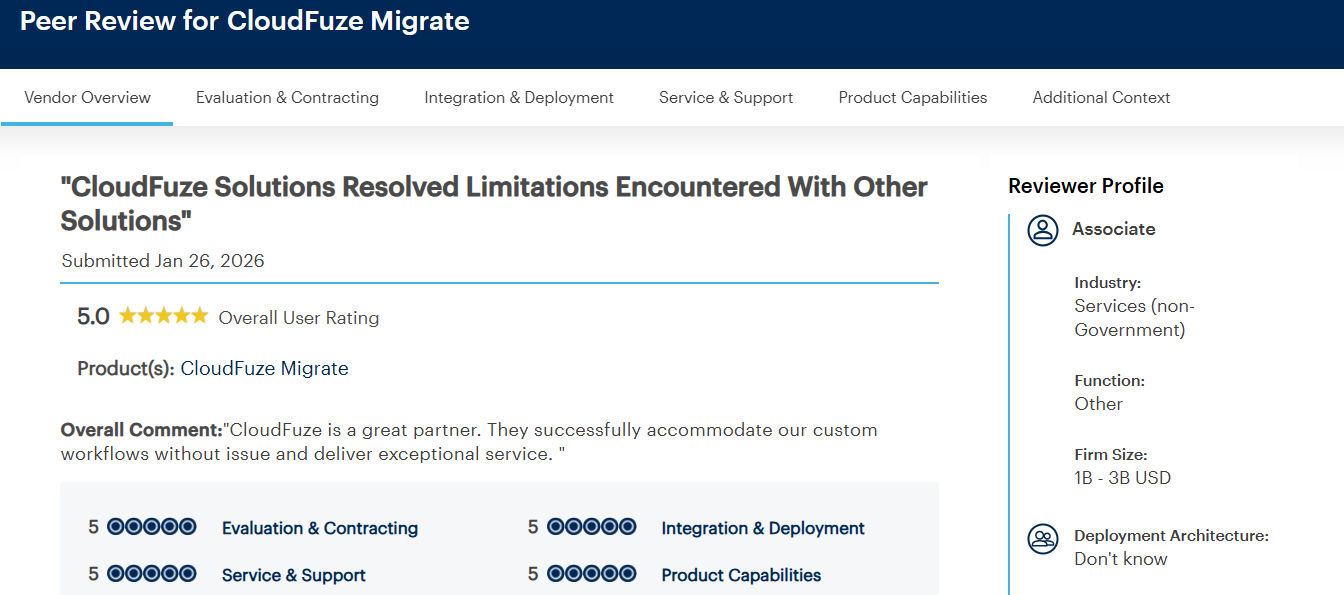
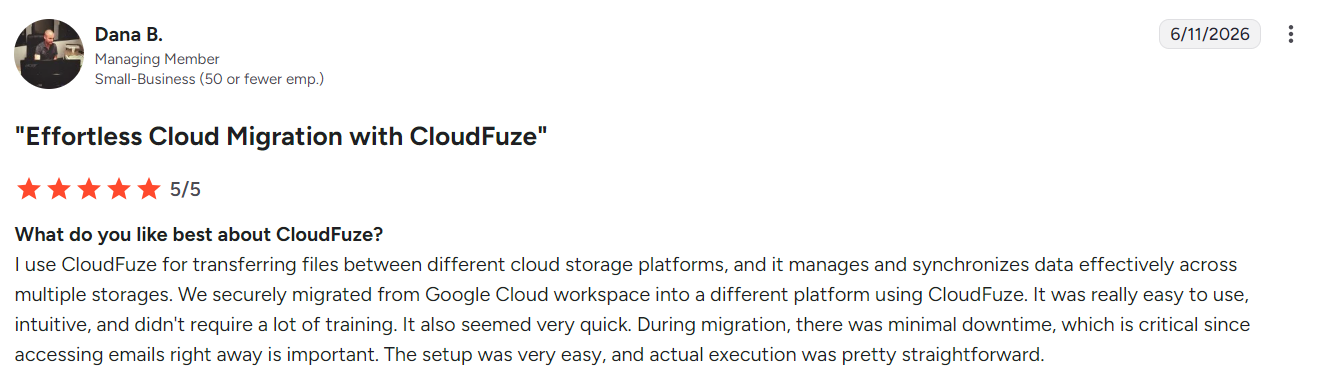
CloudFuze has received impressive reviews from IT specialists and enterprise companies alike on popular software review websites like Gartner Peer Insights and G2. Having a 4.7-star rating on Gartner Peer Insights and a 4.2-star rating on G2, our solution helps customers achieve secure and reliable migration results and has rich testimonials.
See what our customers are saying:
Preparation for the AI Era with the Help of Cloud Migration (Copilot Readiness)
A tenant-to-tenant migration is an opportunity to prepare your organization for the future. With the explosion of Microsoft 365 Copilot, clean data migration and tight permission governance are crucial.
By using CloudFuze to perfectly preserve structure, streamline Copilot governance and clean up data sprawl during a tenant move, IT teams ensure their new platform is secure, compliant, and instantly ready for safe AI enablement.
If your organization is staring down a complex Microsoft 365 tenant-to-tenant migration, don’t leave data integrity to chance. CloudFuze delivers the speed, security, and precision required to make your transition flawless.
Try our BEST Microsoft 365 Tenant Migration Tool Today!
At CloudFuze, we offer the best Microsoft 365 tenant migration tool that caters to the needs of enterprises. By combining deep workload fidelity, continuous delta synchronization, and enterprise security compliance, CloudFuze eliminates the risk of data loss and user friction during complex cross-tenant transformations.
Get started with the #1 Microsoft 365 migration tool now.
Frequently Asked Questions
1. Which is the best Microsoft 365 to Microsoft 365 migration tool?
The best migration tool for moving between Microsoft 365 tenants is CloudFuze. It is known for its scalability, metadata retention, Teams migration support, and end-to-end managed Office 365 migration services. CloudFuze is a preferred choice for enterprises due to its comprehensive workload coverage and large-scale migration capabilities.
2. How to Migrate Microsoft 365 Tenants Efficiently?
For a Microsoft 365 tenant migration, you need careful planning, do user mapping, test the process, carry out migrations, run delta syncs, and finally, validate migrations. Automating the process using the CloudFuze migration platform can make the whole process smoother.
3. Which is the Affordable Solution for Migration from Microsoft 365 to Microsoft 365 for Enterprises?
Enterprises can consider migrations that offer flexible pricing models, performance scalability, and support services that enable a smooth migration process. CloudFuze provides affordable solutions for migrating large volumes of Microsoft 365 data without investing in expensive infrastructure. Get a tailored quote today!
4. How to Choose the Best Microsoft 365 Migration Tool for My Business?
When selecting a Microsoft 365 migration tool, evaluate factors such as scalability, workload coverage, security certifications, metadata retention, migration speed, reporting capabilities, customer support, and experience handling enterprise-scale projects. CloudFuze is designed to meet these requirements for organizations of all sizes.
5. How to use CloudFuze for migrating data from one Microsoft 365 account to another?
Connect the source and destination Microsoft 365 accounts, map users, select the workloads and data to migrate, run the migration, and monitor progress through CloudFuze’s centralized dashboard.
6. What are the benefits of using migration tools like CloudFuze for Microsoft 365 data transfer?
CloudFuze automates large-scale data transfers, reduces manual effort, preserves metadata and permissions, supports delta migration, and provides centralized monitoring and reporting for faster, more reliable migrations.
About the Author: Aayushi Raj


