
The Business Benefits of Automating IT Tasks in 2026
The business benefit of automating IT tasks is that it reduces time spent on manual administrative work and speeds up employee onboarding and offboarding. Also, it helps IT teams reduce operational costs and minimize human error associated with manual IT tasks.
And, according to Gartner’s 2026 budget research, expected headcount growth has dropped from 6% in 2025 to just 2% in 2026. This clearly highlights a structural pivot toward investing in automation and AI rather than in human resources.
Our SaaS and AI app management software, CloudFuze Manage, supports this shift by helping IT teams automate IT tasks on a single unified platform.
This blog post breaks down the benefits of IT task automation in detail. Keep Reading!
Key Takeaways:
What Is IT Task Automation and What Are Its Key Components?
IT task automation uses software or tools to handle routine, repetitive IT tasks that humans previously did.
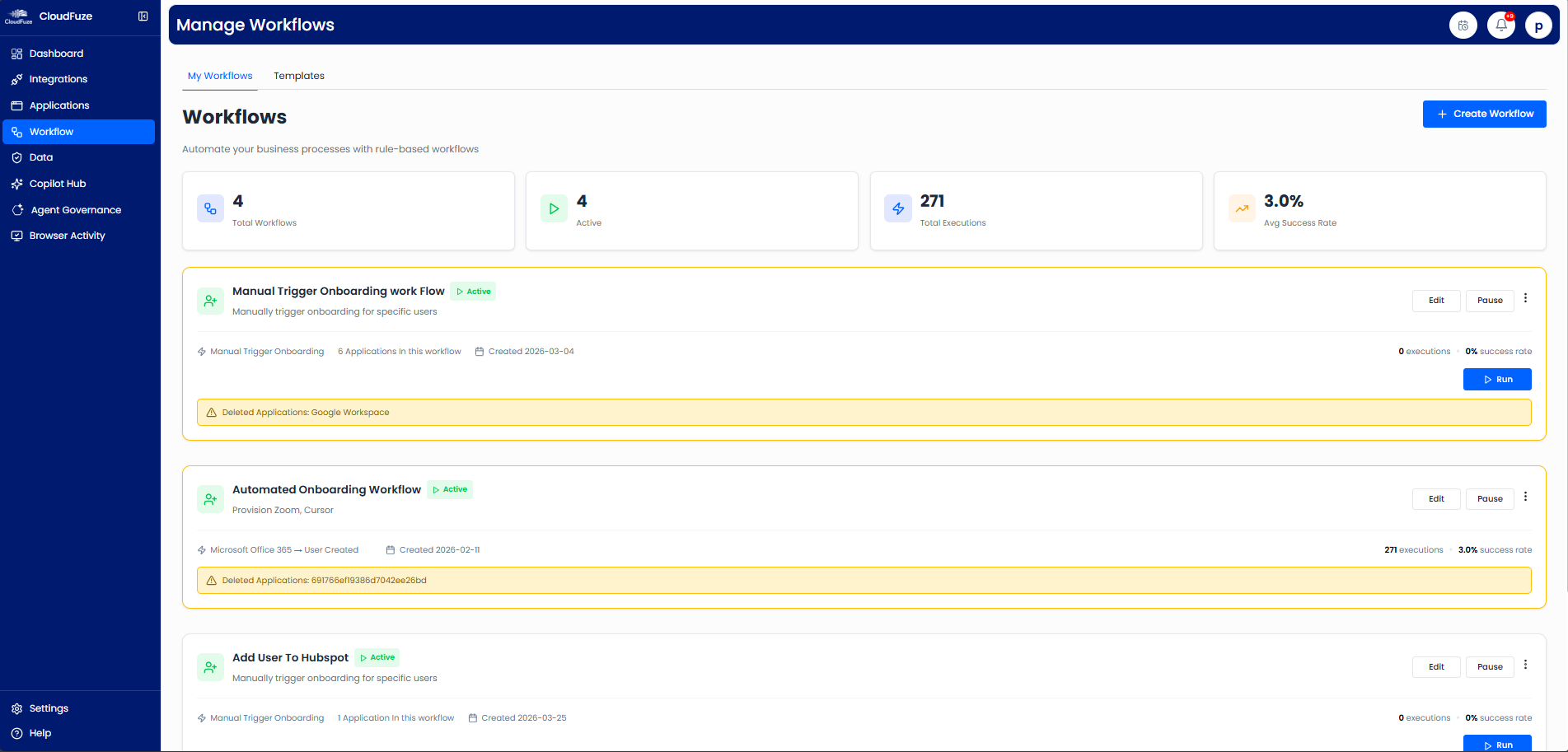
For example, IT admins create new-hire accounts, change user permissions based on users’ work roles, assign software license seats, and manually remove unused application access. But with IT automation, a trigger can execute all the above manual IT workflows automatically and record every action for future audits without human intervention.
The Key Components of IT Task Automation are:
- Multi-step IT workflow orchestration
- Predefined Workflow Triggers and Event-Based Actions
- Role-Based User Access Controls (RBAC)
- IT workflow Policy and Data Governance Controls
- Built-in Reporting, Audit Logging, and Monitoring for IT Ops.
Why Is IT Task Automation Becoming a Business Priority in 2026?
In this age of AI, automation is becoming a realistic business priority for maintaining IT control as your enterprise scales. This is anticipated by McKinsey’s recent research report, which shows that currently demonstrated artificial intelligence technologies could automate activities that account for about 57% of U.S. work hours.
Meanwhile, SaaS and AI tools within your tech stack keep multiplying faster than your IT team can manage by hand. That’s why the best place to start is by identifying which repetitive IT tasks can be automated first.
Common IT Tasks That Can Be Automated
- User provisioning and onboarding
- Employee offboarding and deprovisioning
- SaaS and AI license management
- User Access and AI agents’ permission reviews
- Password resets and service requests
- Compliance reporting and audit logging
How Does IT Task Automation Differ from Manual IT Tasks?
The table below clearly shows the difference between manual and automated IT tasks.
| Dimension | Manual IT Tasks | Automated IT Tasks |
|---|---|---|
| Employee Onboarding Speed | It depends on the IT ticket queue (days/weeks) | Triggered by an HR event, with access enabled on day one |
| Error Rate | High due to missed steps and typos | Fewer errors, as it follows policy-enforced workflows |
| Offboarding | Orphaned accounts linger, creating data loss risk | User access revoked instantly |
| Audit Readiness | Manual evidence gathering | Instant audit logs |
| Scalability | Limited by staff hours | Scales without added headcount |
What Are the Business Benefits of Automating IT Tasks in 2026?
The benefits of automating IT workflows in 2026 are discussed in detail below:
1. Lower Operational Costs
Skilled IT staff is expensive. Every hour they spend clearing routine IT tickets is an hour you’re overpaying for low-value work, and IT automation reduces that cost. It also catches unused SaaS & AI licenses before they auto-renew, which turns your licensing waste into savings you can see on your invoice.
2. Fewer Human Errors
A missed revocation of app access permissions and human typos can require you to redo the erroneous work or clean up a security gap weeks later. However, automated IT workflows apply the same policy every time, so license provisioning, employee access changes, and deprovisioning are handled correctly whether it’s the first request of the day or the fiftieth.
3. Faster Employee Onboarding and Offboarding
A new hire shouldn’t lose three days waiting for relevant tools. With the help of user workflow automation, work tools are provisioned for new hires within minutes. When the same employee leaves your company, their user access and shared permissions are revoked automatically on their last working day.
4. Stronger Security Controls
The real security risk isn’t usually a malware attack. It’s the former employee whose account stayed live for two weeks, or the agents they built, and nobody knows it. Automated user access governance closes those gaps, implements least-privilege data access by default, and surfaces permission and agentic AI sprawl before they become a threat.
5. Improved Compliance Reporting
Audits get easier when evidence gathering is built in. Every automated IT action is logged with an accurate timestamp, so you’re not reconstructing who changed what after the fact. When your auditor asks, your org-wide audit trail is already there.
6. Scalability Without Added Headcount
Human IT processes break the moment your IT tools and employee headcount outgrow your IT team’s available hours. Automated workflows let you add users, SaaS apps, and AI apps without hiring an IT admin with just a trigger.
7. More Time for Other High-Value Work
Handing over routine IT work to automation lets your IT engineers invest their time in building better architecture, security strategy, and projects that increase your business revenue.
Best Practices for Automating Repetitive IT Tasks in 2026
Discussed below are a few practices that well-run IT teams follow:
- Always start with high-volume, rules-based tasks such as user lifecycle and license management to achieve quick wins.
- Make sure you connect your IT workflows to a trusted and primary inventory, such as your HR system (Bamboo HR) or identity system (Okta or Entra SSO).
- Always build role-based user access policies instead of one-off Python scripts to make your IT workflow automation consistent.
- Don’t forget to apply human accountability for exceptions and high-risk agent approval workflows.
- Regularly monitor, audit, and scale your IT workflows to stay compliant.
How Can B2B Companies Implement IT Workflow Automation with CloudFuze Manage?
Our unified SaaS and AI app management platform, CloudFuze Manage, helps you automate IT Ops throughout your organization’s SaaS and AI environment.
Here’s how you can automate your IT workflows with CloudFuze Manage:
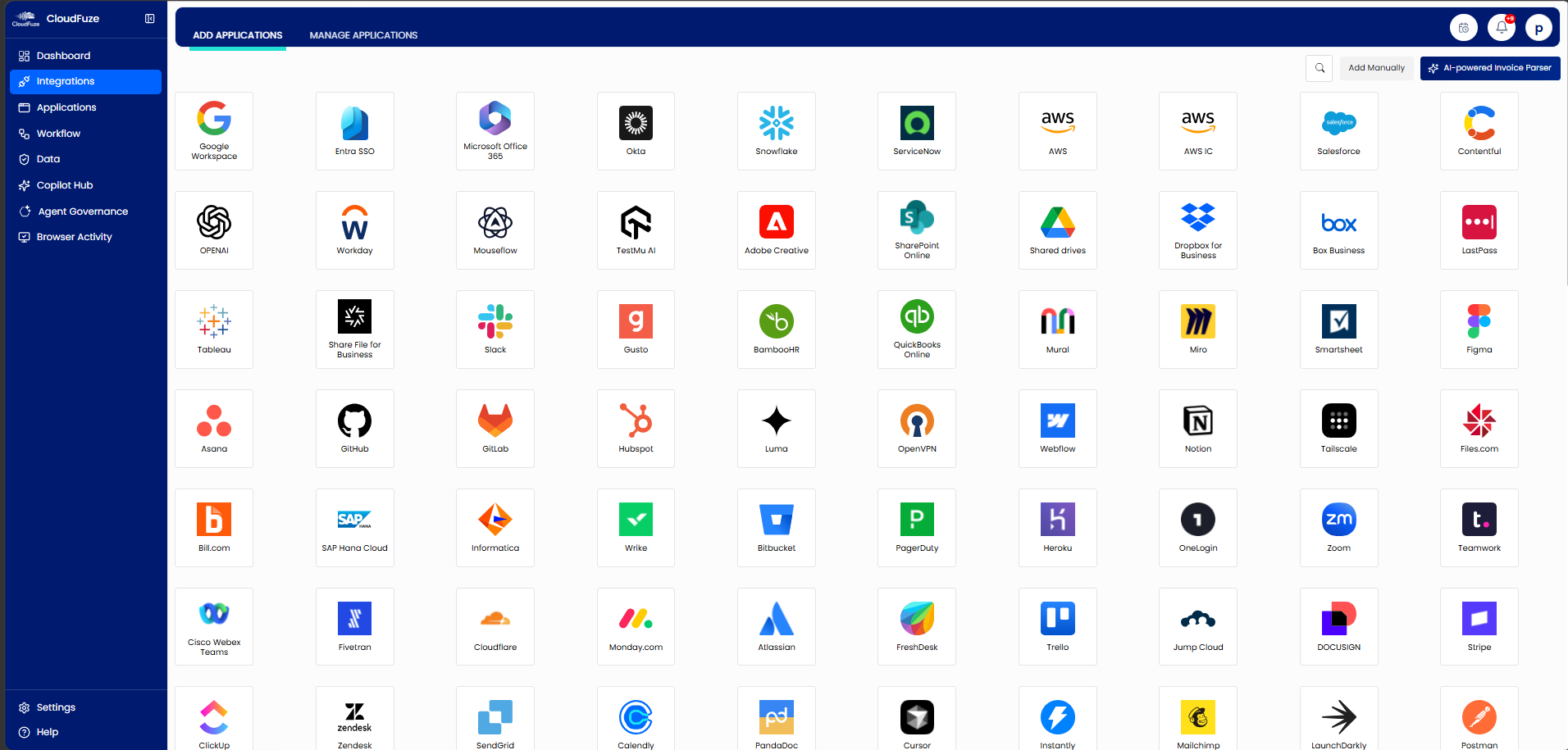
- Step 1: You can connect 190+ leading SaaS and AI apps (Insightful, Miro, Box, Mailchimp, Dropbox, OpenAI, Claude, Gemini, and more), including shadow IT, without writing a single line of code.

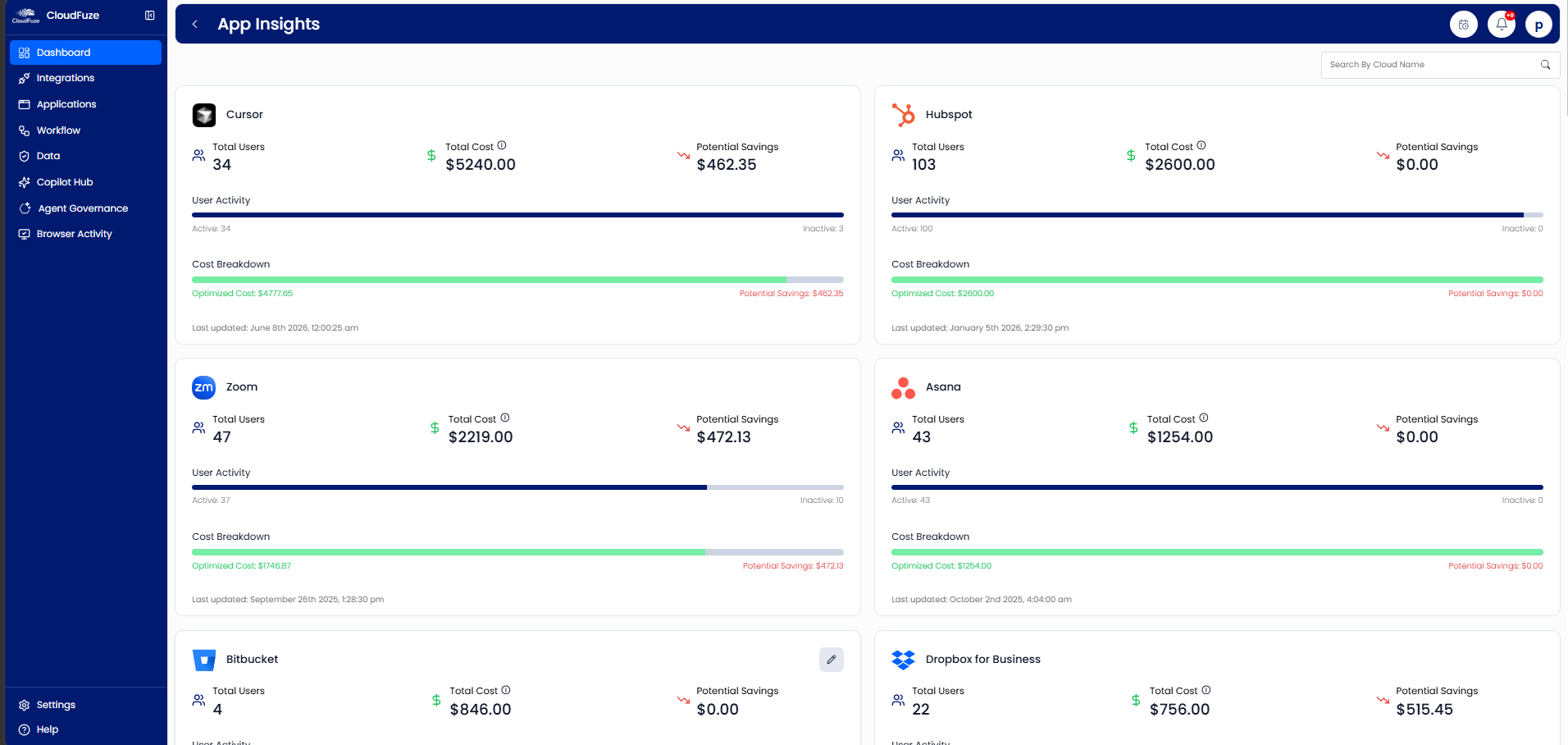
- Step 2: You can easily identify unused app subscriptions, eliminate hidden expenses, and save up to 30% of your IT costs.

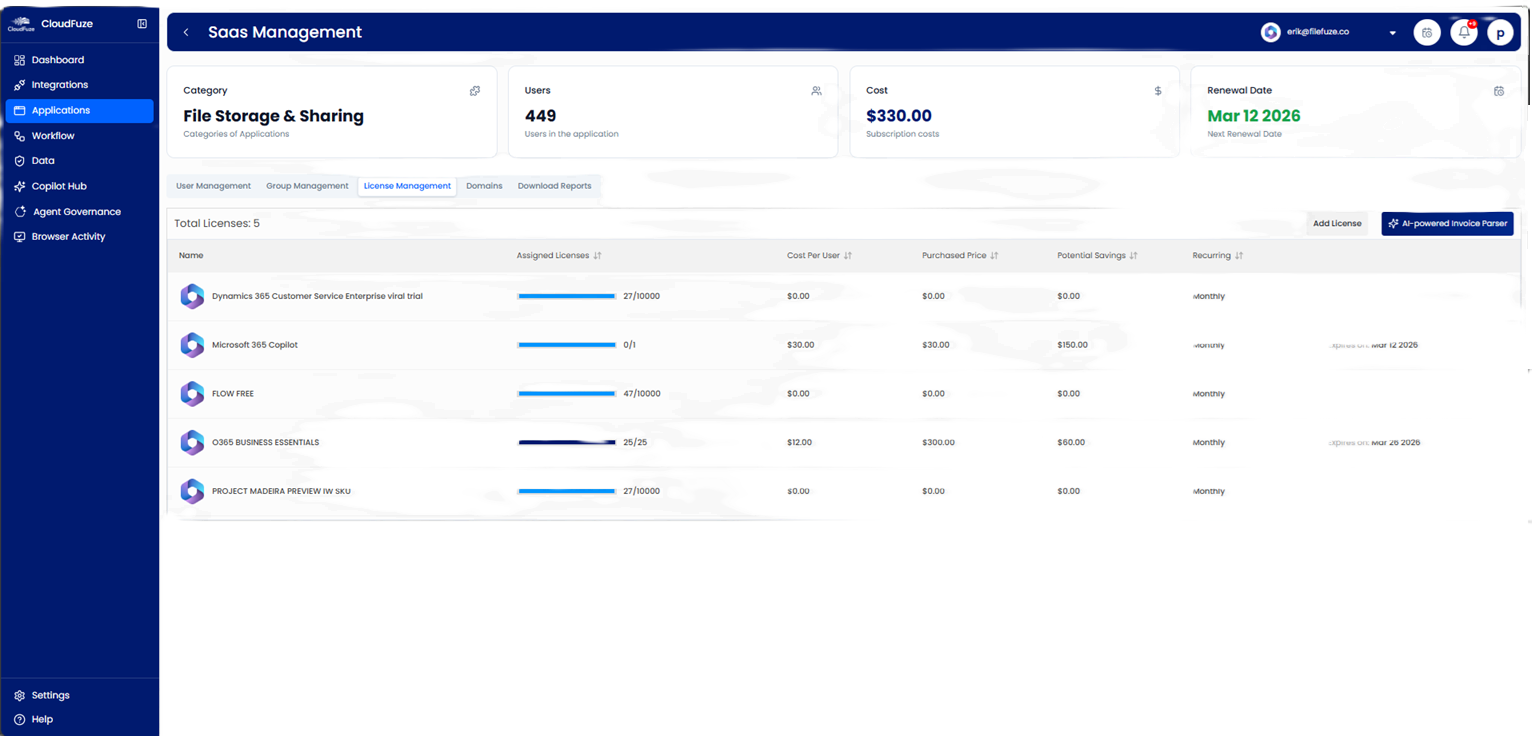
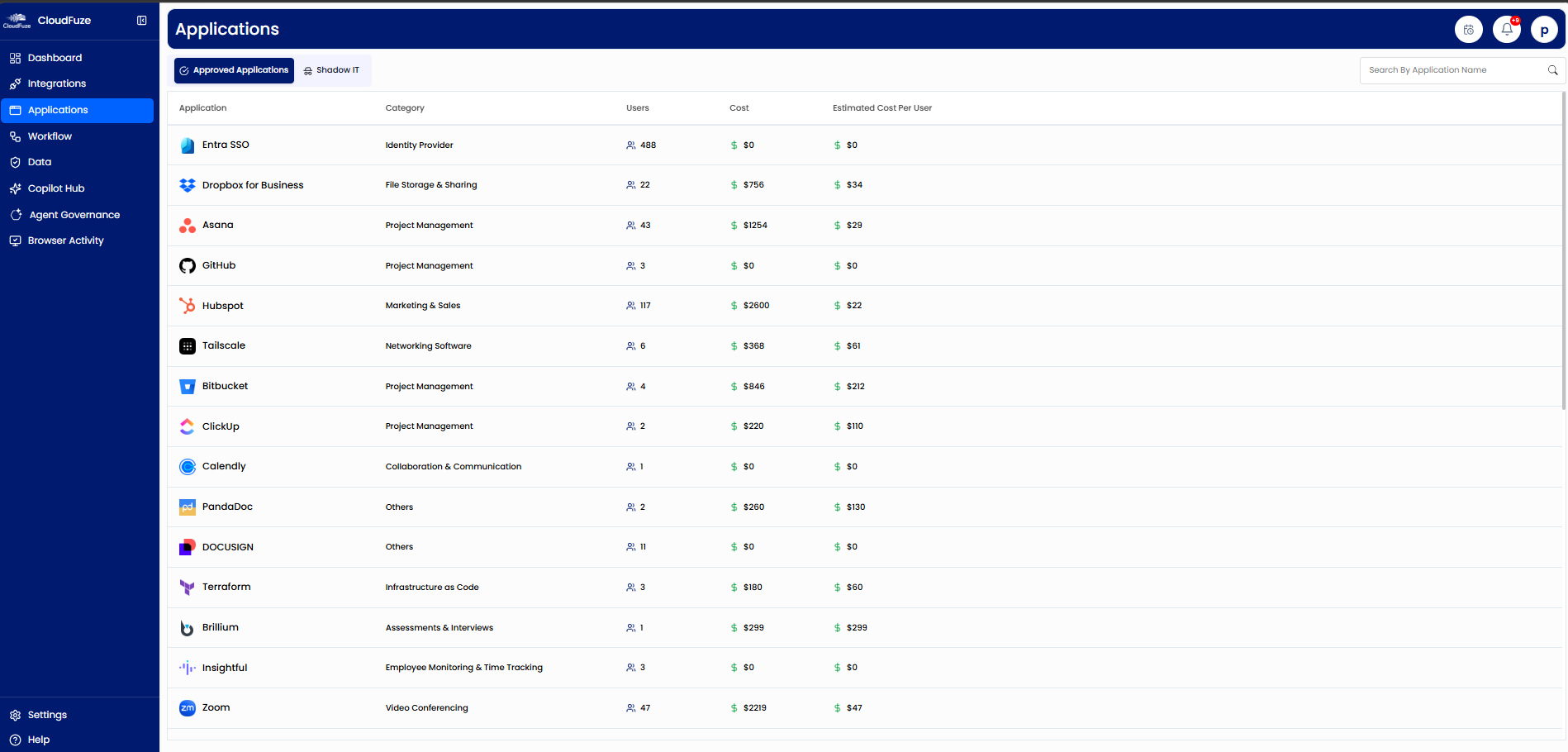
- Step 3: You can track licenses, renewals, usage, and costs from a single dashboard.

- Step 4: You may save several IT hours on manually onboarding and offboarding users by automating user lifecycle workflows.

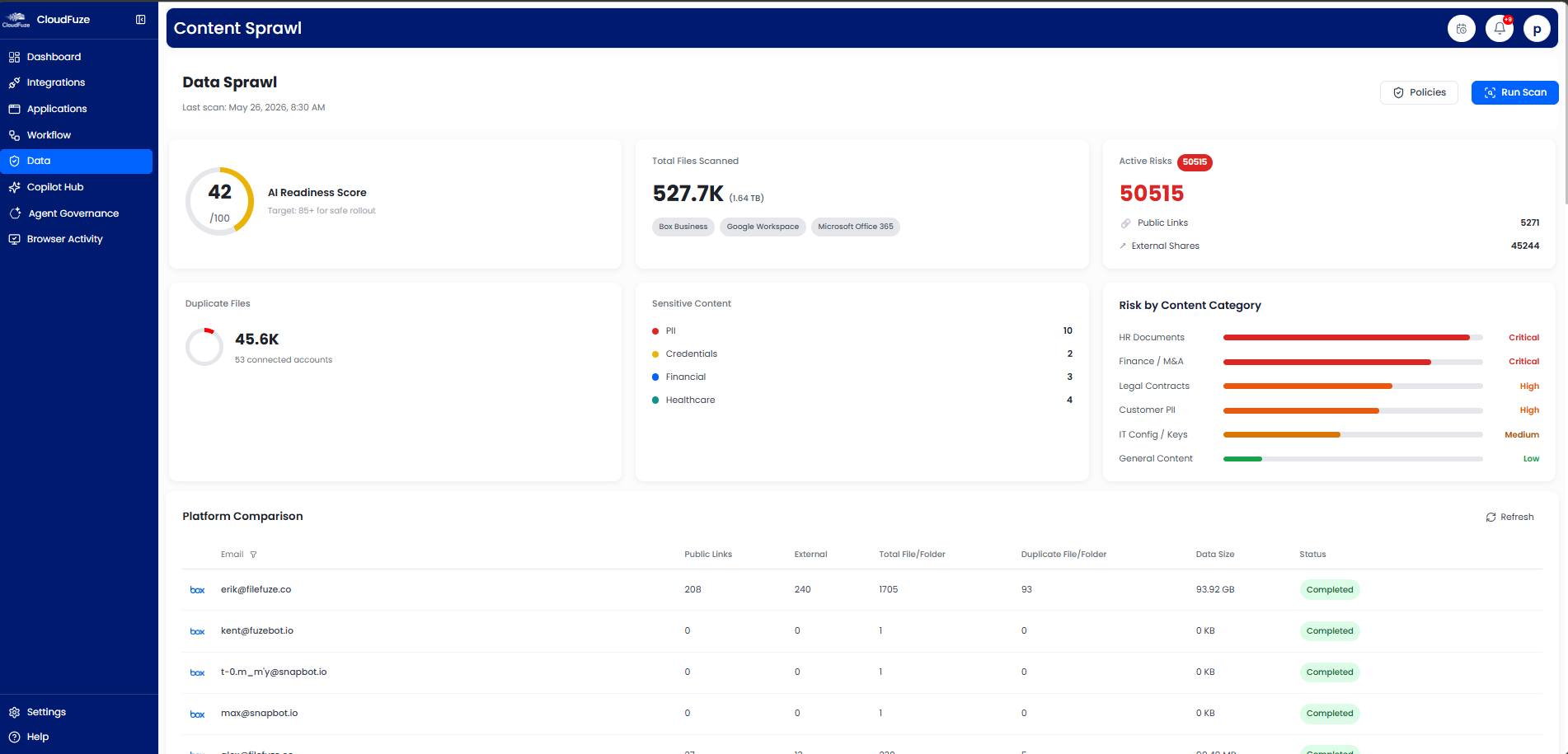
- Step 5: You can control data access permissions and protect your enterprise-sensitive data across all your IT applications and agents by adopting a uniform IT policy.


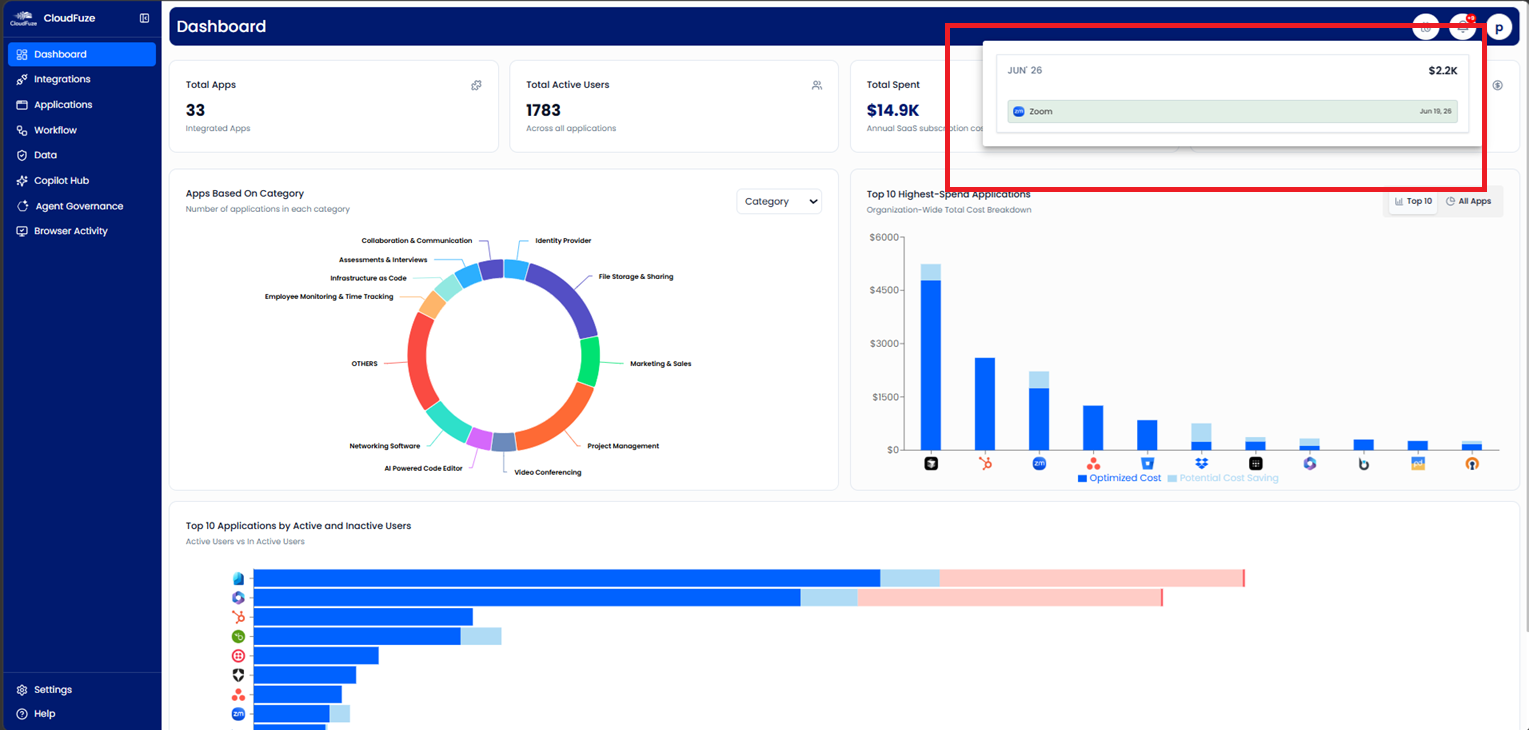
- Step 6: You’ll receive prior automated subscription renewal alerts (15/30 days ahead) and avoid auto-renewals.

- Step 7: You can use real-time reports to make SaaS and AI budgeting, license optimization, and optimized IT automation planning.


Experience The Business Benefits of IT Automation with CloudFuze Manage
In 2026, forward-thinking enterprises are automating IT tasks to tighten their security management, reduce license waste, and free their IT admins to contribute towards higher-value work. Our platform CloudFuze Manage offers IT work automation, SaaS management, and AI agent governance into one platform, so your IT operations finally scale securely without any hassle.
Ready to scale your IT operations without increasing IT overhead? Talk to our automation experts and get your free demo now!
Frequently Asked Questions
1. What are the best software for automating IT workflows in enterprise environments?
CloudFuze Manage is one of the best platforms for automating IT tasks. It unifies app discovery, user lifecycle automation, license management, and data access governance across 190+ major SaaS and AI apps.
2. What are the business risks of managing IT workflows in a spreadsheet?
Managing IT workflows in spreadsheets increases business risks, including SaaS sprawl, shadow IT, compliance and security risks, and delays in user lifecycle workflows due to insufficient visibility across your IT environment.
3. How do you evaluate the return on investment of IT automation?
You can calculate the ROI of your IT automation by tracking hours of IT time saved, the number of user provisioning errors, employee offboarding speed, and the decrease in IT administration and licensing costs.
4. Can CloudFuze Manage automate IT functions such as employee lifecycle workflows, license tracking, and data governance?
Yes. CloudFuze Manage automates all the above IT tasks with full audit logs across your IT environment.
5. How does CloudFuze Manage pricing work for enterprises?
CloudFuze Manage offers an affordable and flexible per-user pricing plan for large enterprises, SMBs, and MSPs.
About the Author: Rashmi Ramesh


