
Securing File Sharing and Guest Access with RBAC Automation
Most enterprise data breaches don’t start with a malware attack. They just start with an ex-employee’s guest account that still has lingering access due to improper user offboarding.
In most cases, IT executives offboard departing employees from Slack, Zoom, and email, but their shared Google Drive folder remains active. And this is how many real data exposures occur in many enterprises today.
At this point, securing file sharing and guest access with RBAC automation has become a baseline for IT survival. In this blog post, you’ll discover how RBAC automation secures file-sharing user access and guest access.
Key Takeaways:
What Is Role-Based Access Control (RBAC)?
Role-based access control (RBAC) is a permission-based user access control framework that grants users access to systems, files, and applications based on the employee’s organizational role rather than their individual identity.
Instead of manually assigning user access permissions to each employee, you define their work roles (e.g., “Finance Analyst,” “External Contractor,” “Read-Only Auditor”) and set specific user permissions to those roles. When a user joins, changes their teams, or leaves your organization, you update their role, and their user access adjusts automatically.
Core components of RBAC:
- Roles – Defined job functions (e.g., Manager, Contractor, Guest).
- User Permissions – Specific user access rights (read, write, share, delete).
- Users – Assigned to one or more roles.
- Role bindings – The rules that map organization roles to user access permissions across your organization’s systems.
Do you know what makes RBAC so powerful? It’s automation that eliminates the need for raising IT tickets, delays in new-hire onboarding, and orphaned user accounts.
How Does RBAC Automation Secure Your Organization’s File Sharing Security and Guest Access?
In almost every organization, collaboration with external members is unavoidable. Partners, contractors, auditors, and clients all need temporary access to files. The problem is that most organizations treat their guest user access as a one-time setup and not an ongoing IT governance responsibility.
Manual user access revocation typically fails when:
- A contractor is granted “Editor” access to a shared Google Drive folder “just for now.”
- The contract-based project ends. The IT ticket to revoke the temporary access was never filed.
- Six months later, that contractor still holds edit access to your internal business documents. This expands your company’s cyber-attack surface.
However, RBAC automation completely eliminates human intervention by streamlining user access governance in line with your organizational role lifecycle.
Pitfalls Organizations Face While Securing File Sharing and Guest Access Without RBAC Automation
Most organizations don’t realize how exposed their data is until they get a legal notice. Here are the pitfalls that security and IT teams consistently run into:
- Permission Sprawl: Every project creates new file shares. This leaves hundreds of guest users with over-privileged access permissions that no one can fully track.
- Orphaned User Accounts: Former employees and contractors often retain user access across your company’s Google Drive, Dropbox, Box, and SharePoint.
- Over-Provisioned User Access: Your IT admins grant more access than necessary for an employee’s work role, violating the least-privilege principle.
- Rising Subscription Costs: Inactive guest accounts created for short-term projects consume paid licenses. This, in turn, results in wasted license spend and increases data security threats.
- Audit Failures: When IT auditors ask who has access to this document and why ex-employees still have read access to this file, IT admins fail to provide the auditors a clean user access trail.
These are the daily realities of IT teams managing guest user access at scale without a unified IT governance platform like CloudFuze Manage.
4 Best Practices for Implementing Role-Based Access Control (RBAC) in Your File Sharing Systems
Mentioned below are some of the best practices to get the most out of your role-based access control implementation:
- Utilize a SaaS and AI app management platform like CloudFuze Manage to effortlessly implement role-specific user access controls.
- Always define clear roles based on real job functions and assign user permissions only through those pre-defined roles.
- Make sure to enforce least-privilege employee access with automatic account access expiration for all guests and contractors.
- Regularly audit your company’s RBAC procedures to identify risks early and resolve them before they escalate into a major threat.
How Can Organizations Automate Role-Based Access Control (RBAC) for Guest Access in File Sharing?
Our SaaS and AI app management platform, CloudFuze Manage, unifies RBAC automation across your entire SaaS and AI stack. It also gives your IT team 360-degree visibility into your tech stack, automated guest access control, and audit-ready reporting from a single platform.
Here’s how our platforms’ role-based user access automation works:
- Connect Your SaaS & AI Stack: Authenticate all your business apps to our platform, CloudFuze Manage.

- Define User-Specific Roles & Permissions: Create customized role-based user workflows for different departments using our tool’s “manage workflow” labeled icon.

- Use RBAC Workflow Templates: Take advantage of our pre-designed workflow templates to automate role-based access provisioning

- Automate User Provisioning: Enable automatic user account creation and license assignment.
- Monitor & Optimize: Use our SaaS & AI app usage analytics to oversee onboarding efficiency and make improvements.

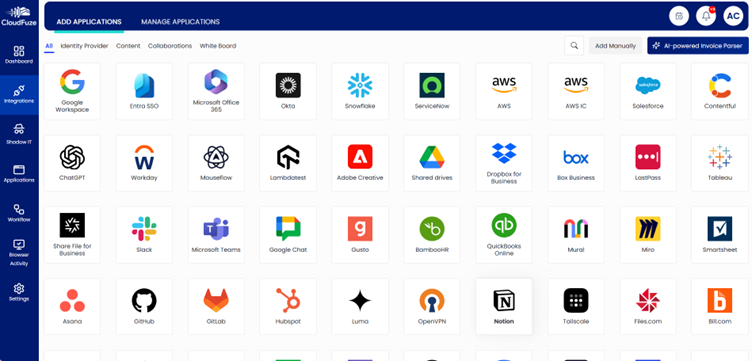
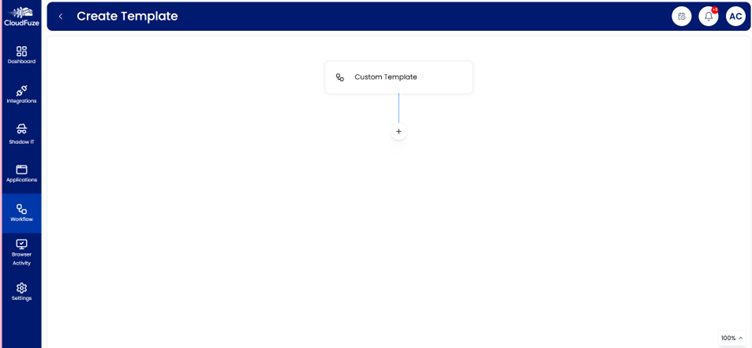
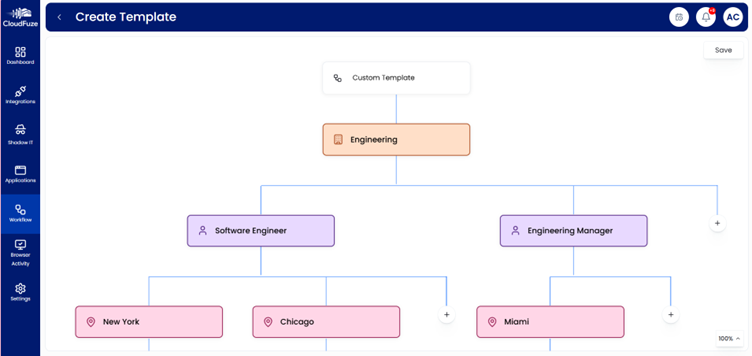
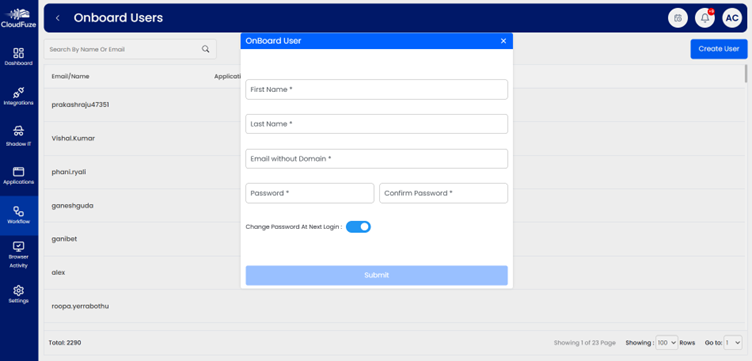
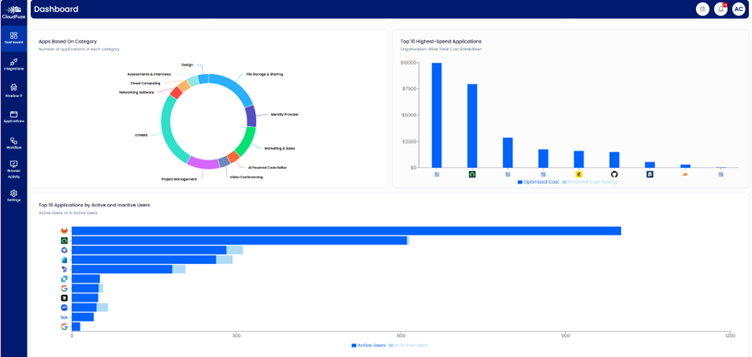
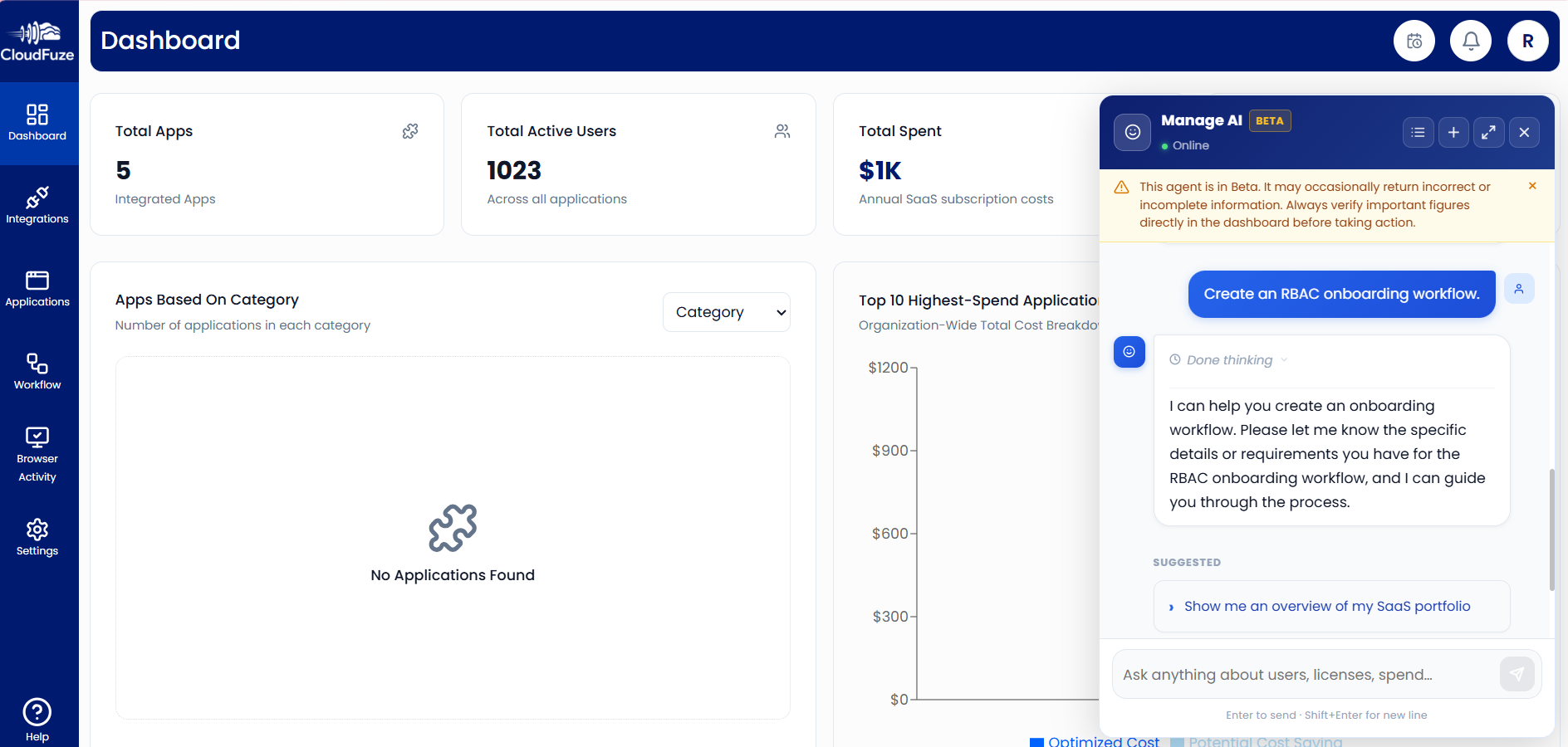
Pro Tip: With our built-in AI assistant (Manage AI), IT teams can create RBAC workflows by providing necessary details, manage guest access, and detect permission sprawl directly from our intuitive dashboard.
Eliminate Permission Sprawl with CloudFuze Manage
Securing file sharing and guest access with RBAC automation is necessary to reduce manual IT overhead.
Our SaaS and AI app management solution, CloudFuze Manage, gives your IT teams complete visibility, role-based access control automation, and audit readiness on a single, user-friendly platform with a flexible per-user pricing option.
Want to see CloudFuze Manage in action and take control of your file sharing access today? Book your free demo here!
Frequently Asked Questions
1. What is the difference between RBAC and least-privilege user access?
| RBAC | Least Privilege |
|---|---|
| Structures user access by role | Limits user access to only what’s necessary |
| Scales user access management | Minimizes data-related security risk |
Our platform, CloudFuze Manage, automates both RBAC and least-privileged user access across your tech stack.
2. What are the best platforms for secure file sharing with automated guest access and role-based access control?
CloudFuze Manage is one of the best platforms, as it automates RBAC and guest access governance across Dropbox, Microsoft 365, Box, Google Workspace, and more, all from a single platform.
3. Can CloudFuze Manage detect content sprawl in major cloud platforms like Dropbox, Box, and Google Workspace?
Yes. Our solution, CloudFuze Manage, scans across Dropbox, Google Workspace, Box, and Microsoft 365 to surface content sprawl, orphaned guest accounts, over-provisioned user permissions, and unused app licenses without any CSV uploads.
About the Author: Rashmi Ramesh



