
The Importance of Revoking App Access During Offboarding
Revoking app access is an important step in the employee offboarding process.
Lingering orphaned user access can cause high-profile data security incidents, in which former employees access your company’s systems months after their termination.
As an IT head, automating your employee offboarding process with SaaS & AI app management software is necessary to safeguard your enterprise data, maintain industry compliance standards, and manage costs associated with unused app licenses.
In this blog post, you’ll get to know the importance of revoking departing employees’ user access during offboarding.
Key Takeaways:
What Does Revoking App Access Mean During Employee Offboarding?
Revoking app access means removing your departing employee’s access and permissions across all your company’s systems, apps, and data they have previously used.
Effective app access revocation includes:
- Disabling departing employees’ accounts (IdP, SaaS-native access, and local accounts) across your company’s tech stack.
- Revoking API tokens, OAuth app permissions, privileged roles, and admin rights assigned to your departing employee.
- Reclaiming unused app licenses and finally auditing the performed app access revocation steps.
Security Risks of NOT Revoking Access During Offboarding
Failing to revoke former employees’ app access creates several high-impact security risks. They are:
- Data breaches and insider threats (by ex-employees) expand your company’s attack surface.
- Shadow IT and Shadow AI exposure normally stay invisible to your IdP, creating hidden user access gaps in your company.
- Missing or delayed app access revocation leads to SOC 2 Type 2 and ISO 27001 audit failures due to incomplete app access logs and a lack of timely employee access deprovisioning proof.
Different Methods for Revoking App Access During Offboarding
You typically have three ways to revoke app access (identity deprovisioning) while offboarding employees:
| Method | Description | Impact |
|---|---|---|
| Manual Revocation | Spreadsheets/IT tickets-based user access management, very slow process. | High risk, human errors are common when employees use 50–100 apps. |
| Directory -Based Revocation | Disables users in Okta, Entra ID, and Google Workspace. | Misses non-SSO apps, local user accounts, OAuth/API keys. |
| Automated Deprovisioning | HR termination triggers the immediate removal of app access and unused license reclamation. | Provides full, reliable, compliant coverage. |
From the table above, it’s clear that an automation-based user offboarding approach is considered essential for enterprise-grade data protection compliance.
Best Practices for Secure Access Revocation: Employee Offboarding Checklist
To ensure complete removal of app access, HR and IT teams must follow these 5 best practices. They are:
- Always block user sign-ins, reset ex-employees’ passwords, and invalidate all active user sessions, AI tokens, and API keys the moment an employee leaves your organization.
- Make sure to save departing employees’ emails, business files, and team collaboration content before deleting their account, then transfer everything to the appropriate team member.
- Do not forget to forward your ex-employee’s email to a colleague and configure an auto-reply email with alternative contact information.
- Remember to remove unused software licenses and reassign or cancel those app licenses, shared inboxes, and group memberships to avoid wasting license spend by up to 30%.
- Treat it as a required step to archive or delete your ex-employee’s account and make sure to document all offboarding actions taken for IT compliance records.
Along with these best practices, if you use a centralized SaaS and AI app management tool like CloudFuze Manage, you can automate both employee onboarding and offboarding from a single dashboard. This greatly saves your IT time and drastically reduces the risk of human error.
How to Implement a Robust Offboarding and Access Revocation Process
With our SaaS & AI app management platform, CloudFuze Manage, SMBs and large enterprises can instantly revoke ex-employees’ accounts in a single click and strengthen their user offboarding workflows.
Here’s how automated user offboarding features work in our platform:
- Step 1: Connect your HR and IT systems to our platform to automatically trigger offboarding when HR updates an employee’s status.

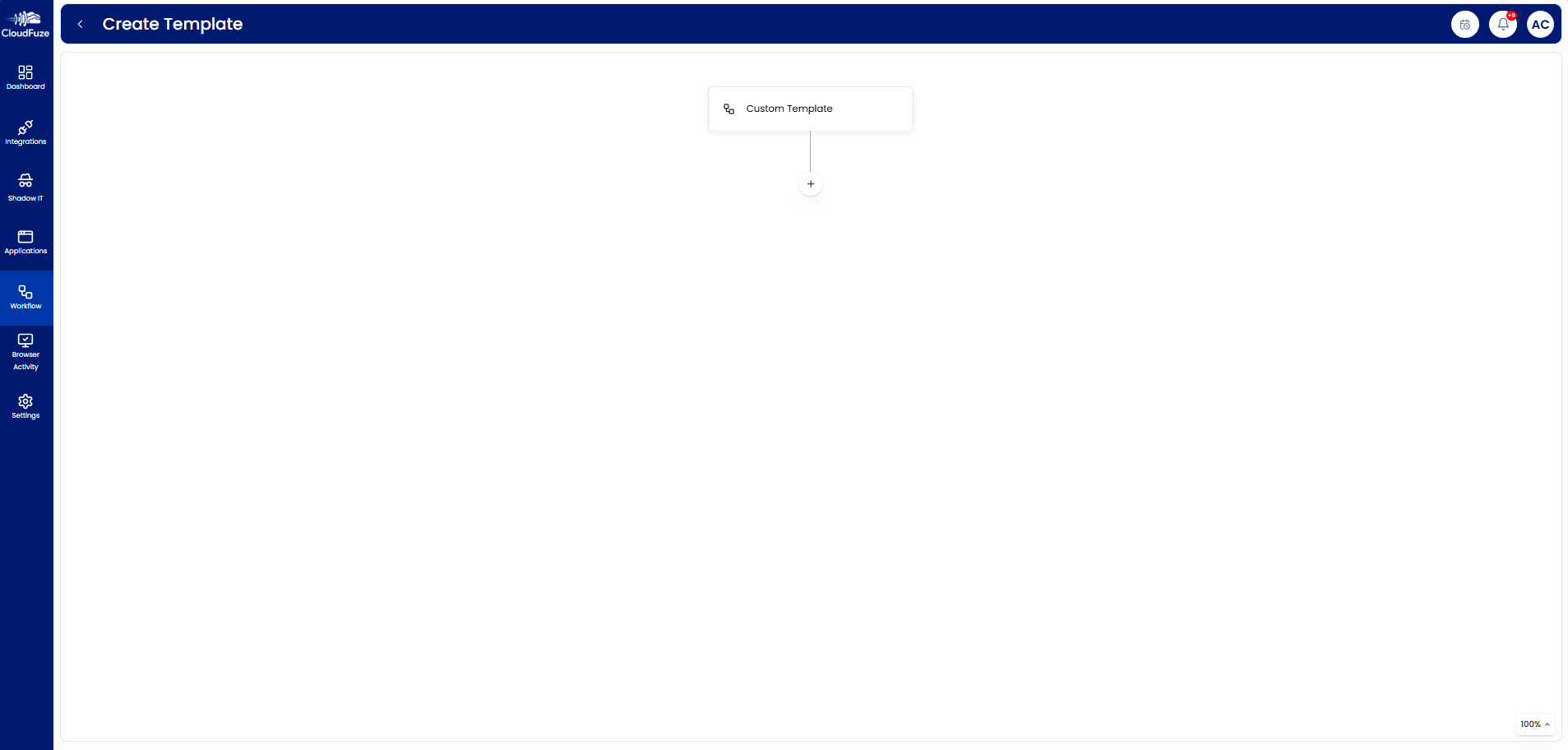
- Step 2: Create a standardized offboarding workflow using the “Manage workflow” option, detailing precise employee access removal, data/email reassignment, user license revocation, and team notifications.

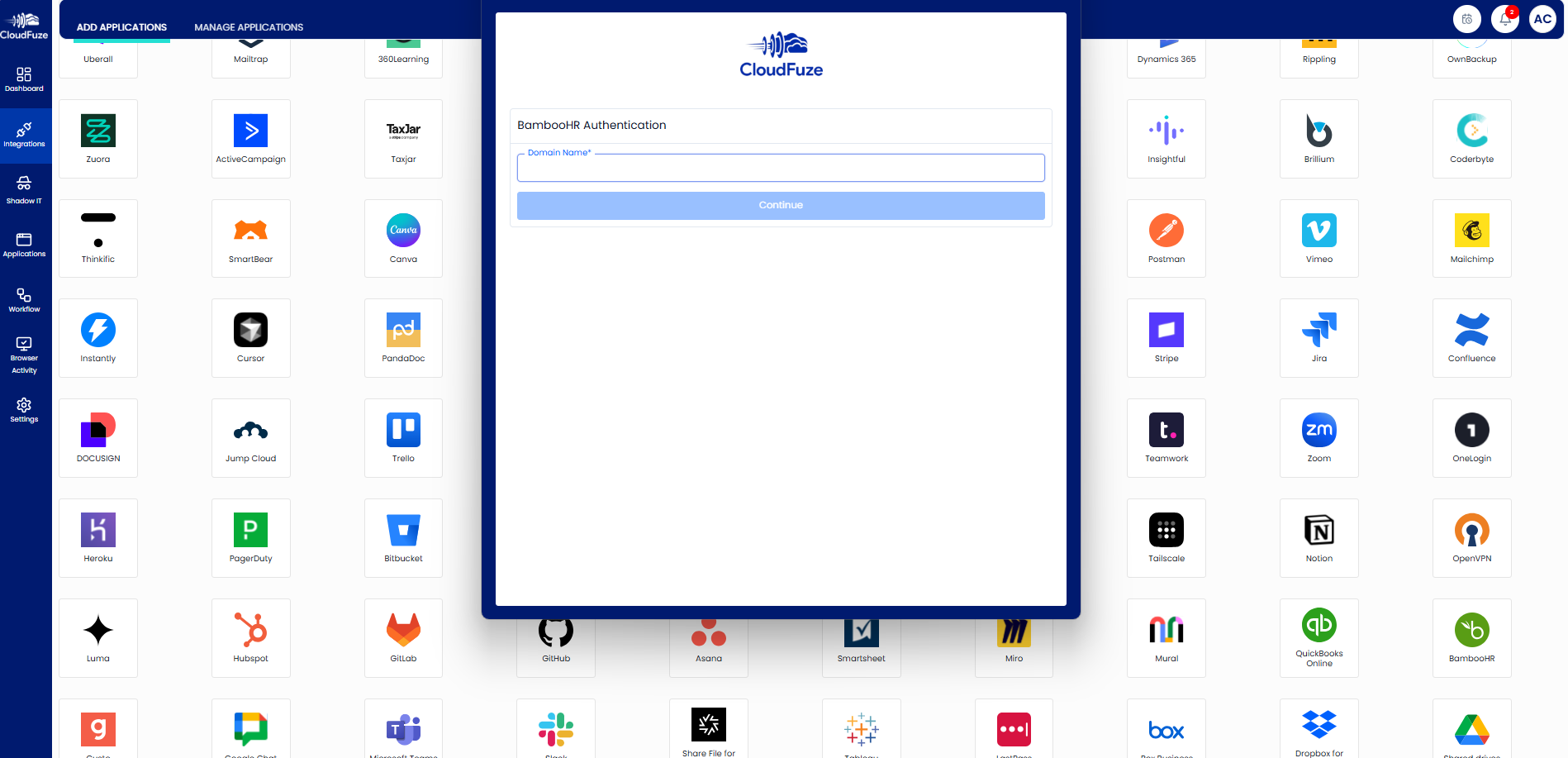
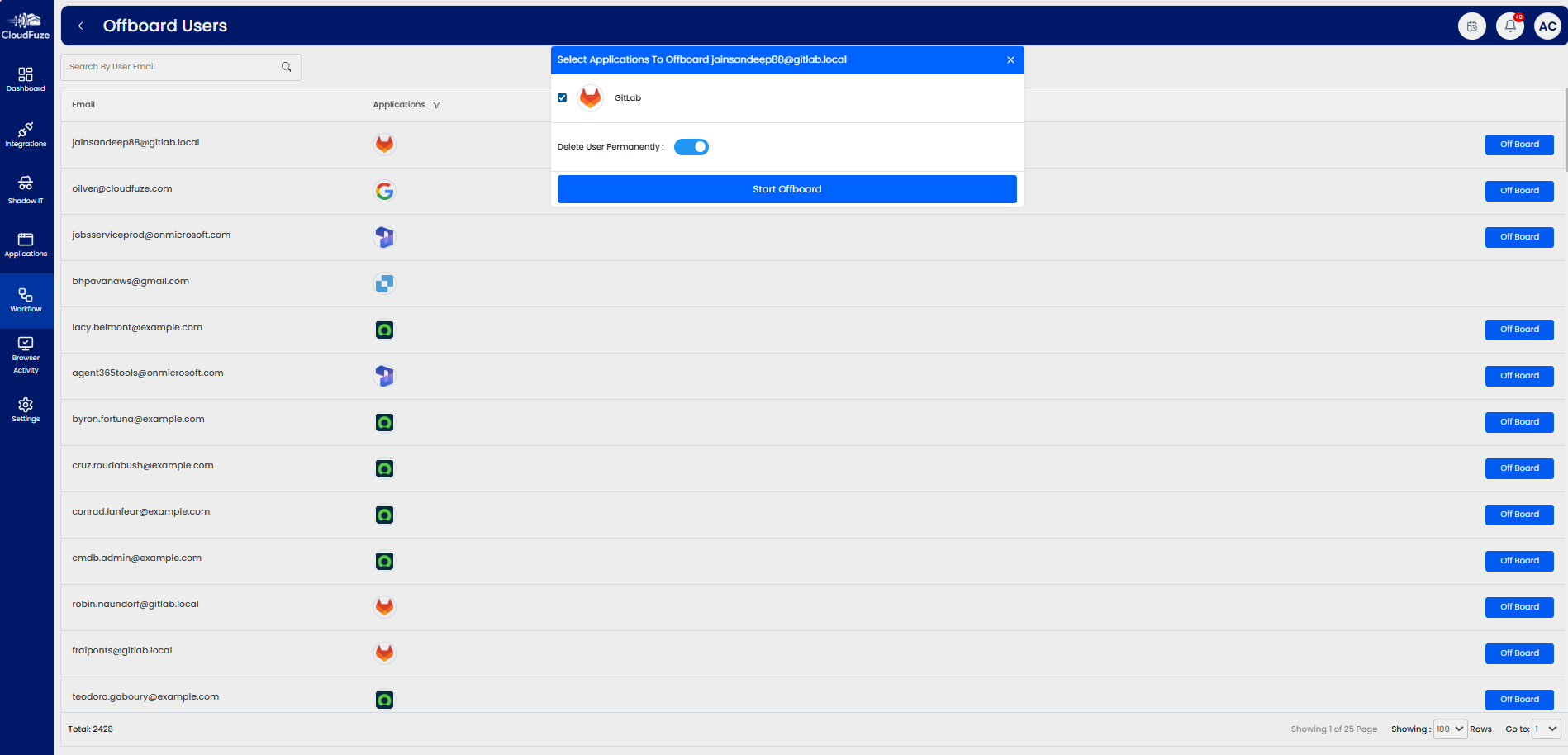
- Step 3: You can use “user offboarding” to automate employee account deprovisioning and ensure that the former employee has no access to your official tools (Slack, Atlassian, Teams, Insightful, BambooHR, Claude, and more).

- Step 4: IT administrators can also build customized offboarding workflow templates to handle employee terminations, resignations, and internal role transfers.

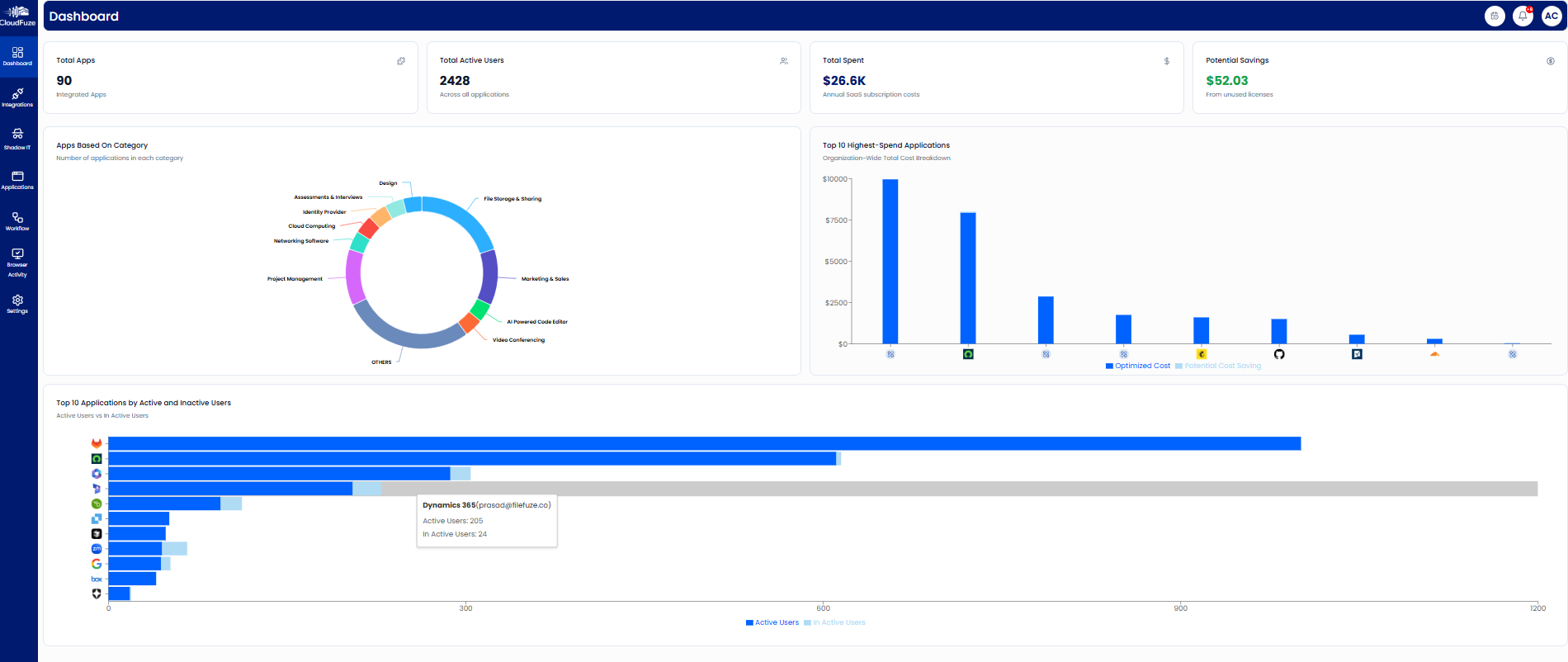
- Step 5: IT teams can track and audit every step of employee offboarding using our intuitive dashboard and audit logs in a single platform without switching multiple tabs.


Automate App Access Revocation with CloudFuze Manage
Revoking app access is an initial line of defence against your company’s data breaches, insider threats, and IT compliance failures.
Our SaaS & AI app management platform, CloudFuze Manage, provides a centralized, audit-ready way to execute automated user access management flawlessly on a single platform, with a flexible per-user pricing plan.
If you’re ready to protect your organization from data security breaches, contact us for a free and no-obligation demo now!
Frequently Asked Questions
1. Best tools for automating SaaS access revocation
Our tool, CloudFuze Manage, provides automated revocation of SaaS user access across all your apps. This SaaS user automation eliminates manual errors and guarantees IT-compliant deprovisioning for every departing employee.
2. How to handle shadow IT during offboarding?
Our platform, CloudFuze Manage, detects all user-linked SaaS and AI tools, including shadow IT and shadow AI. IT admins can create a customized offboarding workflow on our platform that automatically revokes all ex-employee access upon exit.
3. How to audit employee usage of Claude and Cursor before offboarding?
With CloudFuze Manage, you can track detailed logs of developers’ AI productivity, premium chat requests, and the frequently used coding languages for apps like Claude, Gemini, and Cursor in a single, user-friendly dashboard.
4. What compliance standards require orphaned access revocation?
Industry standards such as ISO 27001, GDPR, and SOC 2 Type 2 require immediate app access revocation, and CloudFuze Manage automates orphaned app revocation to help IT and security teams stay audit-ready with one-click downloadable IT reports.
About the Author: Rashmi Ramesh



