
Zero-Touch User Lifecycle in M365: No More Manual Setup
Zero-touch onboarding and offboarding in Microsoft 365 automates end-to-end user lifecycle workflows with no/minimal human intervention. While native tools can automate user workflows across your Microsoft 365 ecosystem and many integrated third-party SaaS & AI applications, they provide limited governance for unsanctioned SaaS and AI apps, shadow IT, and applications that are not fully connected with Entra-based user lifecycle management.
The solution? Our Gartner-recognized Microsoft 365 governance tool, CloudFuze Manage, automates user lifecycle, license optimization, and security management throughout your Microsoft 365 environment, while supporting 190+ leading SaaS and AI apps in a single, intuitive platform.
In this blog post, you’ll learn what a zero-touch user lifecycle is and how you can achieve it using CloudFuze Manage.
Key Takeaways
What Is a Zero-Touch User Lifecycle in Microsoft 365?
A zero-touch user lifecycle is a unified approach to Microsoft 365 user management in which joiner, mover, and leaver events trigger automated IT workflows rather than manual admin work.
For example, when your HR marks someone as hired, the automated user workflow creates an Entra ID account for your new hire, assigns the right license (which provisions the mailbox) based on your new hire’s designation, and grants them role-based user access to connected apps.
Also, when your employee is promoted or changes roles, their user access automatically updates, and when they leave your company, all app access, groups, agents, and shared file access are revoked in one pass.
Why Companies Need Zero-Touch User Lifecycle Automation
In your company, if a new hire waits 3 days to get access to relevant apps, a contractor keeps your Microsoft 365 license for 6 months after their contract ends, and a departing employee’s OAuth grant to third-party tools still survives after their exit interview, then it’s high time for your IT teams to go for a zero-touch user lifecycle automation.
The above scenarios are open invitations to security breaches and can cause license waste in many enterprises. In fact, orphaned user accounts from an incomplete user offboarding process led to data breaches involving compromised credentials, costing an average of $4.44 million (as per IBM’s 2025 Data Breach Report). Also, companies waste 20-30% of their costs on unused licenses.
Benefits of Zero-Touch User Lifecycle Automation in Microsoft 365
Whenever your IT teams streamline user management using a third-party SaaS and AI app management platform like CloudFuze Manage, you’ll get the following advantages:
- Day-One Productivity: New employees get their Microsoft 365 account, licenses, Copilot, and other app access before they log in on their first day, not after a week of raising IT tickets requesting app access.
- Clean and Provable Offboarding: Every Microsoft license, active Copilot session, autonomous agent, and document permission is revoked the moment the leaver event fires in your HR system, with a log to show your auditor.
- Lower Data Breach Exposure: User workflow automation shrinks your company’s attack surface by instantly blocking unused or orphaned tool access and data permissions. Moreover, IBM found that organizations making extensive use of security AI and automation saved about $1.9 million per breach versus those companies relying on manual processes.
- Reclaimed Licenses: Unused or underutilized license seats are freed up automatically rather than surfacing as an unpleasant line item during a subscription renewal.
- Reclaim IT time: IT admins can stop creating zero-touch user onboarding and offboarding checklists and start addressing their company’s exceptions.
Why Do Native Microsoft 365 User Management Tools Fall Short in 2026?
Entra ID, the Microsoft 365 admin center, and Power Automate handle Microsoft’s own ecosystem reasonably well. But nowadays, enterprises run 100-150 apps, and native tools can’t manage those non-Microsoft tools.
The table below differentiates the capabilities of native M365 tools and CloudFuze Manage:
| Capability | Native Microsoft 365 tools | Zero-touch user lifecycle platform (CloudFuze Manage) |
|---|---|---|
| M365 Account and License Provisioning | Yes | Yes |
| Access to Non-Microsoft SaaS and AI Apps | Only apps integrated via Entra SSO or SCIM | All connected SaaS and AI apps |
| Apps Outside Entra SSO | Not visible | Discovered and governed |
| OAuth Grants to Third-Party Tools | Manual IT admin review | Monitored and revoked automatically without involving any IT admin |
| Shadow SaaS and AI App Discovery | No | Yes |
| Cross-App Offboarding in One Workflow | No | Yes |
| Copilot Governance | Limited copilot controls | Has a dedicated Copilot Hub to track its usage, token cost, and more |
How CloudFuze Manage Automates the User Lifecycle in Microsoft 365
Our solution, CloudFuze Manage, is the unified SaaS and AI app management platform that enterprises, SMBs, and MSPs use to gain full visibility into their SaaS and AI stack, control licensing costs, manage the complete user lifecycle, and stay audit-ready without adding more IT complexity.
This is how zero-touch user lifecycle workflows run in CloudFuze Manage:
HR System → Employee Created → CloudFuze Manage → Microsoft Entra ID → User Account → License Assignment → Group Membership → Teams & Exchange → Apps & Access → Employee Leaves → Disable Account → Remove Licenses → Archive Data
Whenever a new hire is added to your HR system, which is connected to CloudFuze Manage, it triggers an employee onboarding event. It automatically creates the Entra ID account, assigns a Microsoft 365 license, sets up an Outlook account, provisions groups in bulk, and grants app access to third-party SaaS and AI apps beyond Entra SSO.
However, employee offboarding or departure reverses the above workflow. Once HR marks the employee’s status as EXIT, the departing employee’s M365 account is disabled, active Copilot sessions and agents are revoked, licenses are reclaimed, and data is archived.
With CloudFuze Manage, SMBs and large enterprises can manage and govern over 190 SaaS and AI apps, including Microsoft 365, Salesforce, BambooHR, Cursor, Claude, Copilot, and more.
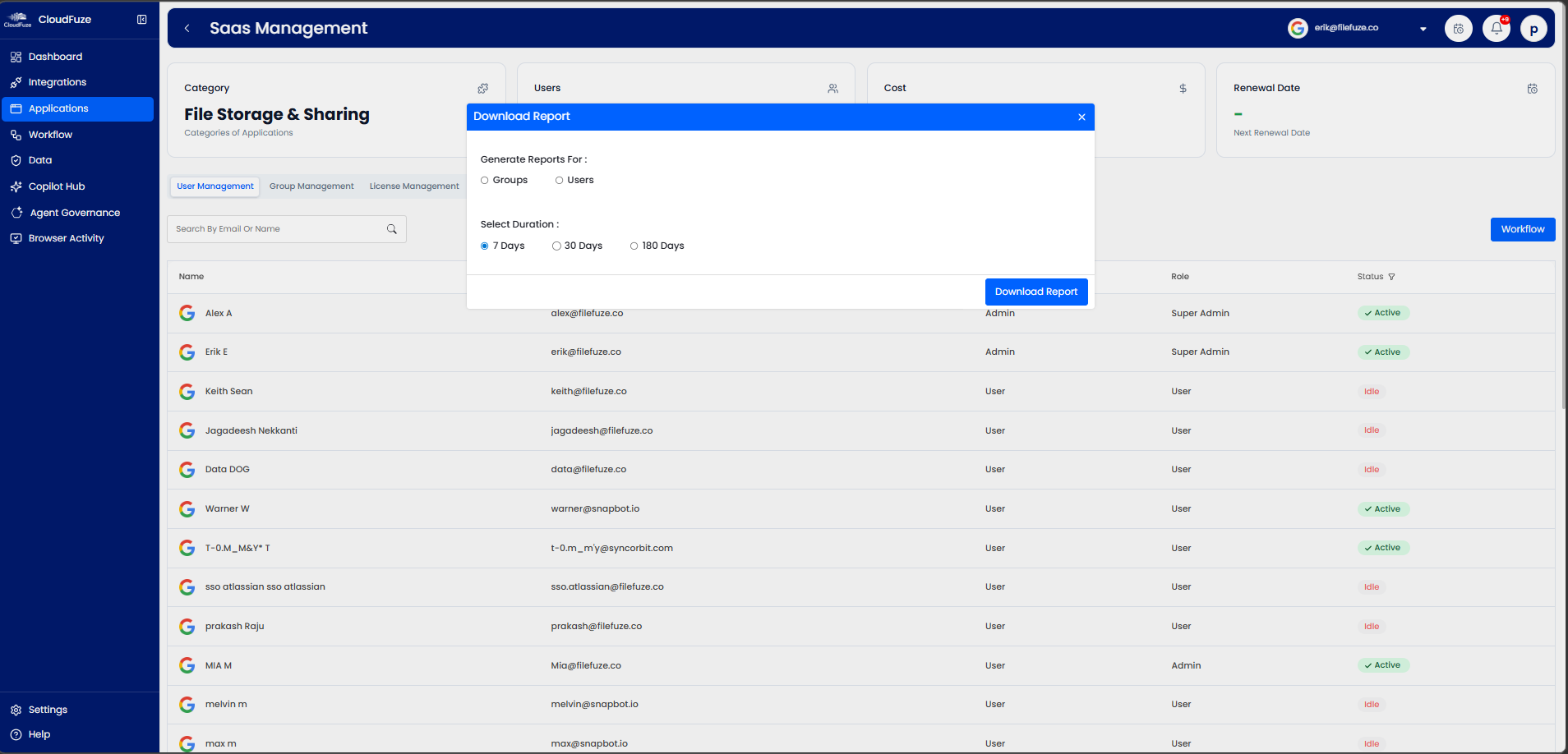
Take a look at our Microsoft 365 management & Copilot governance dashboard:

Best Practices for Zero-Touch User Lifecycle Automation
Use this as your zero-touch onboarding and offboarding practices to redefine your user lifecycle process:
- Make sure to build a single IT inventory to trigger every user lifecycle event from your HR end or Microsoft Entra ID.
- Always automate role-based user provisioning and deprovisioning (RBAC) to assign your users the right apps, licenses, and permissions based on their work role.
- Do not forget to extend employee lifecycle automation beyond Microsoft 365 and include SaaS apps, OAuth permissions, and third-party AI app access in your company’s user lifecycle workflows.
- Remember to maintain clean audit logs, review security exceptions regularly, and continuously refine your IT workflow automation policies.
Stop Setting Up Users by Hand with CloudFuze Manage
Every manual user provisioning step is a delay, and every manual offboarding step is a security risk. Zero-touch M365 user onboarding and offboarding with CloudFuze Manage are essential in protecting your company from SaaS security threats and improving your employees’ onboarding & offboarding experiences.
Schedule a free demo to see how CloudFuze Manage turns your Microsoft 365 user lifecycle into a zero-touch workflow, before the next departure leaves an account behind.
Frequently Asked Questions
1. Why do I need CloudFuze Manage when I have Power Automate?
Microsoft Native tool, Power Automate, can build individual Microsoft 365 workflows, but it can’t discover apps or OAuth grants that it wasn’t pointed to. CloudFuze Manage delivers zero-touch user lifecycle workflows across 190+ SaaS and AI apps out of the box, with 360-degree IT discovery, license cost visibility, and audit logging included.
2. How can I configure zero-touch user lifecycle management to avoid manual setup in Microsoft 365?
Connect your identity source (Entra ID or your HR system) to CloudFuze Manage, define role-based user access templates, and enable automated onboarding and offboarding workflows. From that point, joiner, mover, and leaver events provision and revoke app access without IT admin intervention.
3. What are the solutions for automatic user deprovisioning across SaaS applications connected to a Microsoft 365 account?
CloudFuze Manage is a solution that discovers every SaaS and AI app tied to an SSO-federated or non-SSO-federated environment and revokes licenses, active copilot sessions, and OAuth permissions across all of them in a single offboarding workflow.
4. Can I connect Entra SSO to enable a zero-touch user lifecycle in Microsoft 365?
Yes. Entra SSO handles user authentication, while directory events such as joiner, mover, and leaver trigger CloudFuze Manage’s employee lifecycle workflows, which extend employee provisioning and deprovisioning to the connected apps that Entra alone can’t reach.
5. Does CloudFuze Manage work in hybrid environments?
Yes. CloudFuze Manage governs the user lifecycle across your SaaS and AI stack, regardless of how your identity infrastructure is set up, so enterprises running Microsoft 365 alongside other SaaS & AI apps can still run zero-touch workflows from one platform with a flexible per-user pricing plan.
About the Author: Rashmi Ramesh


