
Steps to Recover Deleted Files from Microsoft OneDrive
Knowing how to recover deleted files from Microsoft OneDrive is critical for users and IT admins managing business data. Accidental deletions, offboarding, and storage cleanups are common reasons files go missing.
However, OneDrive has strict retention limits of 30 days for personal accounts and 93 days for work accounts. Knowing the recovery period and the process behind it helps you manage OneDrive accounts without issues.
This guide covers step by step recovery methods through the OneDrive interface and Admin Center.
Key takeaways:
Why Recover Deleted Files from Microsoft OneDrive?
It is necessary to recover deleted files from OneDrive for following reasons:
- Accidental deletions
- Business continuity
- Legal audits and compliance requirements
- Prevent permanent data loss
To avoid OneDrive deleted file issues, ensure to take a regular OneDrive file backup.
Limitations In Recovering Deleted Files from OneDrive
Limitations in recovering deleted OneDrive files:
- Retention time limits
- Recycle bin capacity
- Permanent deletion
- Rollback constraints
- Ownership restrictions
- Storage quota blocks
How To Recover Deleted Files from OneDrive?
Here we have shown how you can perform OneDrive deleted files recovery in simple steps through OneDrive website:
1. Sign in to OneDrive.
2. Use your Microsoft account credentials.
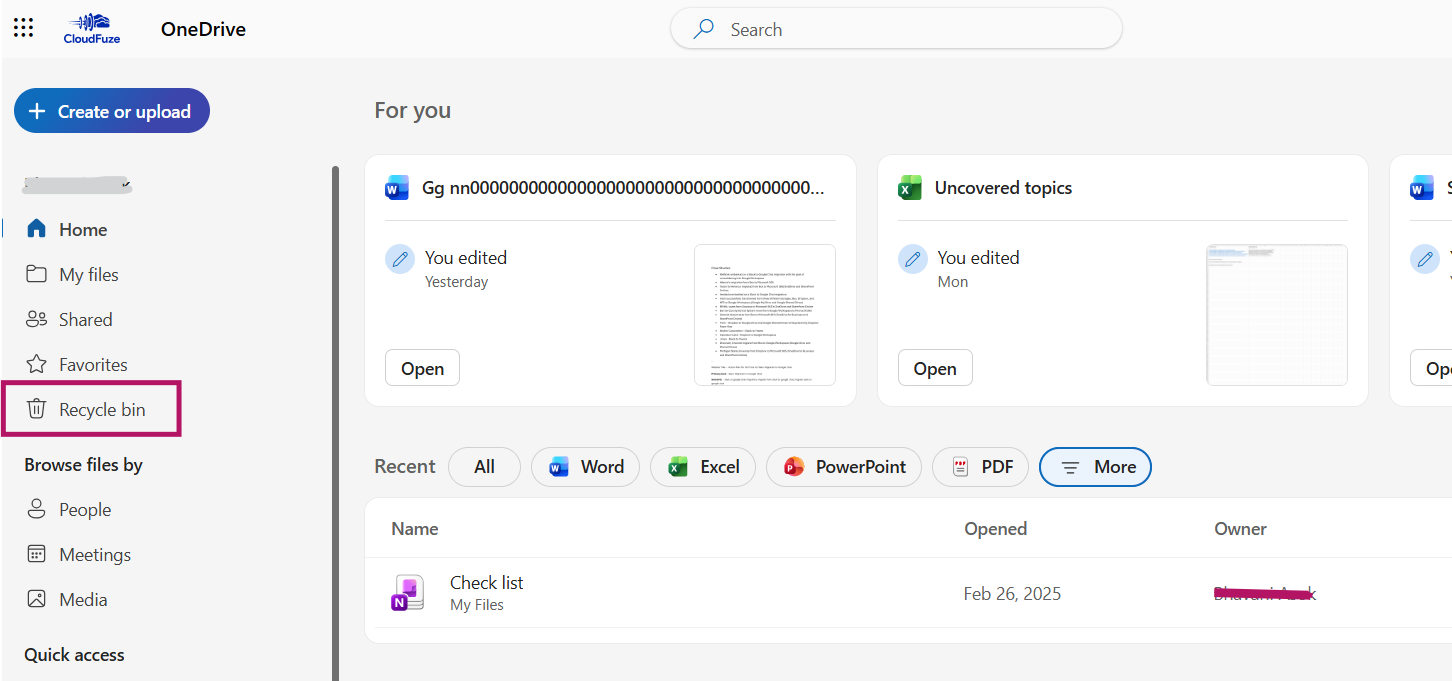
3. Now click on Recycle Bin.
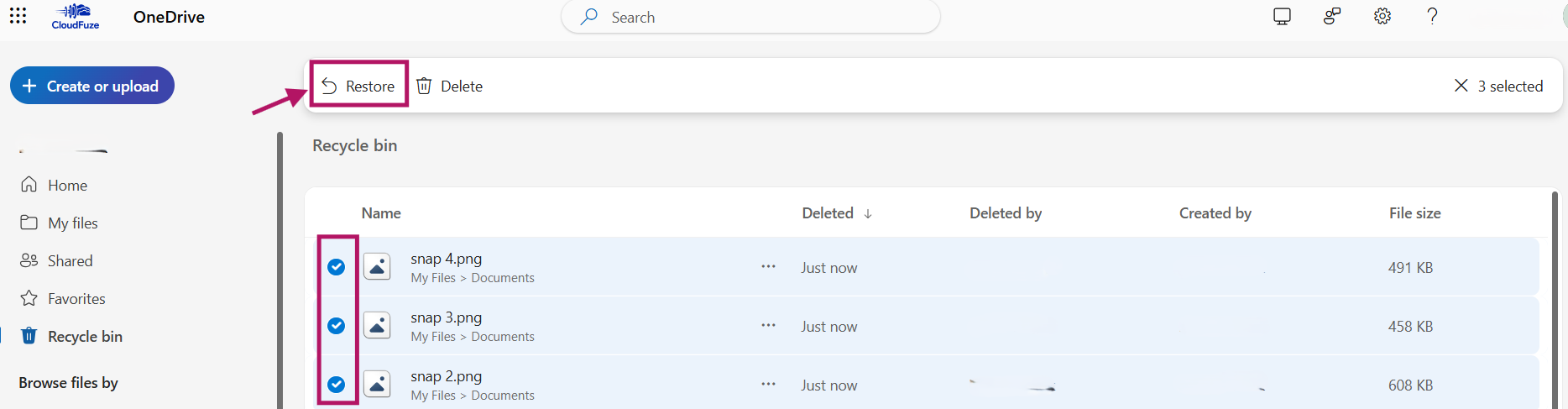
4. Now choose the files you want to recover. Click on Restore.
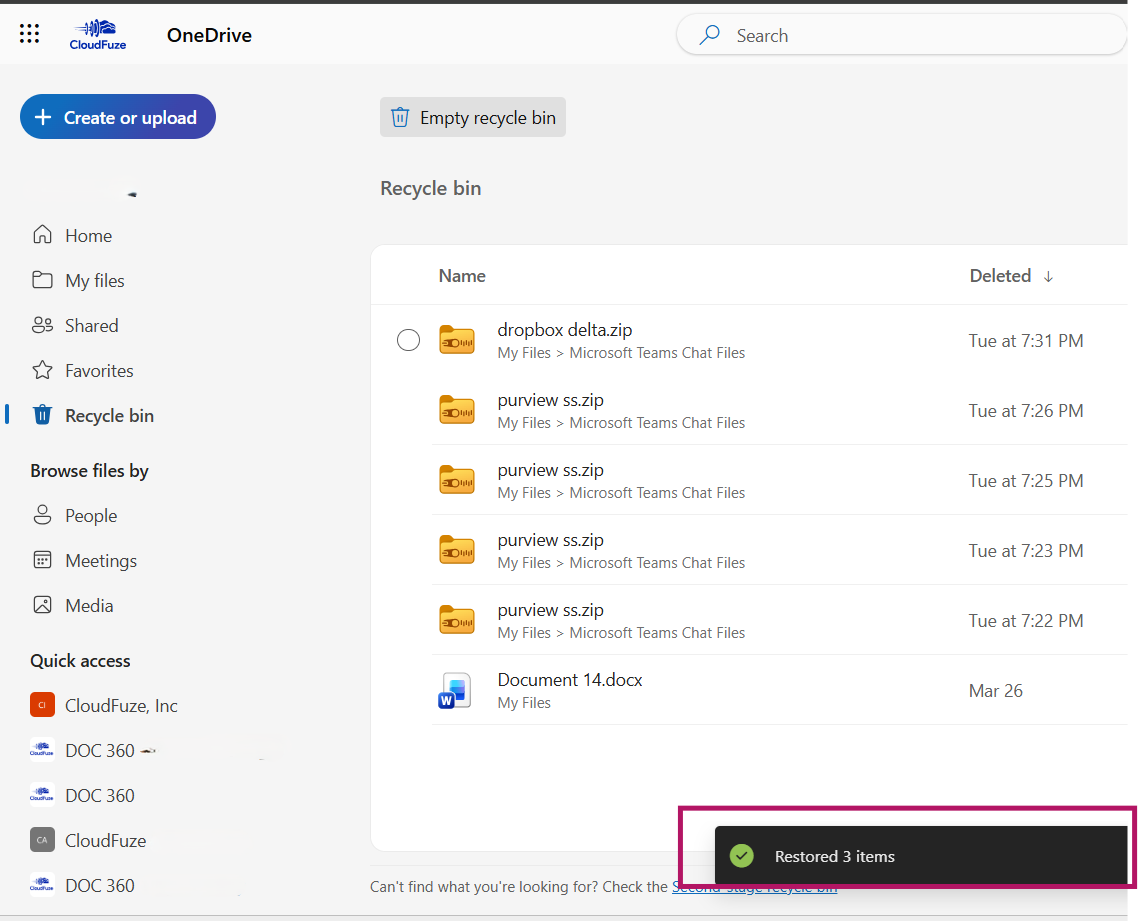
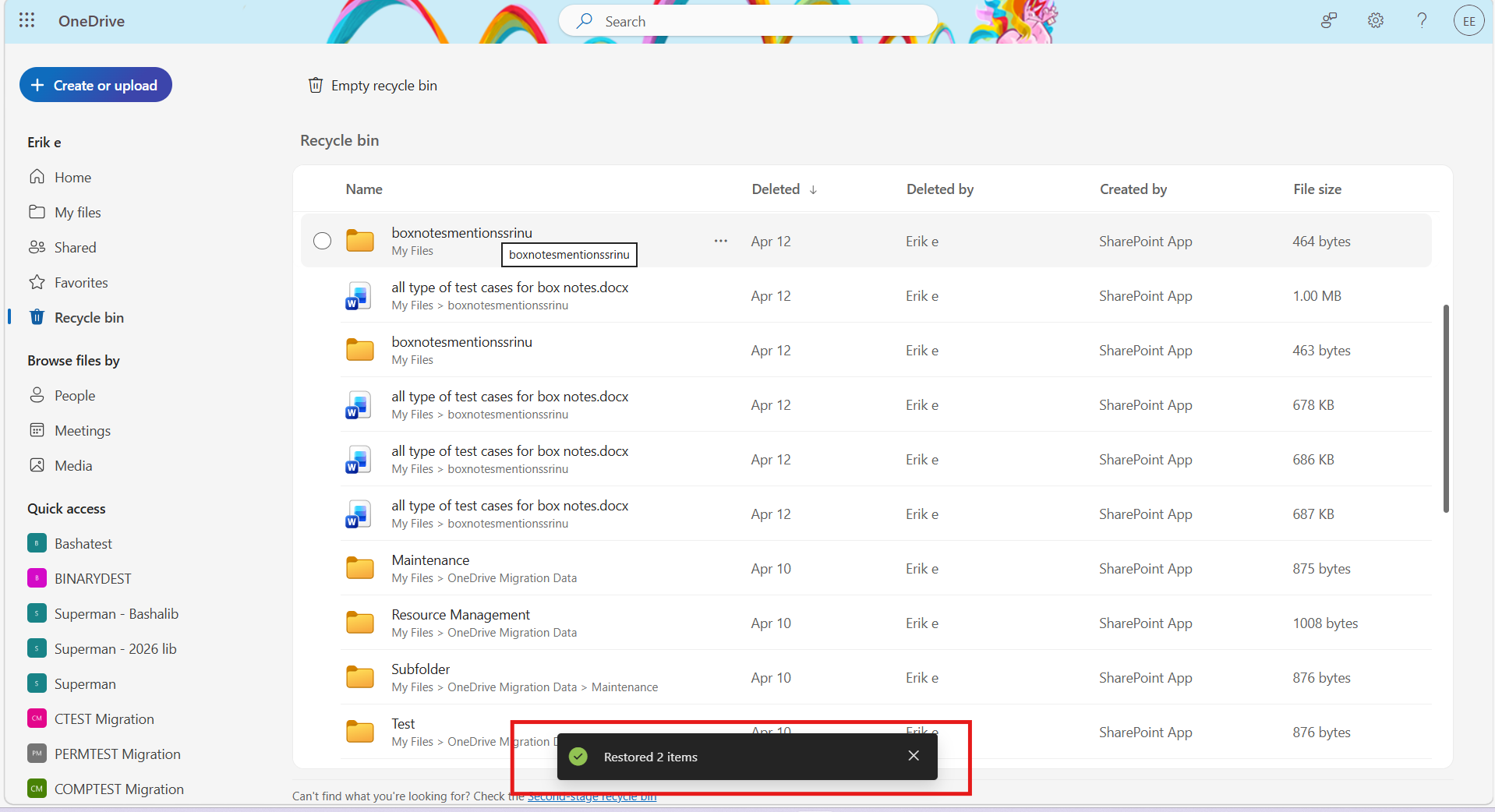
5. Once your files are restored, you will get a box showing that your files are restored back.
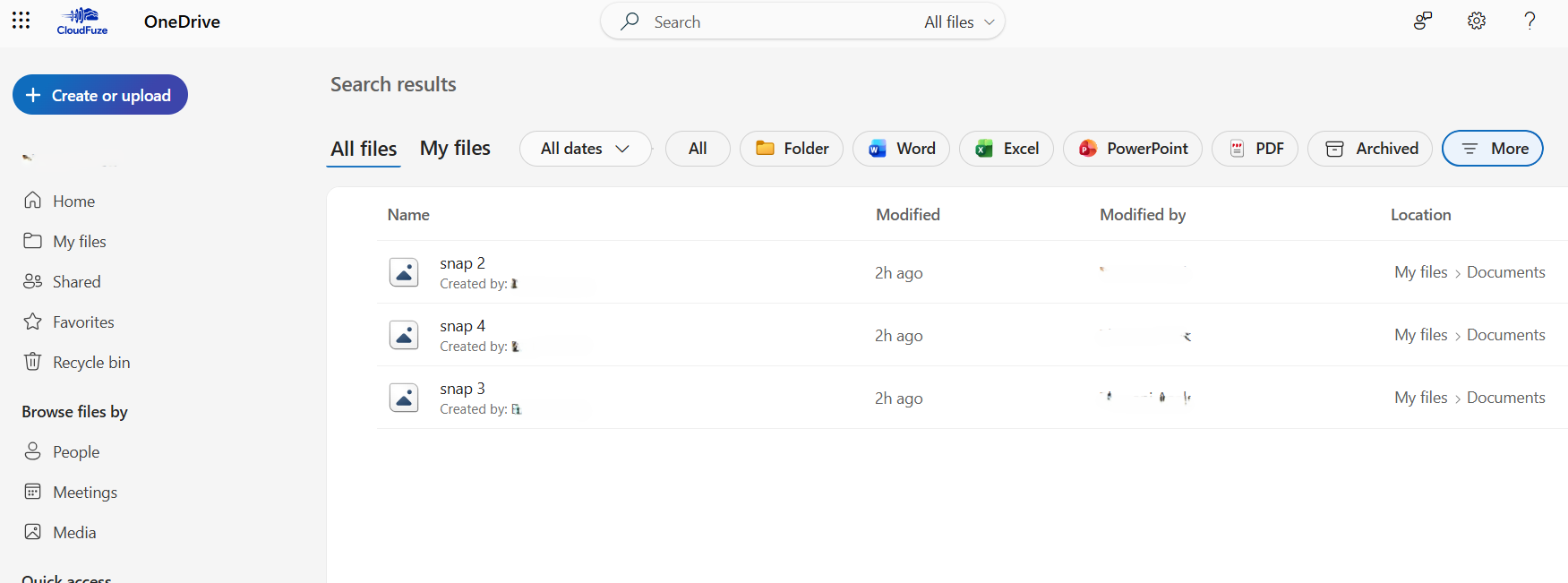
6. Now you can check your restored OneDrive files.
How To Recover Deleted Files from OneDrive Admin Center?
Here are steps to recover deleted OneDrive files from OneDrive admin center.
Step 1: Go to Microsoft 365 Admin Center
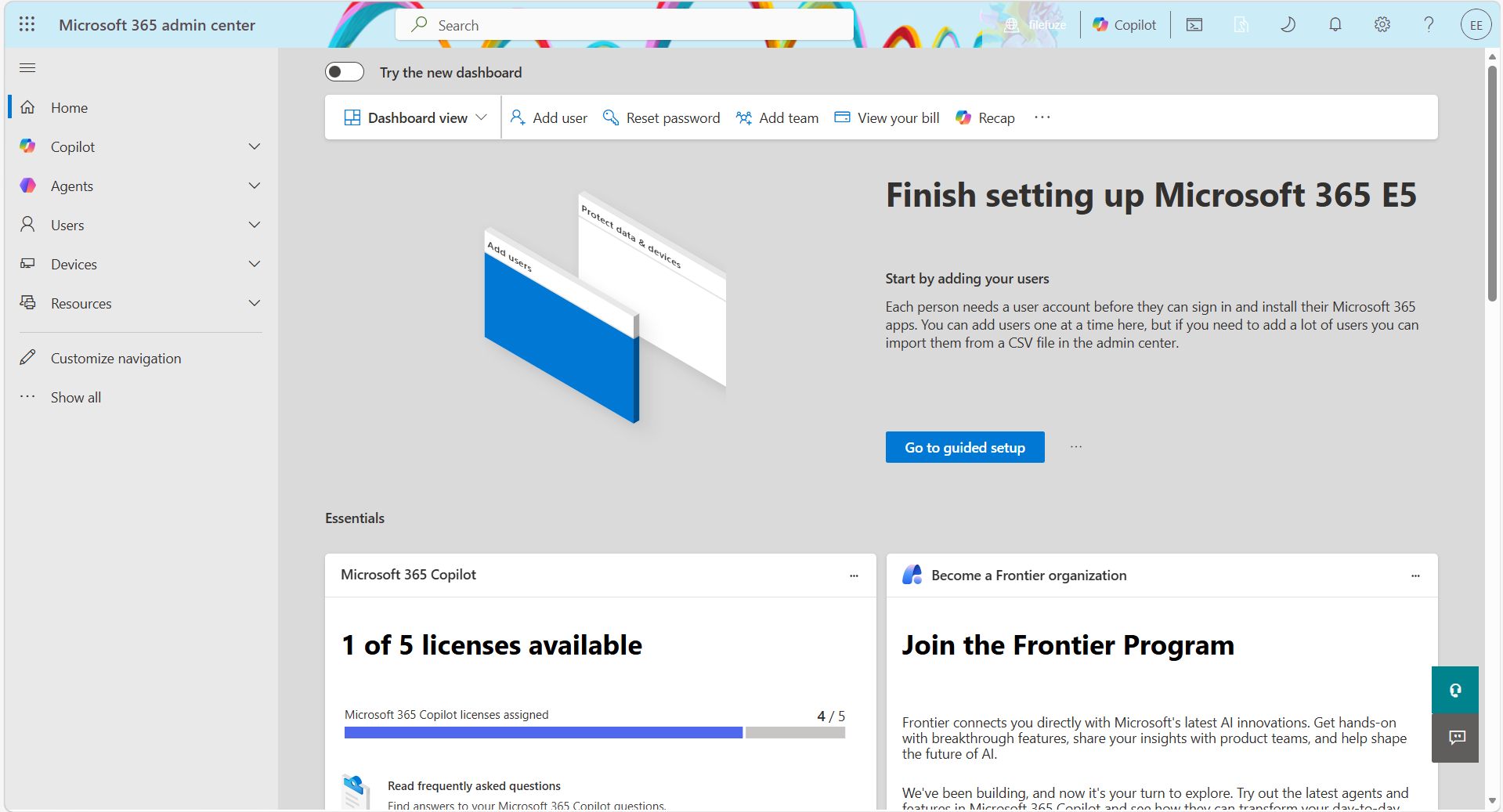
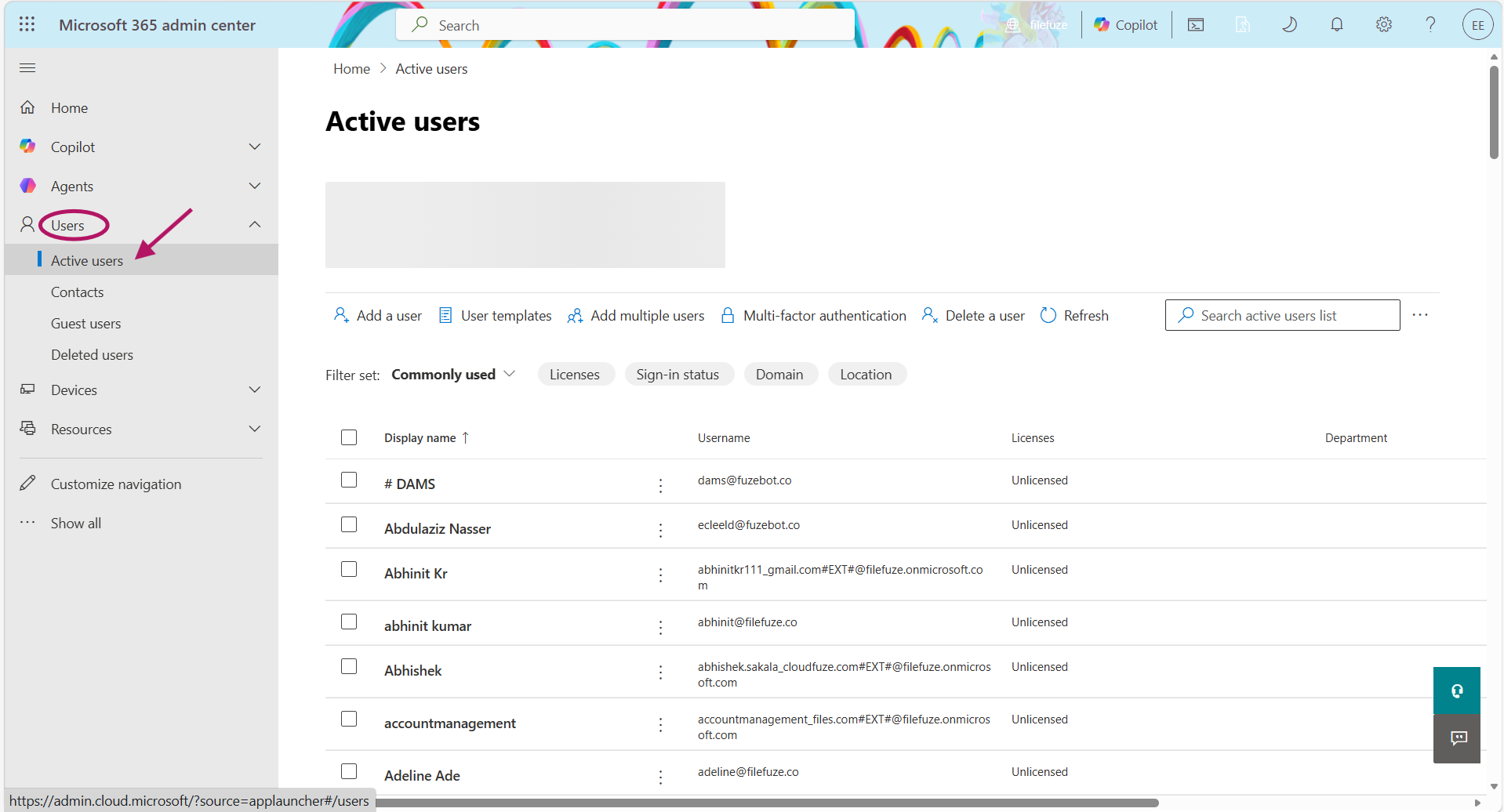
Step 2: Navigate to Users and then Active Users.
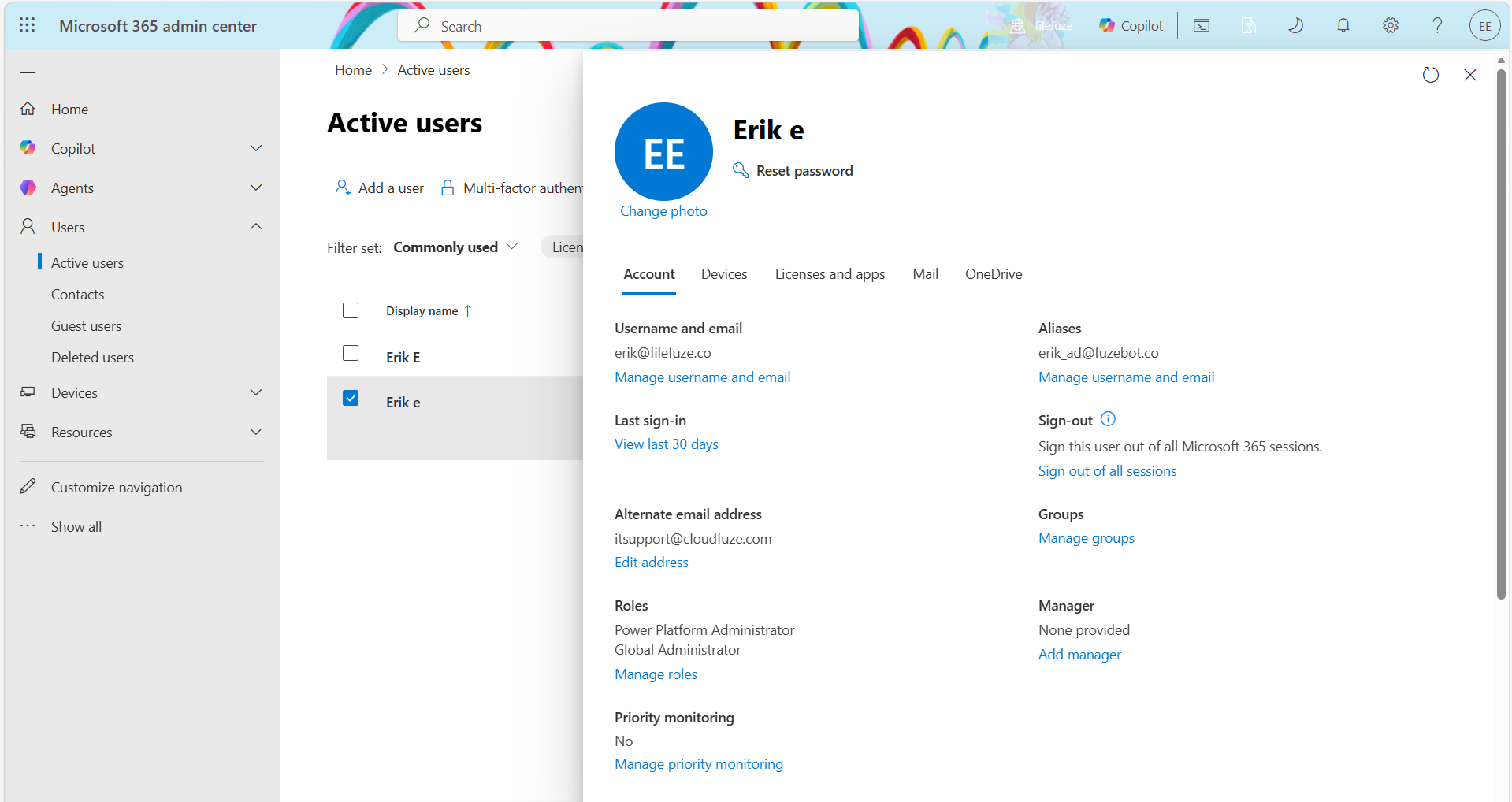
Step 3: Select the user whose OneDrive account you want to recover.
Step 4: Click “OneDrive” and then “Create link to files”
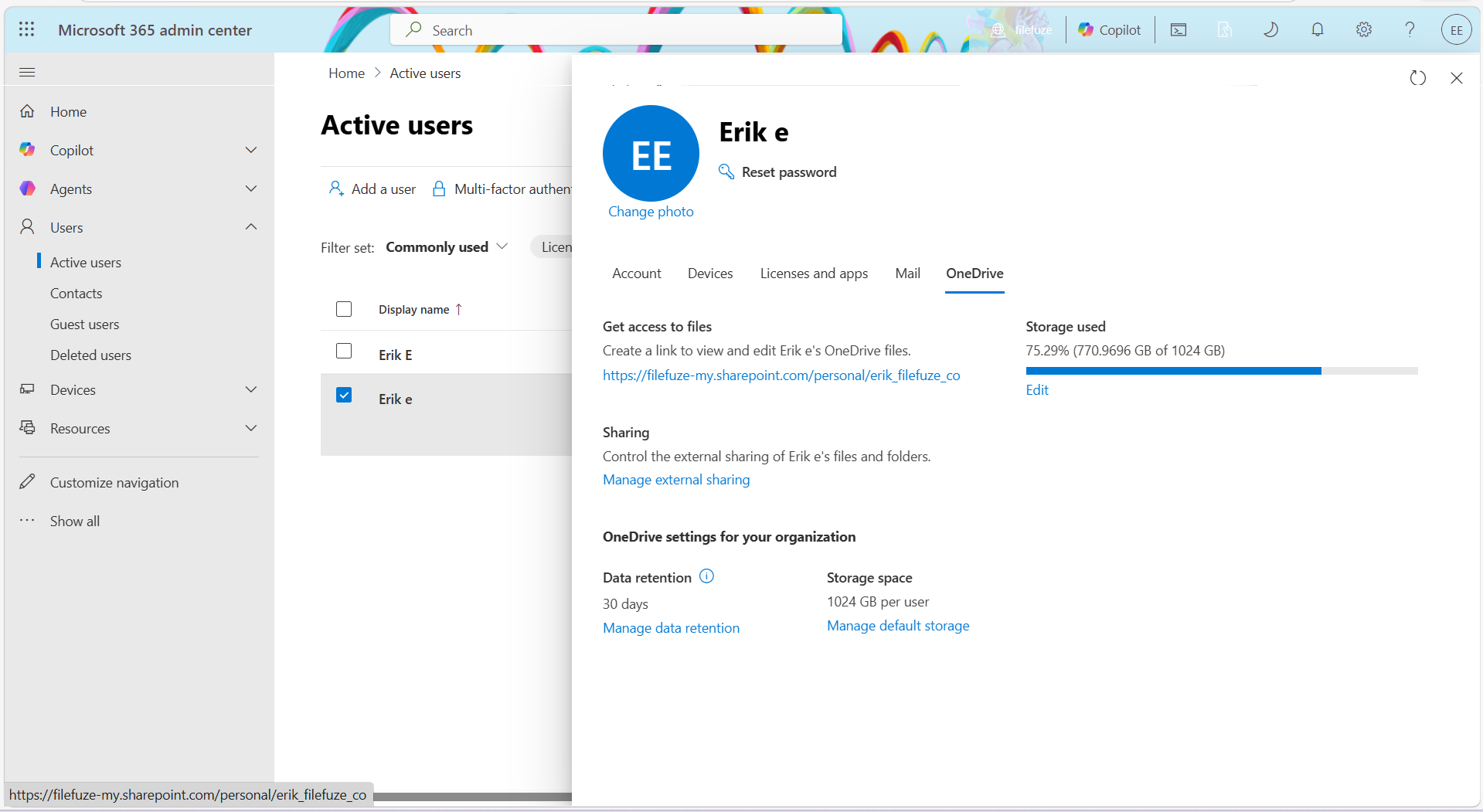
Step 5: Open the link. It takes you to the user’s OneDrive.
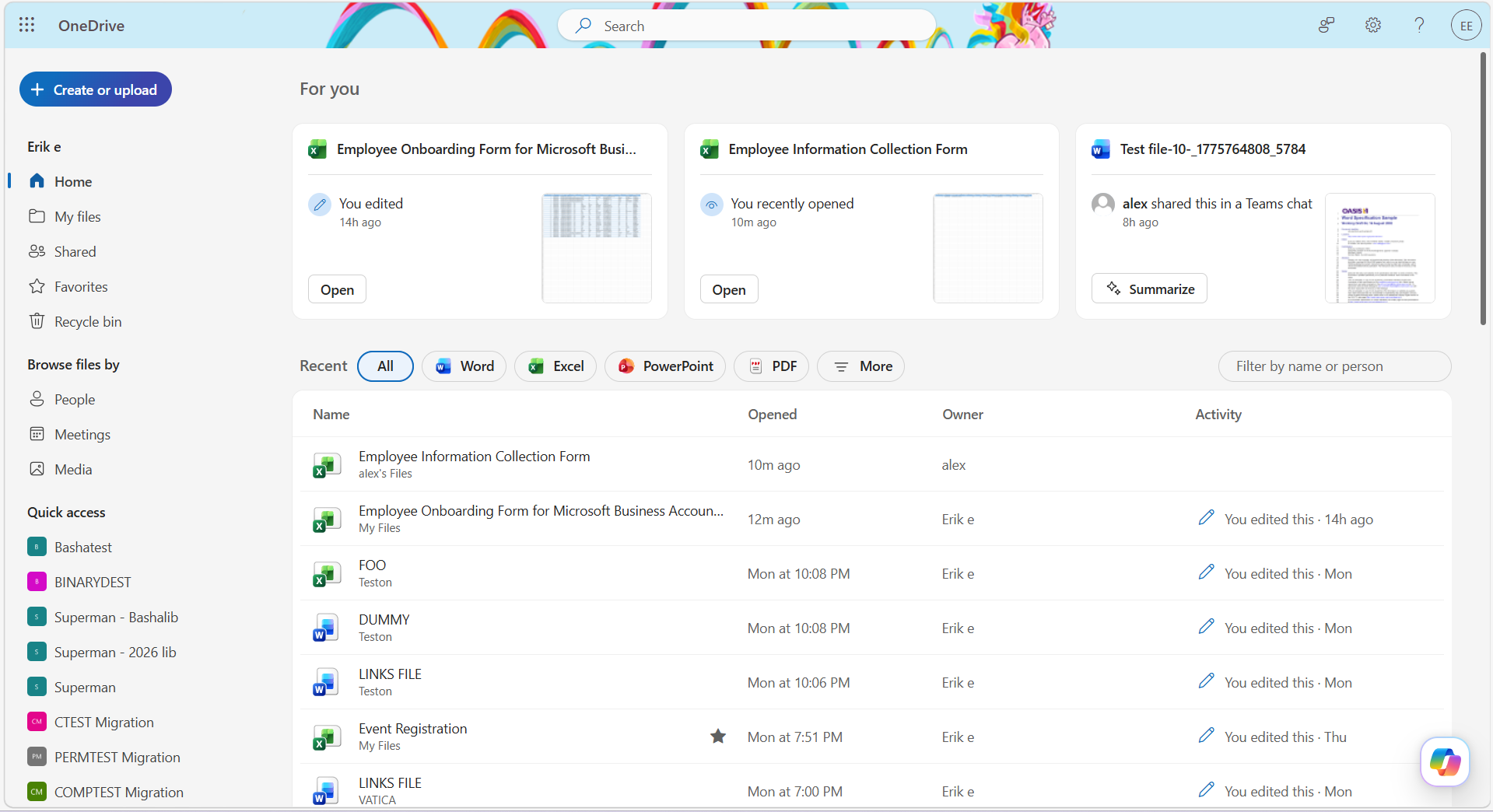
Step 6: Click on Recycle Bin.
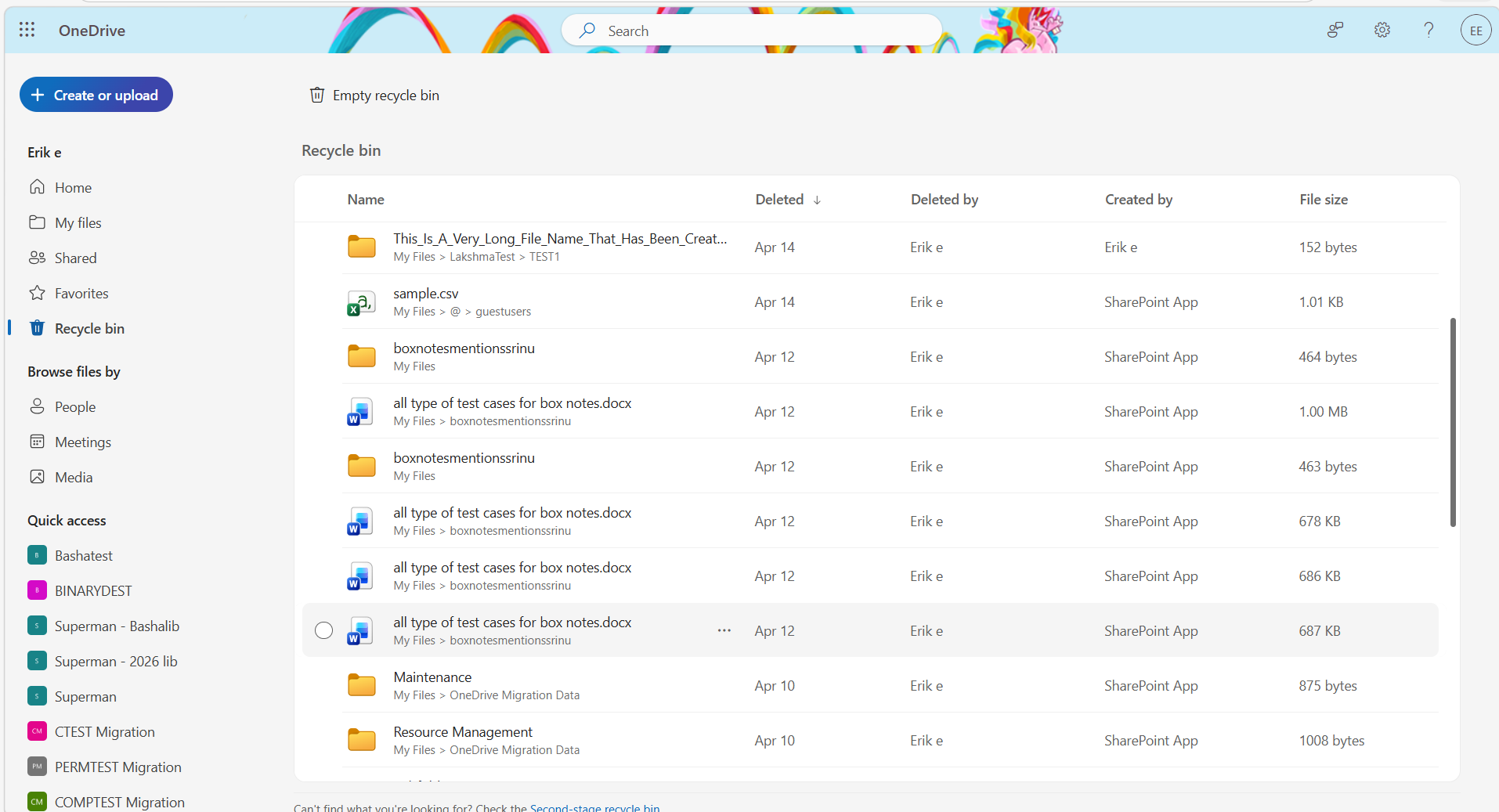
Step 7: Select the deleted files/folders.
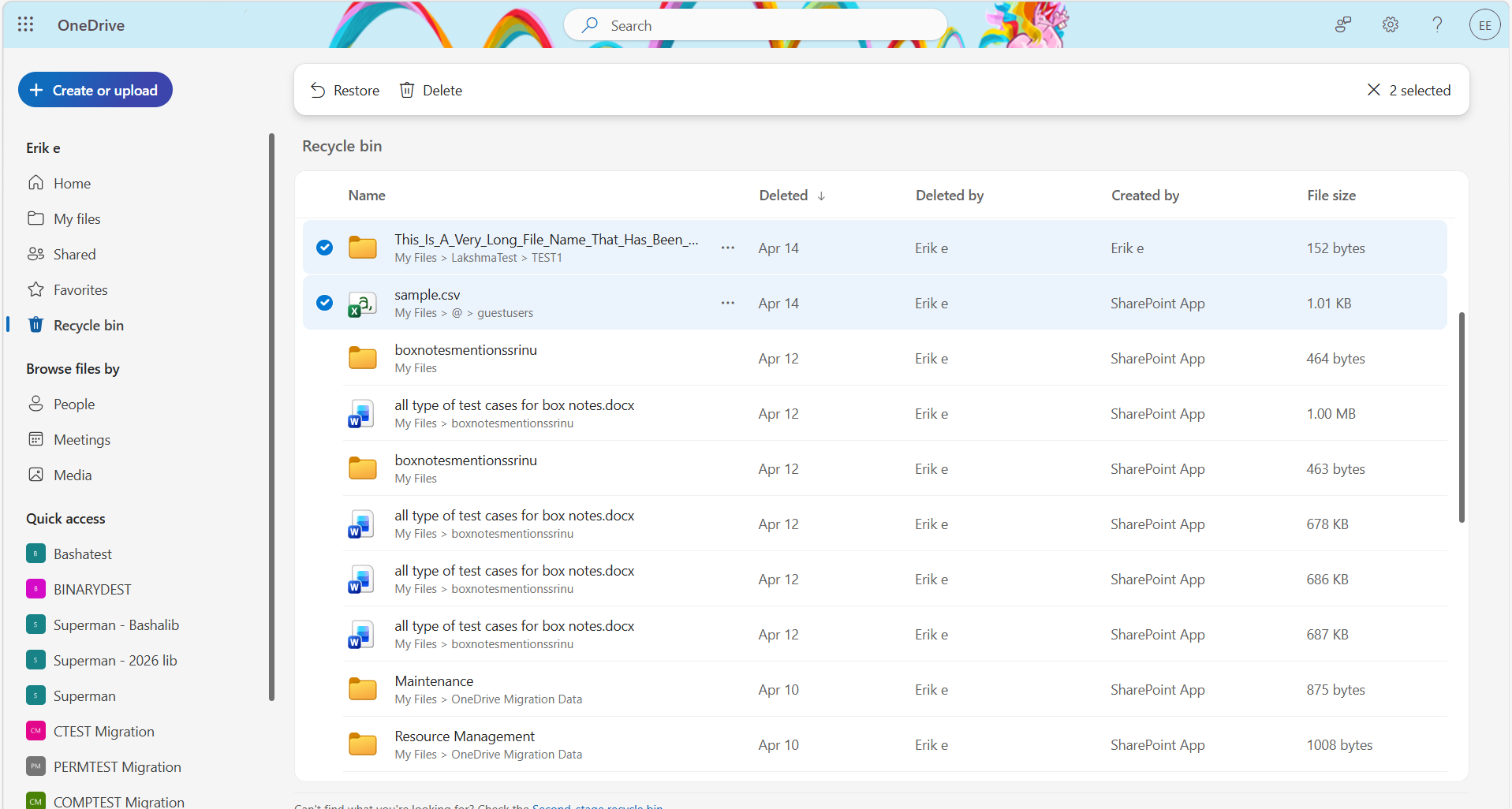
Step 8: Click Restore.
How Long Can Deleted Files Be Recovered from Microsoft OneDrive?
When you sign in to OneDrive with a Microsoft personal account, items in the recycle bin get automatically deleted in 30 days.
Users can securely store sensitive OneDrive files with Personal Vault in OneDrive and access them using identity verification.
Files deleted from Personal Vault in OneDrive will only appear in your recycling bin if your Personal Vault is unlocked before you check it. You can use the Show Personal Vault items command in the recycle bin to unlock the Personal Vault and see those items.
If you’re signed in OneDrive with a work/school account, items in recycle bin get automatically deleted after 93 days, unless the administrator has changed the setting.
Final Thoughts
Users can check how to recover deleted files from Microsoft OneDrive through the steps provided in this blog post.
If you are planning a complete migration to OneDrive from your current storage platform, CloudFuze Migrate can help you achieve your transition successfully.
To manage your Microsoft 365 environment including licenses, onboarding, offboarding, and Shadow IT, businesses can use our SaaS and AI governance platform, CloudFuze Manage.
Contact our experts today!
Frequently Asked Questions
1. How to recover deleted excel file from OneDrive?
To recover deleted excel files, sign in to the OneDrive website. Then click on the Recycle Bin. Choose the Excel files to recover. Then click on Restore. Once you recover them, deleted excel files are restored.
2. How long do deleted files stay recoverable in OneDrive?
If you’re signed into OneDrive with a Microsoft account, items in the recycle bin are automatically deleted in 30 days. If your recycle bin is full, the oldest items get automatically deleted after three days.
If you’re signed in with a work/school account, items in the recycle bin are automatically deleted after 93 days, unless the administrator has changed the setting.
3. Can I recover deleted files on OneDrive after 30 days?
If the retention recovery period has expired and your OneDrive files are older than 30 days, they cannot be recovered. To recover documents, ensure to recover within the retention time frame.
About the Author: Bhavani Asok



