
Manage Content Sprawl in Cross-Tenant Migration Microsoft
Nowadays, cross-tenant migrations in Microsoft 365 have become a regular activity in enterprises’ IT strategies. Nevertheless, while many migration projects focus on successfully migrating content, the issue often overlooked is content sprawl.
Content sprawl means the lack of control over duplication, inconsistencies in data architecture, oversharing, and other governance-related problems that arise during migration and after it. Ignoring these problems may lead to numerous negative effects on security, regulatory compliance, and operational performance.
We at CloudFuze help IT administrators to control and even prevent content sprawl during Microsoft cross‑tenant migrations through secure, governance‑driven execution.
Key Takeaways
What Is Content Sprawl in Microsoft 365 Cross-Tenant Migrations?
Content sprawl occurs when enterprise data becomes fragmented and ungoverned across different Microsoft 365 workloads, including SharePoint, OneDrive, and Microsoft Teams.
Examples of content sprawl include:
- Several SharePoint sites with overlapping functionality
- Duplicated teams and channels with the same purpose
- OneDrive accounts left orphaned or unused
- Excessive oversharing of files and unauthorized sharing links
- Duplicate document libraries
In case of cross-tenant migrations, content sprawl occurs more frequently because:
- Permission models are often carried over rather than restructured
- End users copy legacy structures to the new environment
- Legacy content is migrated without optimization
- The coexistence phase makes ownership and accountability unclear
In short, Microsoft 365 to Microsoft 365 migration moves the data, but without governance, it also moves the chaos.
Why Content Sprawl Is a Critical Post-Migration Risk
Content sprawl is not only a problem of storage management but also a matter of security and governance risks.
From the perspective of IT professionals, lack of sprawl control during Microsoft 365 migration for tenant to tenant may lead to:
- Over permissions due to inheritance and out-of-date permissions settings
- Issues with implementing retention and compliance requirements
- Complicated audits and eDiscovery processes
- Low-quality results from Microsoft Copilot due to irrelevant data
- Storage costs and operational costs increase
What seems like a smooth cross-tenant migration to Microsoft during the first day after migration often turns into governance debt very quickly.
Here Is How IT Admins Can Manage Content Sprawl in Microsoft Cross-Tenant Migrations
1. Control the Migration Scope Before Moving Data
Content sprawl management starts even before Microsoft 365 cross tenant migration starts.
IT professionals need to:
- Categorize the workloads as either migrate, archive, or eliminate
- Discover ROT content (redundant, obsolete, trivial content)
- Audit Teams and SharePoint sites and identify duplicates
- Assign ownership to each workspace that is going to migrate
2. Rethink Permission Management Rather Than Copy Permissions
One of the major reasons for post-migration sprawl is permissions replication.
Practices that are considered best include:
- Replacements of user-level permissions by Entra ID groups
- Deletions of excessive privileges, such as “Everyone” or “All Users”
- Standardization of guest access through Entra B2B
- Implementation of access reviews following migration processes
It is important to understand that M365 cross-tenant migration is an excellent time to set access rights according to the principle of least privilege.
3. Implement Governance Controls Immediately
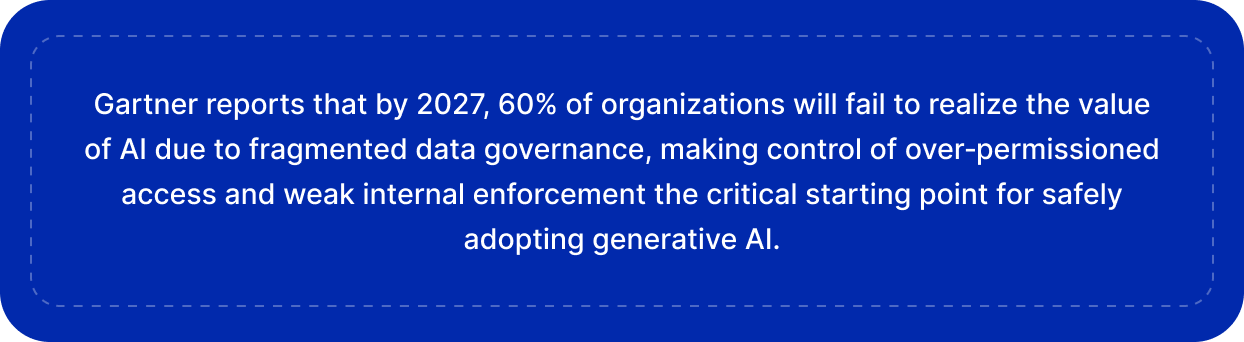
Governance is an integral part of the process that must not be delayed until the end.
IT admin should implement:
- Sensitive labels within SharePoint and Teams sites
- Classification based on the type of business information
- Retention policies adjusted to the current reality rather than old organization structures
- Restriction on the unlimited creation of sites and Teams
These measures will ensure governance right from the start in the target tenant.
Source: Gartner
4. Prevent Control Content Duplication During Cross-Tenant Migration Microsoft
Content duplication is a common source of sprawl when migrating Microsoft 365 to another tenant.
To minimize it, it is recommended to:
- Avoid migrating the same content across multiple workloads unnecessarily
- Consolidate document libraries if possible
- Define locations for storage of documents post-migration
- Temporarily restrict unmanaged site creation during stabilization
Otherwise, users will duplicate existing structures and double the complexity.
5. Implement Effective Controls After Migration
It doesn’t matter how smooth the process goes if there’s no governance after Office 365 tenant migration.
The IT admins should focus on:
- Teams and SharePoint controlled provisioning (create requests only)
- Business unit-aligned naming standards
- Lifecycle policies for inactive workspaces
- External sharing review for guests
This approach changes the focus from after-the-fact cleaning to preemptive controls.
6. Synchronize Migration Process with Microsoft Copilot Enablement
Since Microsoft Copilot is now being integrated into Microsoft 365, content sprawl directly impacts AI outcomes.
Microsoft Copilot relies on existing content, so:
- Over-shared content becomes instantly visible
- Poor governance leads to inaccurate results
- Outdated and inaccurate content affects decision-making
Prior to using Copilot after migration, the IT department should:
- Perform permission review and links audit
- Remove inactive sites and delete irrelevant content
- Check sensitivity labels and data classification
Having a clean tenant increases both security and efficiency.
7. Set Up a Post-Migration Governance Window
Typically, issues like content sprawl occur within 60 to 90 days after migration.
Post-migration governance window should include:
- Monitoring usage and access statistics
- Cleaning of redundant Teams and SharePoint sites
- Educating users about best practices
- Decommissioning unnecessary workspaces
This will ensure that migration results remain stable and consistent.
Best Ways to Control Content Sprawl Using CloudFuze Manage
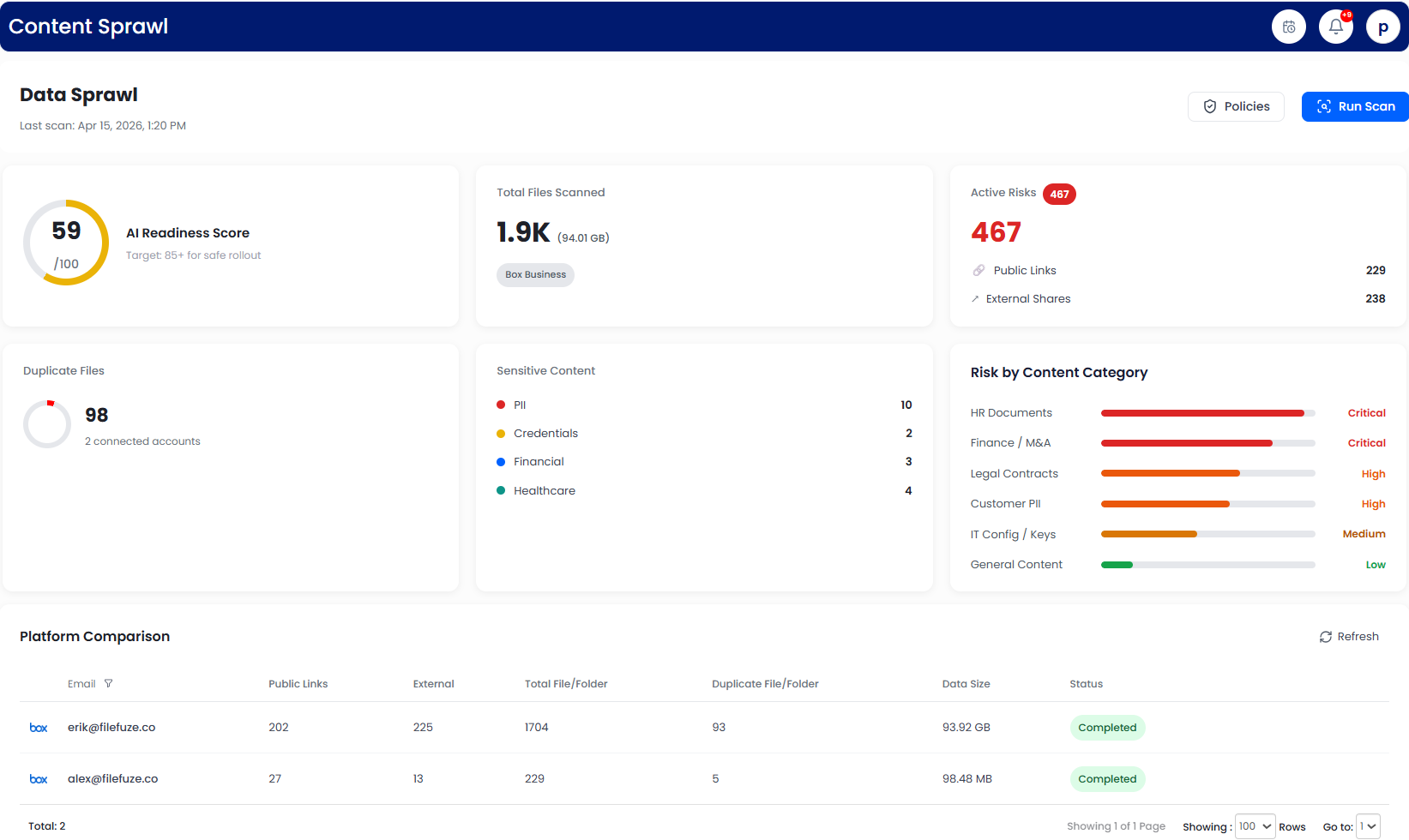
The best way to control content sprawl and permission sprawl is through setting governance policies across the entire Microsoft 365 lifecycle. Using our CloudFuze Manage solution, it is possible for IT administrators to set up these policies, from user account provisioning up to day-to-day operations.
1. Set Governance Policies for External Sharing
Control of unauthorized external sharing can be achieved via setting governance policies for cloud-based applications such as Microsoft 365 and Google Workspace that allow you to limit and even block collaborations from the outside.
2. Set Governance Policies for Stale Content
Using CloudFuze Manage, one can set governance policies to scan cloud storages based on inactivity periods, such as 90 days, 180 days, or 360 days, and trigger alert messages that can be sent to administrators.
3. Set Governance Policies for Duplicate Content
Duplicate content often leads to cluttering of cloud storage; therefore, it might be beneficial to set policies that will help find duplicated files and take action, including notifying an admin or deleting duplicates.
4. Conduct Pre-Migration Data Cleansing
One of the key reasons behind content sprawl is the movement of unnecessary data during consolidation. When migrating to an ecosystem like Microsoft 365, it is vital to cleanse data and migrate only necessary content.
5. Ensure Continuous 360-Degree Governance
Post-migration, CloudFuze Manage facilitates end-to-end governance of users, data, and SaaS apps. It enables IT teams to streamline lifecycle management, eliminate risk, and maintain complete visibility and control over enterprise data and AI-enabled environments.
Speak with our experts to learn how CloudFuze Manage can empower you with complete control over your SaaS and Microsoft 365 environment.
Start with CloudFuze: Governance‑First Microsoft 365 Migrations Without Content Sprawl!
Content sprawl is the unseen price of quick migration without governance. In case of IT admins, the definition of success does not revolve around the amount of migrated data but rather around the cleanliness and governance of the new environment.
In the evolving world of Microsoft 365, where artificial intelligence and Copilot are increasingly becoming important components, content hygiene is no longer an option; it is a necessity.
To know more, connect with our experts!
Frequently Asked Questions
1. What are the reasons behind content sprawl in Microsoft cross-tenant migrations?
Content sprawl usually results from migrating content without rationalizing, migrating permissions without redesigning them, and users creating new sites, Teams, and folders after migration. Other reasons that contribute to content sprawl include legacy share links, outdated content, and self-service site creation.
2. What is the significance of content sprawl control to IT admins after migration?
Unmanaged content sprawl can pose serious risks to security, create compliance challenges, incur costs, and reduce visibility. Besides, in an AI-driven platform such as Microsoft 365 Copilot, unmanaged content can generate poor AI results by presenting irrelevant and over-shared content.
3. Should IT admins handle content sprawl issues before, during, or after migration?
IT admins should address content sprawl before, during, and after migration. Effective control starts with minimizing the scope of content migrated, continues with enforcing governance and permission controls during migration, and is sustained by applying post‑migration policies to prevent duplication, oversharing, and unmanaged growth.
About the Author: Aayushi Raj



