
How to Handle Duplicates Before Moving Box to SharePoint?
Are you an enterprise planning to perform Box to SharePoint migration? It is necessary to have a well-defined pre-migration analysis prior to your transition. To achieve data integrity, remove obsolete Box data before transferring to SharePoint.
With this, it is also necessary to have a post-migration check. In this blog post, check out how our dashboard manages obsolete data when moving Box to SharePoint.
Key Takeaways:
Importance of Deleting Duplicate Data in Box
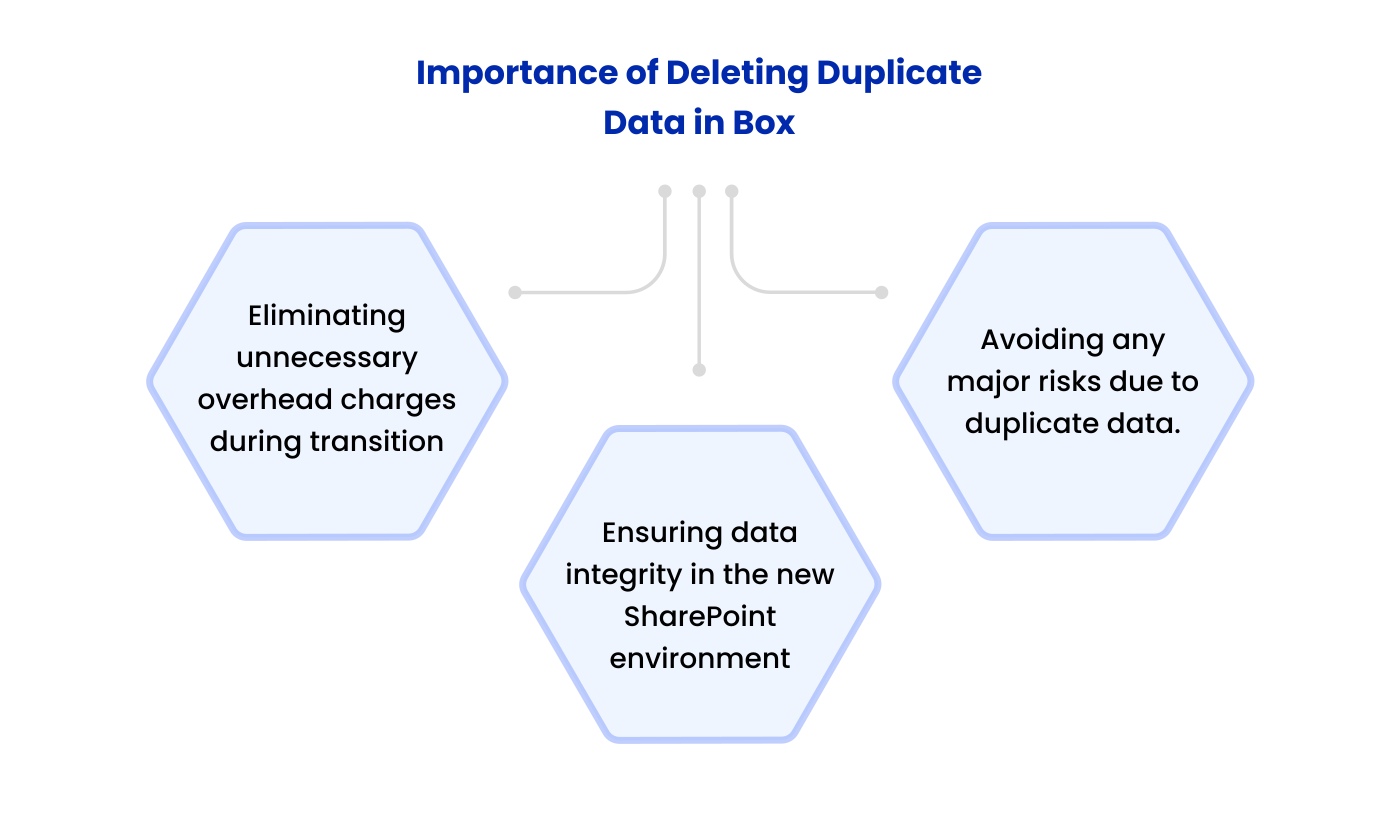
Enterprises tend to migrate TBs/PBs of data during the transition to SharePoint. Irrespective of your data size, firms must remove duplicate files from Box cloud for:
- Eliminating unnecessary overhead charges during transition
- Ensuring data integrity in the new SharePoint environment
- Avoiding any major risks due to duplicate data.
How Does CloudFuze Platform Help You Manage Obsolete Data Before Migration?
Image 1: The screenshot (of our migration tool CloudFuze Migrate) shows the “Pre-Migration Workspaces” page. After initiating pre-migration from our dashboard, you can download the prescan report.
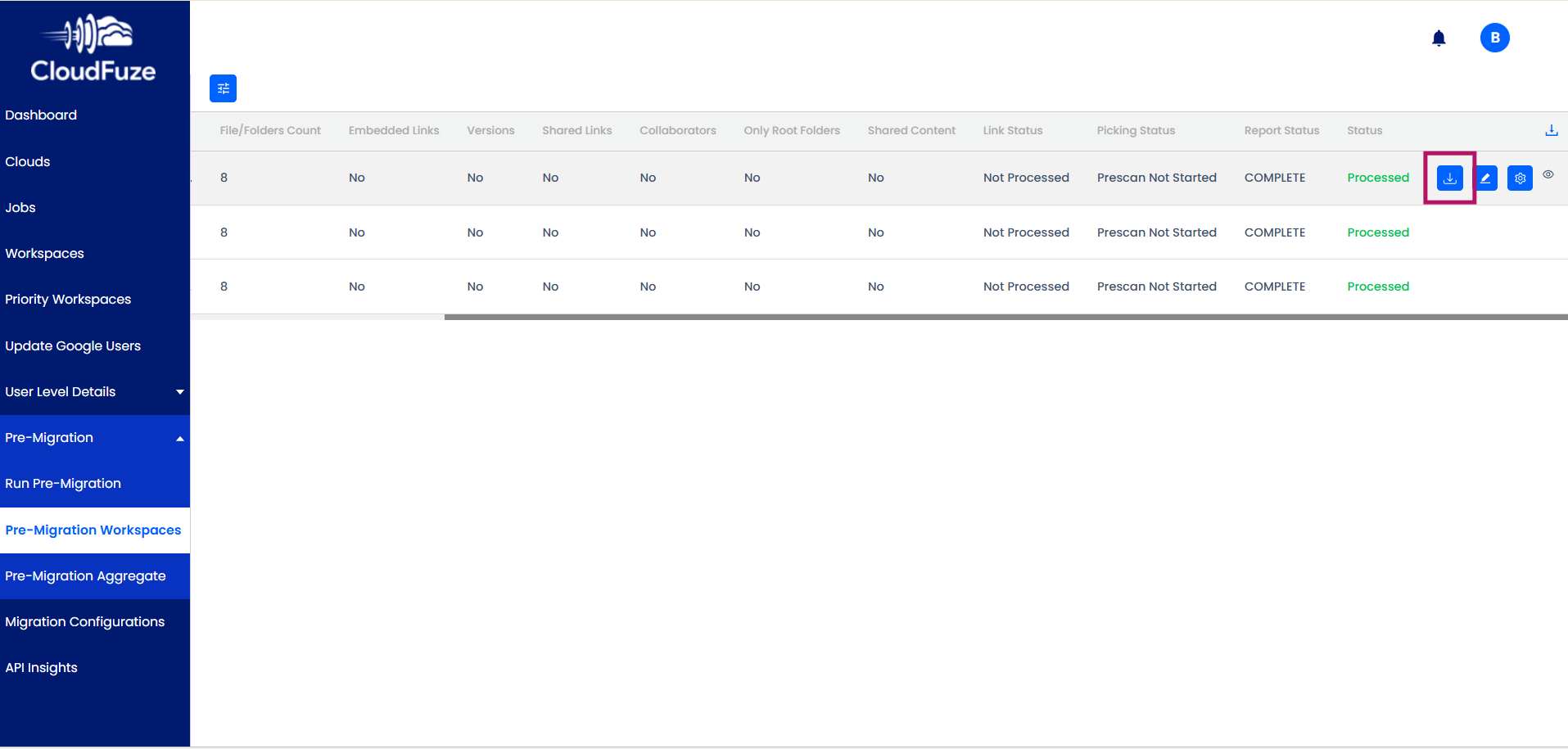
Image 2: The screenshot below shows the pre-migration scan report generated from our dashboard. Here, you can check that the duplicate files display the same name.
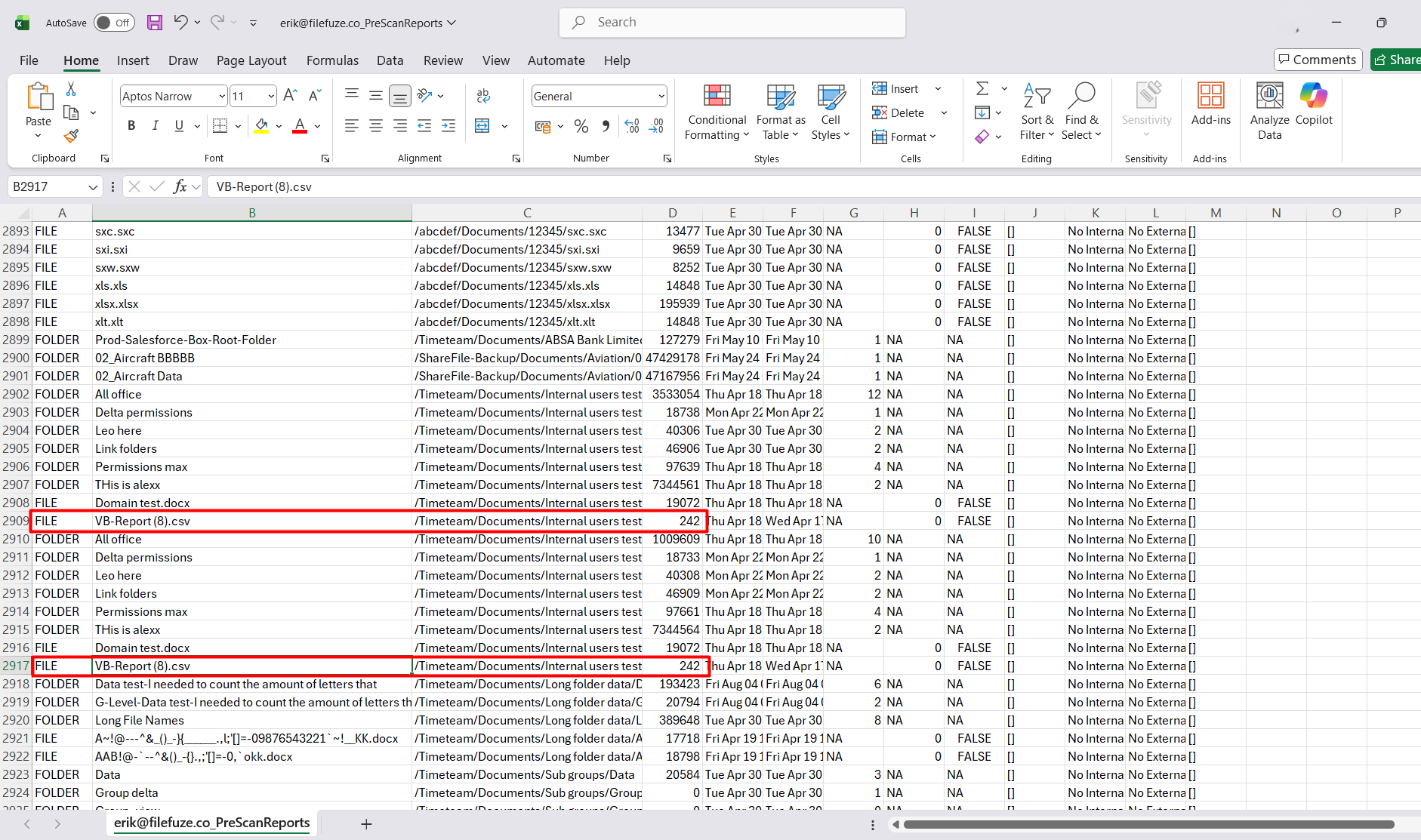
Image 3: The screenshot below shows our post-migration report.
There is a file named “50Asmver” in the Box cloud. Also, there is a file named “50Asmver” in OneDrive cloud. ‘1 ‘is added at the end of the file/folder name due to duplication.
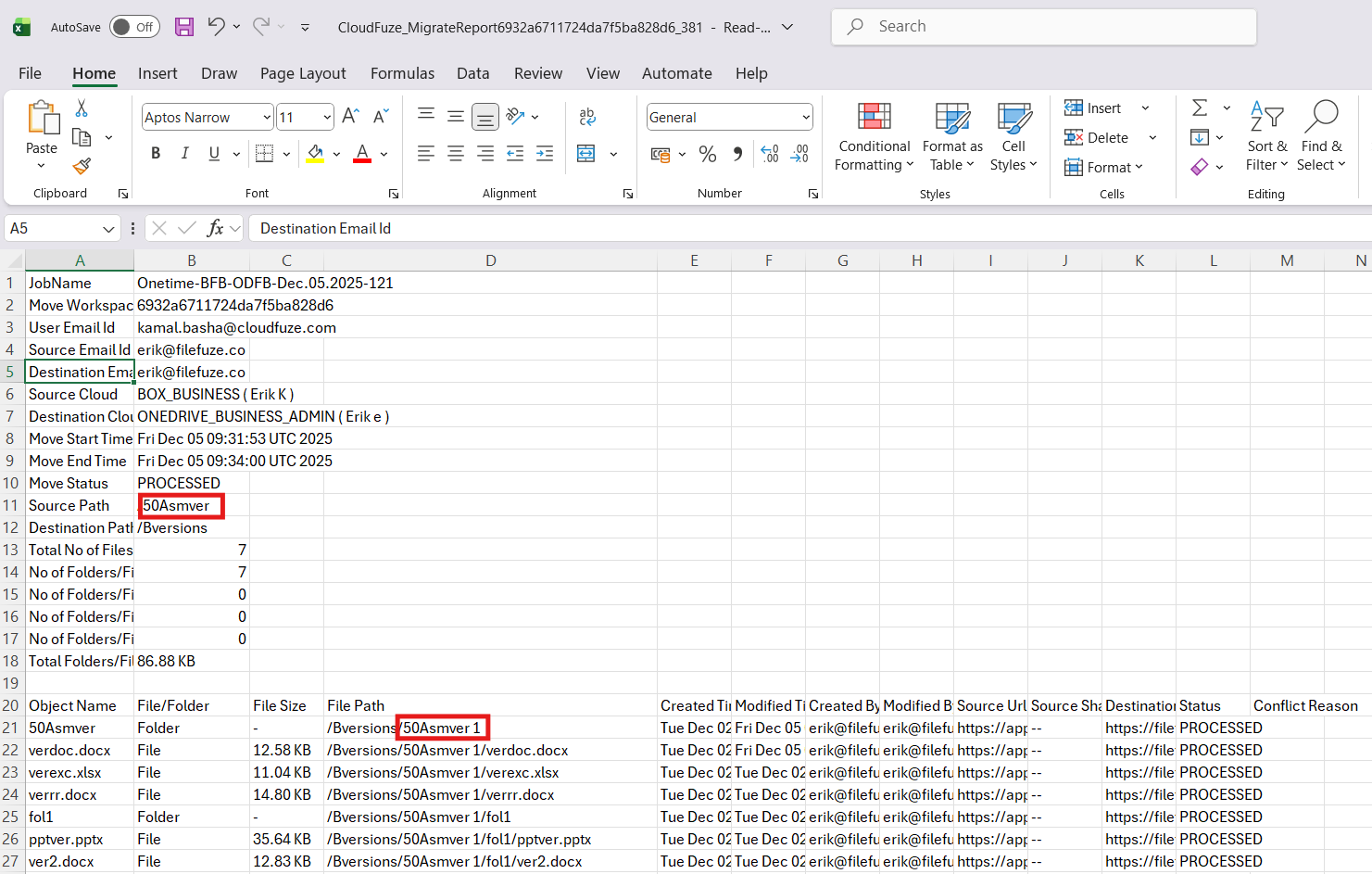
Note: Microsoft SharePoint/OneDrive doesn’t allow square brackets [] in file names. So, the duplicated file name is 50ASmver 1 and not as 50ASmver [1].
What Do Customers Say About Us?
According to Gartner Peer Insights Review, CloudFuze holds an impressive rating of 4.7 out of 5. As a reliable cloud migration partner, CloudFuze has helped many enterprises move files to SharePoint. Here is a Gartner review from one of our customers:
Our customer praised us for migrating data along with essential metadata such as permissions. We got appreciation for quicky adapting to changes.
Check the Working of Our Box to SharePoint Migration Tool:
Manage Duplicate Data Seamlessly with CloudFuze Migrate
Our migration tool helps you transfer your necessary Box data and metadata. You can manage your file duplicates through our pre-migration scan. Let us help you move Box to SharePoint with complete replication.
Contact us for a free and no-obligation demo of our tool!
Frequently Asked Questions
1. How to migrate data from Box to SharePoint?
You can migrate from Box to SharePoint using our advanced SharePoint migration tool. Our Box to SharePoint migration tool helps you migrate Box data with metadata like timestamps, permissions, etc. with accuracy.
2. How do I transfer data to SharePoint?
You can seamlessly transfer data to SharePoint using CloudFuze Migrate. With our advanced migration tool, you can transfer data from Google Workspace, Box, Dropbox, Egnyte, etc. to SharePoint accurately.
3. Is SharePoint still used in 2025?
Yes, SharePoint is among the most preferred cloud platforms for businesses worldwide. With its distinct features, SharePoint offers numerous advantages for enhancing business workflows. For more detailed information on SharePoint, check out the official page.
About the Author: Bhavani Asok



