
10 Best Ways to Manage SaaS Applications in 2026
The best way to manage SaaS applications in 2026 is to discover every IT app, centralize your SaaS inventory, right-size your org-wide licenses, lock down over-permissions, automate the user lifecycle, and govern shadow AI ideally from one unified SaaS and AI app management software rather than basic spreadsheets.
Also, as per IBM’s Cost of Data Breach Report 2025, 49% of companies are investing in security post-breach. And shockingly, the U.S. average breach cost reached a record $10.22 million. These findings emphasize the importance of managing users and excessive permissions in your SaaS and AI stack.
If you’re a C-suite decision-maker or IT leader looking to discover the best ways to manage your SaaS apps, this blog post is exactly for you. Keep going!
Key takeaways
What Are Saas Applications and Why Do They Need to Be Managed?
SaaS applications are cloud-based tools that your user’s access through their web browsers. For example, your CRMs like HubSpot, project management tools like JIRA & Trello, and AI assistants like Gemini & Copilot let you perform essential business functions without installing anything on your local devices, but on a paid subscription basis.
While the cloud-based SaaS model eliminates infrastructure issues and delivers flexibility, it comes with its own set of challenges. Nowadays, every company runs 100-150 SaaS & AI apps, and these need proper management because every app adds a license to fund, a user identity to secure, and data to govern.
In reality, SaaS application management failures manifest as SaaS sprawl, rising software subscription costs, unused license waste, content and permission sprawl, slow user onboarding and offboarding, and unapproved shadow AI agents quietly handling your company data.
Therefore, it’s essential for every organization, whether it’s an SMB or a large enterprise, to effectively manage its SaaS applications in 2026.
Common Mistakes in Managing SaaS Applications Using Spreadsheets/SAM Tools
Managing 100 SaaS applications in a spreadsheet or with SAM/ITSM tools creates both cost and security concerns for your enterprise. Some of them are:
- Manual spreadsheets go stale the moment your team signs up for new software or AI apps.
- Traditional SAM and ITSM tools track only owned licenses well but miss free-tier software subscriptions and browser-based SaaS extensions.
- Neither SAM nor ITSM tools discover shadow IT or shadow AI on their own.
- Offboarding risks arise, leaving your ex-employee account active even after they left your company.
- Managing excessive user permissions in SaaS applications becomes guesswork for IT teams without real app usage data.
Spreadsheet Vs SAM/ITSM Tools Vs Automated SaaS Management: A Simple Comparison
| Capability | Spreadsheet | SAM / ITSM | Automated SaaS Management |
|---|---|---|---|
| App Discovery | Manual entry by users | Partial and displays only owned licenses | Continuous, automatic apps discovery through APIs and SSO logs |
| Shadow IT & Shadow AI visibility | No scope for shadow tool discovery | Limited visibility to shadow tools | Full shadow IT detection with instant alert |
| License Cost Optimization | Reactive based on guesses | Basic owned license details | Usage-based license optimization recommendations |
| User Onboarding/Offboarding | Manual app access allocation & revocation | IT ticket-driven user lifecycle management | Automated user lifecycle workflows |
| Audit readiness | Clutter & Clumsy in a spreadsheet | Moderate, but no adequate audit-ready details | Instantly downloadable audit reports |
What Are The 10 Ways to Manage Saas Applications In 2026?
Every IT and finance team needs a proactive approach to get the most value from their SaaS investments. Here are the ten best practices for managing your SaaS applications in 2026:
1. Run Continuous App Discovery
Use an automatic app discovery tool like CloudFuze Manage so that no SaaS app or AI tool stays invisible to your IT manager, including shadow IT/AI.
2. Centralize Your Application Inventory
Make sure to pull every app, its owner, assigned license, upcoming renewal date, and licensing cost into one source of truth instead of using scattered spreadsheets and relying on IT ticket-based emails.
3. Right-Size Your Licenses
Match your license needs to actual license usage and cut the unused software license waste that quietly inflates your IT spend.
4. Eliminate Duplicate and Overlapping Tools
Two teams paying for two similar apps that do the same job is a total waste of cost. Always consolidate two or more overlapping tools to reduce cost and app sprawl.
5. Implement Role-Specific User Access
Grant only what data access each work role needs and review it quarterly to close excessive user permission gaps where most official data breaches start.
6. Automate User Workflows
Always provision new hires’ access on day one and revoke it on their last working day automatically, so no orphaned user accounts linger within your company.
7. Govern Shadow AI Properly
Do not forget to surface unapproved AI tools, set an IT security policy, and bring them under your IT management before they create costly breaches.
8. Track Subscription Renewals
Make sure to stay ahead of your upcoming renewal date with alerts and clear human ownership to protect yourself from getting trapped in auto-renewals.
9. Be Audit-Ready
Keep a live audit record of who has user access to what level of business data, and why, instead of searching for them before each audit.
10. Employ a SaaS Management Platform Instead of Point Tools
Shared spreadsheets and SAM/ITSM tools each solve a small portion of SaaS management challenges, but a specifically built application management platform addresses all app management challenges in one place.
Our unified SaaS & AI app management platform, CloudFuze Manage, replaces stitched-together point tools. It gives your IT team a single view of every SaaS, AI apps, and agent, suggests license cost-saving opportunities, and automates your IT Ops.
How To Implement SaaS Application Management in Your Enterprise?
Effective SaaS application management can be easily achieved using our platform, CloudFuze Manage. Here’s how the SaaS application management rollout looks with CloudFuze Manage:
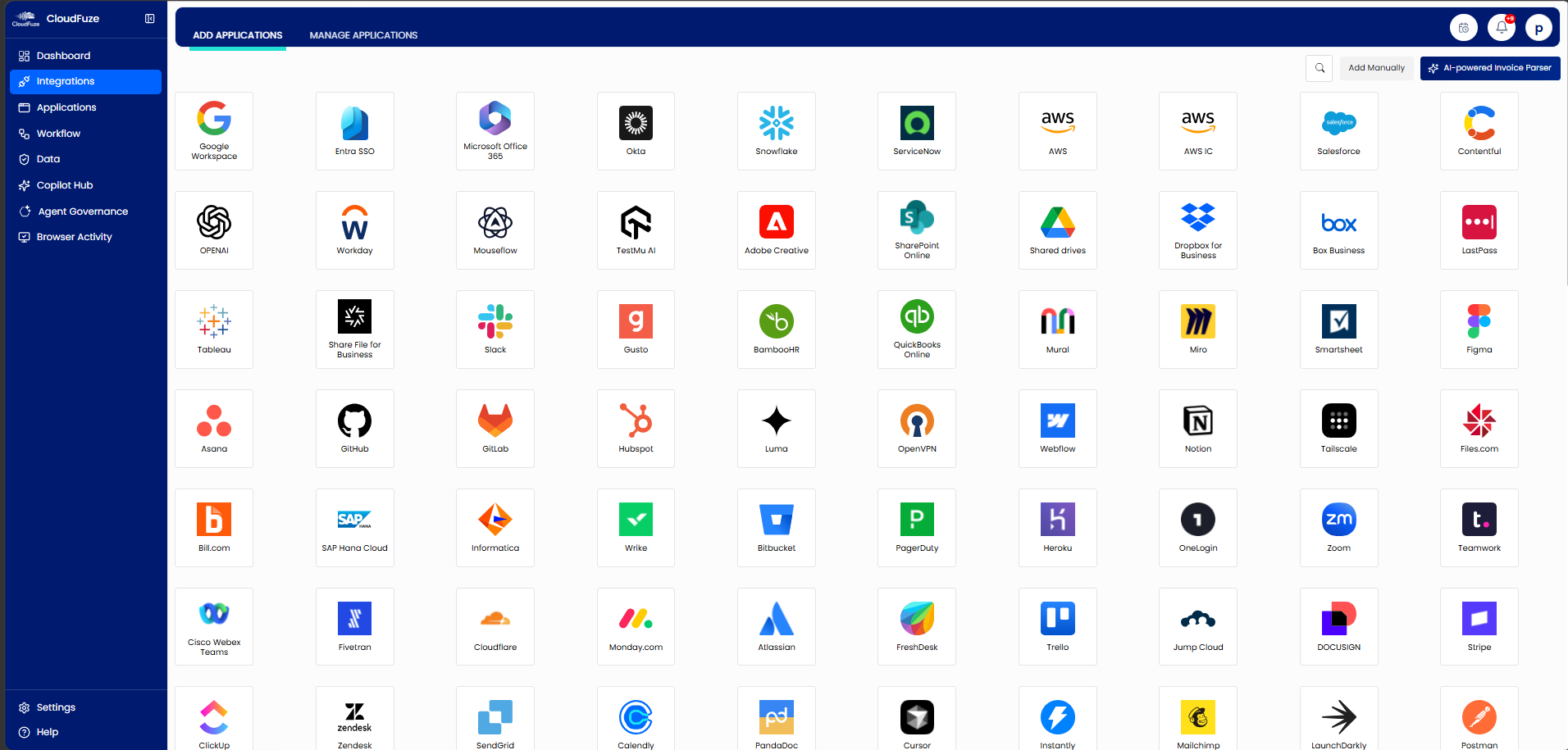
Step 1: Connect CloudFuze Manage to 190+ leading SaaS and AI apps (Salesforce, Notion, Mailchimp, Workday, Claude, Copilot, and more) that your company uses, including the shadow tools your spreadsheet never caught.
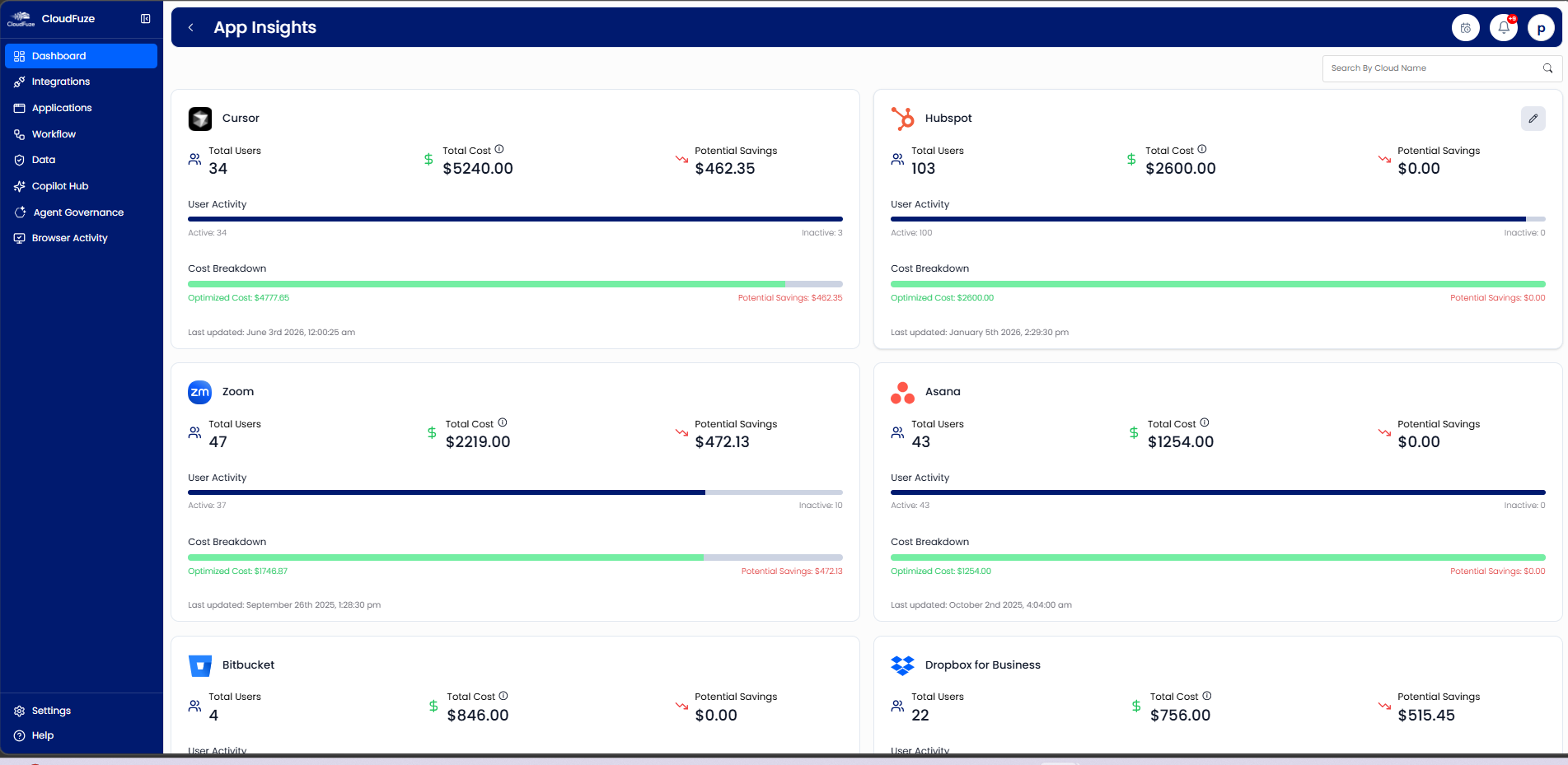
Step 2: Build a standard SaaS inventory that maps every owner, license usage details, recent renewals, and total subscription costs into a unified IT dashboard.

Step 3: IT administrators can immediately act on our license usage-based cost-saving insights to cancel unused seats and consolidate duplicate tools.
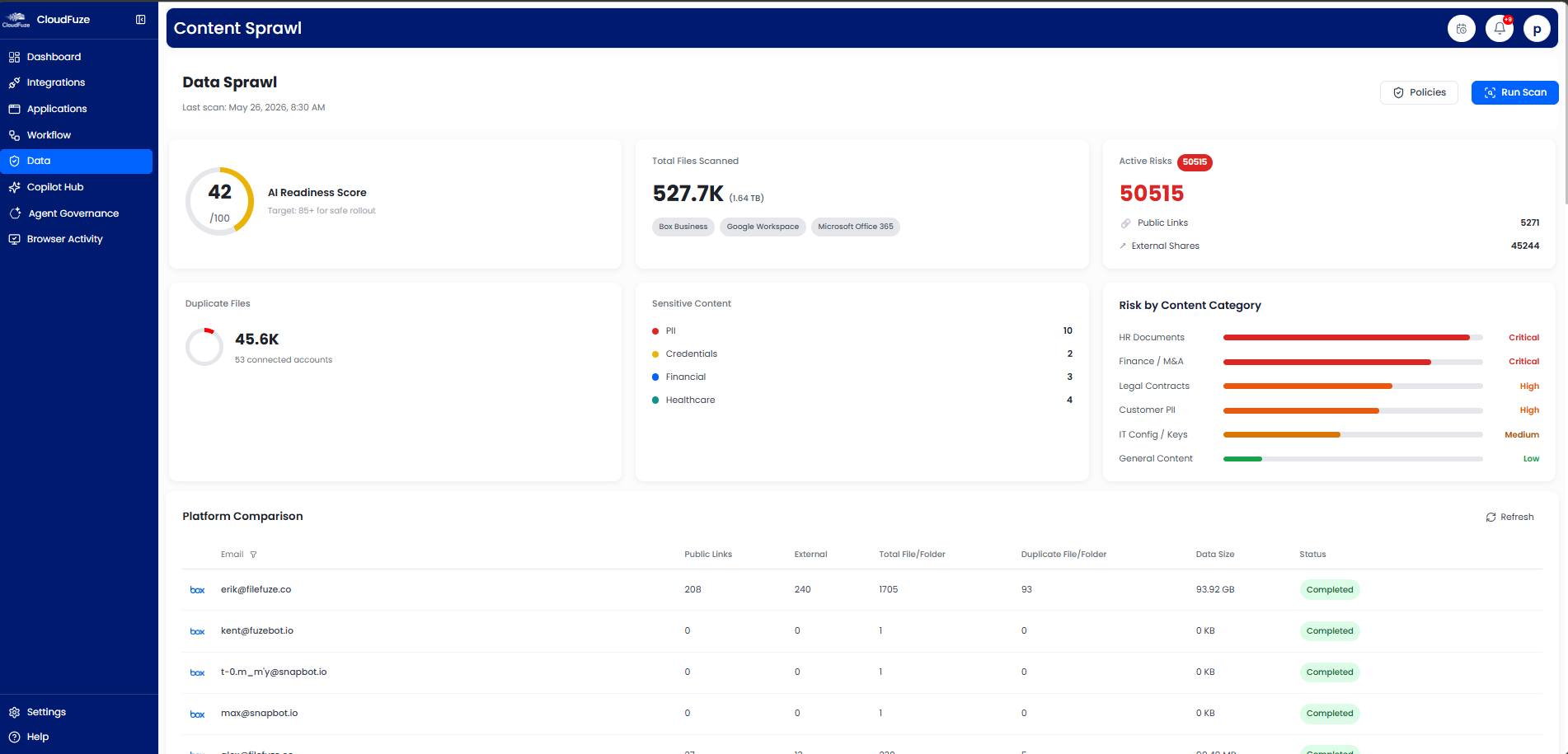
Step 4: Use our data management tab to find out excessive user permissions and enforce PoLP (Principle of Least Privilege) across all your apps, not just those your IT bought.
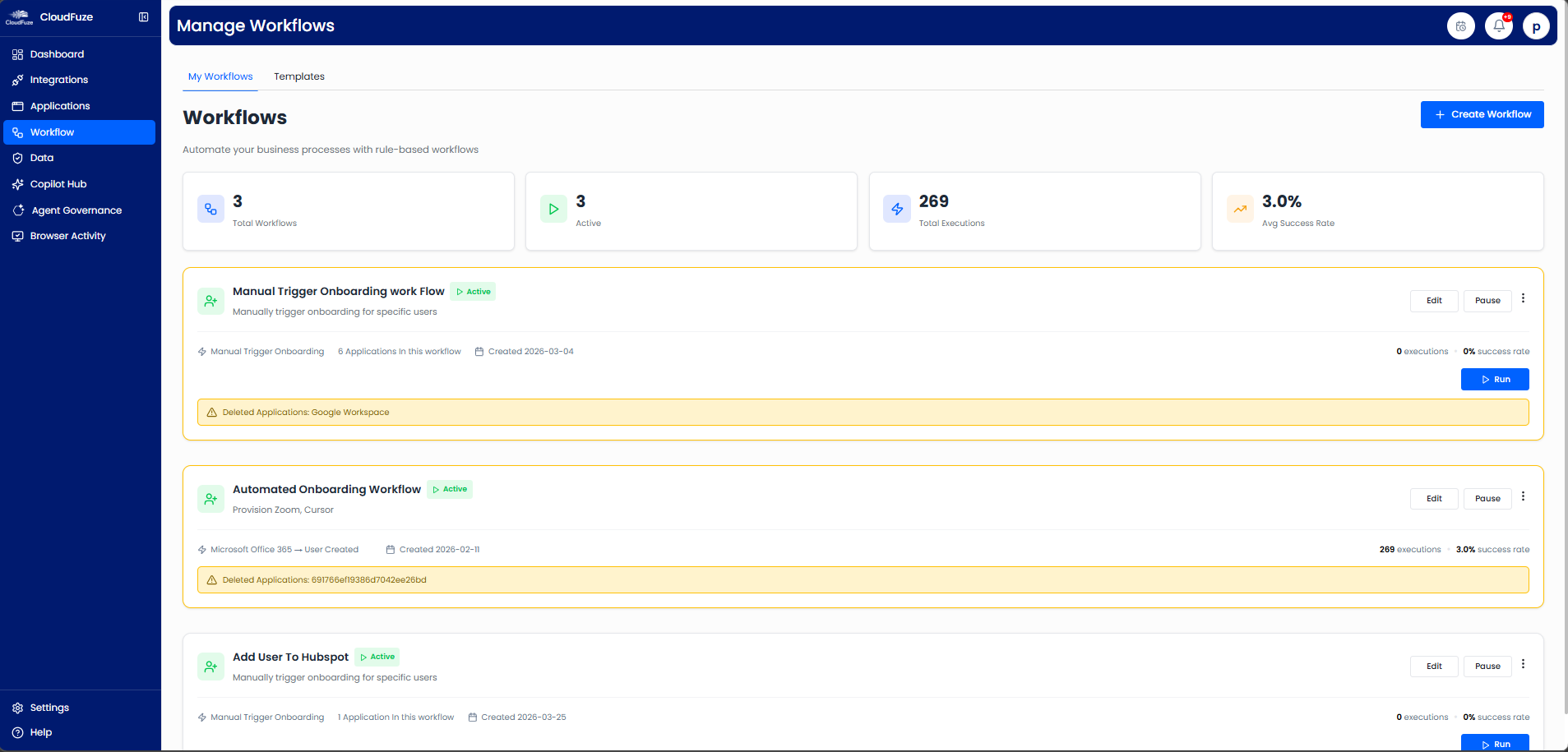
Step 5: You can automate user onboarding and offboarding, so new hires’ access is granted on day one and revoked on their last working day.
Step 6: With our intelligent AI-agent governance feature and audit-ready records, your org-wide compliance is always provable with a single-click download.

Manage Your SaaS Portfolio Confidently with CloudFuze Manage
The best ways to manage SaaS applications in 2026 require choosing the right tooling for your company. With our platform, CloudFuze Manage, you can lower your license costs by 20- 30%, improve your company’s security posture, and enhance your overall SaaS operations with a flexible per-user pricing option.
If you’re interested in seeing CloudFuze Manage in action, schedule your free product walkthrough now!
Frequently Asked Questions
1. What are the best tools to manage SaaS applications for small businesses?
CloudFuze Manage is one of the best SaaS management tools, as it helps SMBs, MSPs, and large enterprises discover every app, surface unused licenses, and automate user access, so your IT team can control SaaS sprawl in a single dashboard.
2. How can I automate SaaS application management for my IT team?
You can streamline your SaaS application management with our solution, CloudFuze Manage, which centralizes SaaS discovery, license optimization, and employee lifecycle automation in one console.
3. What security risks come with unmanaged cloud software?
Ungoverned cloud software invites security issues such as shadow IT/AI, orphaned employee accounts, official data leakage, and permission sprawl.
4. Which companies specialize in SaaS application management services?
Our company, CloudFuze, specializes in SaaS application management services through CloudFuze Manage, our AI-powered SaaS & AI governance platform that provides enterprises with 360-degree SaaS visibility, user lifecycle automation, licensing cost control, and audit-readiness across their entire SaaS portfolio.
5. How do I manage user permissions for a large SaaS portfolio?
Our tool, CloudFuze Manage, helps you to map user access across all your apps, find over-permissioned users, and apply RBAC across hundreds of your IT applications.
About the Author: Rashmi Ramesh


