
5 Top Considerations for Migrating Tenant-Wide Data Safely
Migrating tenant-wide data is one of the most complex and high-stakes projects for any high-growth enterprise. Whether you’re consolidating Microsoft 365 tenants, Google Workspace tenant accounts, merging acquired entities, or reorganizing users, the risks are evident: data loss, broken permissions, downtime, security incidents, and compliance gaps.
At CloudFuze, we help global enterprises execute secure and large-scale tenant-to-tenant migrations with complete accuracy. In this guide, we break down the five most important considerations you must evaluate before migrating tenant-wide data, so you can plan confidently and avoid costly surprises.
Key Takeaways:
5 Tips for Hassle-Free Tenant-Wide Data Migration
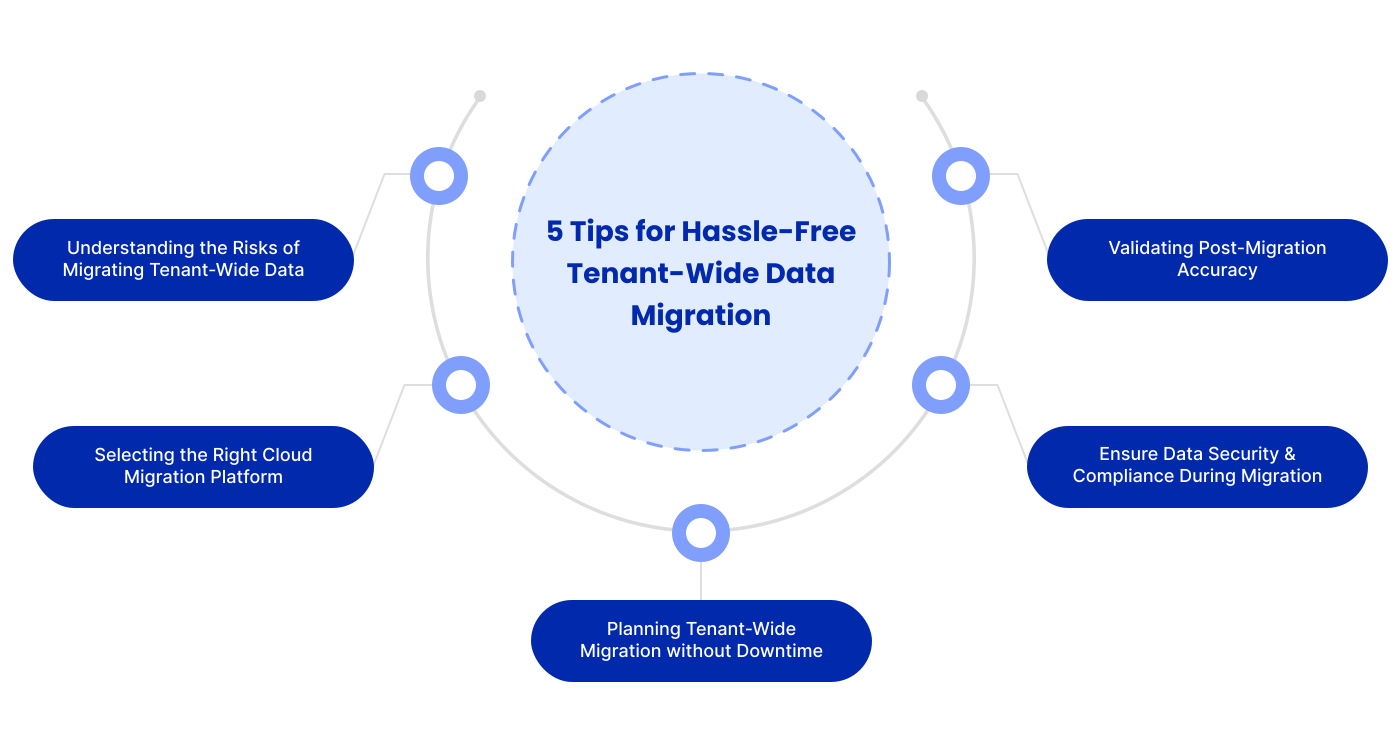
1. Understanding the Risks of Migrating Tenant-Wide Data
Before any tenant-to-tenant migration, IT teams must assess risks that can impact project timelines and business operations. Common risks include:
- Permissions are not preserved on transfer
- Broken folder and file structures across the workloads
- Metadata inconsistencies: timestamps, version history
- Limited visibility into user-level access post-migration
- Security vulnerability during data transit
We at CloudFuze avoid these risks through secure, direct API-based transfers and automated mapping engines that maintain hierarchy, permissions, and metadata with 100% precision for both Microsoft 365 and Google Workspace tenants.
2. Selecting the Right Cloud Migration Platform
Not all cloud platforms provide the same migration capabilities. Native tools often fall short for enterprise-scale, tenant-wide needs such as:
- Cross-tenant SharePoint and Google Drive migrations
- OneDrive and Google Drive sharing permission preservation
- Migrating messages, channels, configurations of Teams or Google Chat
- Mapping complex permission layers
Our CloudFuze migration platform supports the migration of full Microsoft 365 tenant and Google Workspace tenants:
- Data from SharePoint sites & Google Drive
- OneDrive & My Drive accounts
- Teams & Google Chat messages and channels
- Outlook mailboxes & Gmail accounts
- Permissions, metadata & version history
Our managed migration services help you plan, execute, monitor, and validate all the tenant-to-tenant workloads.
3. Planning Tenant-Wide Migration without Downtime
Downtime costs user productivity, and at enterprise scale, every minute counts. To avoid any downtime:
- Perform pre-migration assessments to identify the volume of data, conflicts, and risks.
- Automate user mapping to avoid manual errors.
- Run delta migration in order to sync incremental changes until cutover.
- Use parallel transfer capabilities for high volume workloads
Our migration tool uses high-performance parallel processing and zero-downtime cutover strategies for both Microsoft 365 and Google Workspace environments, assuring business continuity.
4. Ensure Data Security & Compliance During Migration
Security is the crucial aspect of any enterprise migration. The organizations must make sure that:
- Fully encrypted data transit
- No access for vendors to customer data
- Compliance to frameworks such as SOC 2 Type 2, GDPR, ISO 27001
- Audit logs for all migration actions in detail
The CloudFuze security is enterprise-grade, utilizing encrypted transfers, secured environments, and audit logs for complete traceability.
5. Validating Post-Migration Accuracy
Validation is necessary once data transfer has occurred. IT teams will have to confirm:
- Accurate replication of folder hierarchy
- Permission Accuracy (user, group, external sharing)
- Version history consistency
- Metadata integrity
- Cross-user access
With CloudFuze, you receive automated migration reports, side-by-side comparison logs, and granular validation to make certain every file, folder, and permission arrived exactly as expected.
Your Trusted Tool for Seamless Tenant-to-Tenant Cloud Migrations (Microsoft 365 & Google Workspace)
The process of migrating tenants need not be slow, risky, or stressful for high-growth enterprises. We at CloudFuze have designed our tool to accomplish 10X faster migrations, securely transfer petabytes of data, and millions of files without compromising on accuracy or the integrity of data.
Our platform ensures that folder structures, permissions, metadata, and version history remain 100% intact, so every file, mailbox, and message arrives exactly as expected. Eliminate downtime with parallel processing and delta migration using our tool to keep your teams productive.
Beyond technology, our expert support team guides you through each critical step from planning and pre-migration assessment to post-migration validation, ensuring a smooth, secure, and fully compliant migration for Microsoft 365 and Google Workspace tenants.
Case Study: How SimplePin Migrated Successfully to Microsoft 365 with CloudFuze
When U.S.-based SimplePin was a fintech company, it struggled with sharing a single Microsoft 365 tenant between two brands by managing overlapping resources, complex workflows, and limited IT independence.
The Challenge:
- 300,000+ Microsoft Teams messages across public/private channels and DMs
- Migrate Shared Mailboxes and Keep Permissions
- Zero downtime required
The Solution & Outcome:
- CloudFuze completely segregated the tenants of each brand.
- Safely migrated all mailboxes, files, and over 300,000 Teams messages.
- Filesystem structures, permissions and collaboration history preserved
- Achieved zero downtime to enable unbroken operations.
Impact:
SimplePin today operates separate tenants seamlessly, with all data present, proving CloudFuze’s capability in performing complex, large-scale tenant migrations with accuracy.
Get a Free Tenant Migration Assessment
We provide enterprises with a secure, advanced, and compliant platform for the seamless migrations of Microsoft 365 and Google Workspace while keeping all files, permissions, and metadata intact.
Get your free tenant migration assessment and get a clear roadmap based on your organization’s data, permissions, and workloads.
Frequently Asked Questions
1. What are the key risks to consider when migrating tenant-wide data?
Permissions loss, dislocated folder hierarchies, mismatches in metadata, downtime, and compliance issues. Using the CloudFuze platform circumvents these Microsoft 365 and Google Workspace tenant migration risks.
2. Which cloud platforms offer the best tools for tenant-wide data migration?
Microsoft 365 and Google Workspace provide essential native APIs, but for full tenant-wide migration, including Teams/Google Chat, SharePoint/Drive, OneDrive/My Drive, and permissions, CloudFuze Migrate is the leading and best tool for tenant to tenant migration.
3. How can I plan tenant-wide data migration with minimal downtime?
Pre-migration assessments, automated user mapping, delta migrations, and scheduling cutover during low-usage windows are essential. With CloudFuze, enterprises benefit from zero-downtime migration that ensures users stay fully productive throughout the transition.
4. What are the most important data security best practices during tenant-to-tenant migration?
Encrypt all transfers, avoid manual migration, enforce least-privilege access, and use SOC 2 Type 2 and GDPR-compliant tools like CloudFuze.
About the Author: Aayushi Raj



