
Manage Google Workspace Access Control & Permissions Easily
Nowadays, as companies rely more on Google Workspace to power their business workflows, responsibly managing their Google Workspace access control and permissions becomes a necessity.
Whenever your company’s Google Workspace management is appropriate, you can harness the full potential of your Google Workspace tenant features, forecast future Google Workspace license needs, and completely eliminate data/permission sprawl and security risks.
This blog post explores the importance of Google Workspace access control and permission management in detail.
Key takeaways:
What are Google Workspace Access Controls & Permissions?
Google Workspace access controls and permissions determine who can access your Google Workspace tenant features, such as Gmail, Drive, Shared Drives, Calendar, and connected apps, and at what permission level (admin, user, guest).
It includes user-role and group-based file access, admin access permissions, external file-sharing rules, and OAuth-based third-party integrations via Google authentication.
Pitfalls of Manually Configuring User Access and Permissions with Google Native Tools
Manual Google Workspace user access management in the Google Admin console often works for small teams but fails at scale when an organization’s headcount is huge. Some common challenges are:
- Scattered User Access Controls
Most user access settings are spread across multiple users, roles, Drive, and other security sections in your “Google Admin” console. This makes your Google Workspace management tenant complex. - Incomplete User Offboarding
Usually, removing a user via Directory → Users doesn’t automatically revoke access to your business Drive files, Shared Drive permissions, or other connected apps. - Overexposed Files in Google Drive & Shared Drives
Sometimes, external file-sharing and publicly accessible file links remain active without regular audits & checks. This, in turn, expands your company’s attack surface. - Admin roles are manually assigned to many employees in your company, which can cause confusion and over-privilege issues, leading to internal security threats.
- Limited Visibility into Third-Party Apps
Google API controls show connected apps but lack clear risk, usage, and context.
What are the Best Practices for Managing User Access and Permissions in Google Workspace?
Discussed here are some best practices to manage your Google Workspace tenant efficiently:
- Make sure to use a SaaS & AI app management platform to manage your Google Workspace user access control, permission levels, and data sprawl.
- Utilize the least-privilege user access principle and also RBAC, so your team members get the Google Workspace access they actually need.
- Apply the new “Who can modify group details” permission, aligning with Google Workspace 2026’s new update for group- level access changes.
- Periodically review your Google Workspace “Admin Details” settings to manage your company’s Google Workspace security.
How to Manage Access Control and Permissions in Google Workspace effectively?
Utilizing our SaaS & AI app management platform, CloudFuze Manage, helps organizations address Google Workspace user access governance challenges with an automated solution.
Here’s how we help SMBs and Enterprises optimize your Google Workspace environment:
1. Automated User Access Lifecycle Management
Our platform, CloudFuze Manage, automates user onboarding, role changes, access updates, and user offboarding in Google Workspace, making it zero-touch. This feature ensures access is granted, updated, and revoked at the right time without manual IT effort.
2. Centralized Role-Based Access Control (RBAC)
IT executives can enforce role-specific user permissions across Google Workspace users and groups from a single dashboard. This centralization eliminates manual user access assignments or any CSV-based updates.
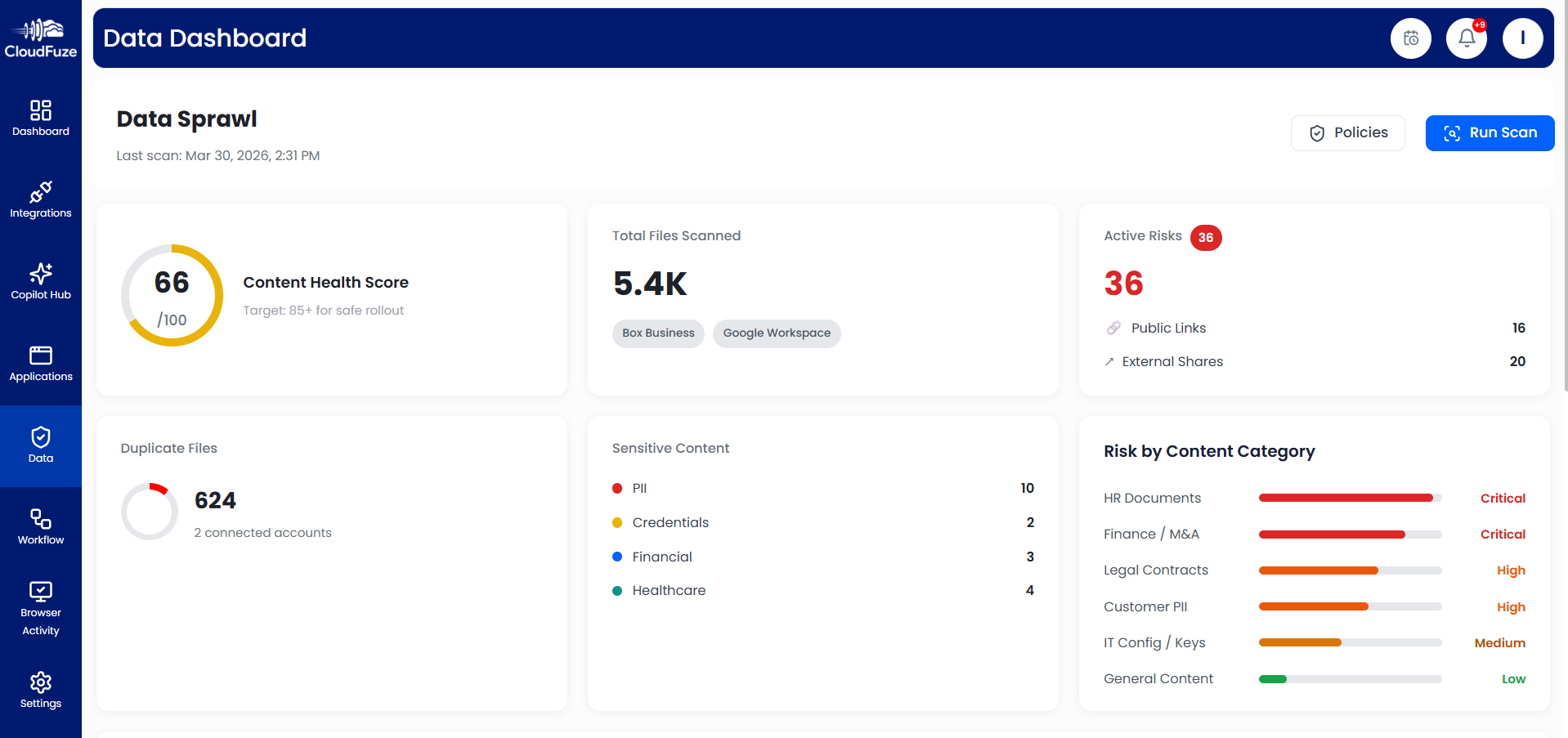
3. Continuous Data Sprawl, Permission Sprawl & License Optimization
CloudFuze Manage identifies inactive users, unused Google licenses, and over-permissioned accounts, helping you right-size your team’s license seats while reducing Google Workspace licensing waste and costs.
Companies can gain complete Google Workspace governance with our platform’s data sprawl management feature. This powerful feature helps you to remove stale content throughout your Google Workspace and implement external file-sharing policies.
4. Cross- Domain User Access Governance
SMBs and large enterprises can manage user access and permissions across multiple Google Workspace domains and business units using one standardized, automated access security policy.
Take Full Control of Your Google Workspace with CloudFuze Manage
Unmanaged Google Workspace access control & permission directly impacts your organization’s security and compliance posture.
Our industry-leading platform, CloudFuze Manage, helps companies regain full Google Workspace control by unifying user access governance, license usage visibility, and user lifecycle management in one platform.
If you want complete control over your Google Workspace, try CloudFuze Manage today!
Contact us for a free demo!
Frequently Asked Questions
1. How do I set up user access controls in a cloud productivity suite?
Our platform, CloudFuze Manage, helps you centrally automate user access, enforce role-based data access permissions, and continuously monitor user access changes across your Google Workspace tenant through a single pane of glass.
2. Which tools offer advanced access control features for online document management?
CloudFuze Manage is one of the advanced tools that provides enterprise-grade cloud data management and sprawl control for Google Workspace files, shared drives, and user access permissions.
3. How do I manage user permissions for shared drives and content sprawl?
CloudFuze Manage is an intelligent platform that identifies overexposed shared drive files and prevents data and permission sprawl throughout your Google Workspace without any hassle.
About the Author: Rashmi Ramesh


