
Transfer Terabytes of Files to Google Shared Drives from Egnyte
Following proper strategies helps you ensure a successful Egnyte to Google Shared Drives migration. Choosing a reliable migration approach helps you transfer high-volume files securely. In this blog post, we have discussed how to transfer Egnyte files to Google Shared Drives using CloudFuze Migrate.
Key Takeaways:
Common Issues in Egnyte to Google Drive Transfers
Challenges of moving terabytes of data to a cloud collaboration platform such as Google Shared Drives from Egnyte:
- User mapping issues
- Downtime issues
- Loss of metadata
- File/folder restrictions
- Move long folder paths from Egnyte
Overcome the above challenges and copy files to Google Shared Drives from Egnyte using an advanced migration tool such as CloudFuze Migrate.
Transfer Files to Google Shared Drives from Egnyte with CloudFuze Migrate
With CloudFuze Migrate, companies can transfer Egnyte files such as:
- Word Document
- Excel Spreadsheet
- PowerPoint Presentation
- Google Docs
- Google Sheets
- Google Slides
- EXE files
- MP3, MP4 files
- JSON files
- PDF files
- HTML, HTM files
- ZIP files
Screenshots Showing Egnyte Files Transfer to Google Shared Drives
Using CloudFuze Migrate
Image 1: Shows different types of Egnyte files in the source environment.
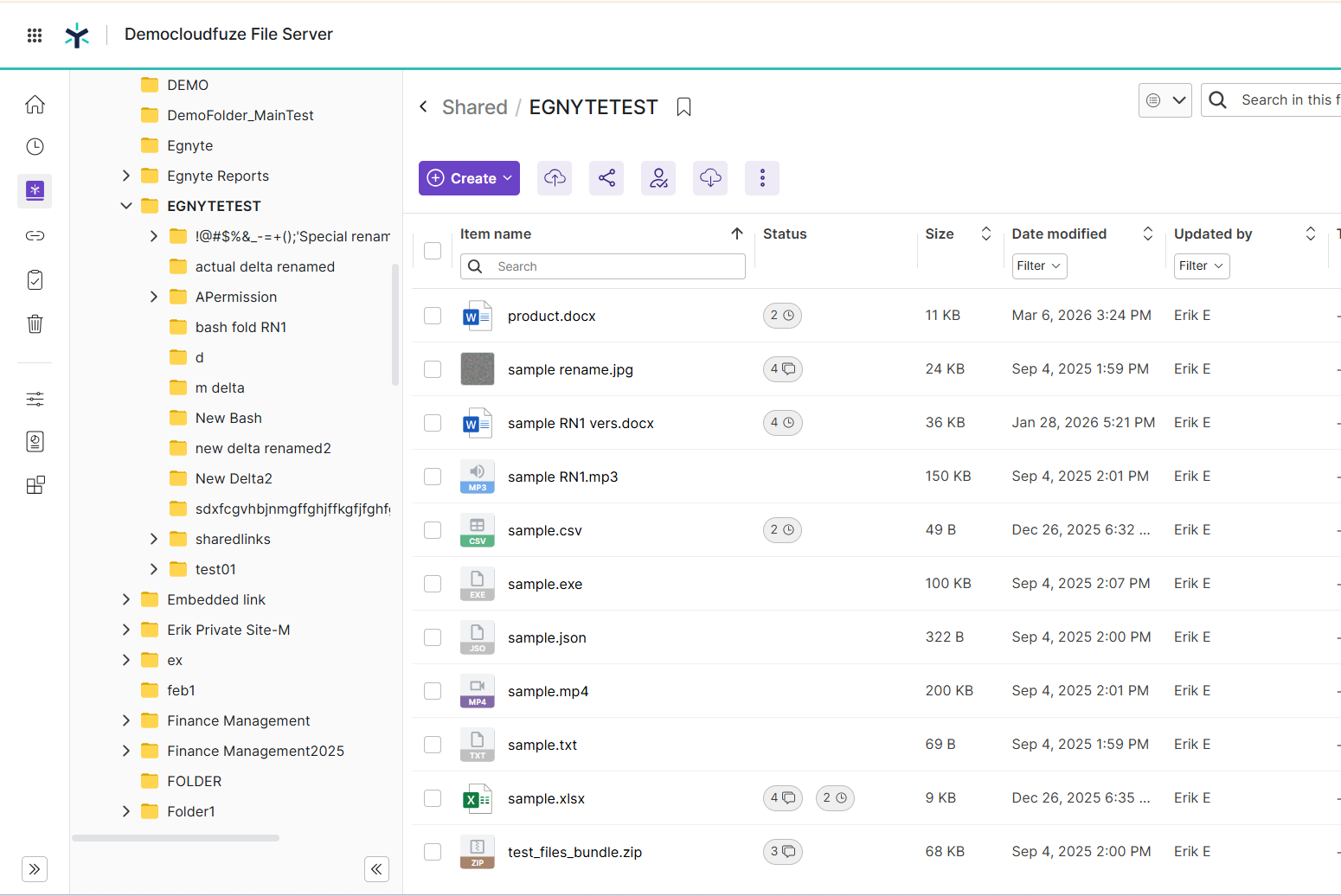
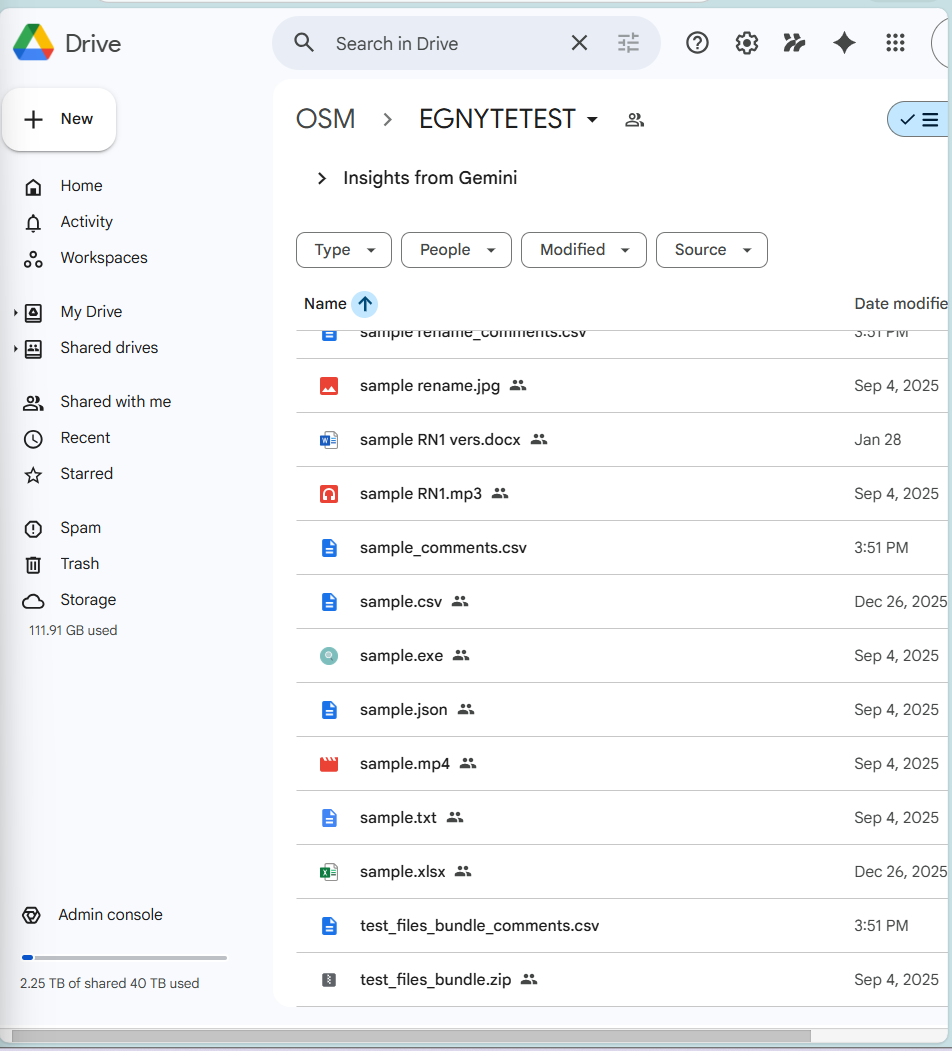
Image 2: Complete replication of Egnyte files to Google Shared Drives using CloudFuze Migrate.
How to Migrate Egnyte Metadata to Google Shared Drives?
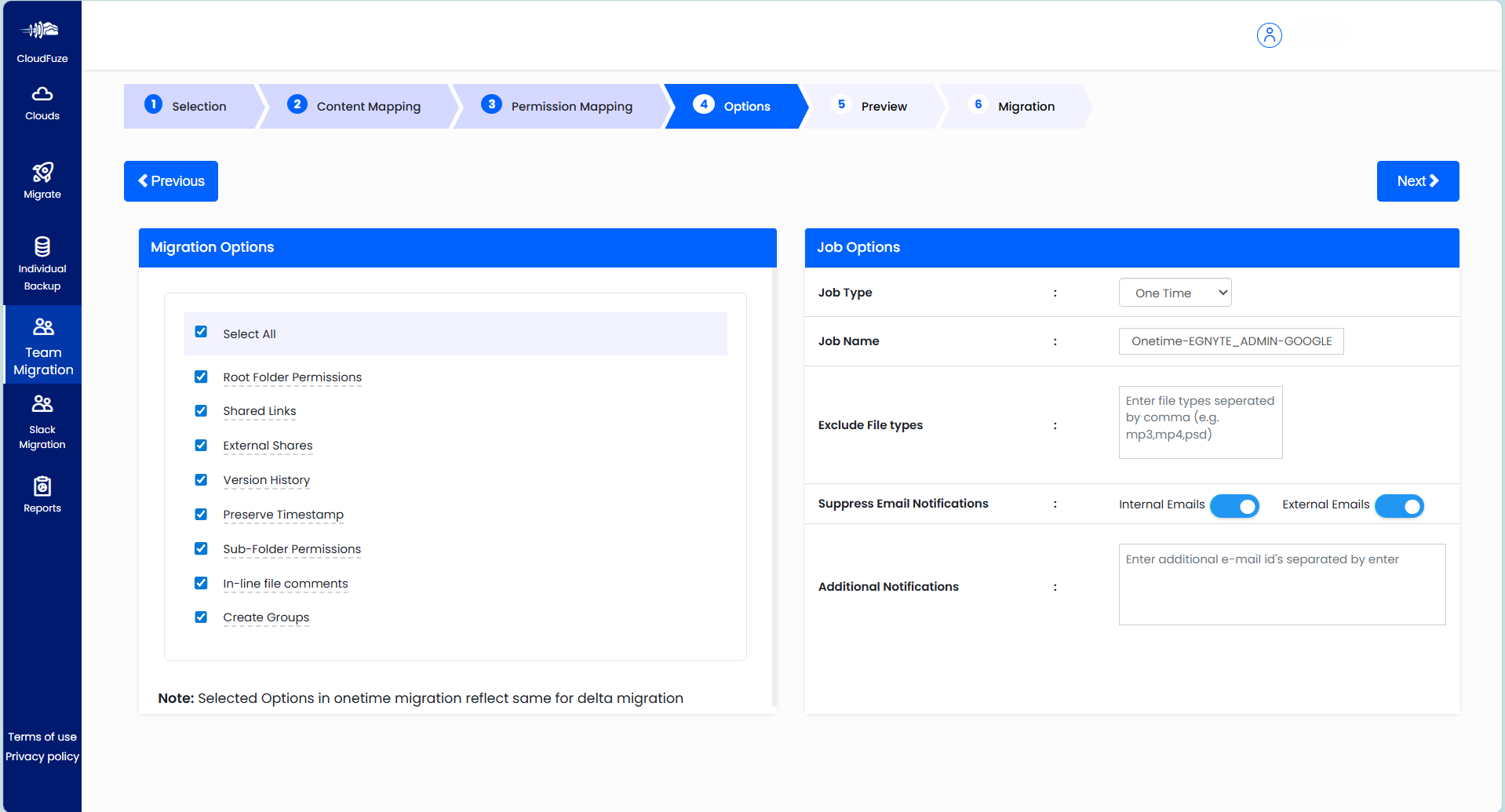
Manual migration approaches fail to preserve necessary metadata in Google Shared Drives along with Egnyte files. With our Egnyte to Google Drive migration tool, you can transfer all necessary metadata, such as:
- File Versions
- Permissions
- Timestamps
- File versions
- External Shares
- Shared links
- In-line comments
Screenshot below shows supported metadata by CloudFuze Migrate from Egnyte to Google Shared Drives:
Check Out Our Egnyte to Google Shared Drives Migration Tool’s Working:
What Do Customers Say About Us?
We have a rating of 4.7/5 in Gartner Peer Insights Review. Here is a recent January 2026 Gartner review from one of our customers.
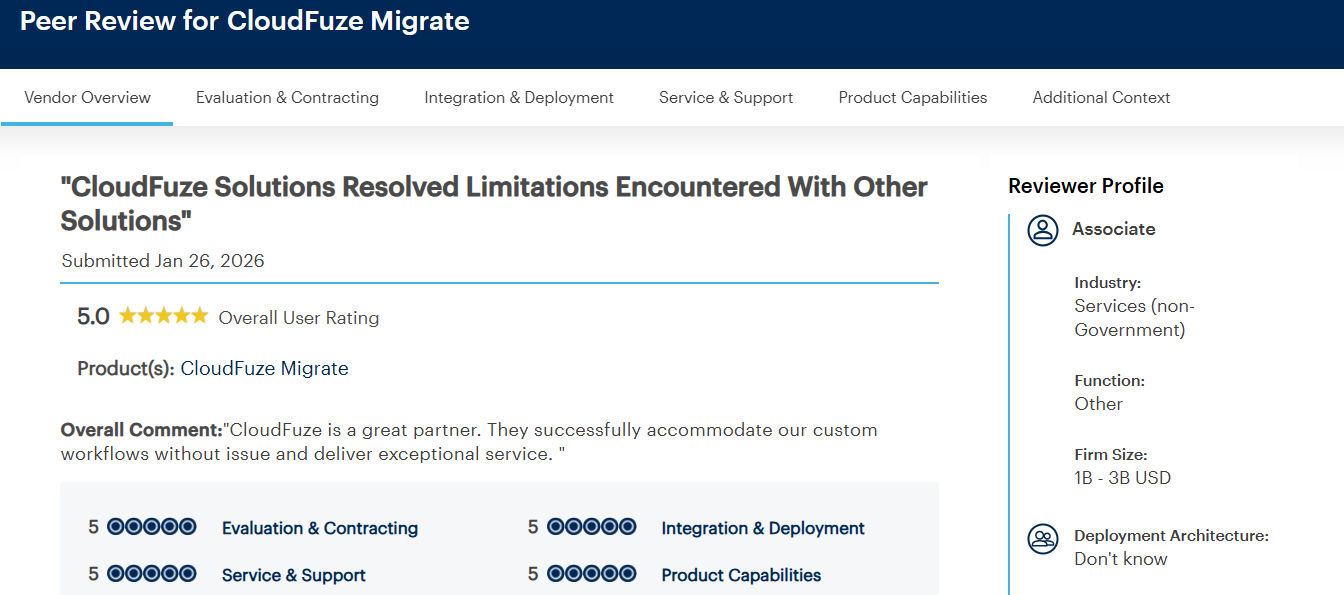
As per the Gartner review, the customer praised us for being a great migration partner. They appreciated us for a successful migration and smooth customer service.
Handle Large Scale Egnyte to Shared Drives Migration with CloudFuze
Moving high-volume Egnyte data and metadata is no more a complex and time-consuming process. Transfer files to Google Shared Drives from Egnyte with complete replication using CloudFuze Migrate.
Request a free and no-obligation quote by sharing your migration requirements.
Frequently Asked Questions
1. Best practices to follow when transferring large files to Google Shared Drives from Egnyte
Best practices include:
- Conduct migration in batches.
- Perform pre-migration analysis before initiating your one-time migration.
- Use an advanced migration tool to transfer files from Egnyte to Google Shared Drives.
- Perform delta migrations to capture incremental changes.
2. What are the best practices for preserving permissions during transfer
Best practices for preserving permissions during transfer:
- Conduct a pilot migration.
- Check if the user accesses files open properly after your pilot migration.
- Choose an advanced migration tool like CloudFuze Migrate to migrate permissions during migration.
3. How can one evaluate the success of transferring files from Egnyte to Google Shared Drives?
Few metrics to evaluate success of transferring files from Egnyte to Google Shared Drives:
- Files and folders open without any issues in Google Shared Drives.
- No issues with file permissions and complete metadata preservation.
- Complete the replication of metadata within files.
- Incremental changes transferred properly to files in Google Shared Drives.
About the Author: Bhavani Asok



