
1. Introduction
As a business owner, decision maker, or an IT manager, you would know that SaaS and AI apps are at the heart of your company’s overall operational efficiency and user-level productivity.
While SaaS apps offer strategic benefits, their unmanaged proliferation can become a double-edged sword. Uncontrolled SaaS and AI apps growth can not only increase redundant costs but also raise security risks. For example, AI assistants like Copilot can inadvertently expose sensitive information in its natural language responses when file sharing is left ungoverned.
To tackle these hidden issues, using proper SaaS management software has become crucial for almost all businesses.
2. What is SaaS Management Software? What is it for? How Does it Work?
SaaS and AI app management and governance software, as the name implies, is designed to help businesses of all sizes and industries efficiently manage and govern all their SaaS and AI apps, AI assistants, and AI agents. It eliminates the hassle of managing and governing all SaaS and AI apps individually.
But SaaS management platforms aren’t just limited to managing AI and SaaS apps; they also help streamline compliance and strengthen security.
SaaS and AI management solutions work by detecting all the SaaS and modern AI apps a company is using. They make it efficient for IT teams to manage and govern access, usage, and spending through a centralized dashboard.
Here’s a quick overview video of our SaaS and AI app management platform, CloudFuze Manage:
3. Why Do Businesses Need SaaS Management and Governance Software?
As businesses use more SaaS tools and AI apps, AI assistants, and AI agents, managing and governing them starts becoming cumbersome, especially in fast-growing companies and large enterprises where content sprawl, oversharing, and mismanaged permissions are common. The uncontrolled and ungoverned SaaS growth leads to:
- Inadvertent exposure of sensitive information
- Overspending on duplicate/redundant SaaS apps and AI tools
- Paying for unused licenses
- Unapproved usage of various SaaS and AI apps and integrations
- Unmonitored SaaS and AI apps not meeting compliance and security standards
- IT teams being busy firefighting rather than focusing on building strategies
SaaS and AI management and governance software address these pain points and helps solve them through:
- Governance over content sprawl, oversharing, etc.
- Governance policy enforcement across user lifecycles
- Shadow IT and Shadow AI control
- Discovery of all SaaS tools and AI apps in use
- Analytics on app usage (even at user level)
- License utilization tracking
- Alerts for license renewals
4. What are the Most Important Business Benefits of a SaaS and AI Management Tool?
Some of the most important benefits of SaaS/AI management and governance solutions for businesses at a high level include:
| Focus Areas | Benefits of SaaS/AI Management Software |
|---|---|
| SaaS and AI governance | Governance of content sprawl, disjointed permissions, risky external sharing, etc., to enable secure and compliant AI deployment and usage. |
| User lifecycle management | Automation of user lifecycle tasks, such as user onboarding and offboarding, to enforce governance policies and improve lifecycle management efficiency. |
| Shadow IT and Shadow AI | Identification of SaaS and AI apps and integrations that users sign up for without the IT team’s approval. |
| SaaS and AI apps spend | Cost savings through optimized and informed SaaS and AI apps usage. |
| User productivity | Improvements in user productivity through streamlined access to SaaS apps |
| Security | Improvements in security and compliance posture through SaaS and AI governance and compliance monitoring. |
5. How to Choose the Right SaaS and AI App Management Software
To choose the right SaaS and AI app management tool for your business, it is crucial to assess your needs first and then research and take decisions accordingly. Here are some of the most important factors to consider:
- The number of SaaS apps and AI tools your company uses (and future expansion scope)
- The diverse categories of the SaaS and AI apps in use
- Content sprawl, overpermissioning, and disjointed access control issues that are present in the SaaS and AI stack
- ROI from the SaaS/ AI management solution, e.g., 25% to 30% in cost savings, etc
- Integration with your company’s existing IT tools
- Potential to adapt to your company’s growing SaaS app and AI tool usage needs
Make sure that the SaaS and AI tool management services you shortlist during the research stage meet the above criteria.
6. Features to Check in a SaaS and AI App Management Solution
Apart from checking how SaaS/AI app management software can meet your company’s needs, you must also dive deeper into its specific features and understand the associated benefits.
| Specific Features of SaaS and AI app Management Tools | Benefits from the Feature | Importance |
|---|---|---|
| Cost Management | It helps you discover which SaaS apps and AI tools are underused and/or the number of apps that are redundant and optimize license usage to cut unnecessary costs. | High |
| Governance | It helps you set specific governance policies through which you can control content sprawl, oversharing of files, risky external sharing, AI tools usage and more | High |
| Shadow IT and Shadow AI | It helps you discover all SaaS and AI apps, including unauthorized ones, and manage their usage for cost control and full compliance. | High |
| Usage Tracking | It helps you track usage of SaaS and AI apps at the user level. For example, you can see how many lines of codes users have generated using AI tools like Cursor. | High (in the AI age) |
| License Management | It helps you automate license management-related tasks, such as license usage monitoring, license provisioning, and license renewals. | High |
| User Management | It helps you manage user access and roles in a seamless way with bulk apply actions. | High |
| Group Management | It helps you discover all groups (public and private) spread across your SaaS apps and manage them. | High |
7. SaaS/AI Management Tool vs Manual SaaS/AI Apps Management
Managing and governing the usage of SaaS apps and AI tools manually is cumbersome. IT teams face a lot of challenges when it comes to managing intricate aspects like license usage, shadow IT, apps usage, and more. Here’s a detailed comparison of managing SaaS and AI apps manually vs using a dedicated SaaS/AI app management tool:
| SaaS Management and Governance Aspects | SaaS Management Tool | Manual SaaS Management |
|---|---|---|
| SaaS and AI App Discovery | Automatic discovery of all SaaS apps and AI tools in use | IT teams must manually check all the apps in use |
| SaaS and AI Governance | Streamlined governance through policy setting | Manually creating and defining governance policies is out of scope |
| Shadow IT and Shadow AI | Automatic discovery of all unauthorized SaaS and AI apps in use and restriction setting options | IT teams need to manually coordinate with end-users (employees) and check the apps they use |
| App Usage Monitoring | Extensive monitoring of all SaaS and AI apps under a single dashboard with real-time insights | Manual monitoring of each SaaS app is required, which can be time-consuming |
| Cost Optimization | Full visibility into app usage with streamlined cost optimization suggestions | Highly challenging to get a clear picture of the SaaS and AI apps usage when done manually |
| License Management | Automation of license usage monitoring and user provisioning and deprovisioning | IT teams must manually manage all aspects of SaaS and AI apps licensing |
| Security and Compliance | Automation of compliance checks on all SaaS apps and AI tools | IT teams must manually check compliance in every SaaS app and AI tool |
8. SaaS and AI App Management Software from CloudFuze: CloudFuze Manage
CloudFuze Manage is a one-stop SaaS and AI app management and governance solution for businesses planning to streamline their SaaS apps and AI tools usage and management.
We have purpose-built CloudFuze Manage to eliminate all the challenges and complexities of managing and governing hundreds of different types of SaaS tools and AI apps.
9. What Sets CloudFuze Manage Apart from Other SaaS Management Tools
CloudFuze Manage isn’t just another SaaS management software. It is a one-stop enterprise-grade solution that can help your business track every intricate detail of all the SaaS apps and AI tools in use.
We run the gamut of all SaaS and AI app management and governance areas, including:
- Content and Permission Sprawl Governance
- User Lifecycle Management
- Shadow IT and Shadow AI Control
- License Management
- App Usage Management at the User Level
- Group Management
- SaaS Management Reports
CloudFuze Manage stands out among other SaaS management and governance tools with carefully curated features for real-world business impact. Check out the outcome-focused functionalities that set CloudFuze Manage apart:
| Evaluation Criteria | CloudFuze Manage | Other SaaS Management Platforms |
|---|---|---|
| User Experience | Simple UI and navigation requiring zero user training. | Complex and cluttered. |
| Product Focus | Focused on critical outcomes like savings, visibility, and control. | Thousands of unwanted features that create user confusion. |
| Time-to-Value | Rapid deployment for discoverability and ROI within minutes. | Long onboarding time that delays results. |
| Flexibility | Enterprise-grade customization for tailored workflows and deep integrations. | One-size-fits-all model. |
| Feedback Loop | Open to all feedback for agile development. | Feedback goes into a blackhole. |
10. Steps to Use CloudFuze Manage
Here’s a high-level overview of how you can explore all the SaaS and AI app management and governance functionalities of CloudFuze Manage:
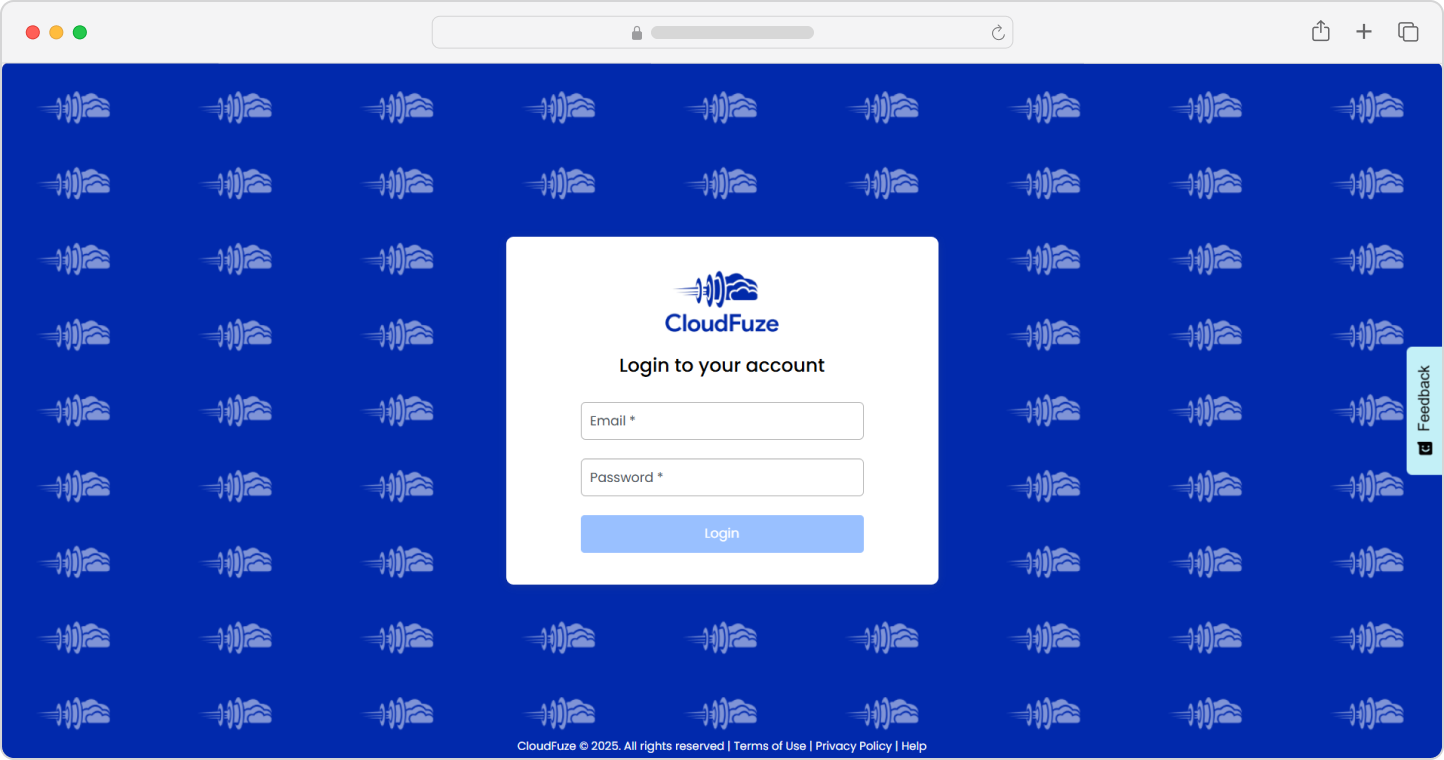
Step 1: Log in to CloudFuze Manage
The first step is to log in to CloudFuze Manage. Contact us to create your trial account today!
Step 2: Add Your SaaS Apps and AI Tools
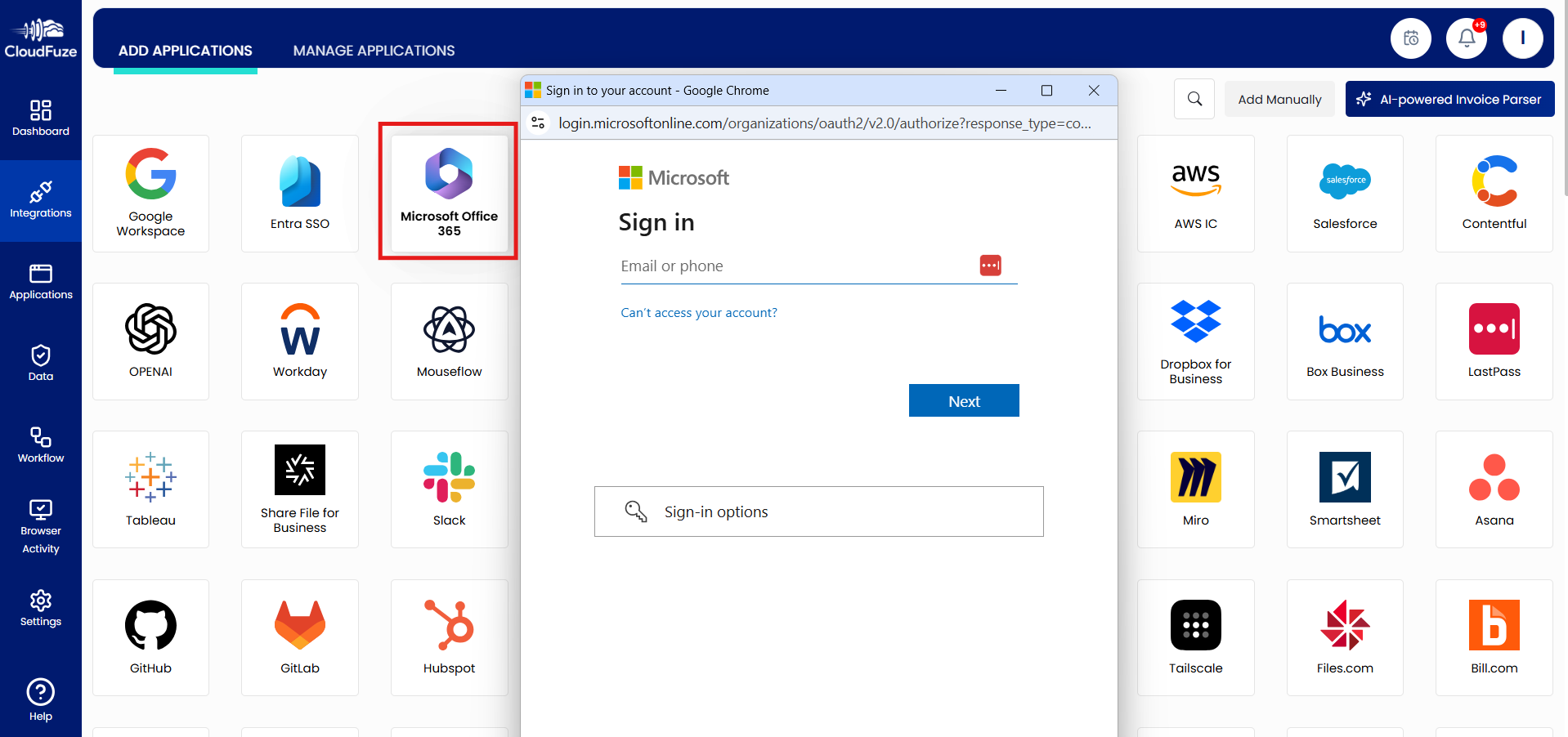
The next step is to add the SaaS app and AI tools of your choice. On the left panel, open “Integrations” and select the apps you want to integrate.
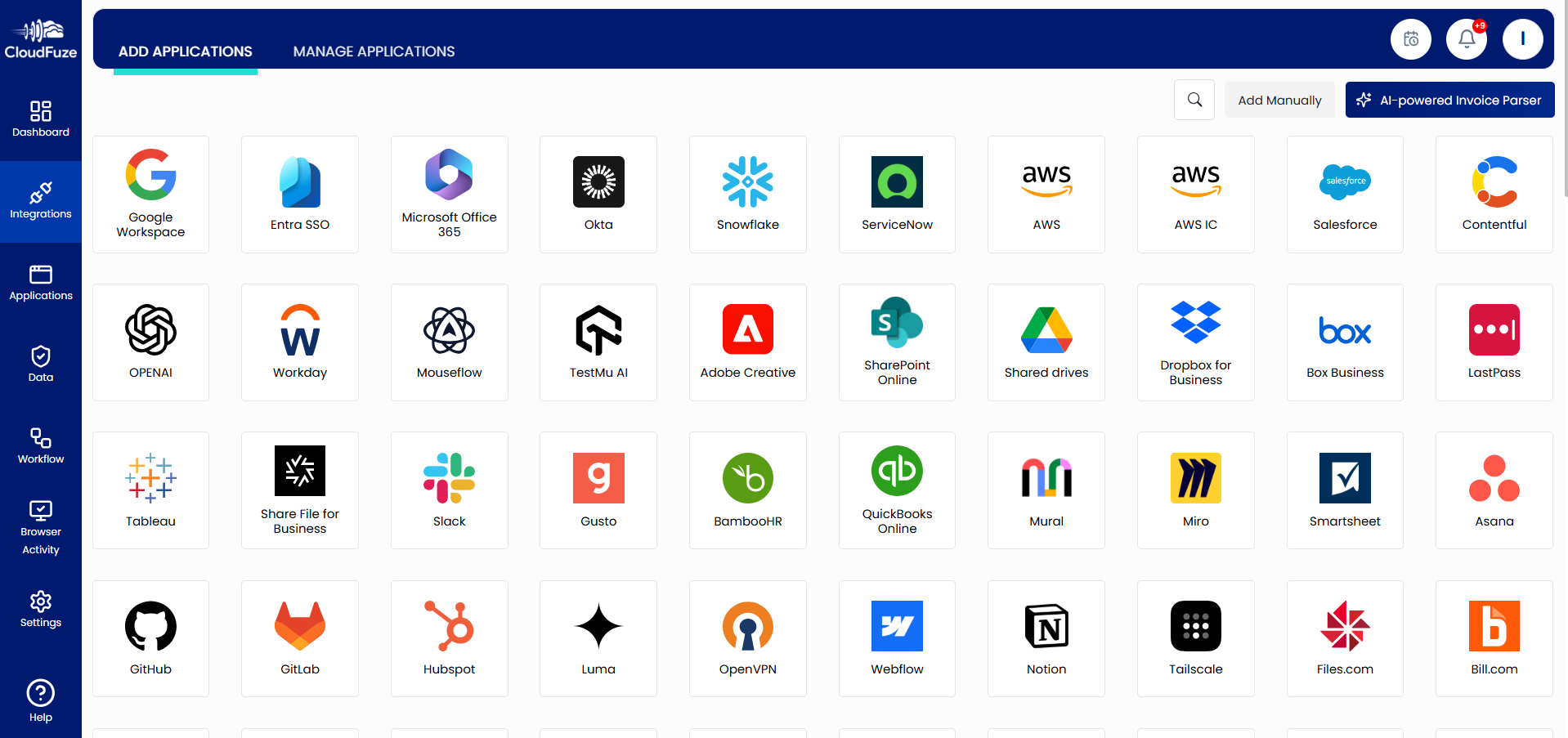
Our tool will display a wide range of SaaS and AI apps. Choose the SaaS apps and AI tools of your choice and click on it. Enter the admin login details and grant CloudFuze access. Every SaaS and AI app login is secured with the industry-standard OAuth process.
We recommend adding all the SaaS and AI apps that you want to manage.
Step 3: Explore the Dashboard
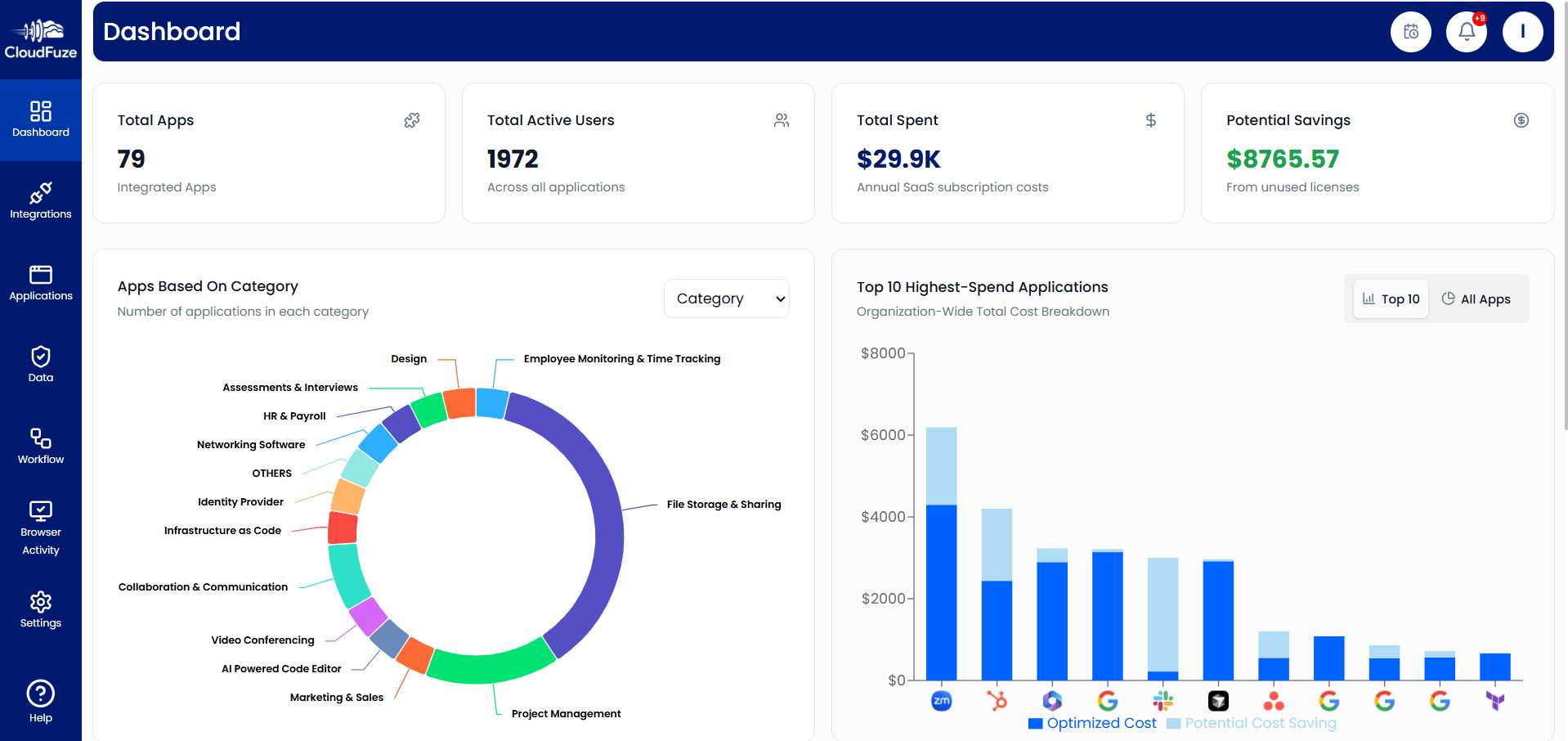
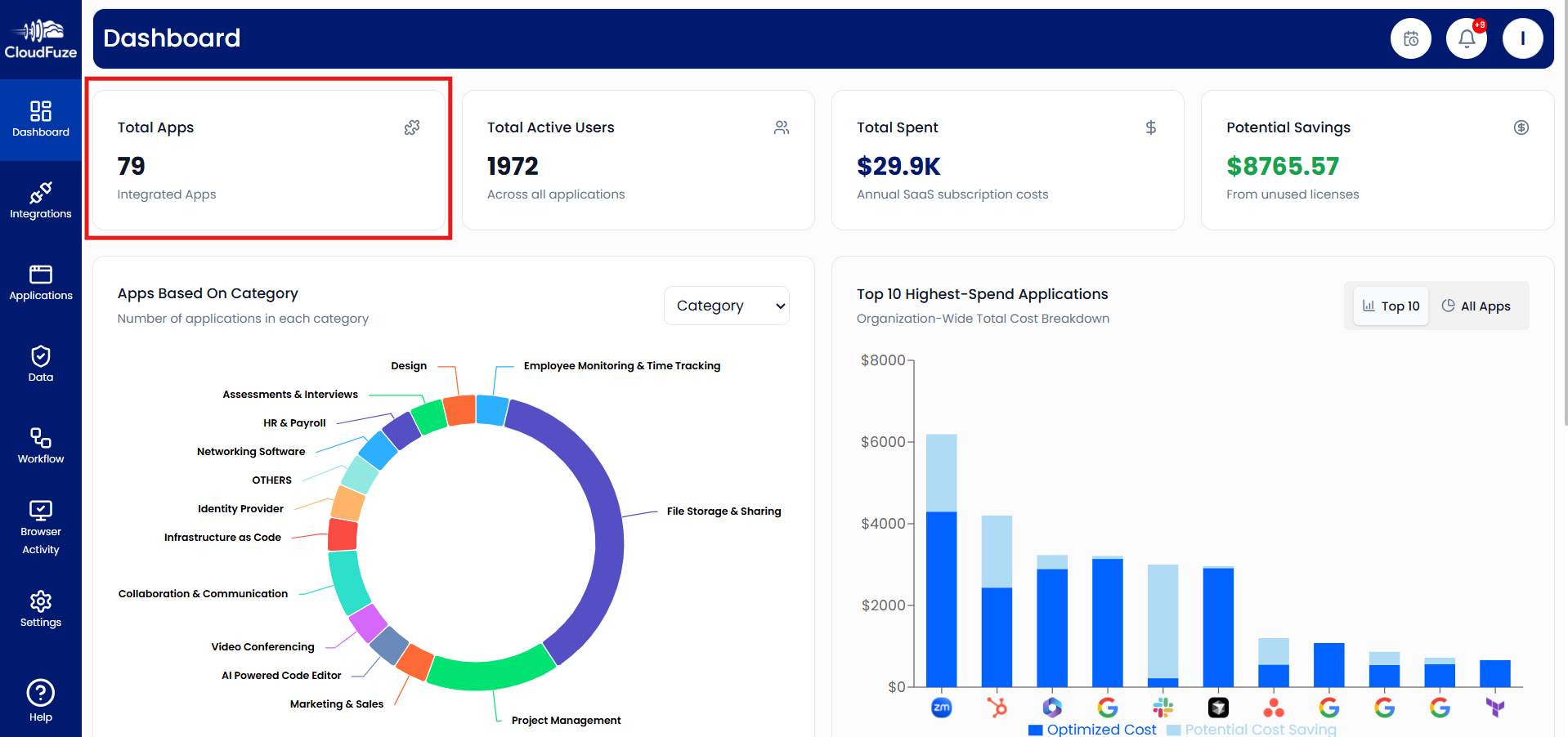
After adding all your SaaS apps and AI tools, get a high-level overview in our tool’s Dashboard. There, you can explore key parameters, including:
- The total number of integrated apps
- The total number of active users across all integrated apps
- The annual subscription costs across all integrated apps
- Potential savings from unused licenses across all integrated apps
The Dashboard also displays SaaS and AI apps segregated with categories and spend analysis on each integrated app.
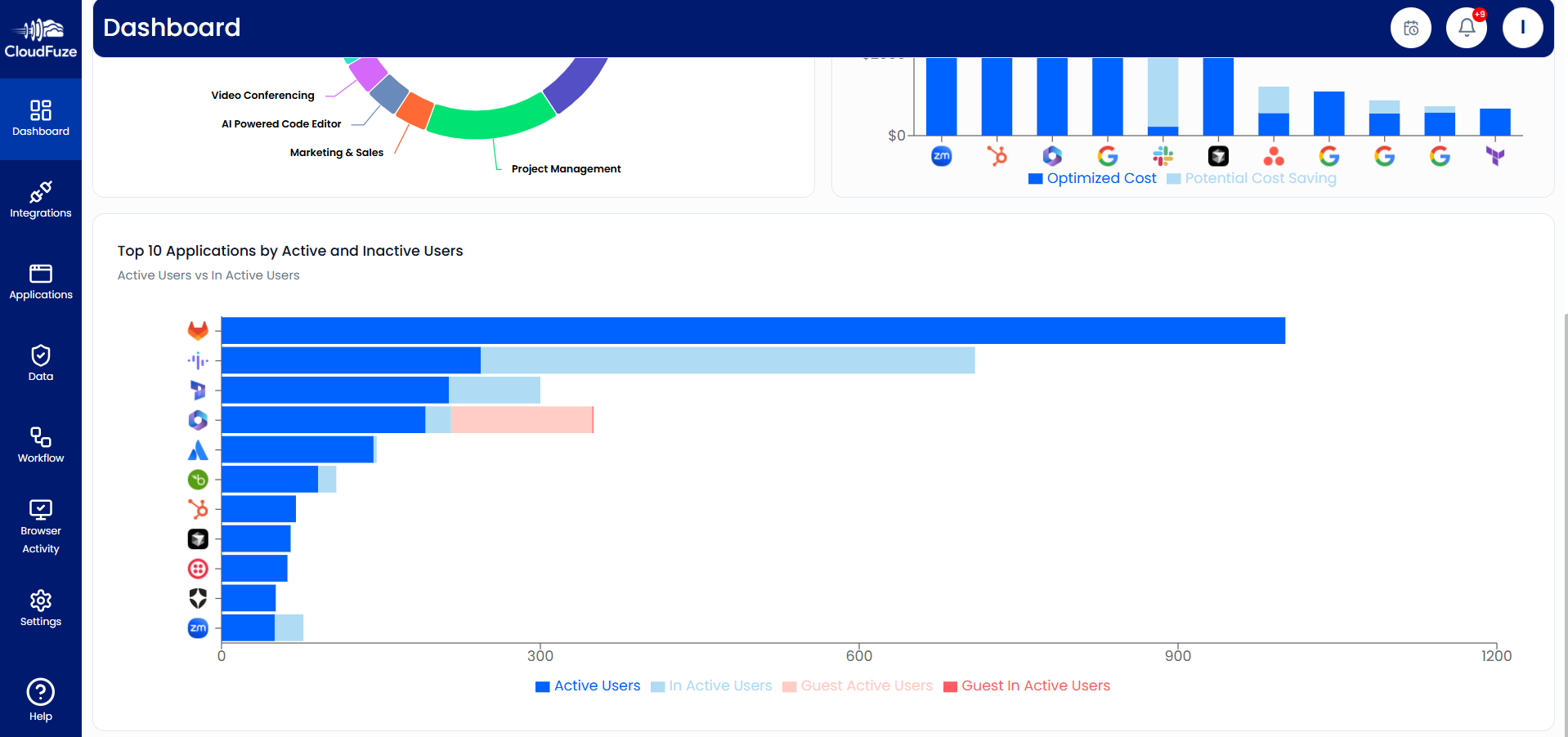
Scroll down in the Dashboard to view the top 10 applications by active and inactive users.
Step 4: Discover All Apps
In the Dashboard, explore all the SaaS tools and AI apps you have integrated by clicking on the “Total Apps” widget.
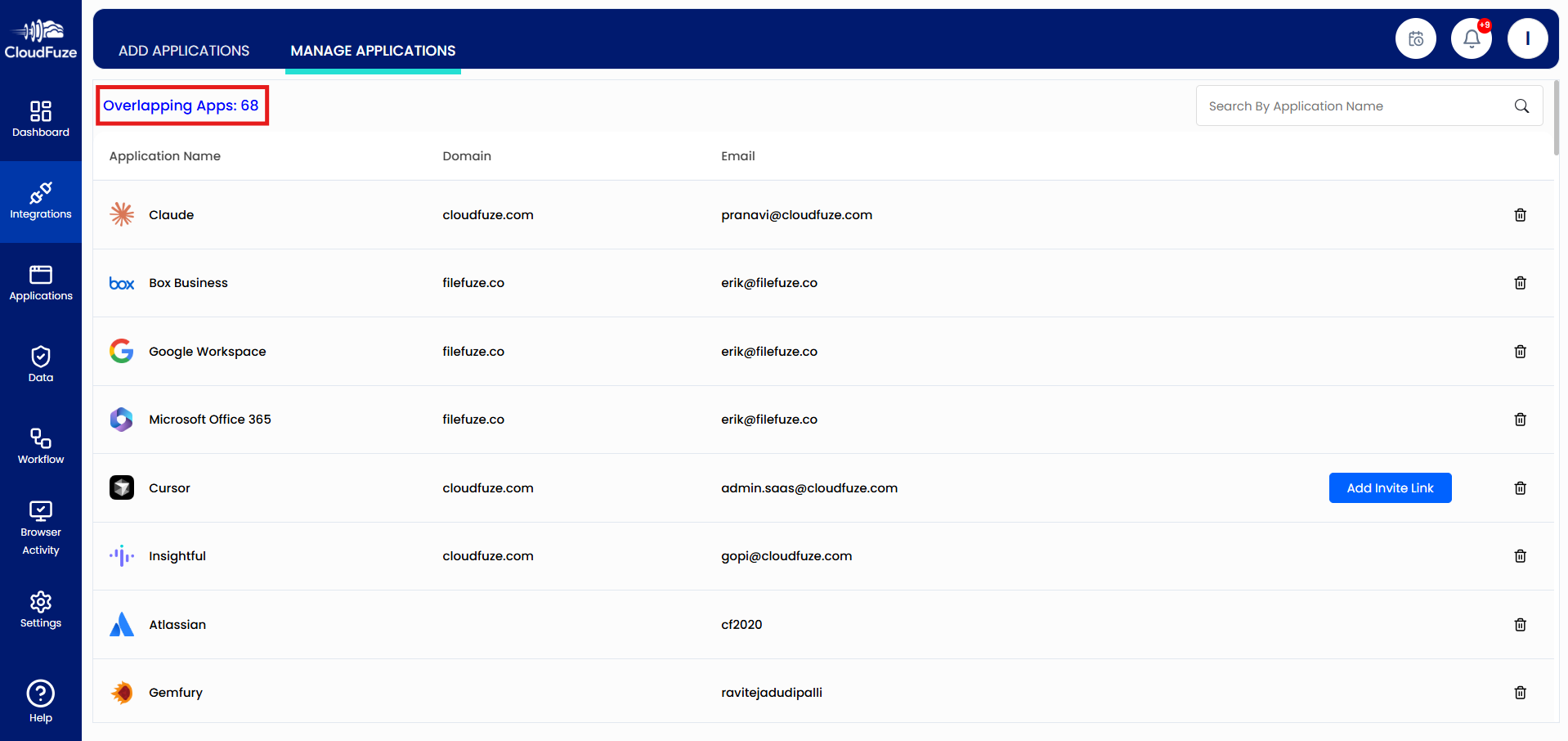
You will see the list of all the SaaS and AI apps you have added, and the domains associated with them. More importantly, you can check redundant apps by clicking on the “Overlapping Apps” button.
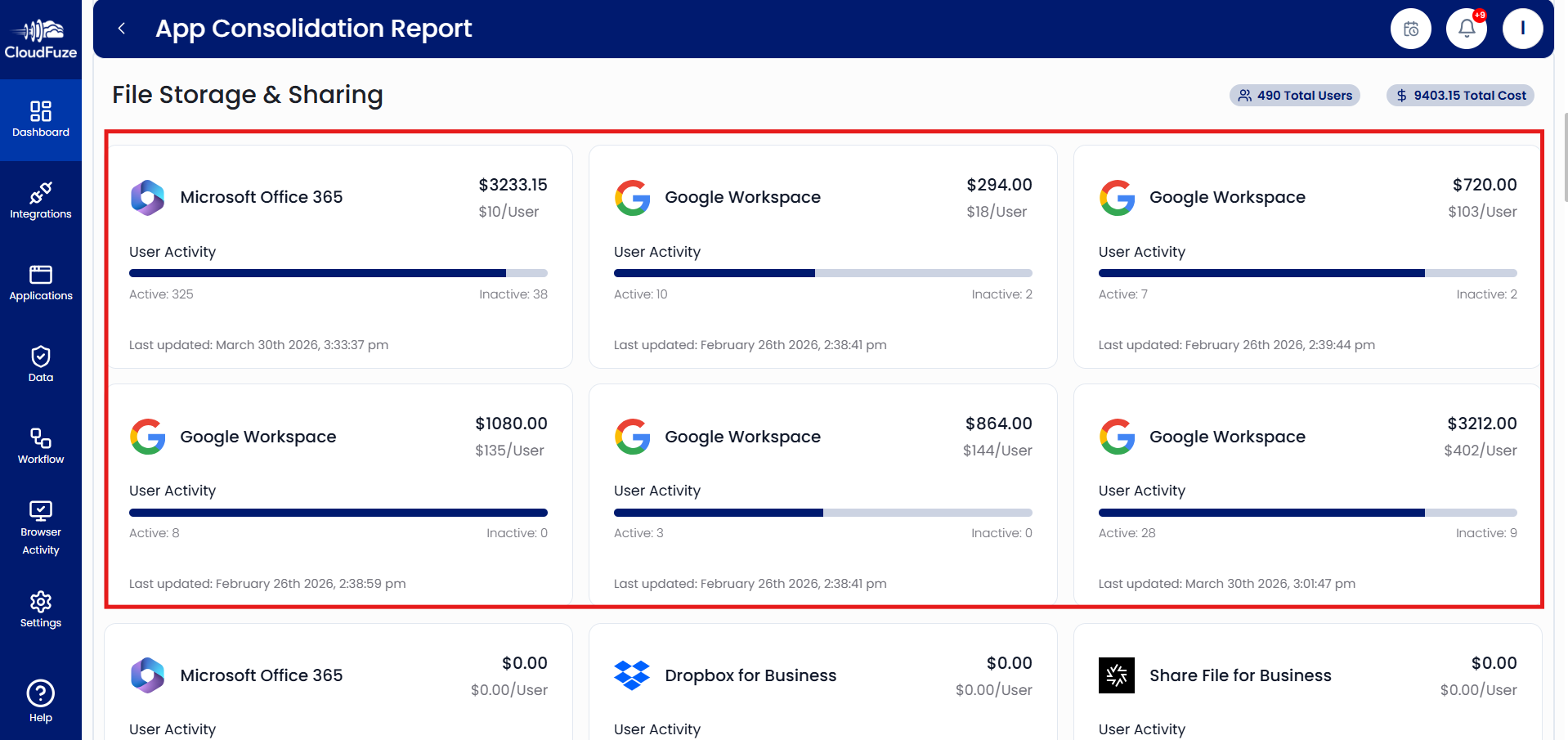
Our SaaS management software’s “App Consolidation Report” segregates all the similar SaaS and AI apps based on categories. For example, if your company is using Microsoft Teams as well as Slack, they serve similar collaboration functions.
Based on this report, you can check your company’s SaaS and AI apps overlapping in the same functionality categories and make decisions to consolidate them and cut unnecessary costs.
Step 5: Check the Total Active Users
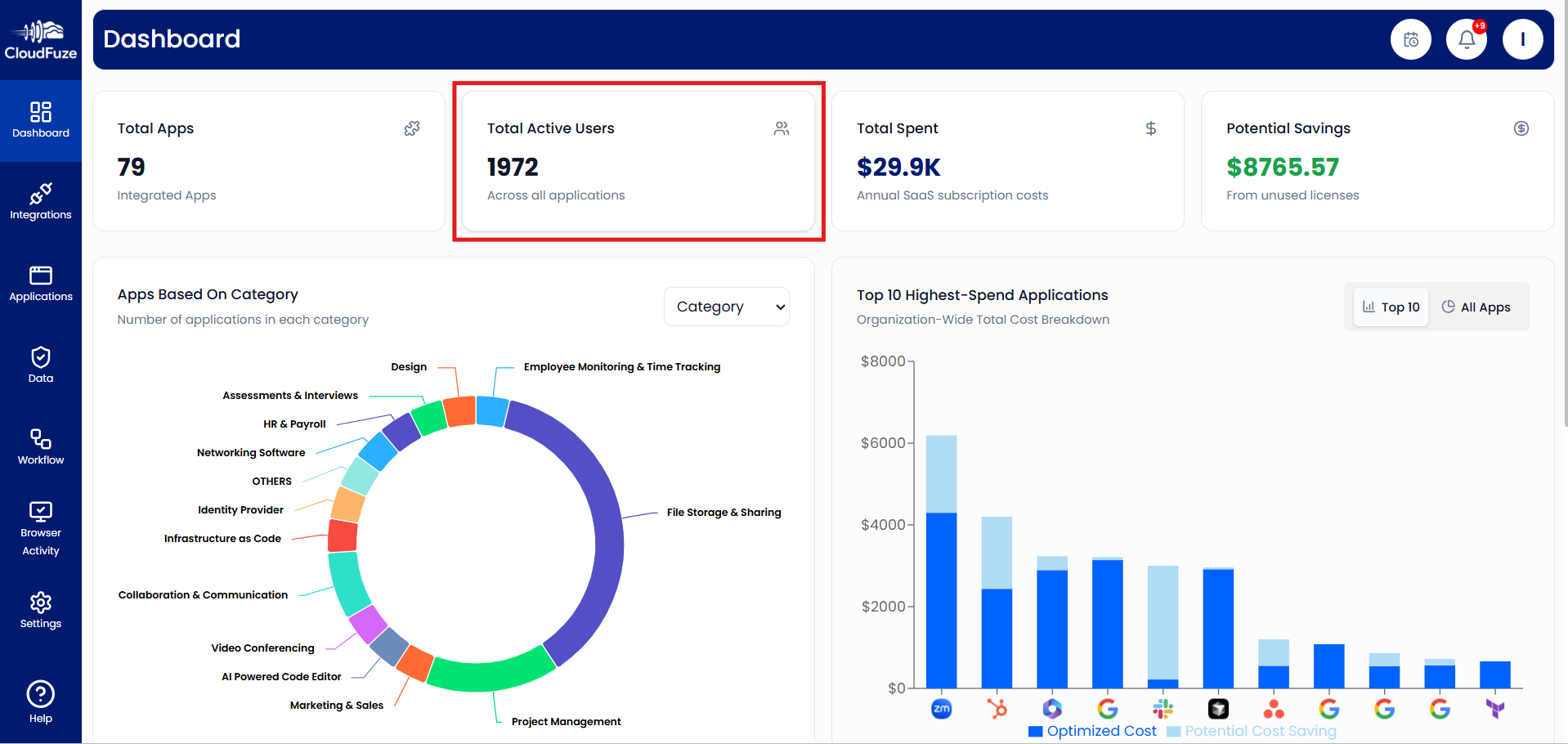
To check the total number of active users spread across your company’s entire SaaS apps and AI tools, click on the “Total Active Users” widget on the Dashboard.
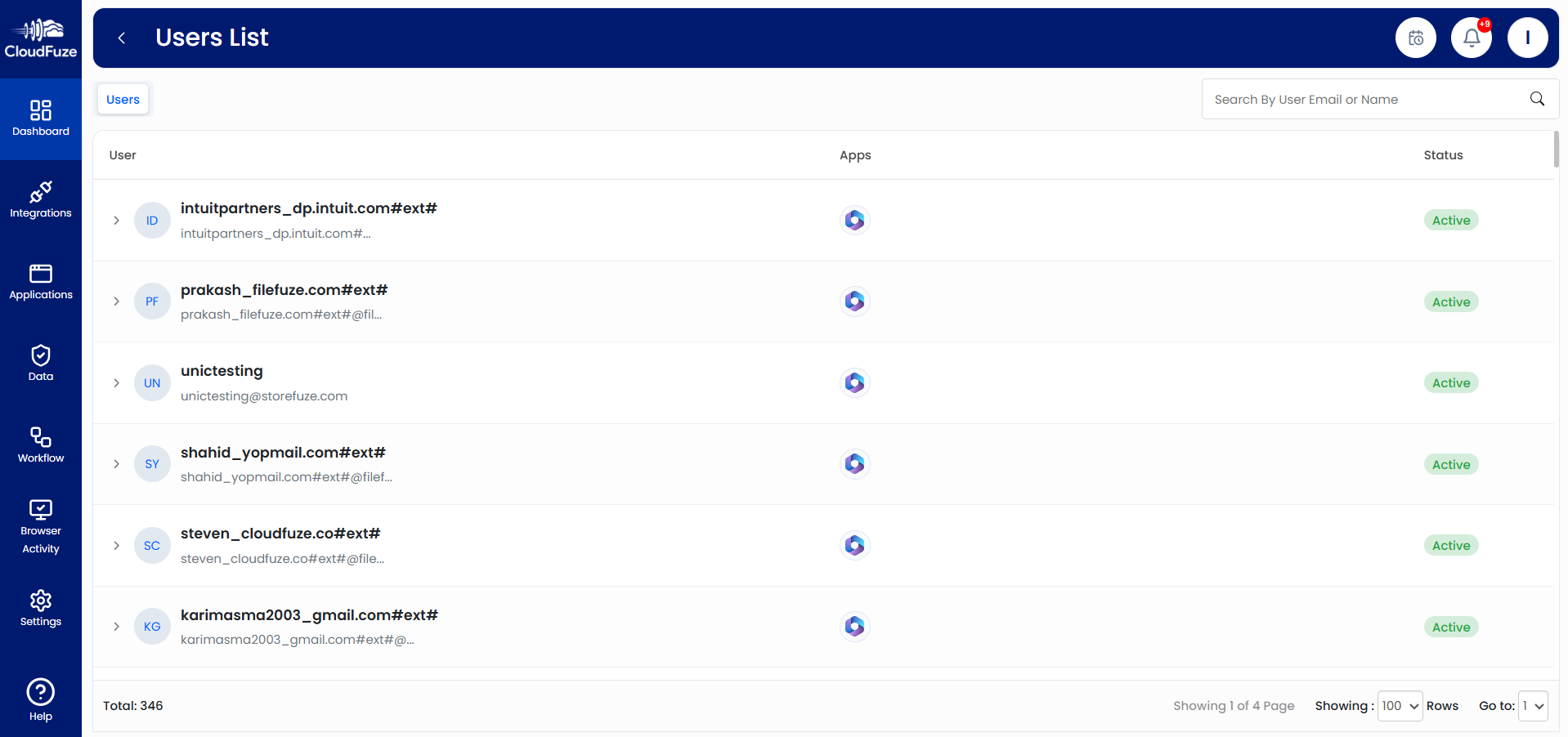
The User List includes all users in each app.
Step 6: Check Cost Saving Opportunities
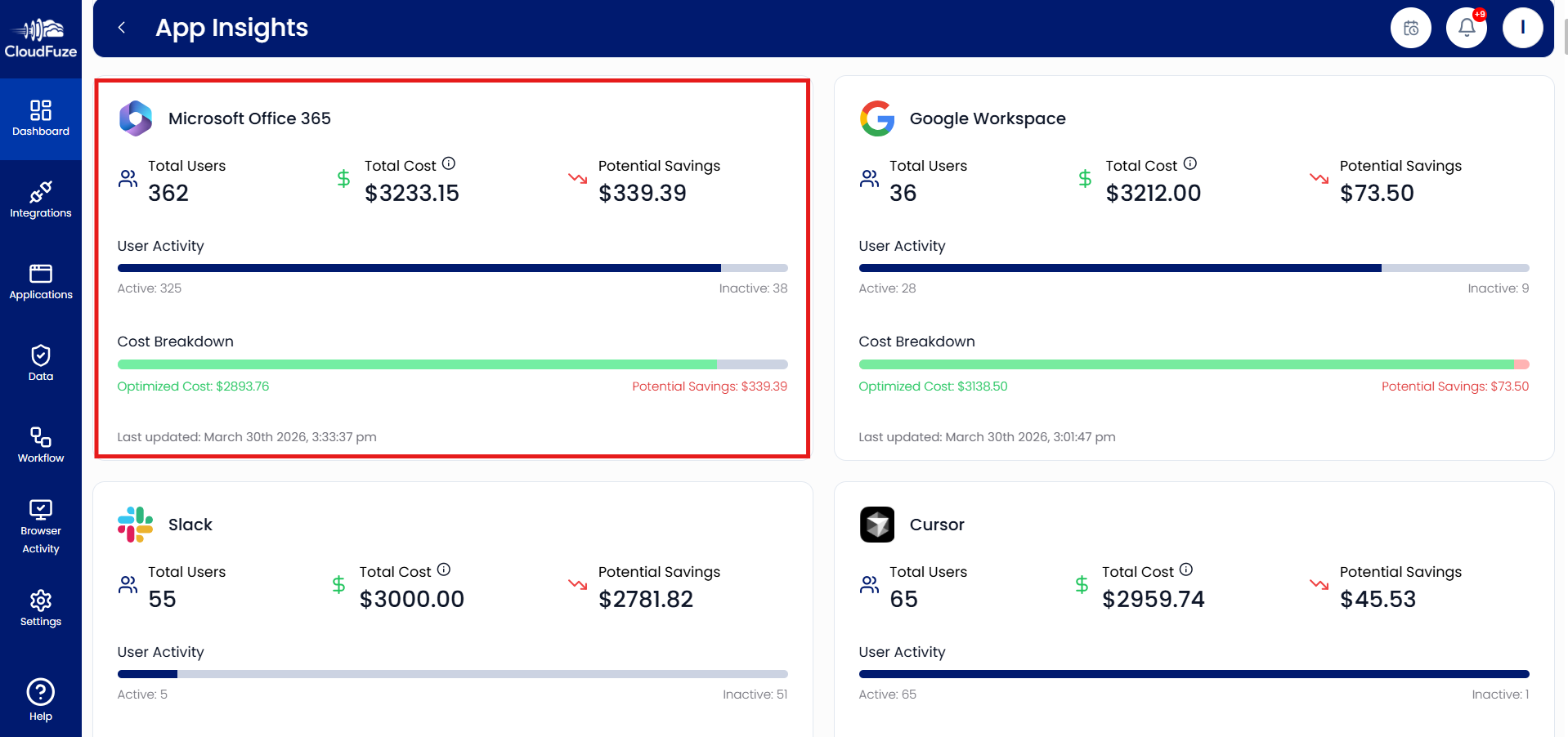
Using our tool’s “Potential Savings” widget, you can explore cost saving opportunities for each app you have integrated.
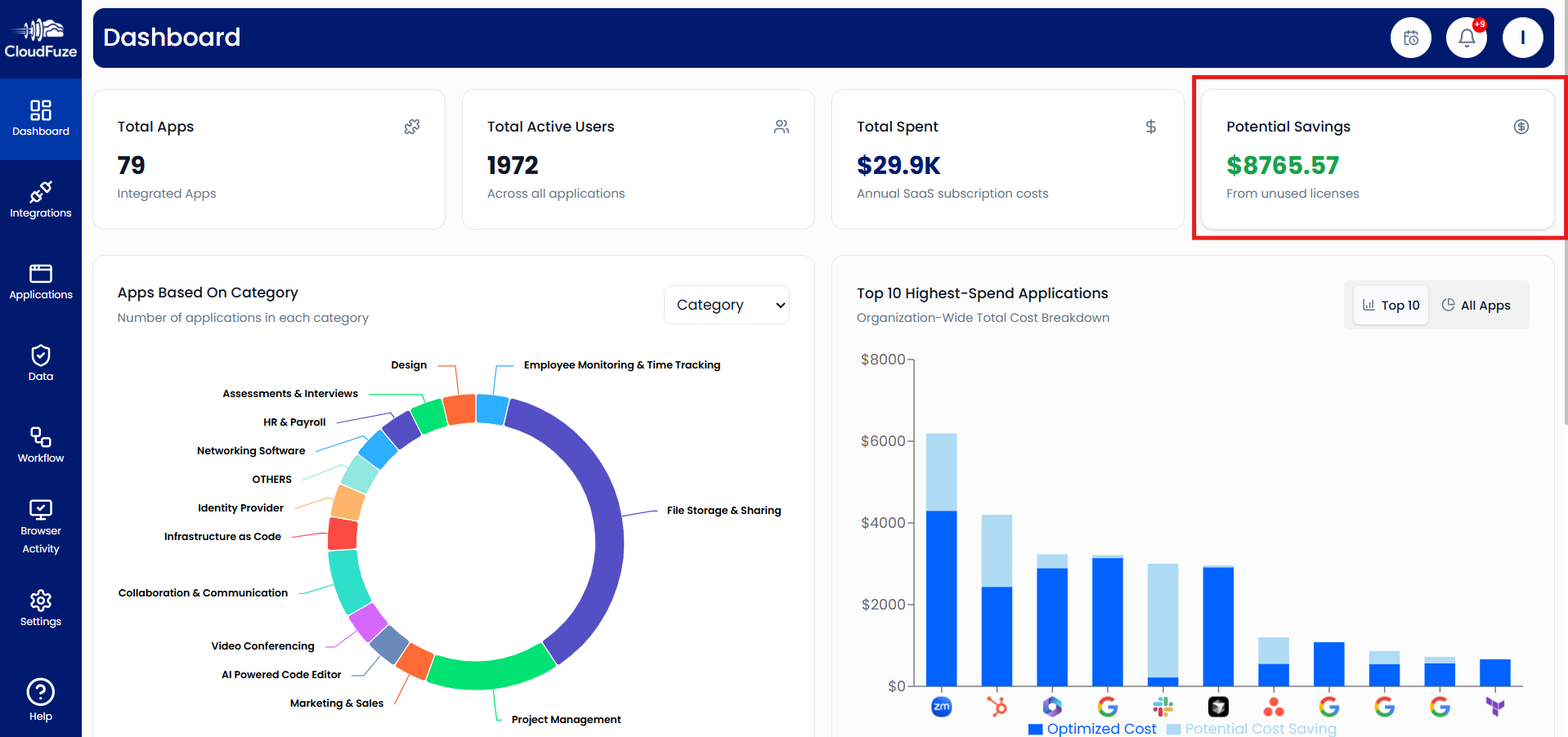
Upon clicking on the “Potential Savings” widget, our tool will open the “App Insights” dashboard where you can check the active and inactive users from the total list of users in each app/cloud. Our tool’s Cost Breakdown feature analyses the number of inactive users and provides a cost saving estimation (which you can gain if you were to remove those inactive users).
Step 7: Manage and Govern Each App/Cloud Suite
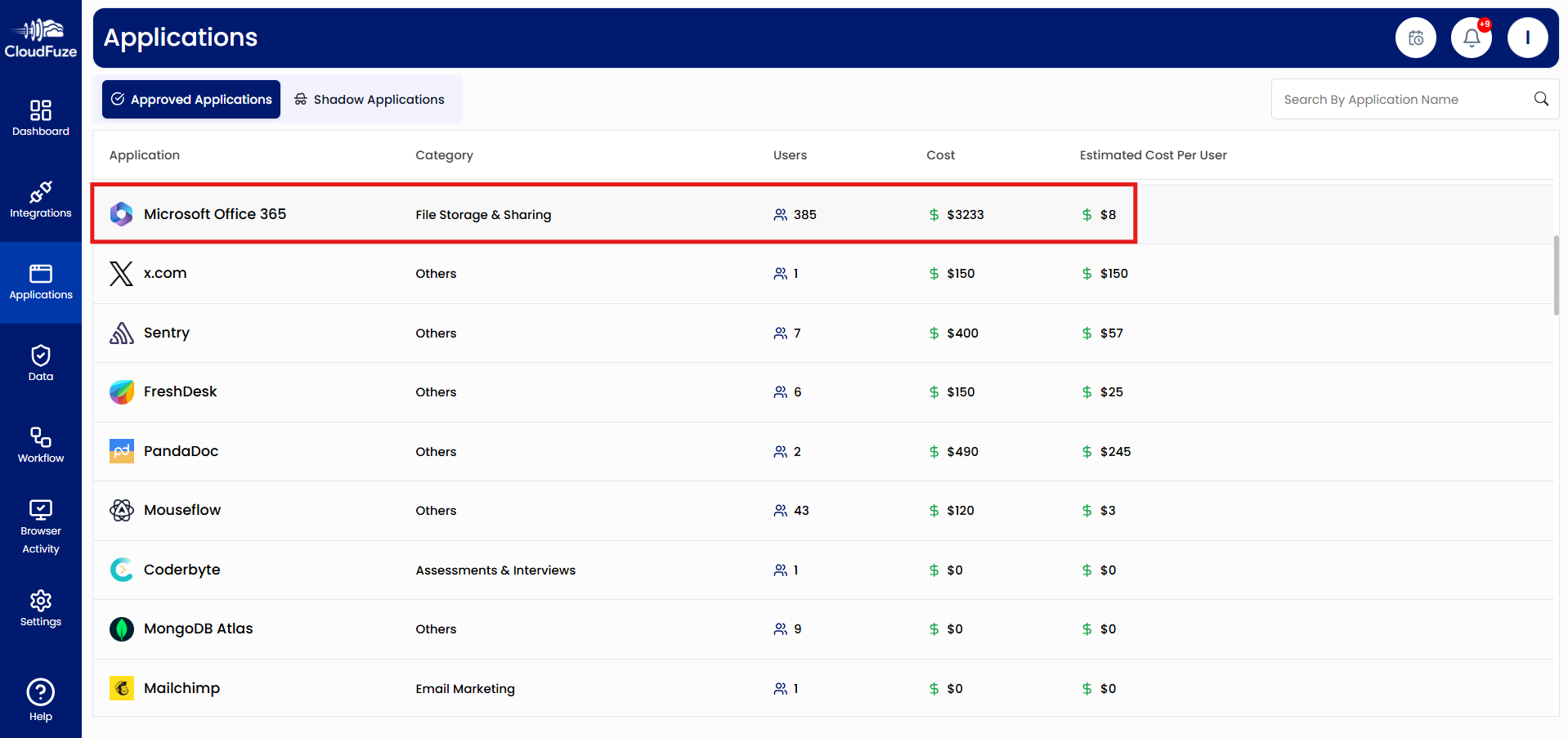
Manage and govern each aspect of your app and cloud suite, such as users, licenses, and groups. To get started, select the app of your choice from the “Applications” panel.
Step 8: Manage Users in CloudFuze Manage
Select the “User Management” tab inside the app you’ve opened. It will display all the users of that particular app with details, such as usernames, email IDs, user roles, and active/inactive status.
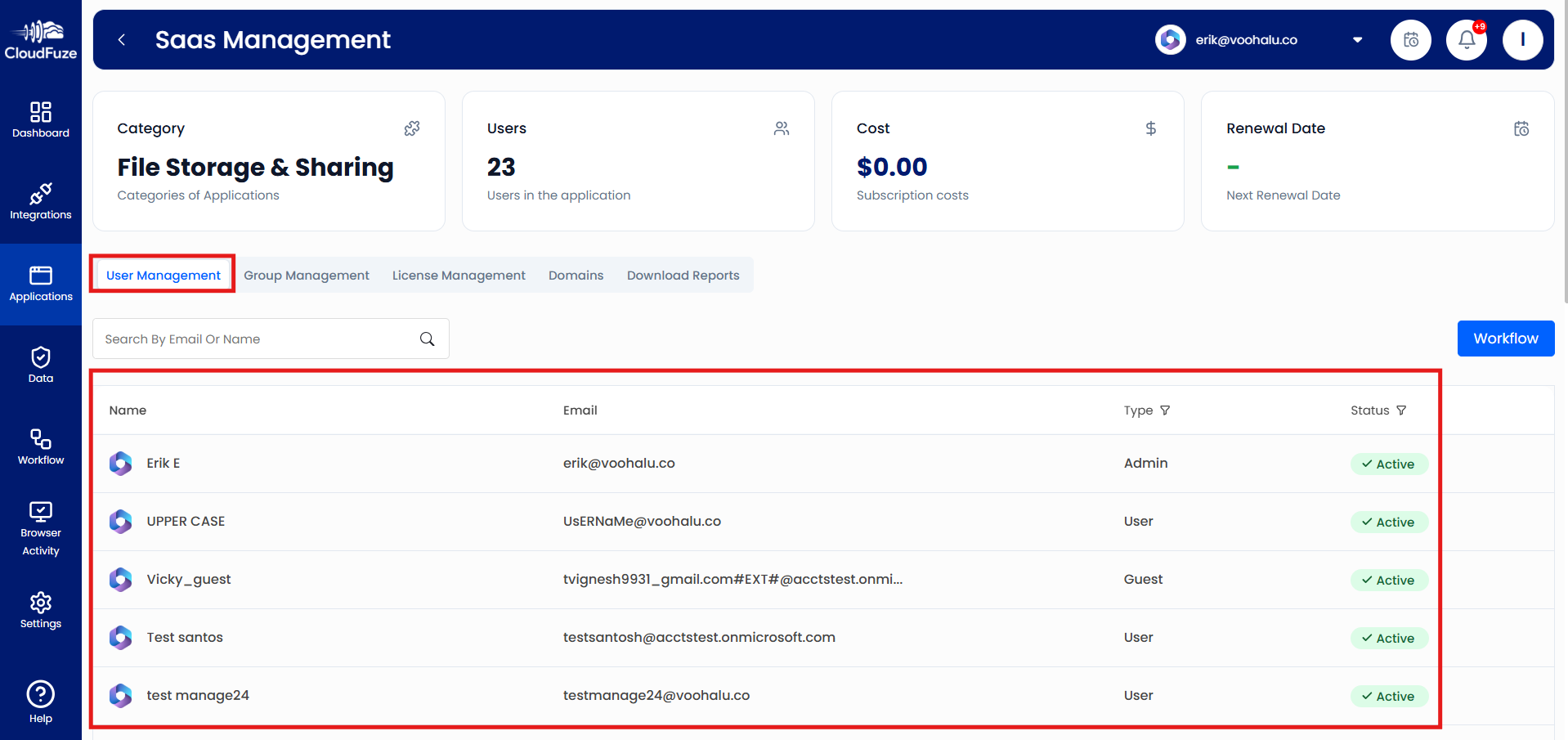
Although there’s a “Workflow” option in this tab, we’ll come back to it after discussing governance steps.
Step 9: Manage Groups in CloudFuze Manage
Select the “Group Management” tab to manage public and private groups in your cloud suite, e.g., Microsoft 365.
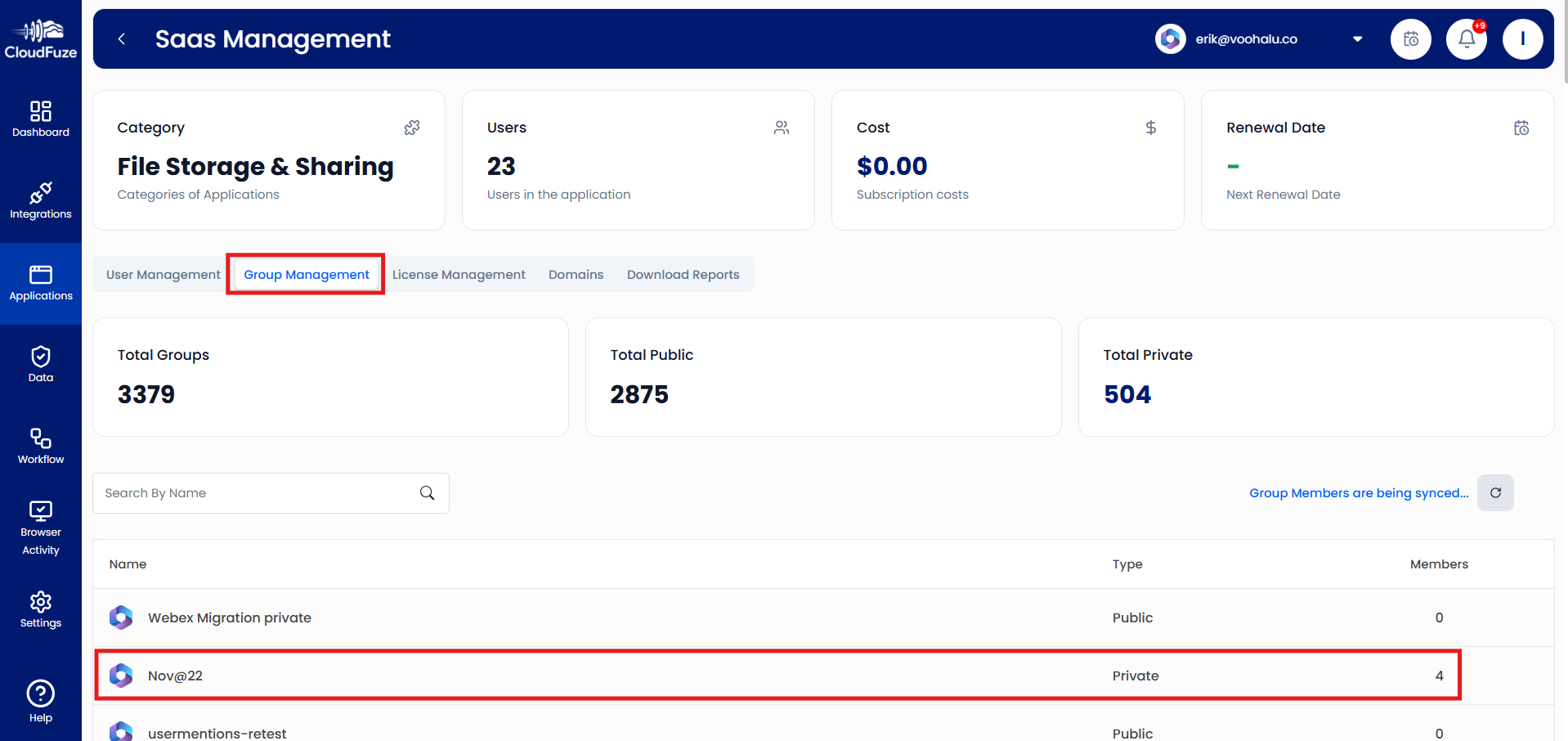
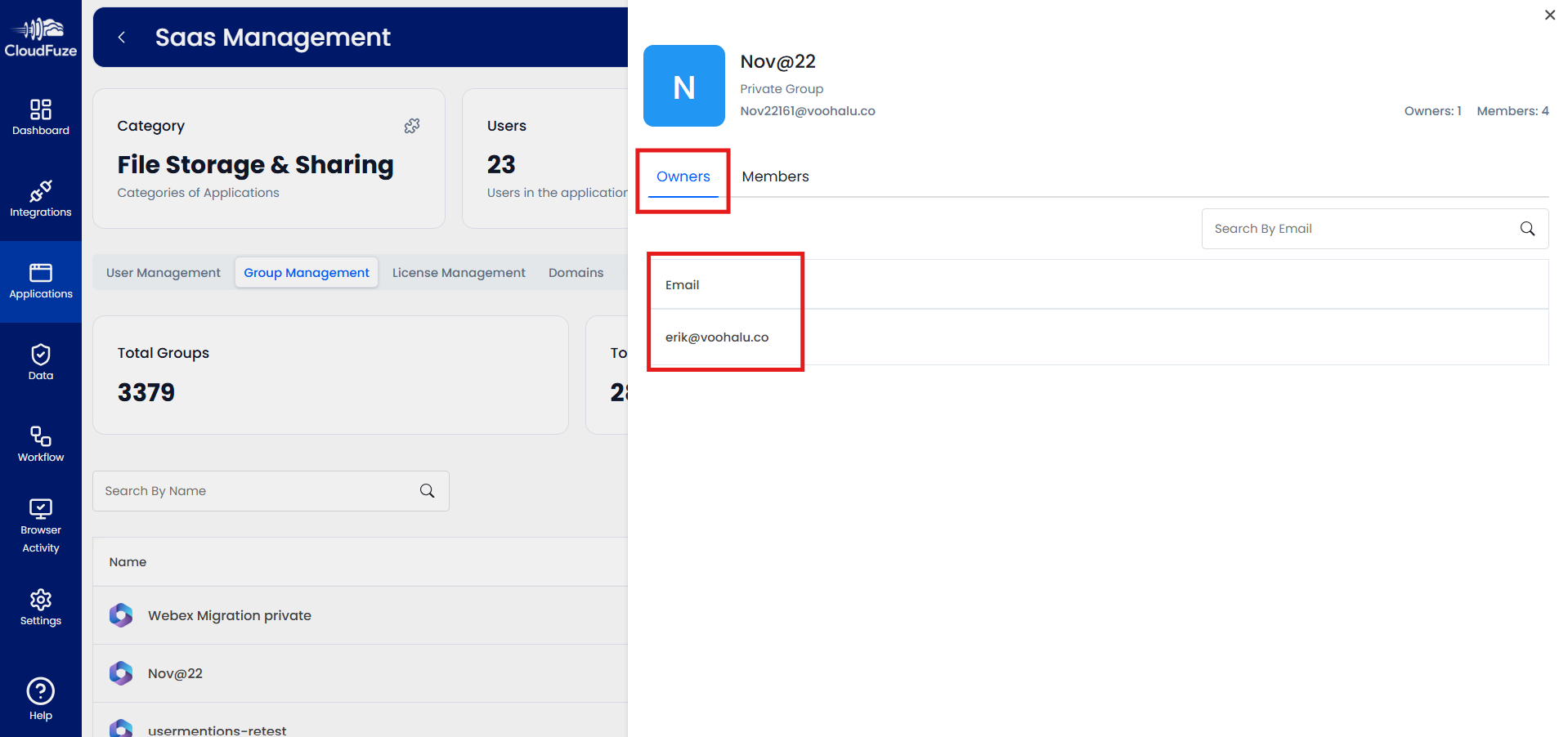
Upon selecting a group, you can check the group owner.
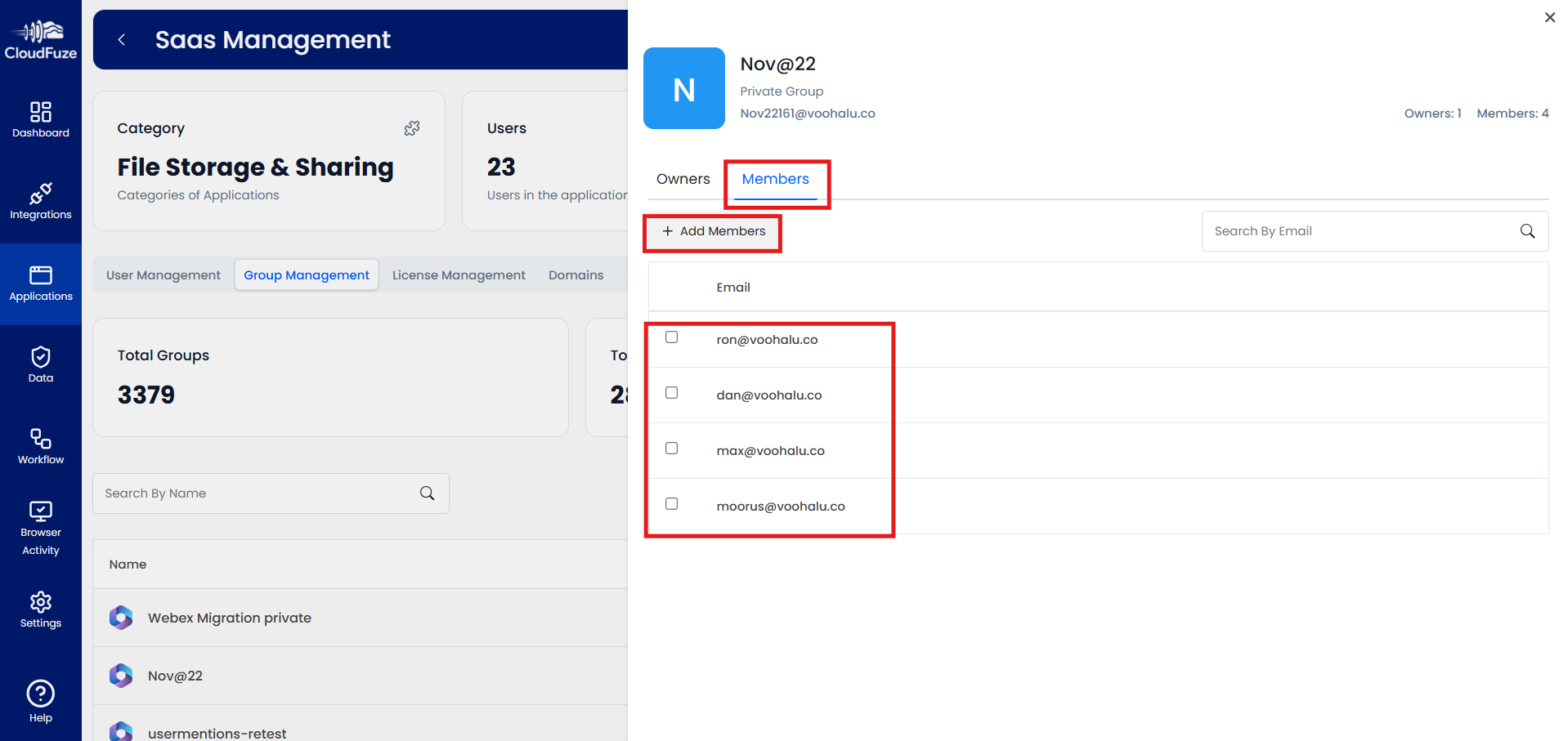
Toggle to the “Members” tab and check all the members of that particular group. You can also add members to that group as per your requirements.
Step 10: Manage Licenses in CloudFuze Manage
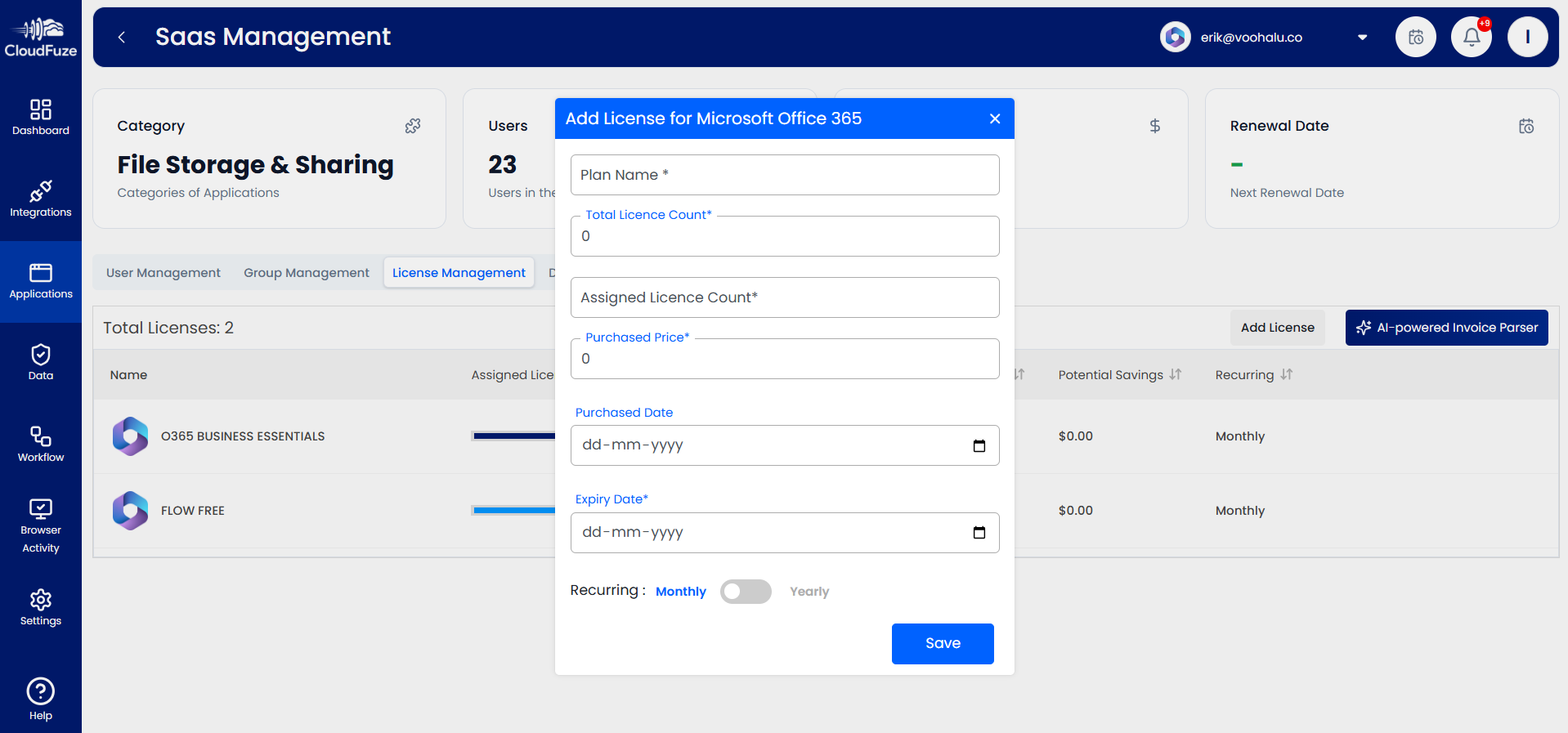
Now, select the “License Management” tab to manage licenses of the app of your choice.
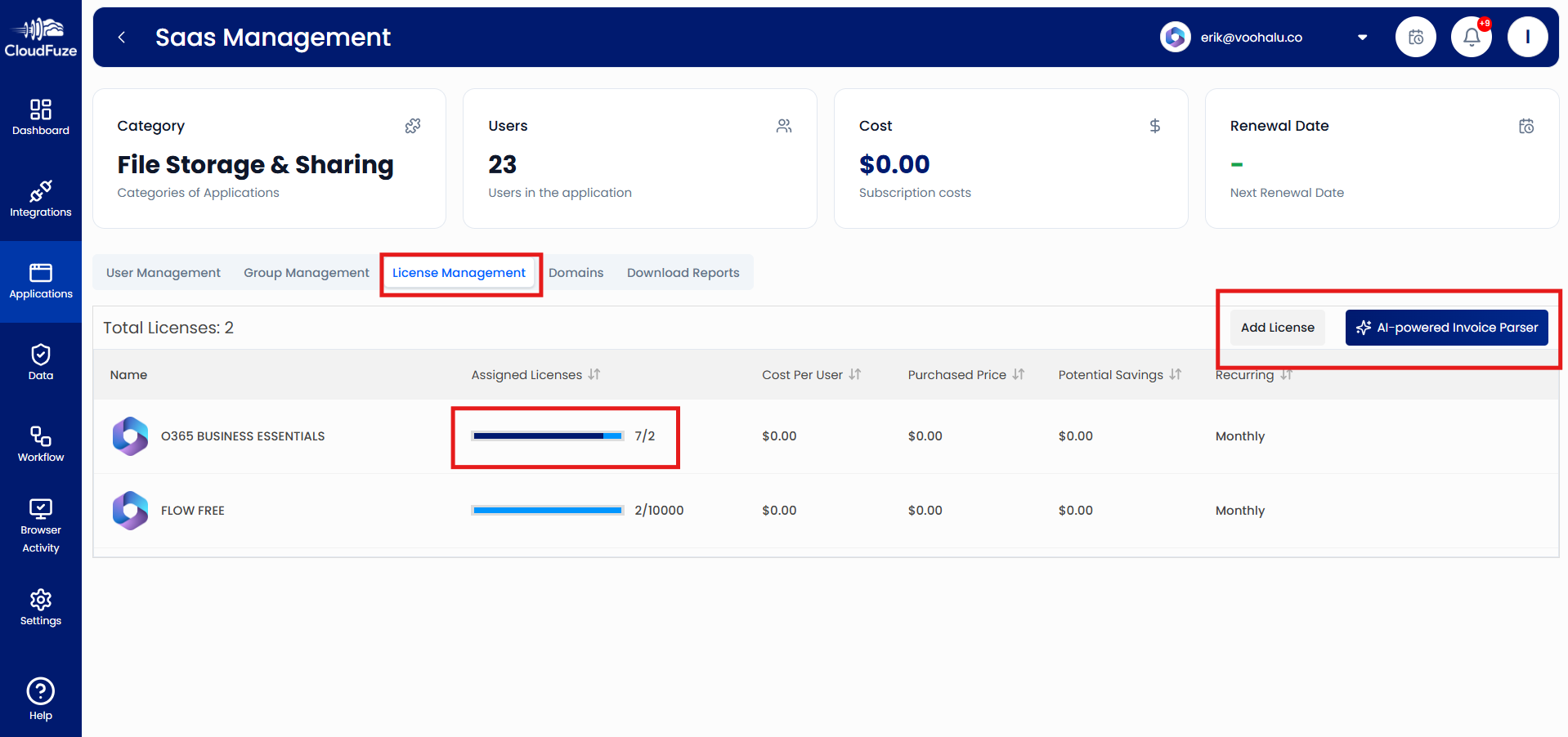
On the “Assigned Licenses” section, you can check the number of licenses assigned out of the total licenses available.
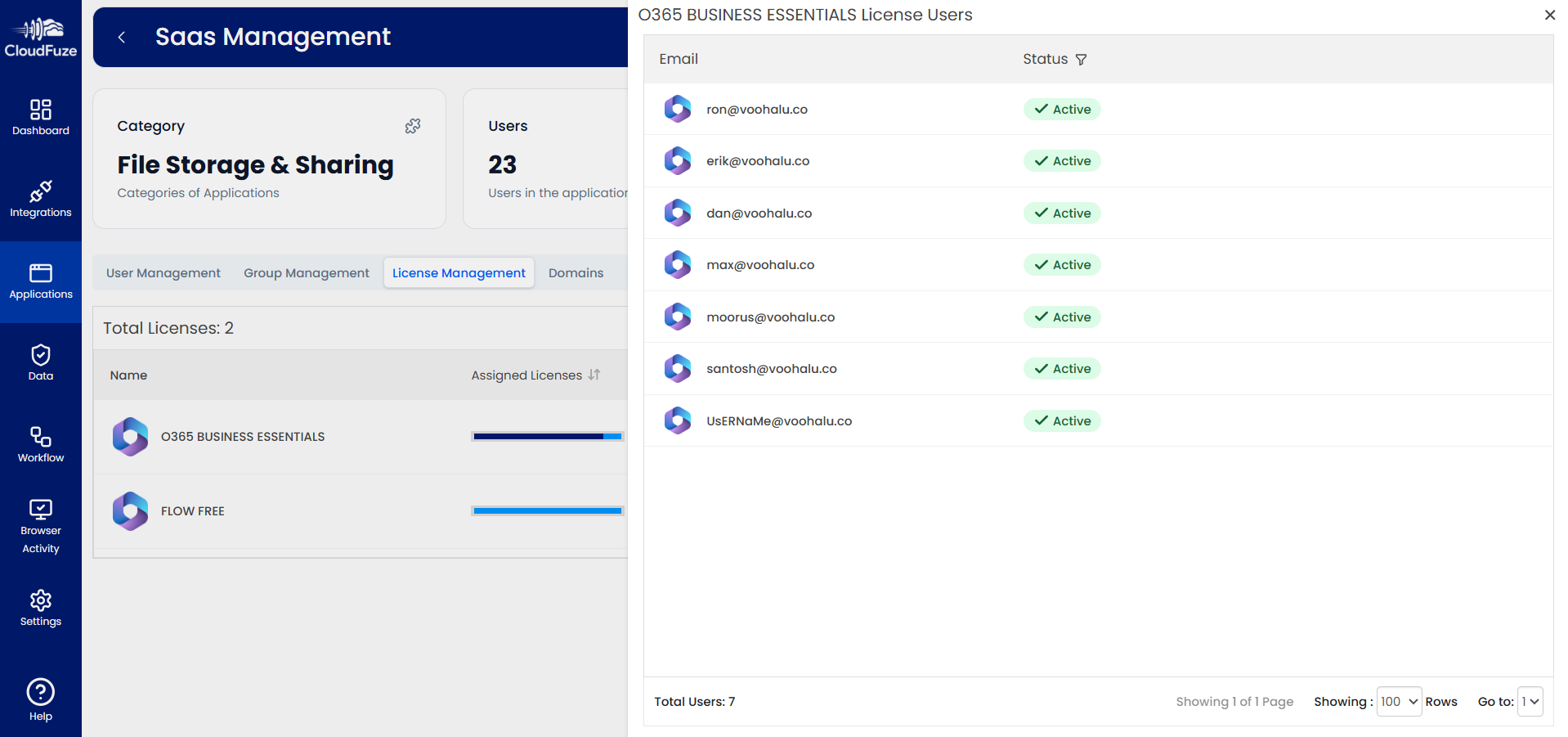
You can also add licenses to the apps and cloud suites of your choice by clicking on the “Add Licenses” option.
Step 11: Download Reports in CloudFuze Manage
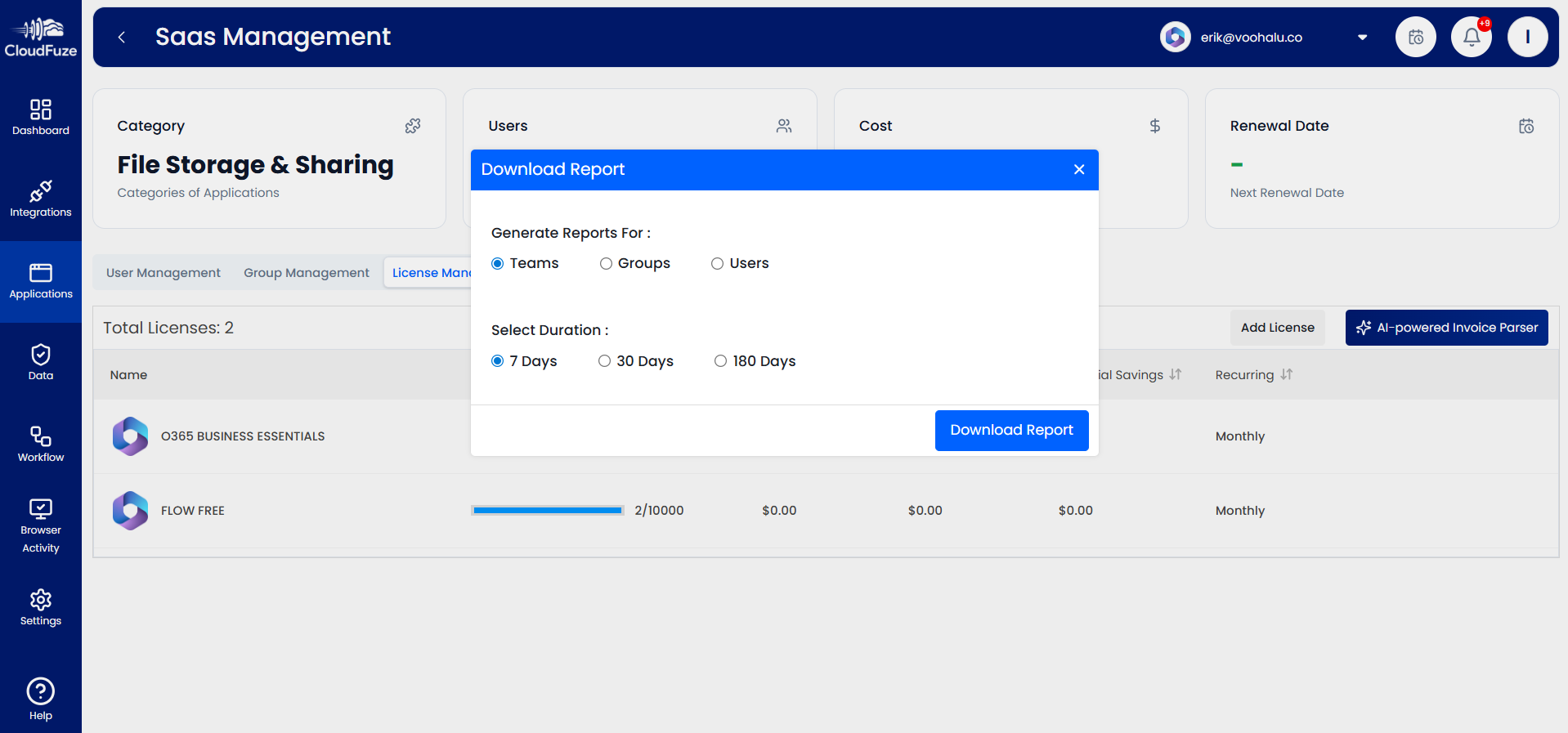
You can generate and download reports for Teams, Groups, and Users for various durations, such as 7 days, 30 days, 180 days. To do this, click on “Download Reports.”
Step 12: Control Shadow IT and Shadow AI
With CloudFuze Manage, you can identify and control Shadow IT and AI (SaaS and AI apps and integrations that users sign up for without the IT team’s approval).
On the “Applications” panel, select the “Shadow Applications” tab. There, you’ll be able to view all the SaaS and AI apps and integrations that users have been using without IT oversight.
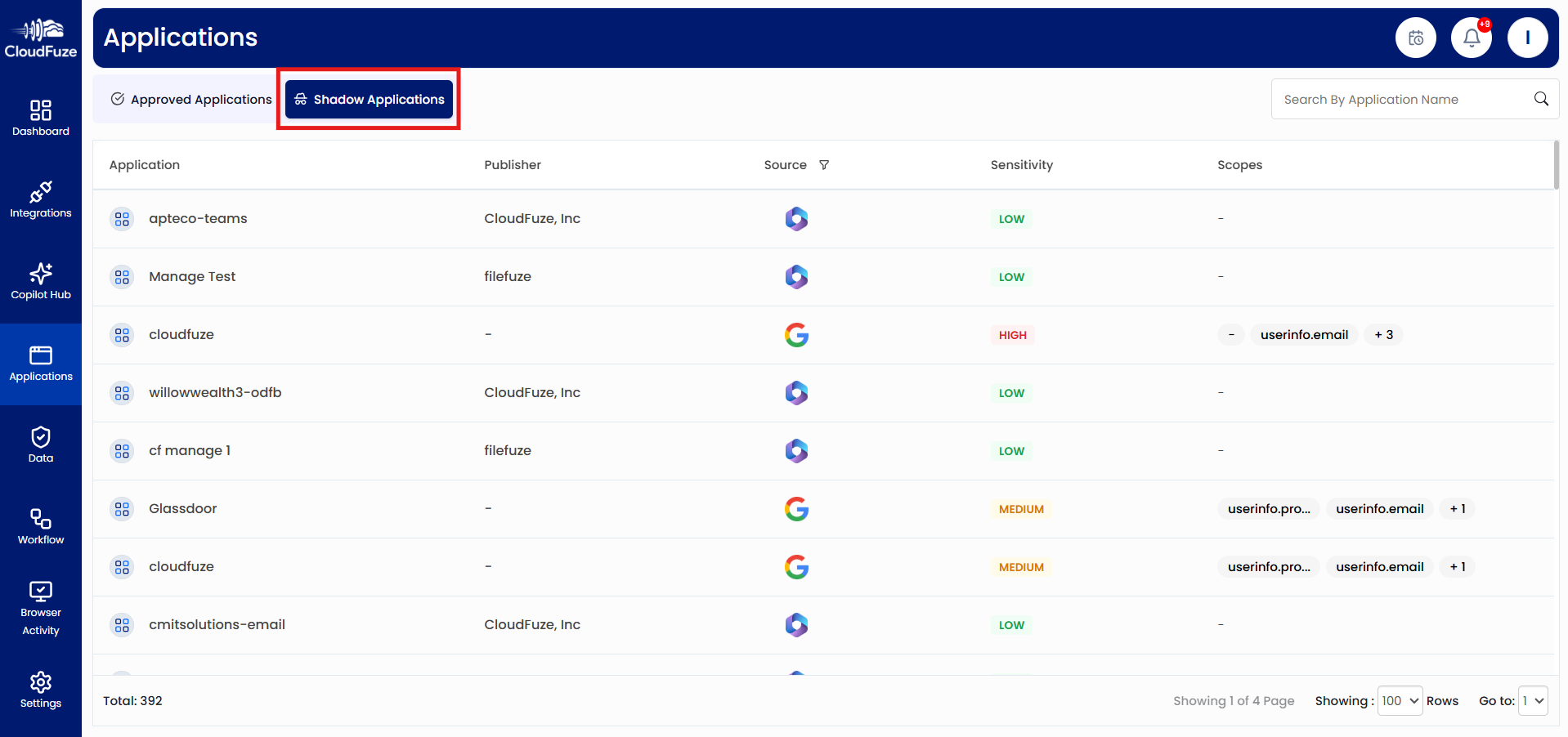
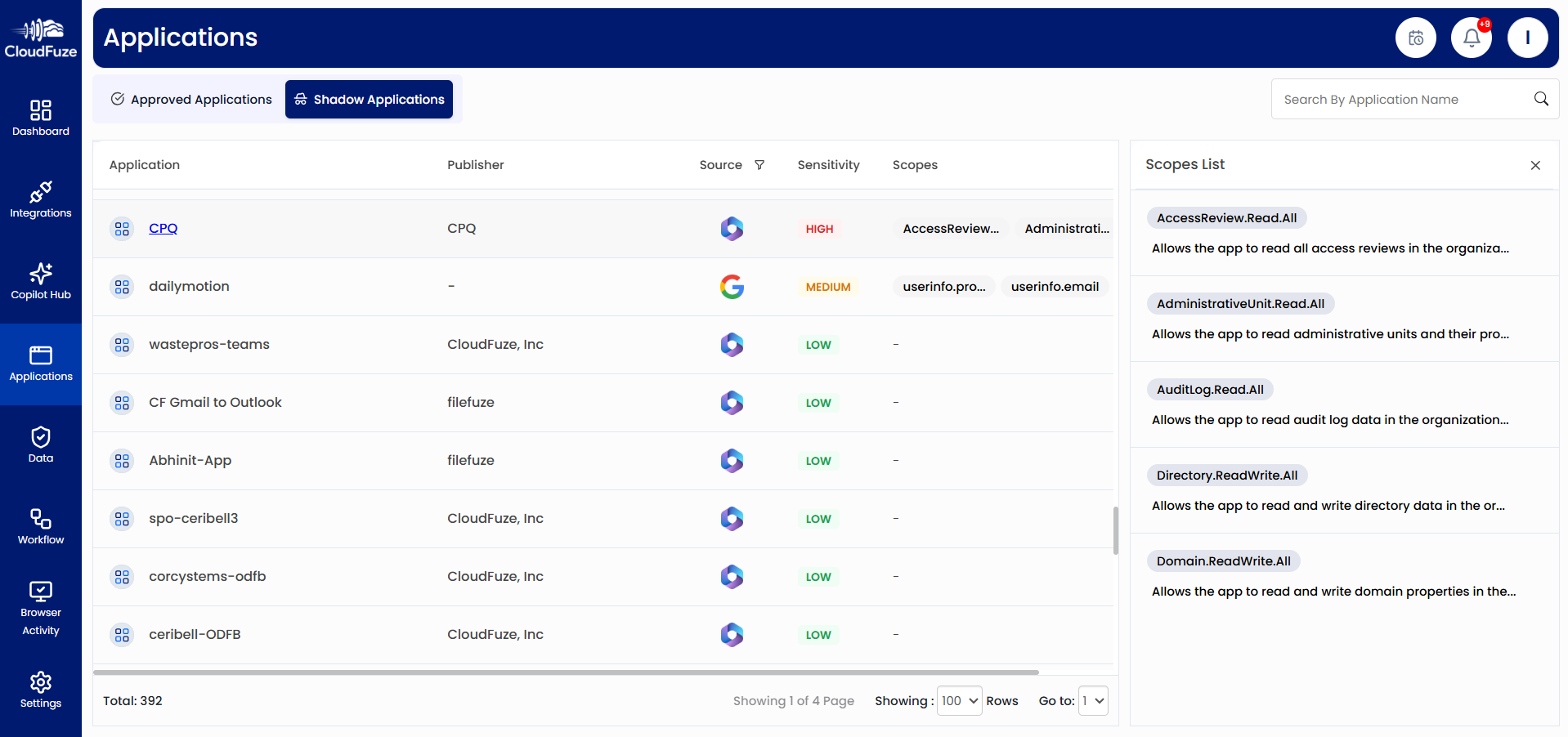
The shadow app list also shows sensitivity level. Click on high-risk apps and view the scopes to take remediation actions on them.
Step 13: Explore Data Governance Dashboard
Navigate to the “Data Dashboard” from the left panel. The dashboard provides a detailed data health snapshot of your company’s cloud environment. Key metrics like Content Health Score, Active Risks, Duplicate Files, Sensitive Content, and Risk by Content Category help you understand the risk of ungoverned data in your company’s cloud ecosystem like Microsoft 365.
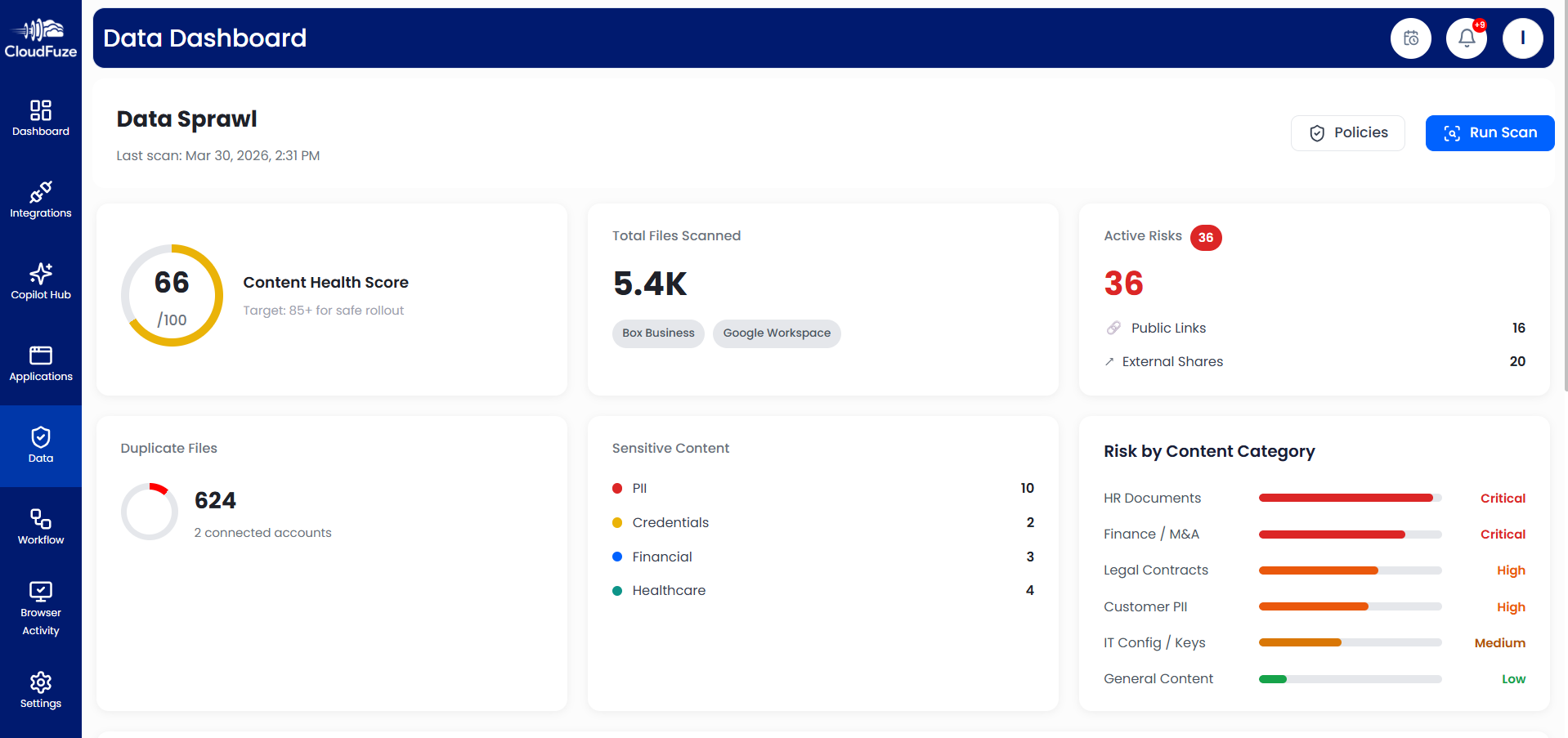
Step 14: Govern Sensitive Content in CloudFuze Manage
In the Data Dashboard, click on the “Policies.”
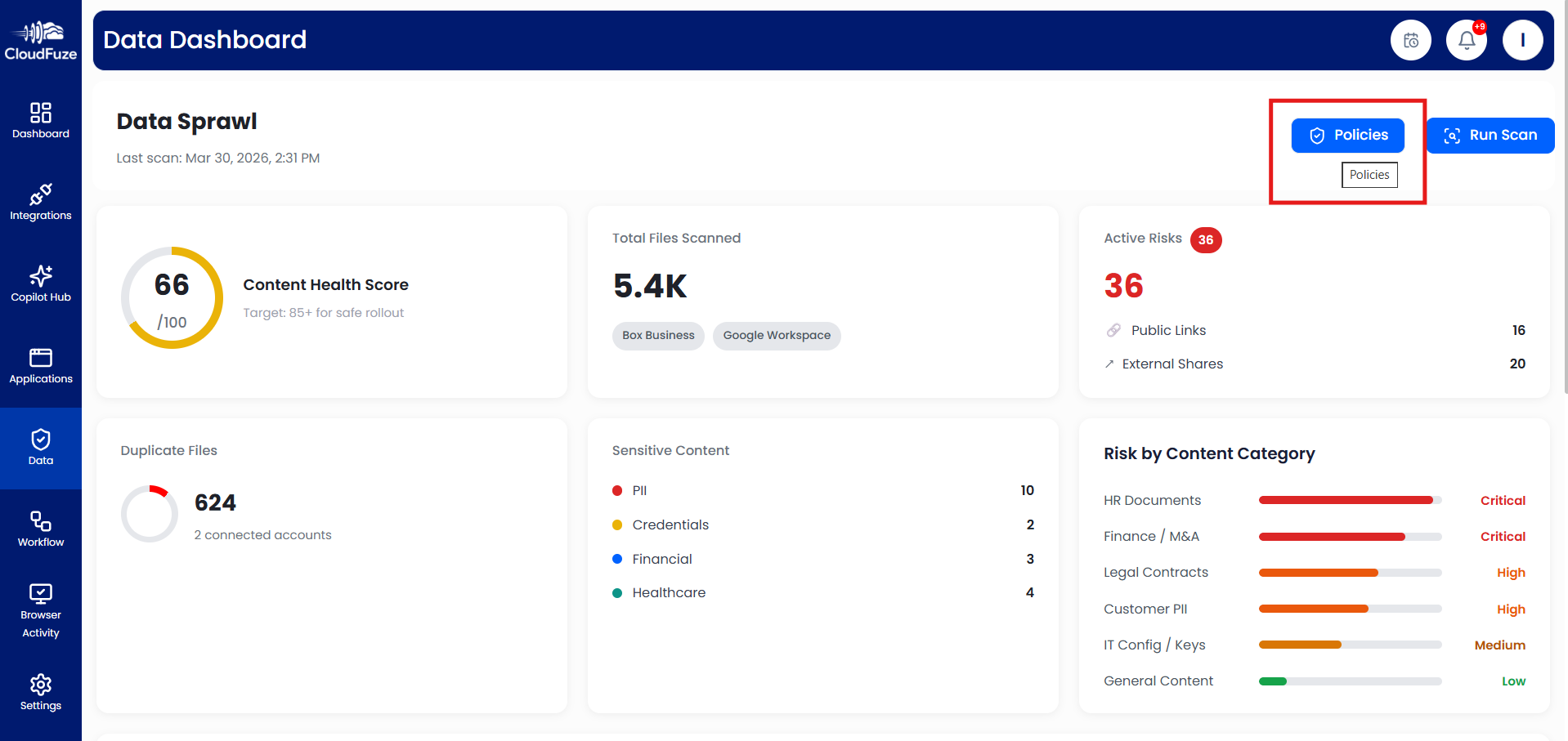
Once you’re there, select the “Sensitive Content” tab. There, you can create specific sensitive content governance policies, such as setting alerts whenever PII (personally identifiable information) is detected.
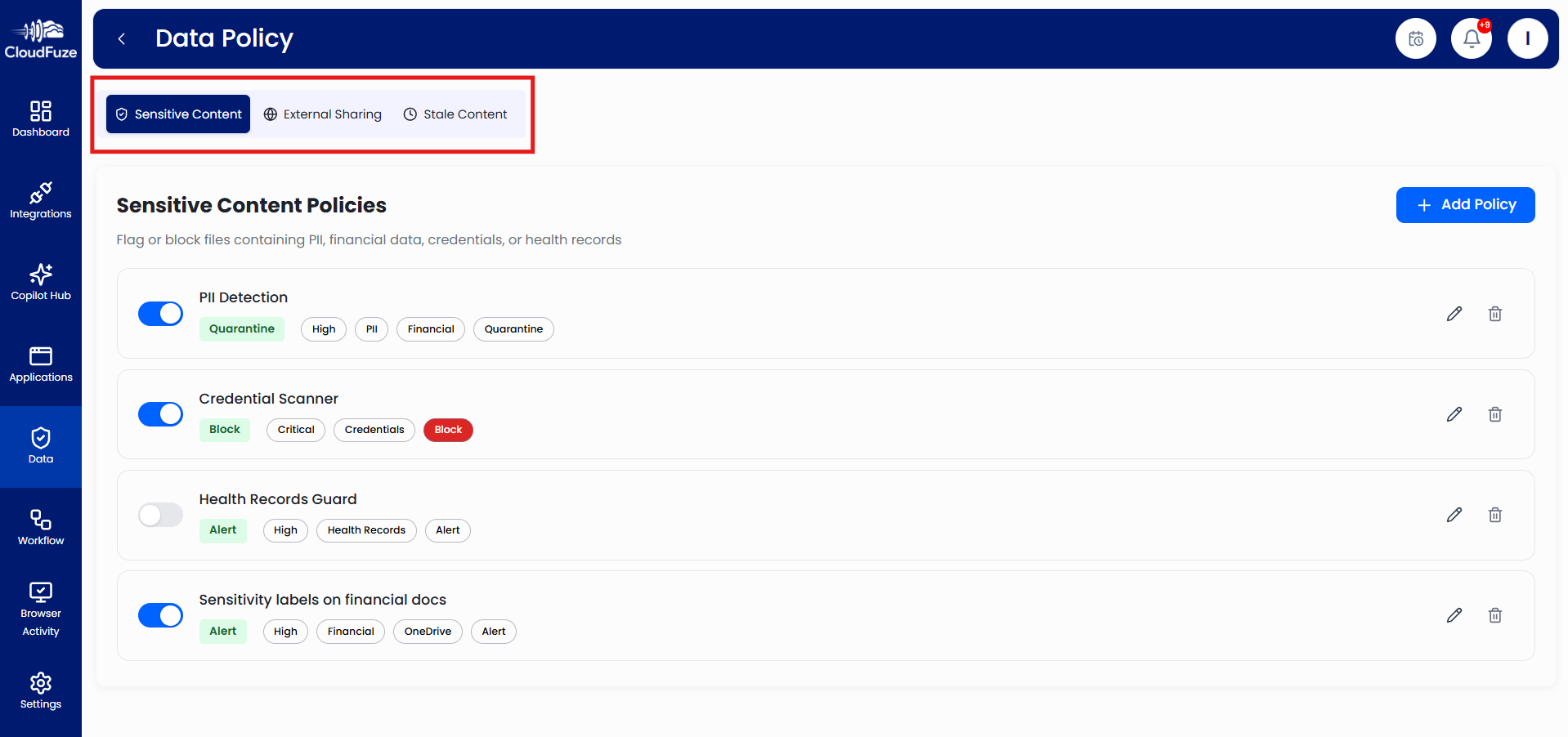
Step 15: Govern External Sharing in CloudFuze Manage
Switch to the “External Sharing” tab and set governance policies specific to external sharing such as creating alerts whenever users share files externally in specific departments like HR, Legal, etc.
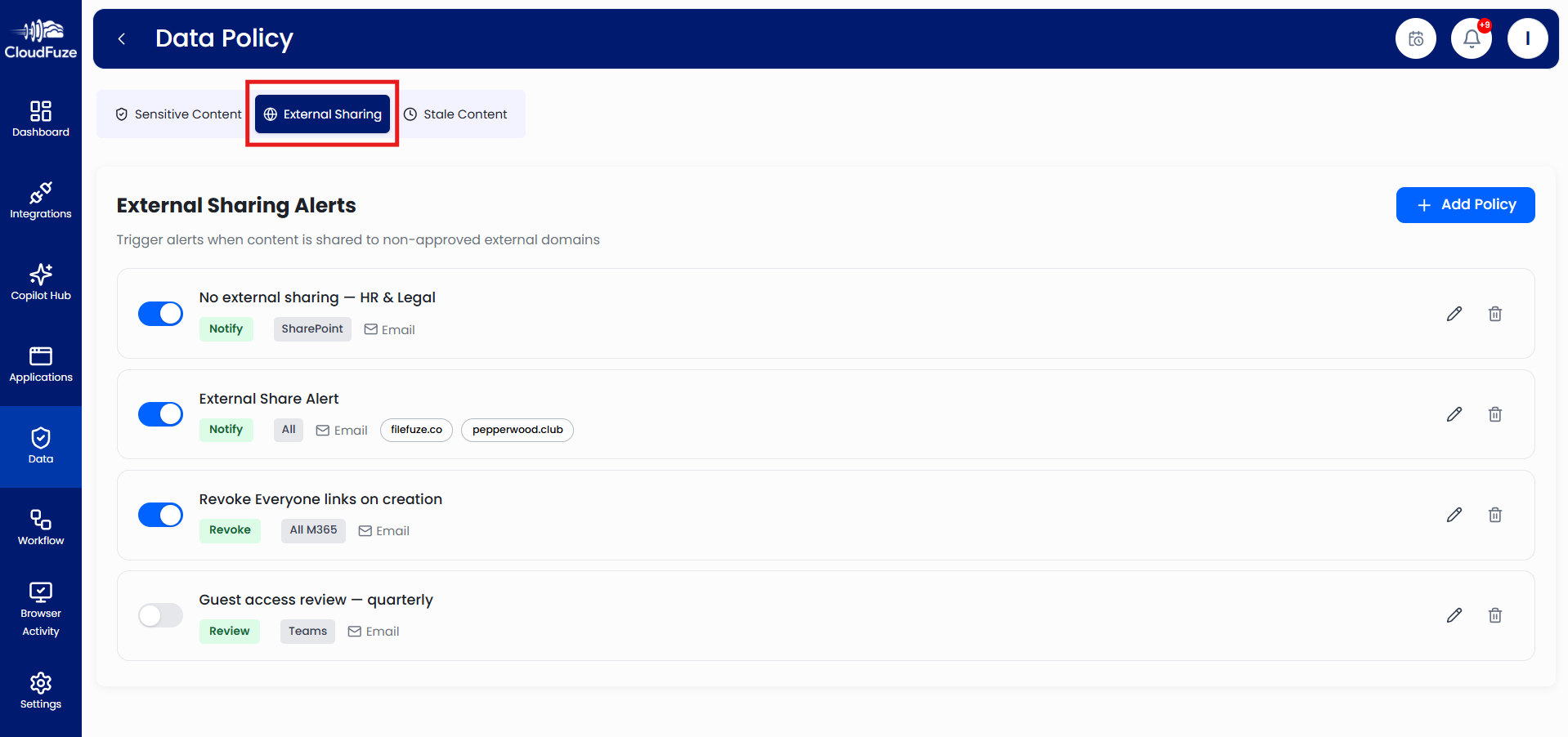
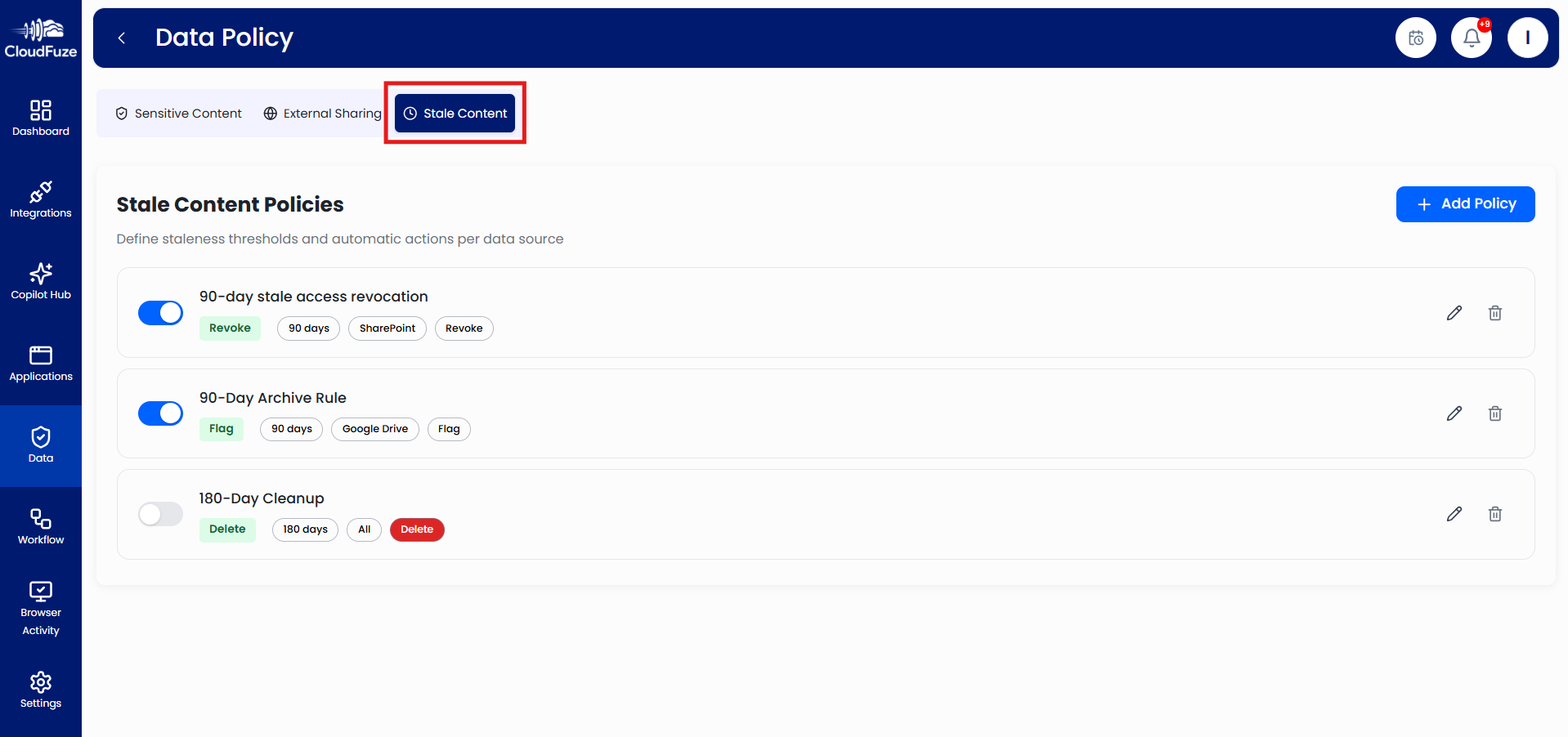
Step 16: Govern Stale Content
Next, switch to the “Stale Content” tab and set up stale content governance policies, such as automatic revocation of stale access after 90 days.
Step 17: Manage and Govern Copilot Usage
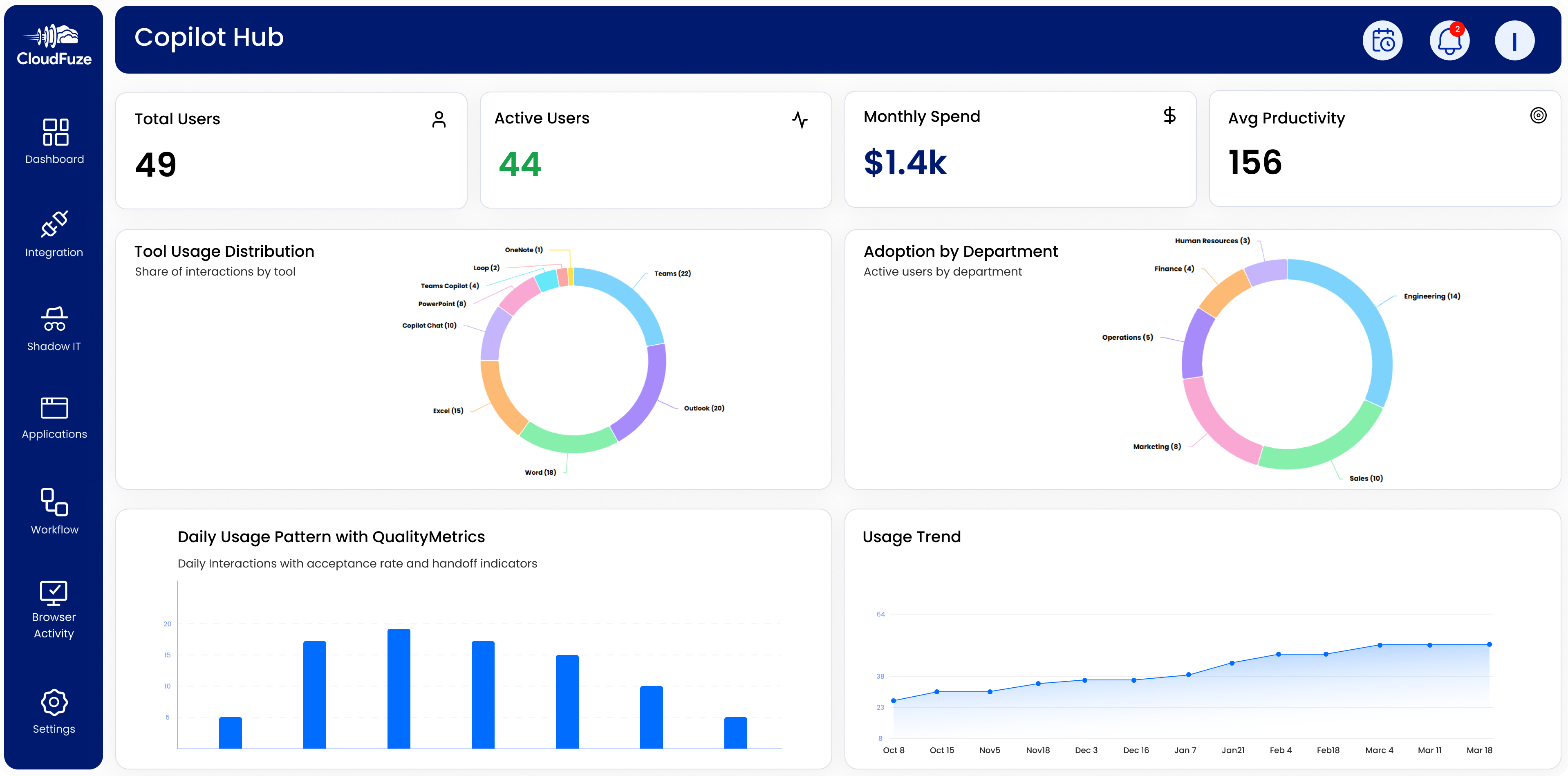
Visit the “Copilot Hub” and in the dashboard, you can view several Copilot usage metrics, including:
- Total Users
- Active Users
- Monthly Spend
- Average Productivity
- Tool Usage Distribution
- Adoption by Department
- Daily Usage Patten with Quality Metrics
- Usage Trends
By deeply understanding these metrics, you can understand whether your company’s AI adoption, including Copilot adoption, strategies are working.
Step 18: Create User Lifecycle Workflows
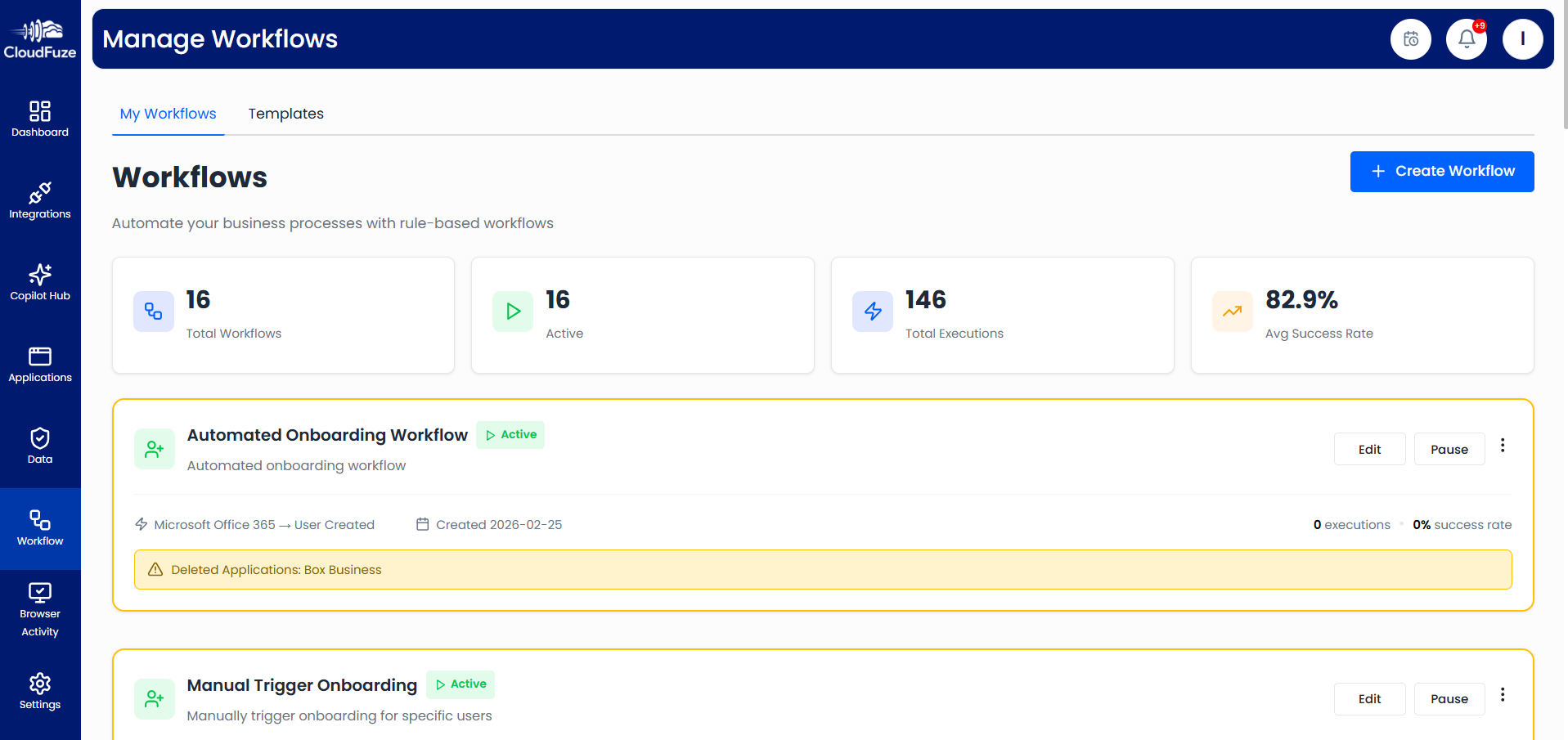
With CloudFuze Manage, you can create user lifecycle workflows to enforce governance policies across the entire user lifecycle, whenever a user is onboarded and offboarded to your company’s cloud ecosystem.
Click on the “Create Workflow” button to start creating a user lifecycle workflow.
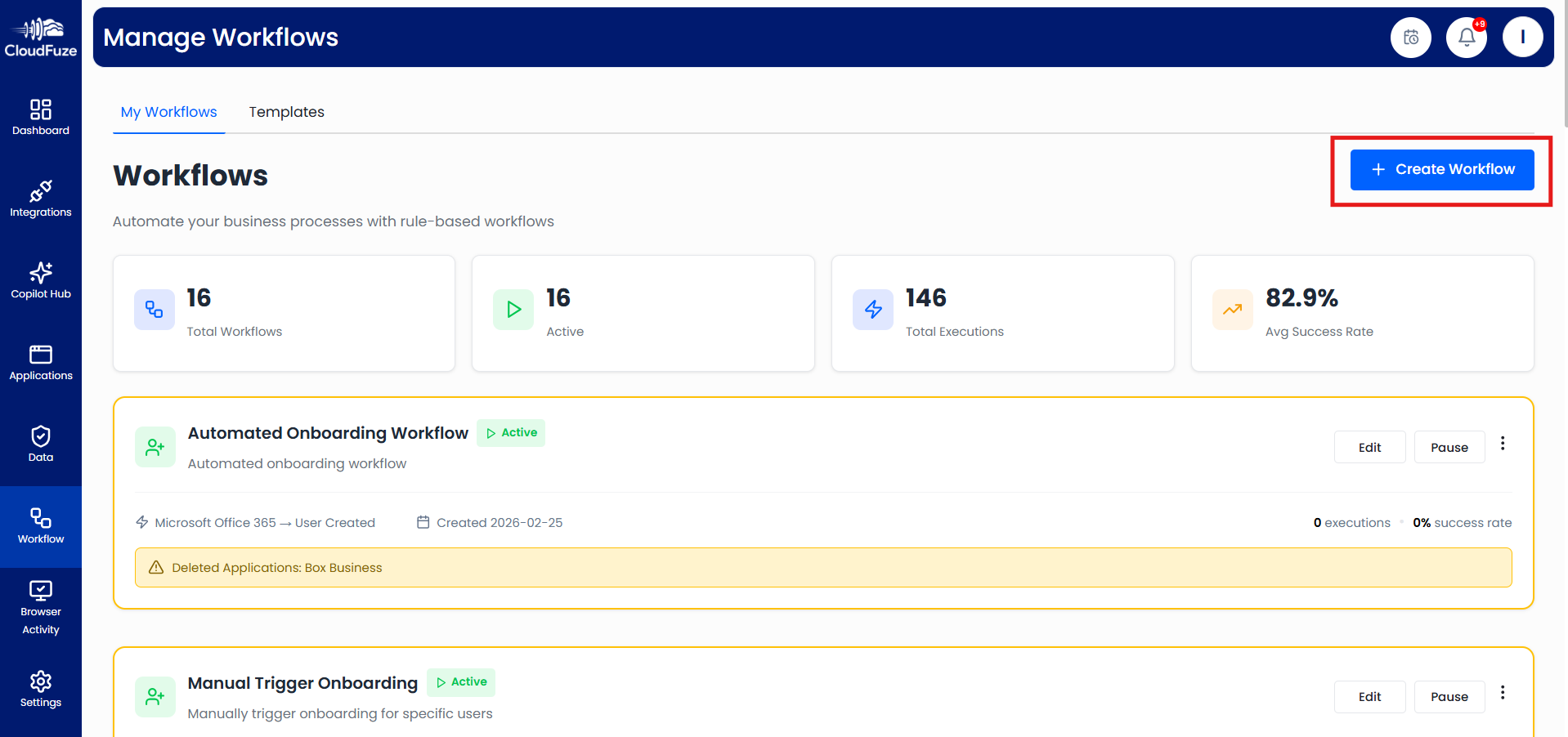
You have the option to create user onboarding and offboarding workflows. For this example, we are going with onboarding workflow creation.
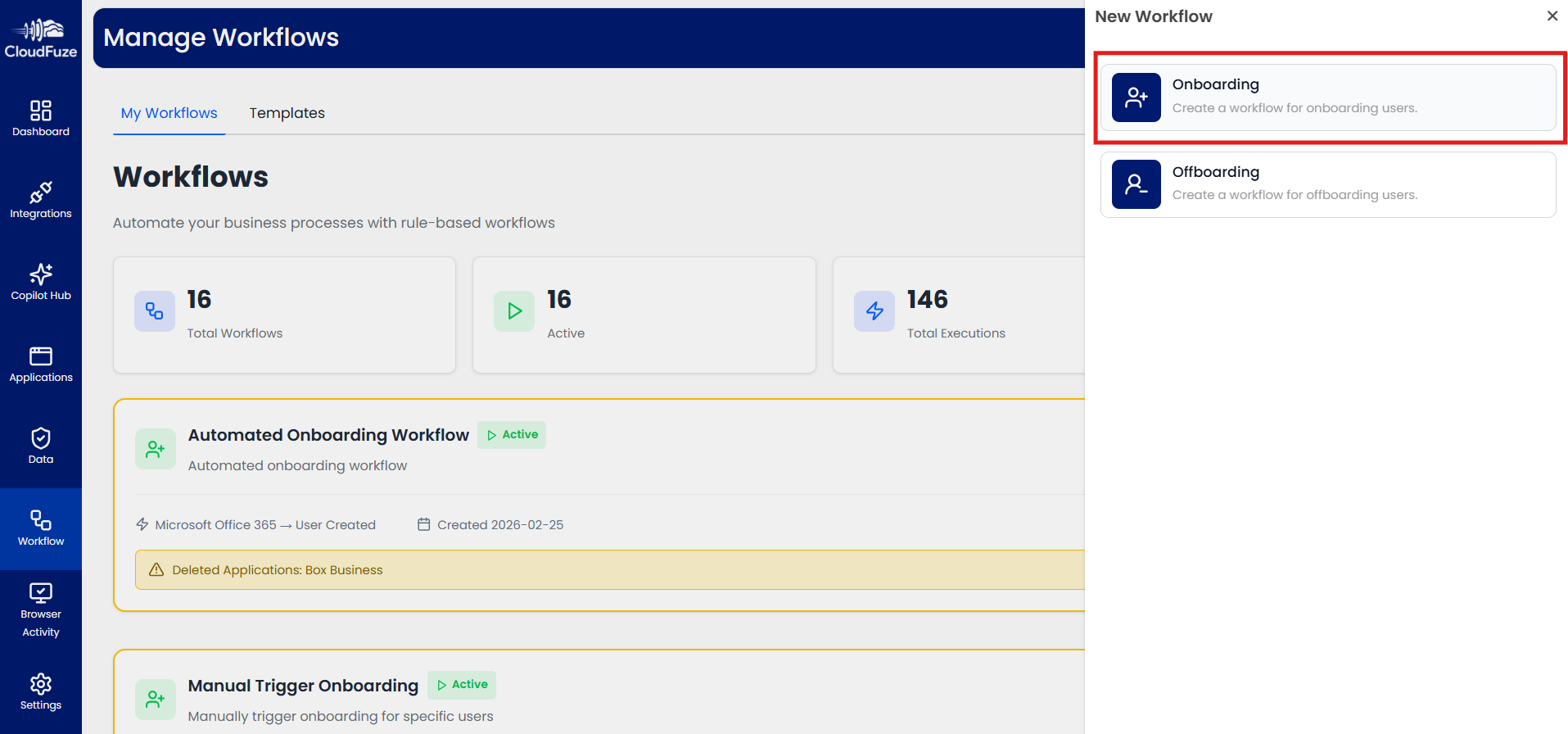
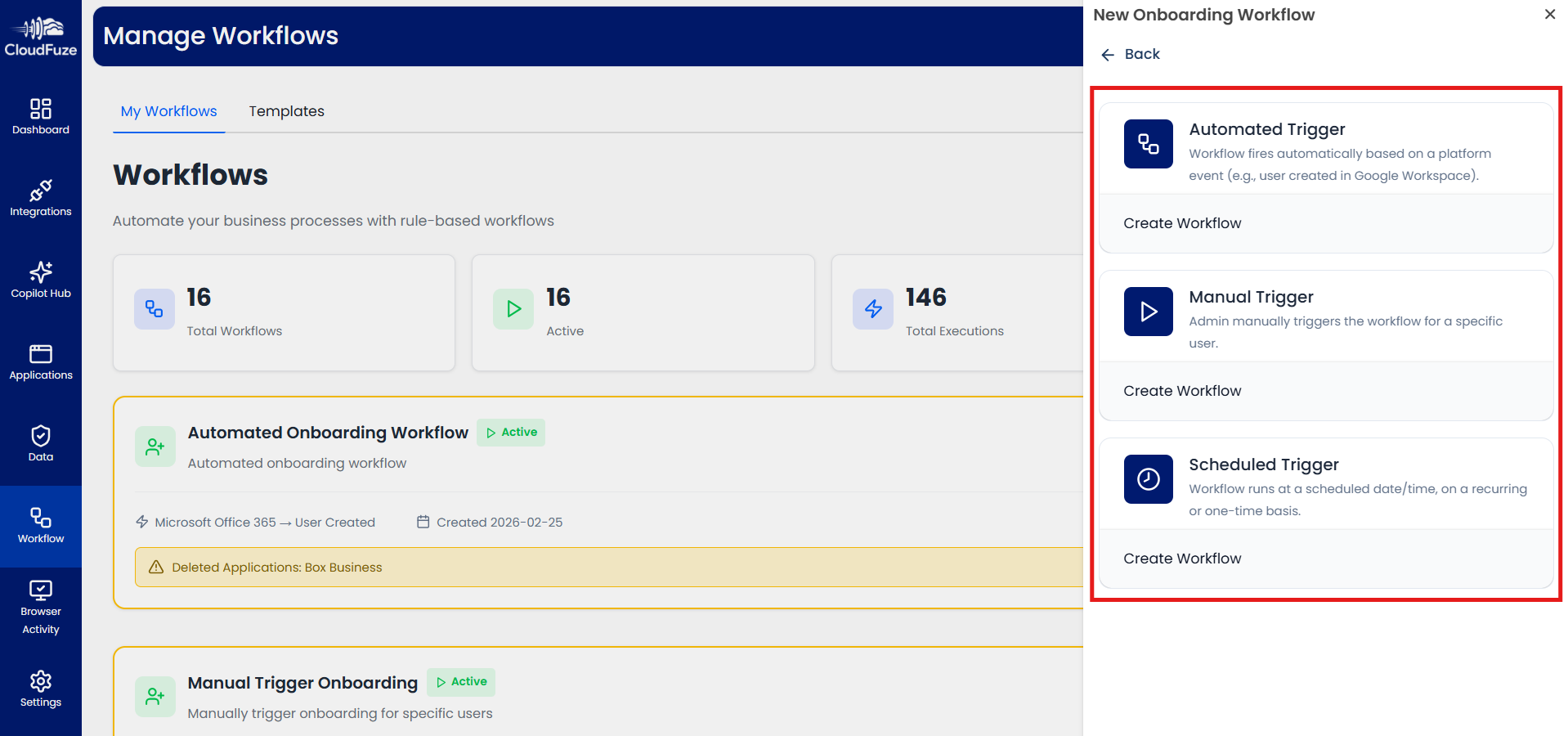
You can choose whether to have the workflow automation initiated automatically whenever a user account is created or initiate the workflow automation manually.
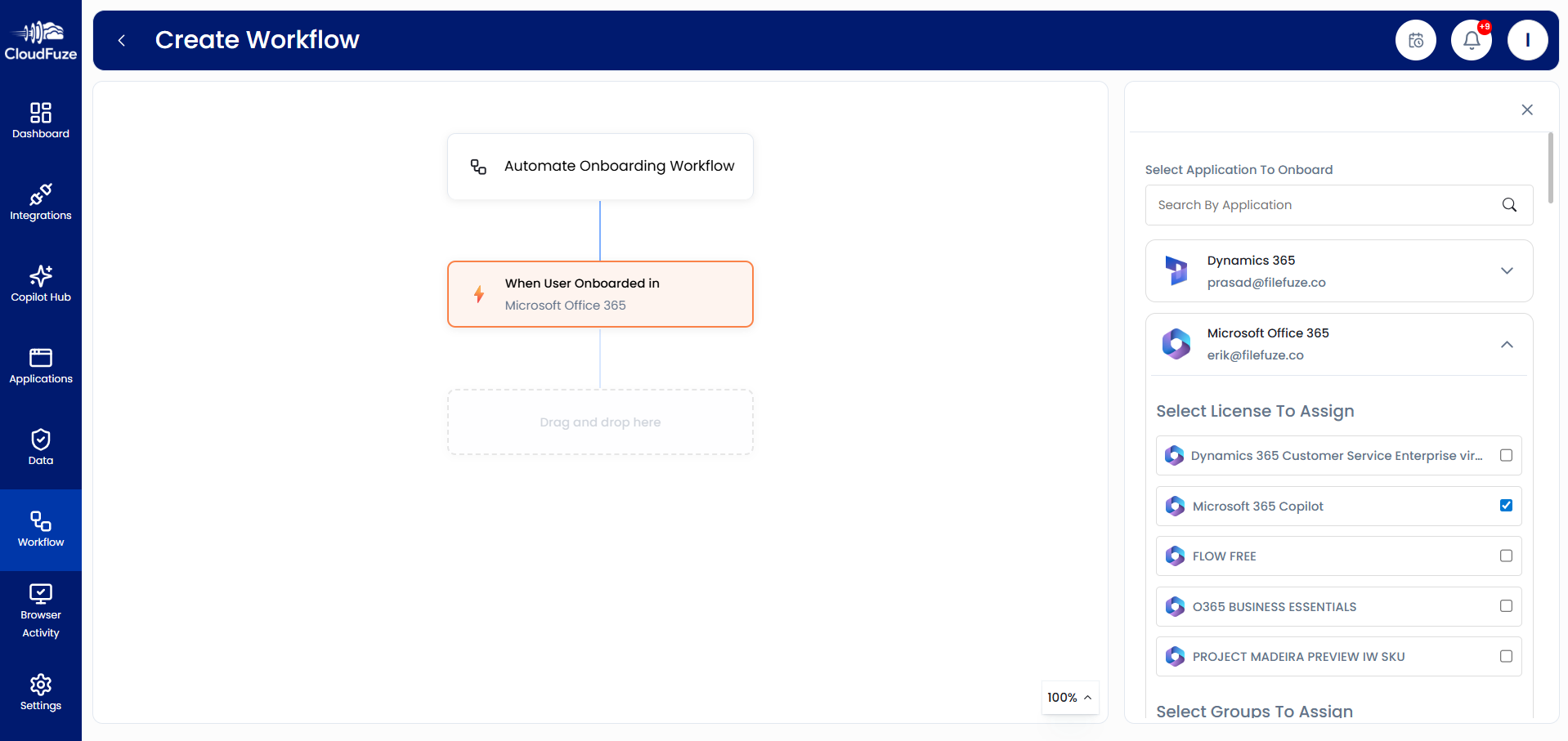
You can configure the onboarding workflow to automatically assign specific licenses, such as Copilot, when a user is added to Microsoft 365. You can further customize the workflow with additional parameters and greater detail based on your requirements. The same flexibility applies to user offboarding workflows.
Step 19: Detect Browser-Based Activities
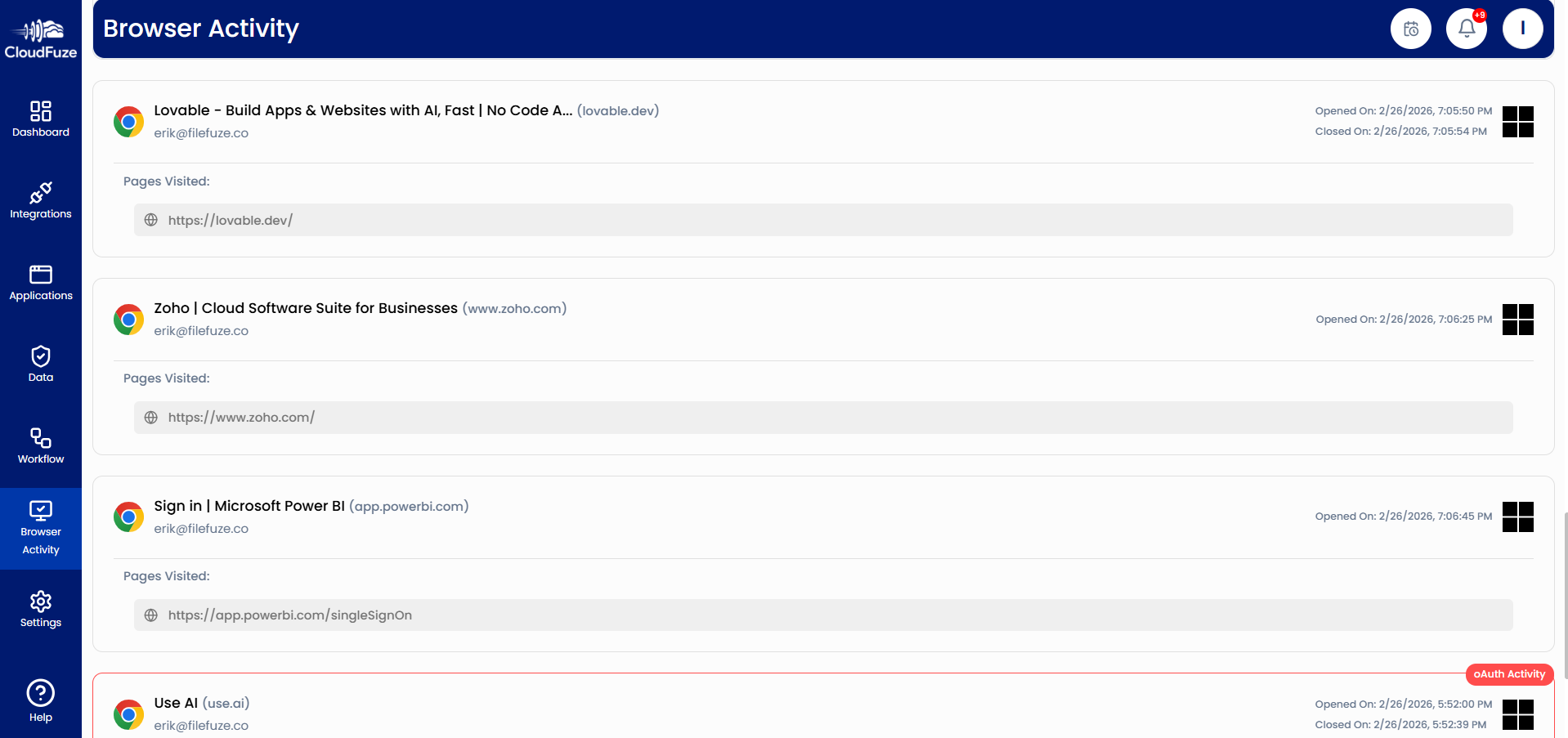
CloudFuze Manage also works like a SaaS and AI tracking software. By using CloudFuze Manage browser extension, you can detect risky activities, such as browser-based AI apps and integrations that user connects to your cloud ecosystem without IT approval.
And that’s a wrap! We hope these steps have helped you navigate our tool. We recommend building upon these approaches and trying our advanced SaaS and AI management and governance functionalities in your SaaS environment.
Manage All Your SaaS and AI Apps and Avoid Overspending with CloudFuze Manage
Optimize your company’s SaaS and AI apps usage and make the most out of them while avoiding unplanned sprawl! Cut unnecessary costs and gain maximum ROI from your SaaS investments with CloudFuze Manage.
We have helped large enterprises as well as small and medium-sized companies manage their SaaS stack in the most strategic ways. Contact us today for a free and no-obligation demo!
Frequently Asked Questions
1. Find SaaS management tools that integrate with cloud services
If you are looking for SaaS IT management software that integrates with many cloud services, CloudFuze Manage is the best option. It integrates with 60+ leading SaaS apps and AI tools like Slack, HubSpot, Microsoft 365, Google Workspace, Cursor, and more.
2. What are the leading software solutions for managing SaaS subscriptions?
CloudFuze Manage is one of the leading SaaS management solutions for businesses to manage their SaaS subscriptions through functionalities like license management, user management, detailed app usage tracking, and more.
3. What is the best SaaS management software for mid-sized businesses?
CloudFuze Manage is highly suitable for mid-sized businesses looking to optimize and manage their SaaS software and AI app stack. The tool provides outcome-focused functionalities for quick results and high ROI.
4. How can I optimize SaaS spending within my organization?
One of the best ways to optimize SaaS spending in your organization is to check all the licenses and revoke unused licenses. When done for all apps, you can curb spending on unused licenses and achieve significant cost reduction. Some of the best SaaS management platforms like CloudFuze Manage helps you streamline this process.
5. How does SaaS spend management software improve budgeting?
SaaS spend management software like CloudFuze Manage helps improve budgeting by providing actionable insights into areas like license usage patterns, shadow IT (usage of unauthorized apps), and more.
6. Which AI governance tool is the best for enterprises?
CloudFuze Manage is one of the best AI governance tools for enterprises that want to govern their cloud ecosystem for secure and compliant AI readiness deployment, and governance.
About the Author: Pankaj Rai



