
How MSP-Style Multi Tenant SaaS Dashboards Boost IT Control
Multi-tenant SaaS dashboards let MSPs manage their client’s users, SaaS apps, and licenses from a centralized console, reducing the need to switch between separate administrative interfaces.
As a managed service provider, you manage more client software than internal company software. Therefore, MSP-style multi-tenant SaaS dashboards boost IT control by replacing manual work. An automated SaaS and AI app management software like CloudFuze Manage enhances per-client oversight with centralized SaaS visibility, bulk user automation, and audit-ready governance across your entire book of business.
This blog post explains how MSP-style dashboards work, why they matter for IT control, and how to roll them out across your client base.
Key Takeaways
What Is an MSP-Style Multi-Tenant SaaS Dashboard, and How Does It Function?
A multi-tenant SaaS dashboard is a single control plane for managing multiple isolated SaaS and AI environments (tenants) through a single, intuitive interface. For an MSP, each tenant is a client account. Each client’s data and settings must remain fully separate from those of others, while you oversee all your clients centrally.
In an MSP-style operating model, instead of signing in to each client’s vendor admin panel separately, you provision users, reclaim unused licenses, and pull reports for all your clients from a single platform.
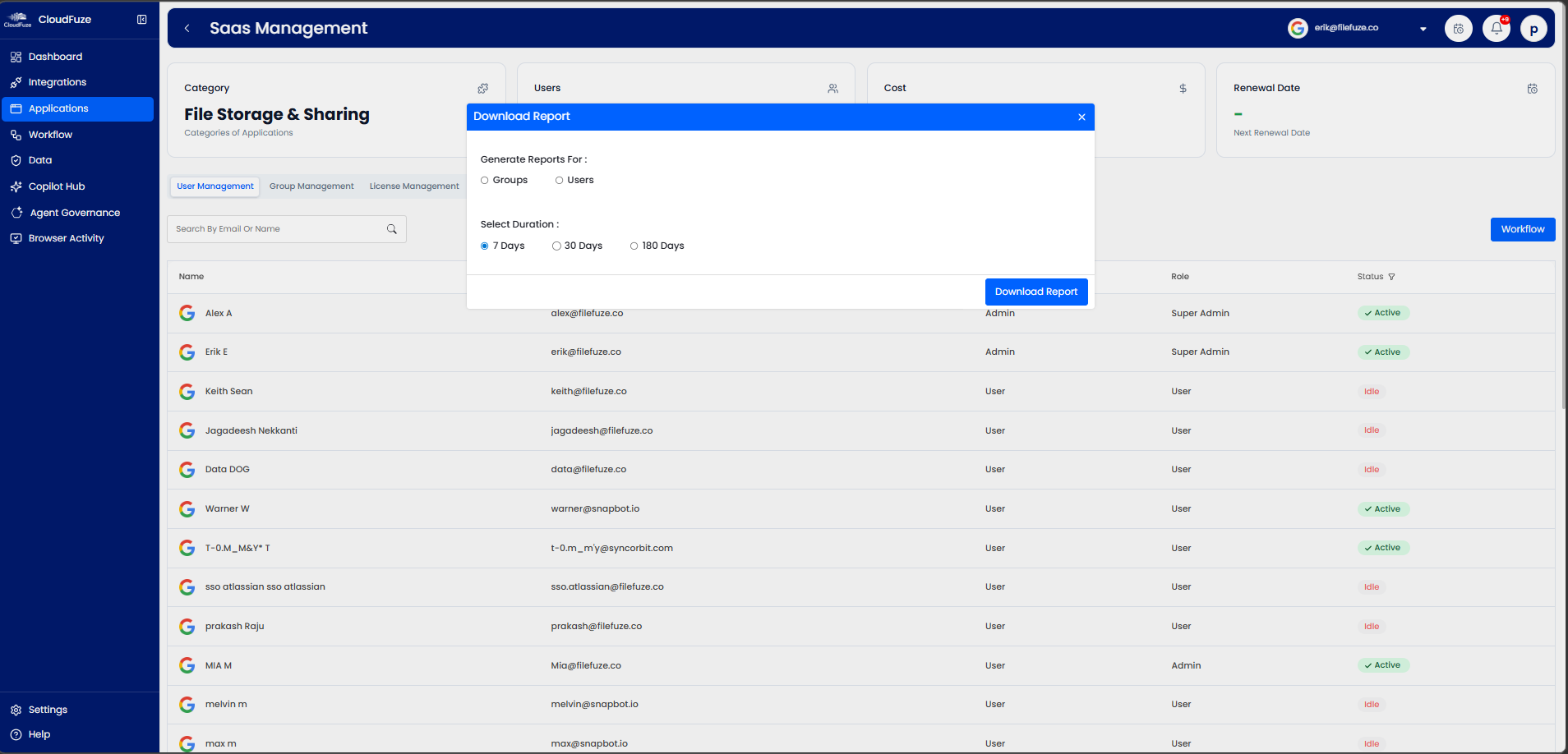
CloudFuze Manage is one example of an MSP-style multi-tenant SaaS dashboard in practice. It connects each client’s SaaS and AI tools into a single centralized console, where MSP IT executives can view SaaS usage, manage data access, and run user lifecycle actions across all tenants without compromising the data isolation each of your clients expects.
Single Tenant Vs Multi-Tenant SaaS: Difference
The contrast with a single-tenant setup is clearly represented in the table:
| Factor | Single-Tenant SaaS | Multi-Tenant SaaS Dashboard |
|---|---|---|
| Data isolation | One IT environment per client instance | Separate client data, shared IT management layer |
| MSP oversight | Siloed, per-client logins | Unified visibility across all MSP clients |
| User Scaling | Manual, provisioning users account-by-account | Bulk user actions across multiple SaaS tenants |
| Cost visibility | Fragmented SaaS cost per client | Consolidated and comparable IT cost visibility |
Why Are MSP-Style Multi-Tenant SaaS Dashboards Important for IT Control in Organizations?
MSP-style SaaS dashboards become essential when organizations encounter the following IT control challenges:
- SaaS sprawl: Your clients started adopting SaaS apps faster than your IT executives can track them.
- Rising software subscription costs: When your clients see more overlapping software tools and silent auto-renewals.
- Unused license costs: MSP IT teams pay for inactive license seats that nobody on the client side logs into.
- Compliance and Security risk: MSPs experience unmanaged data access and orphaned user accounts across their clients’ tenants.
- Inefficient user onboarding/offboarding: Manually provisioning and deprovisioning leaves user access and permission gaps at every client.
- Content and permission sprawl: Each and every client’s business files and user access rights begin to spread unchecked.
- AI agent sprawl/shadow AI: When MSPs notice their client employees connecting to AI tools without IT approval.
The central multi-tenant SaaS dashboards turn each of these limitations from a per-client blind spot into a SaaS metric you can monitor and bill against.
Challenges MSPs Experience Without Multi-Tenant SaaS Dashboards
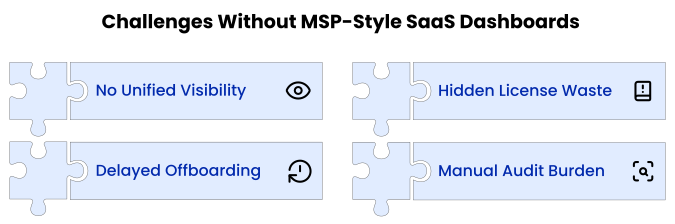
Managing each client’s SaaS environment in isolation simply doesn’t scale for MSPs. When you switch between multiple shared spreadsheets, vendor panels, and email threads for each client’s account, your IT control quickly gets out of hand. Other limitations that most MSPs experience are clearly shown in infographics and also explained:
- No single source of truth for every client and each client’s app, reports, users, and license costs are maintained separately in a spreadsheet.
- Slow and error-prone manual offboarding retains departed client access for weeks.
- Without a centralized MSP dashboard, unused software licenses and overlapping SaaS tools often go unnoticed until renewal time.
- Compliance evidence for each of your clients gets rebuilt by hand every audit cycle.
Best Practices for Using MSP-Style Multi-Tenant SaaS Dashboards
To deliver real IT control to your clients, MSPs must follow these best practices:
- Make sure to centralize visibility of your client’s SaaS apps, their usage, data access, and license spend in one view.
Do not forget to automate user lifecycle workflows across your client tenants in a few clicks. - Remember to reclaim unused license seats and identify cost-saving opportunities that your clients can act on.
- Continuously catch permission sprawl and shadow AI agents before they become your client’s security incidents.
How Can MSPs Successfully Implement MSP-Style Multi-Tenant SaaS Dashboards?
The unified SaaS management platform, such as CloudFuze Manage, helps MSPs gain 360-degree IT visibility, control license costs, manage the user lifecycle, and stay audit-ready without adding any IT operational complexity. And getting started with CloudFuze Manage is very straightforward and easy.
Here’s How MSPs Can Implement Multi-Tenant SaaS Dashboards.
- Step 1: Integrate 190+ leading SaaS and AI applications (Salesforce, Asana, Figma, Postman, Claude, Microsoft 365 Copilot, and more) of your clients into CloudFuze Manage for centralized visibility.

- Step 2: Configure attribute-based user access controls for your MSP technicians and client stakeholders and apply standard IT governance policies across your client’s tenants.

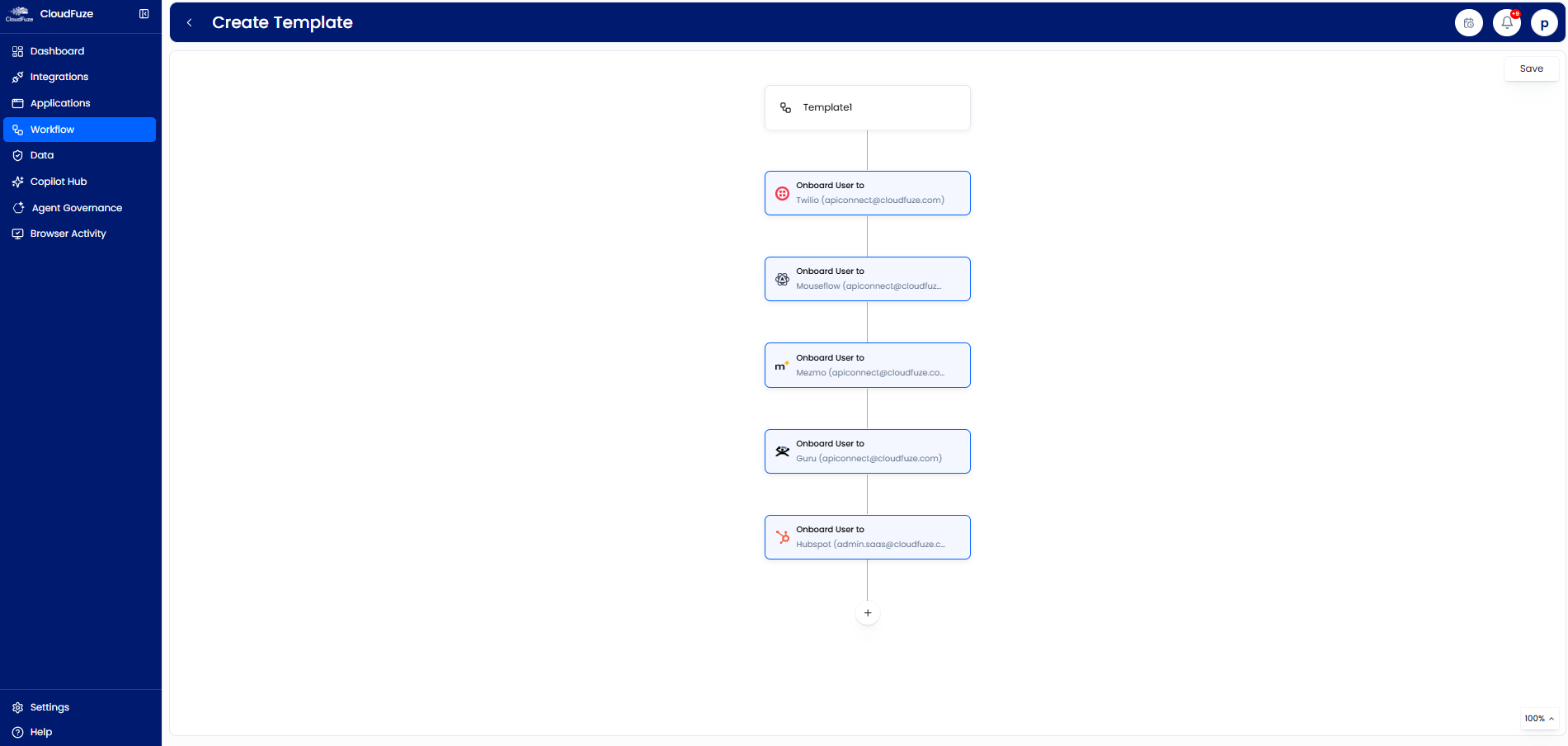
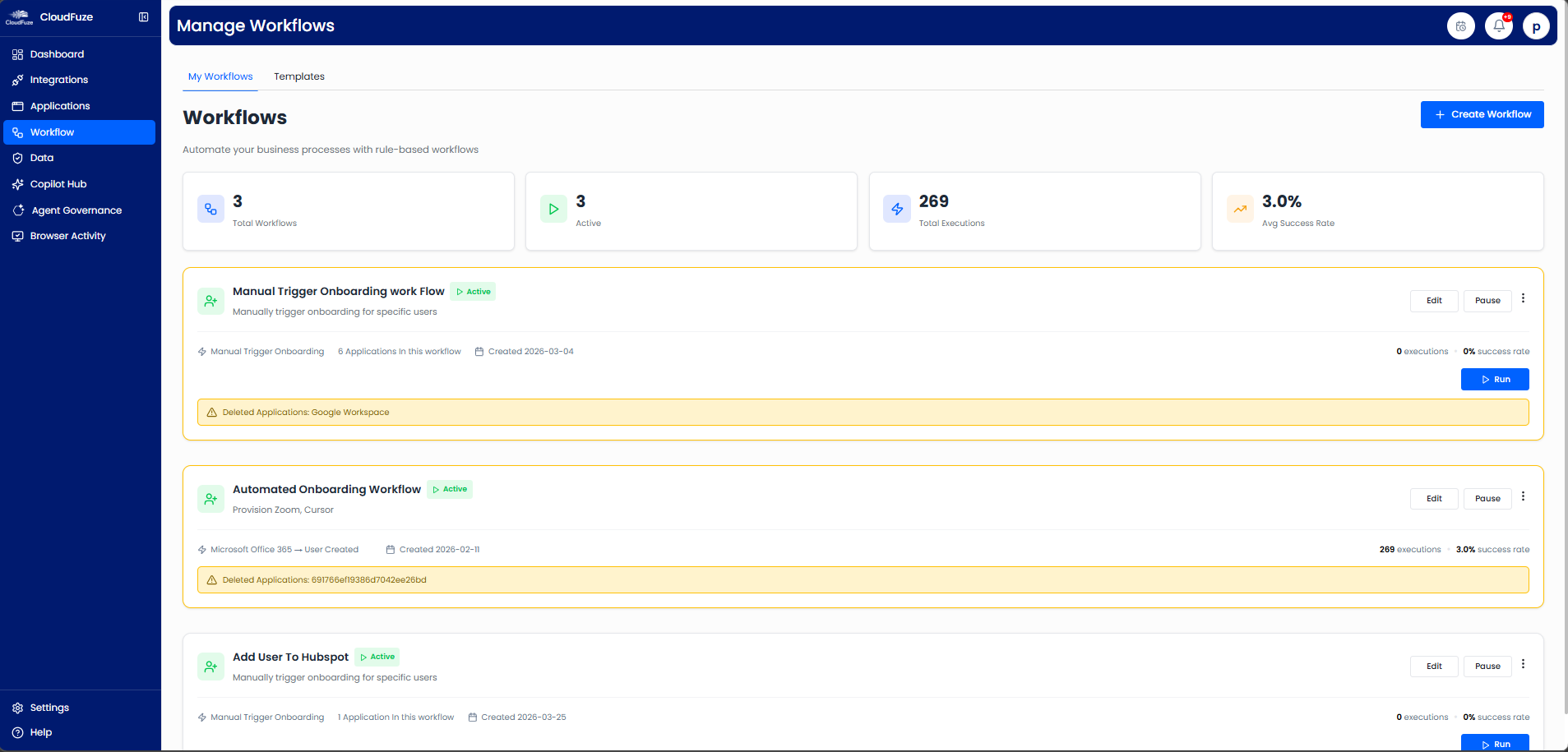
- Step 3: Streamline user onboarding, offboarding, and client access changes with CloudFuze Manage’s automated user workflows.

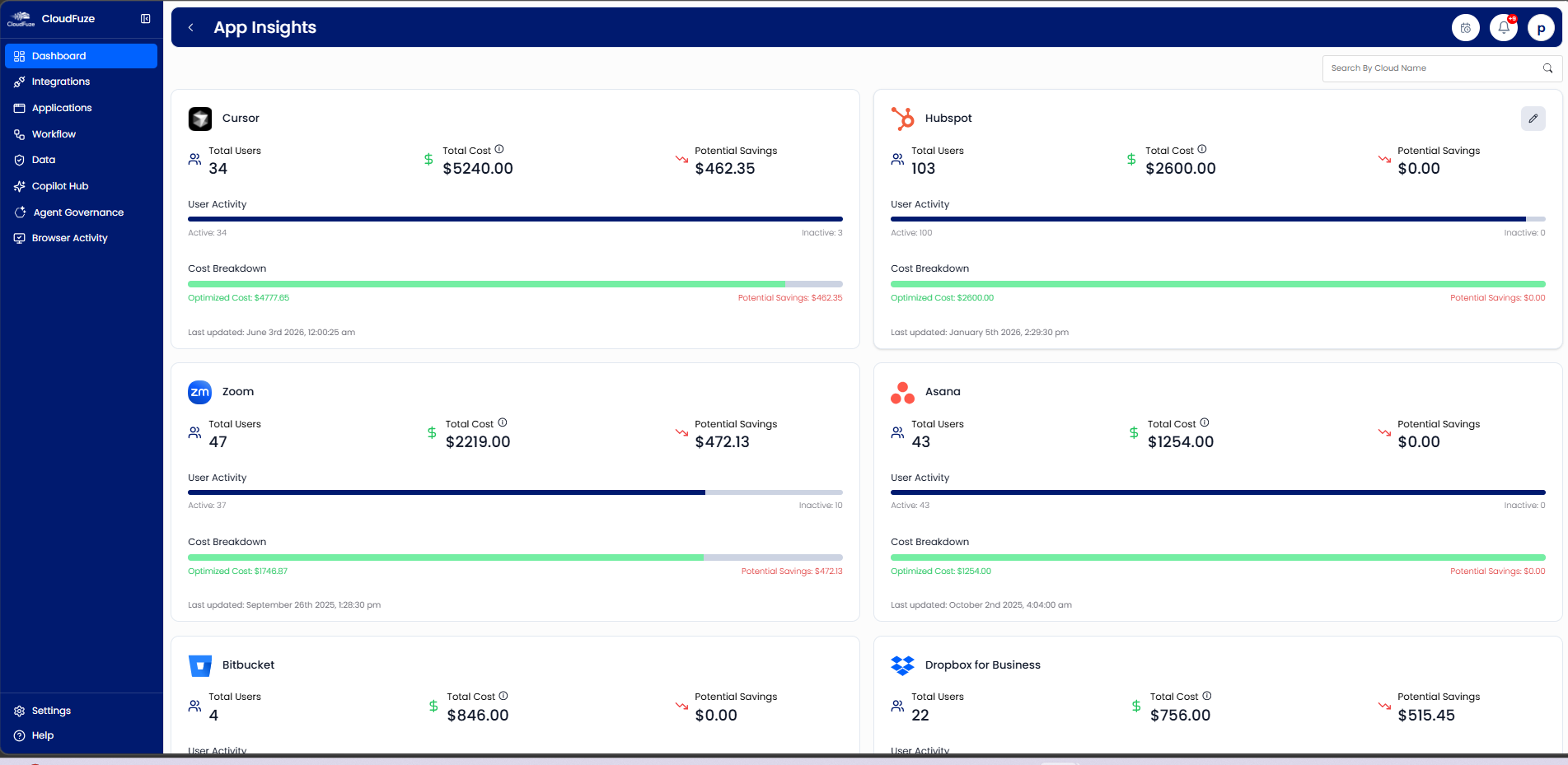
- Step 4: MSPs can monitor all their client’s SaaS usage, identify inactive user licenses, and eliminate unnecessary SaaS spend using CloudFuze Manage.

- Step 5: MSP IT teams can generate audit-ready reports and manage all client environments from a single platform.


Simplify Multi-Tenant SaaS Management with CloudFuze Manage
Multi-tenant SaaS dashboards help MSPs control their client’s IT environment even when their SaaS and AI tools multiply.
CloudFuze Manage helps MSPs eliminate manual, per-client oversight with a single centralized IT dashboard, providing your clients with attribute-based multi-tenant SaaS views.
Book a Demo to see CloudFuze Manage in action!
Frequently Asked Questions
1. Can MSP-style dashboards support SaaS security management?
Yes. MSP-style dashboards like CloudFuze Manage centralize user access control across your client tenants, flag data access & permission sprawl and shadow AI agents, and automate user offboarding so MSPs can close every IT security gap before it becomes a client audit finding.
2. How do MSP-style dashboards improve IT decision-making?
MSP-style dashboards turn scattered client SaaS data into clear signals (SaaS usage, IT spend, and offboarding risk) in a single view, plus cost-saving recommendations, helping MSPs make informed decisions about license renewals, app consolidation, and SaaS budgeting with confidence.
3. What platforms offer MSP-style multi-tenant dashboards?
CloudFuze Manage is a SaaS and AI app management platform that offers a multi-tenant dashboard. Also, it gives MSPs unified IT visibility, license optimization clarity, user lifecycle automation, and audit readiness across every client’s connected SaaS and AI tools.
4. What does MSP-style mean in a SaaS dashboard?
MSP-style refers to SaaS management capabilities commonly used by Managed Service Providers (MSPs), which include centralized client oversight, easier tenant switching, IT automation, and also the cross-tenant SaaS reporting.
5. Can multi-tenant dashboards detect inactive users?
Yes. Platforms like CloudFuze Manage can identify inactive users and recommend license reclamation opportunities without any manual CSV uploads.
6. Are multi-tenant SaaS dashboards suitable only for MSPs?
No. SMBs and large enterprises also equally benefit from multi-tenant SaaS dashboards. They can use multi-tenant dashboards to manage their SaaS environments across multiple departments, subsidiaries, and geographical locations.
About the Author: Rashmi Ramesh



