
Fix Long Folders During Migration from Dropbox to Google Drive
For large enterprises, a migration from Dropbox to Google Drive is rarely as simple as “drag and drop”. The most common technical roadblock is the “long folder” problem – a mismatch between Dropbox’s flexible directory structures and Google Drive’s stricter organizational limits.
If not handled properly, your Dropbox folder paths can incur access issues and broken structures. In this blog post, we share insights on how enterprises can migrate from Dropbox to Google Workspace while addressing long folder paths.
Key takeaways:
Why Fix Long Folder Names During Migration from Dropbox to Google Drive?
Fixing long folder paths during a Dropbox to Google Drive migration helps you:
- Prevent metadata loss in Google Drive
- Avoid unexpected common errors from long paths during cloud migrations.
- Eliminate folder structure issues during transition.
How CloudFuze Migrate Overcomes Challenges of Moving Dropbox Long Folders to Google Drive
Here are challenges during Dropbox migration to Google Drive when moving long folders and how CloudFuze Migrate resolves them:
| Challenges | How CloudFuze Migrate Overcomes Them |
|---|---|
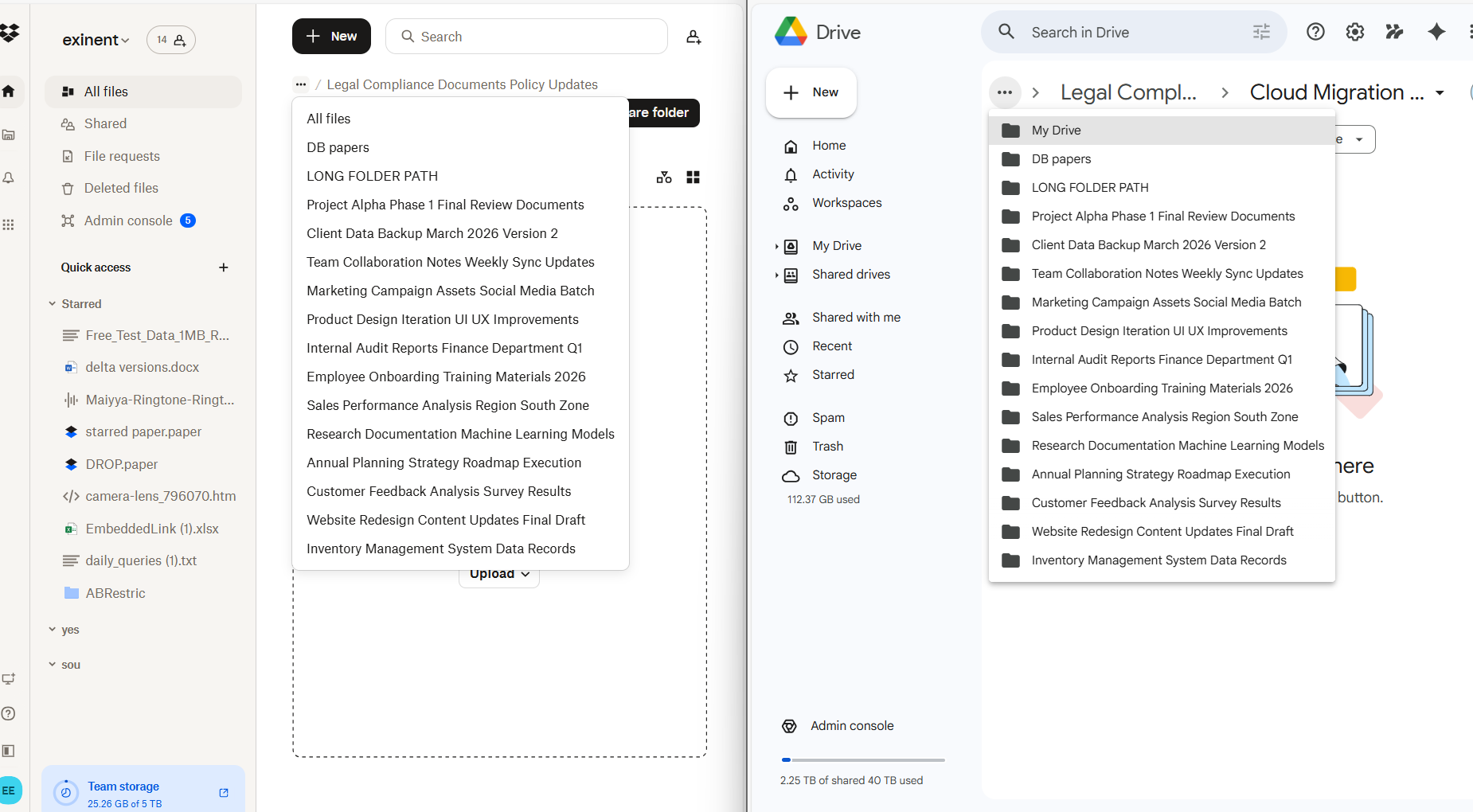
| Folder Structure Limitation | Creates a link with the “Long File” name in the 20th nested folder and redirects to the 21st one. |
| Path Length Restrictions | Identifies unsupported path lengths and can automatically relocate files. |
| API Throttling Issues | Mitigate API throttling issues by batch-wise migration. |
| Files and Folder Limitation | If Dropbox user accounts exceed 400,000 items, we split and migrate into multiple Shared Drives accordingly. |
| Metadata Loss | Complete preservation of Dropbox long folder paths with necessary metadata during transfer. |
On choosing reliable cloud services such as CloudFuze that specialize in cloud-to-cloud file transfer, firms can overcome challenges like path length restrictions.
Screenshot below shows how CloudFuze Migrate moves files with long folder paths when migrating from Dropbox to Google My Drive platform.
What Do Customers Say About Us?
CloudFuze has a rating of 4.7/5 in Gartner Peer Insights review. Here is a successful Gartner review from one of our customers.
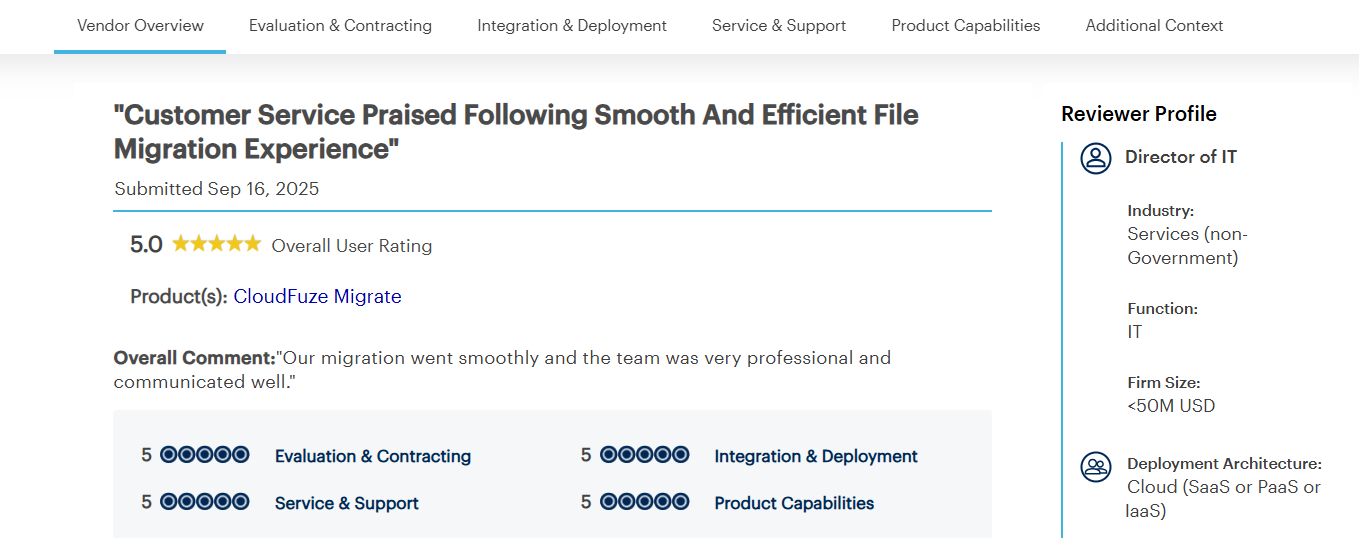
The customer ensured a smooth migration using CloudFuze Migrate. They appreciated our seamless communication throughout the migration.
Here’s a Video of our Dropbox to Google Drive Migration Tool:
Fix Long Folder Paths During Dropbox Migration to Google Drive
Enterprises can successfully move long folder paths during Dropbox migration to Google Drive with CloudFuze Migrate. Ensure complete migration of Dropbox data and metadata with zero downtime with our tool.
Connect with us for a free consultation for your migration, or request a quote today!
Frequently Asked Questions
1. How can I automate the process of fixing long folder names during migration from Dropbox to Google Drive?
Manually fixing long folder paths can be a strenuous task for enterprises with high-volume data. By using a reliable migration tool such as CloudFuze Migrate, businesses can automate the process of fixing long folder names during migration from Dropbox to Google Drive.
2. What tools can help with Dropbox to Google Drive migration for large enterprises?
Advanced tools such as CloudFuze Migrate help you migrate terabytes or petabytes of Dropbox data to Google Drive. Our tool helps you with complete replication of Dropbox data and metadata in the Google Drive environment.
3. Can I migrate long folder structures to Google Workspace without losing data?
Yes, businesses can migrate long folder structures to Google Workspace without losing data. Perform an extensive pre-migration scan to identify long folder structures in your source environment. Choose a reliable migration tool like CloudFuze Migrate that helps you move long folder paths without issues.
About the Author: Bhavani Asok



