
IT Guide: How to Detect and Remove Orphaned User Accounts
Orphaned user accounts remain one of the most overlooked data security gaps in today’s modern IT environments. According to Verizon’s 2025 Data Breach Investigation report, 20% of data security breaches in an organization are due to the exploitation of credentials, which are mainly due to ex-employees’ orphaned accounts.
For CIOs, CTOs, and IT teams, a clear view of orphaned user accounts is only possible with SaaS & AI app management software.
This guide provides more detail on orphaned user accounts and how your IT team can detect and remove them efficiently using the SaaS & AI app management solution.
Key Takeaways:
What Are Orphaned User Accounts and Why Are They a Concern for IT?
Orphaned user accounts (Zombie accounts) are the idle accounts that remain active even after an employee leaves your organization and no longer needs your business data access.
They often persist in an organization due to fragmented and inconsistent employee offboarding workflows. And other reasons include:
- Poor RBAC governance throughout your organization.
- Gaps in joiner-mover-leaver/user workflow processes.
- Distributed work teams and M&A complexity within your organization.
- Shadow IT by employees expands your organization’s cyberattack surface.
These orphaned user accounts are a major concern for IT teams, because:
- These orphaned employee accounts hold valid credentials but lack proper IT oversight. This serves as an ideal initial breach point for cybercriminals.
- Chatbots, service user accounts, and unsecured API keys often remain unmanaged by IT admins, causing “Invisible Security Risks” to your organization.
- Inactive and idle user accounts often retain expensive SaaS & AI app licenses that your company continues paying for unnecessarily.
What Are the Security Risks Associated with Orphaned User Accounts?
These orphaned user accounts significantly increase your organization’s data-breach risk across your cloud environments. Some common security risks tied to orphaned user accounts are:
- Credential-Based Data Breaches: Cybersecurity attackers use stolen or misused SaaS or AI app login credentials to break into your company’s systems.
- Lateral Network Movement & User Privilege Escalation: Here, hackers move through your data network using inactive or weakly protected user accounts hanging in your organization.
- Ransomware Risk: Cybercriminals leverage orphaned user account credentials in your organization to propagate the ransomware attack and impersonate a legitimate user.
- Compliance-related Exposure: Failing to close/deprovision former employees’ accounts can lead to violations of major security and industry data protection standards.
Challenges Involved in Managing Orphaned User Accounts Manually
Manual management of orphaned user accounts quickly becomes unmanageable for mid-market and enterprise teams.
| Challenge | Impact |
|---|---|
| Fragmented user identity management | Untracked local app admin and legacy user accounts. |
| No automated offboarding workflows | Ex-employee user accounts stay active. |
| Shadow IT apps | Unmonitored user accounts turn orphaned. |
| License waste | Idle user accounts waste licenses. |
Best Practices for Finding and Removing Orphaned User Accounts
Here’s how your team can stay ahead of the growing identity attack surface:
1. Implement automated user lifecycle management using platforms like CloudFuze Manage to ensure user accounts are created and removed consistently to reduce orphaned identities throughout your organization.
2. Enforce RBAC & least privilege user permissions and conduct regular user access reviews to prevent user access privilege creep and unnecessary elevation of user app access.
3. Audit inactive user accounts quarterly to identify:
- idle user accounts.
- stale service accounts.
- unused SaaS & AI app licenses.
- zombie user accounts hiding in the active SaaS & AI app directory.
4. Strengthen MFA and Zero Trust Controls to prevent the misuse of user network access by constantly verifying user identity.
5. Consolidate your organization’s identity Inventory by bringing SaaS & AI apps, cloud IAM, service user accounts, and API keys into a unified identity view.
How Can IT Administrators Detect & Remove Orphaned User Accounts with CloudFuze Manage?
Our SaaS & AI app management platform, CloudFuze Manage, helps SMBs and large organizations to close identity & security gaps across SaaS and AI cloud apps by providing centralized app visibility and automated user offboarding workflows.
Here’s how we help IT professionals:
- Unified App Inventory: See inactive, idle, and orphaned user accounts across all SaaS & AI applications.
- Automated User Offboarding: Enterprises ensure no orphaned user accounts remain after their employee exit, preventing zombie accounts in a single click.
- Role-Based User Access Controls: IT admins can enforce work-role-specific access controls to eliminate overprivileged user accounts.
- Unused License Reclamation: Identifies unused software licenses tied to orphaned/inactive user accounts and offers cost-saving recommendations to reduce your SaaS & AI license waste.
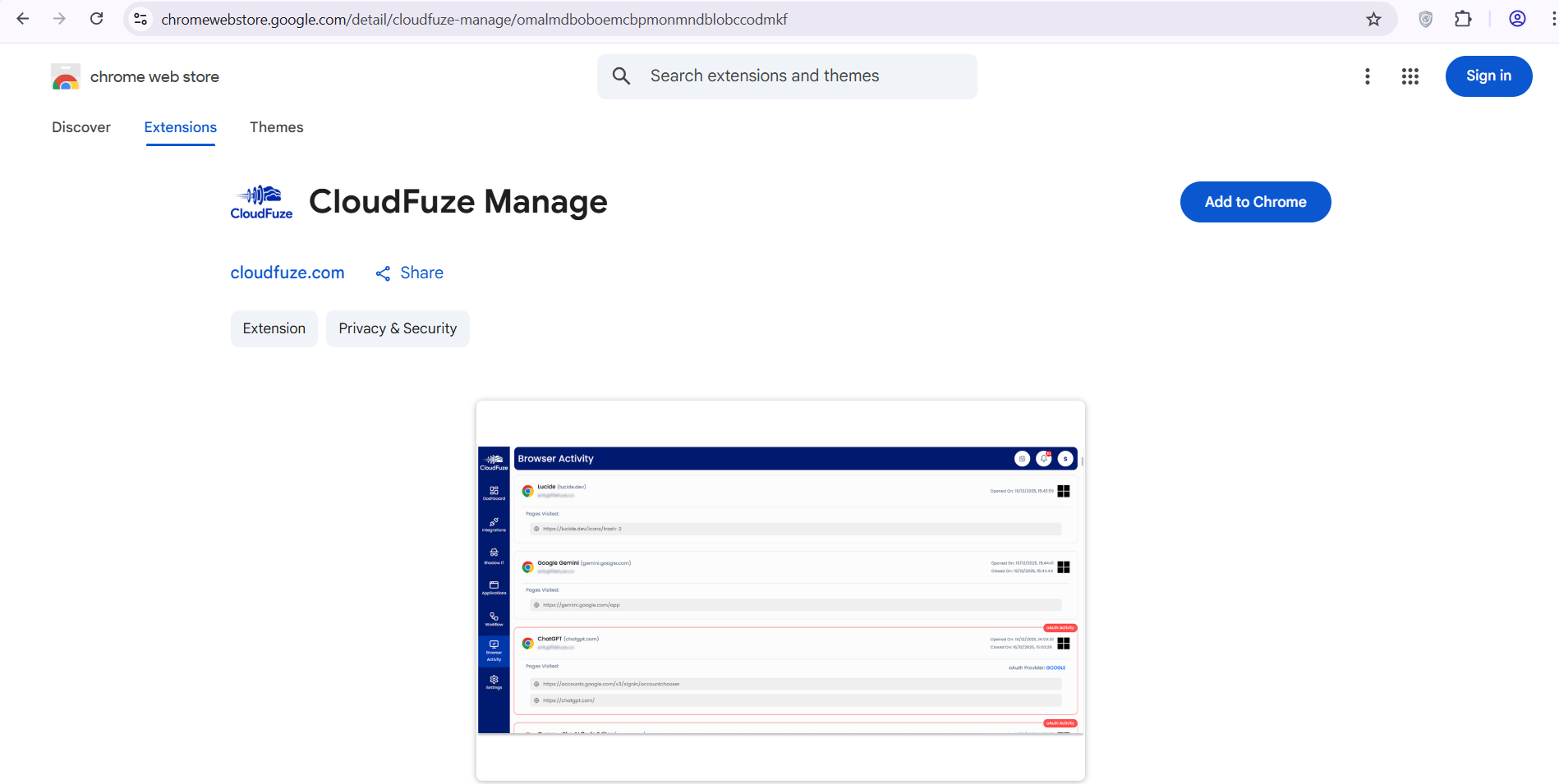
- Real-time Shadow IT Detection: IT professionals can monitor their users’ browser activity 24/7 using our CloudFuze Manage Chrome extension.
Start Cleaning Your Organization’s Orphaned Accounts with CloudFuze Manage
Orphaned user accounts are one of the most exploited attack vectors in today’s cyber threat landscape.
With our SaaS & AI user lifecycle management solution, CloudFuze Manage, SMBs and large enterprises can remove orphaned user accounts through an automated user offboarding workflow.
Ready to eliminate orphaned accounts in a single click with CloudFuze Manage?
Book your free demo now!
Frequently Asked Questions
1. How to automate orphaned account cleanup in Google Workspace?
You can automate orphaned user account cleanup in Google Workspace by using our software, CloudFuze Manage.
We help you to detect inactive users, trigger template-based user deprovisioning, and remove user accounts across your Google Workspace without manual effort.
2. Checklist for orphaned account audits.
The checklist for auditing orphaned user accounts is as follows:
- Review inactive user accounts and verify their ownership and access permissions every 3 months.
- Use our platform, CloudFuze Manage, to manage orphaned user accounts with intelligent user automation.
- Document everything and stay audit-ready using our platform’s instant audit reports download feature.
3. How to detect orphaned user accounts in my corporate network?
You can identify orphaned accounts by using our SaaS-based tool, CloudFuze Manage, to scan all your company’s active app directories, flag inactive or unowned user identities, and unify visibility across SaaS and AI applications instantly.
About the Author: Rashmi Ramesh



