
How to Migrate Microsoft 365 Emails to Google Workspace
Microsoft 365 migration to Google Workspace necessitates a systematic process that helps prevent disruptions and loss of metadata and incorrect mailbox mapping.
In case of SMBs and enterprises dealing with huge volumes of mailboxes, the migration is done while ensuring that emails, attachments, contacts, calendars, folders, and timestamps are moved without causing any interruption in day-to-day business activities.
Here at CloudFuze, our enterprise migration platform offers a error-free Outlook-Gmail migration process with no downtime, no data loss, and 100% metadata retention. Learn more about how to migrate Microsoft 365 emails to Google Workspace.
Key Takeaways
Top Business Use Cases to Migrate Email from Microsoft 365 to Google Workspace
Some of the most frequent reasons that organizations switch from Outlook to Gmail are:
- Mergers & Acquisitions
- Company Consolidation
- Rebranding
- IT Modernization
- Global Expansion
- Vendor Shift
Many enterprises also migrate email from Microsoft 365 to Google Workspace to improve collaboration, simplify IT management, and leverage AI-powered productivity capabilities within Google Workspace.
Common Challenges in Microsoft 365 Emails to Google Workspace Migration
Even a well-planned Microsoft 365 emails migration to Google Workspace can face technical and operational challenges. Some of the most common issues enterprises encounter include:
- API throttling during large mailbox migrations
- Loss of email metadata and timestamps
- Shared mailbox migration complexity
- Folder-to-label mapping inconsistencies
- Downtime risks during cutover
- Large attachment handling limitations
- Delta synchronization delays
- User permission mismatches
Without the right migration strategy and tooling, these issues can delay projects and inturn impact business continuity.
Why Should You Use CloudFuze for Microsoft 365 (Outlook) to Google Workspace (Gmail) Migration?
At CloudFuze, we provide an award-winning migration platform, CloudFuze Migrate, and are an authorized Google Cloud Partner, assisting businesses in securely migrating from Microsoft 365 to Google Workspace.
With our enterprise-class email migration platform, you are able to:
- Migrate inbox, sent items, drafts, junk, and deleted emails
- Move attachments, timestamps, and folder hierarchies
- Transfer contacts and calendars with full compatibility
- Make secure, encrypted data transfers
- Perform delta migrations for incremental changes
- Avoid downtime as users keep on working
CloudFuze supports enterprise-scale migrations involving thousands of mailboxes and PB-scale data transfers while maintaining complete migration visibility through real-time dashboards and reporting.
Our Outlook to Gmail platform provides quick, consistent, and compliant migrations customized for enterprise requirements.
Don’t forget to check our cloud migration success stories.
What CloudFuze Migrates
| Migration Component | Supported |
|---|---|
| Emails | ✅ |
| Attachments | ✅ |
| Contacts | ✅ |
| Calendars | ✅ |
| Shared Mailboxes | ✅ |
| Folder Hierarchies | ✅ |
| Timestamps | ✅ |
| Read/Unread Status | ✅ |
How CloudFuze Manages Microsoft 365 to Google Workspace Email Migration
Our Outlook to Gmail migration tool is designed for secure and full migrations:
- Pre-Migration Scan: Identify possible risks and fix problems before data transfer.
- Effective Mapping: Import Outlook folders as Gmail labels with ease.
- Batch or Complete Migration: Migrate all users at once or in batches.
- Post-Migration Verification: Double-check nothing is left behind – any email, contact, or calendar entry.
We at CloudFuze also preserve critical metadata such as timestamps, read/unread status, attachments, folder hierarchy, and conversation threading to ensure a seamless user experience after migration.
How to Migrate Microsoft 365 Emails to Google Workspace
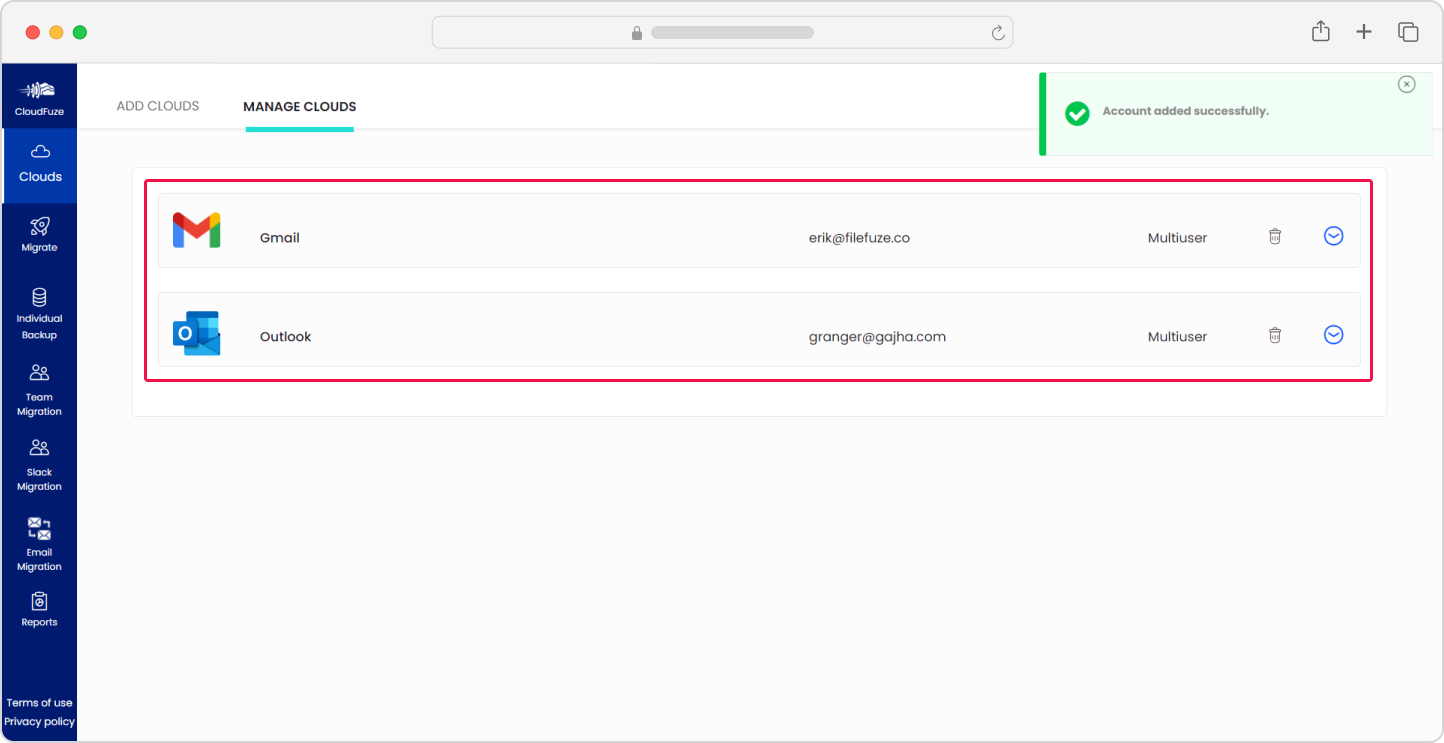
- Login to CloudFuze portal and then register for an account and go ahead with the migration dashboard.
- Next, connect your Office 365 (Outlook) and Google Workspace (Gmail) using administrative credentials.
- Now, select Outlook for source and Gmail as destination, followed by mapping of users through auto or CSV mapping option.
- Choose your desired settings like one-time migration, or delta migration as per your requirement.
- Lastly, migrate your email data and follow the process in the dashboard until completed.
Watch how to migrate from Outlook to Gmail in detail:
Got queries? Reach out to our migration experts.
Manual vs Tool Microsoft 365 to Google Workspace Email Migration
Before choosing an approach, let’s compare manual migration and a dedicated migration tool.
| Migration Factor | Manual Migration | Migration Tool (CloudFuze) |
|---|---|---|
| Downtime Risk | High | Zero downtime |
| Metadata Preservation | Partial | Complete (timestamps, folders, threads) |
| Shared Mailbox Support | Limited | Fully supported |
| Migration Speed | Slow | High-speed |
| Delta Migration | Not supported | Fully supported |
| Permission Mapping | Manual | Auto map/CSV |
| Post-Migration Validation | Manual checks | Automated verification reports |
| Scalability | Limited to small teams | Supports 10 PB+ data |
| Expert Support | None | Handle by migration experts |
Microsoft 365 vs Google Workspace Collaboration Experience
| Feature | Microsoft 365 | Google Workspace |
|---|---|---|
| Email Platform | Outlook | Gmail |
| Collaboration Style | Desktop + Cloud | Cloud-First |
| Real-Time Co-Editing | Supported | Native & Real-Time |
| AI Features | Microsoft Copilot | Gemini AI |
| Storage | OneDrive | Google Drive |
| Meeting Platform | Teams | Google Meet |
Simplify your Outlook 365 to Gmail Migration with Experts!
Your migration can be smooth, accurate, and disruption-free with the right partner.
We have helped many organizations successfully migrate from Microsoft 365 to Google Workspace with 100% success rates.
Our migration experts assist enterprises with migration planning, compliance validation, user mapping, pilot migrations, and post-migration verification to minimize risks throughout the migration lifecycle.
Schedule a free migration consultation today, and let us walk you through the process of how we can help you make the transition.
Frequently Asked Questions
1. How do I migrate Microsoft 365 emails to Google Workspace?
You can either take the help of Google Workspace’s Data Migration Service (DMS) or an enterprise-grade migration tool like CloudFuze. Our email migration tool allows you to migrate emails, contacts, and calendars without significant risk and downtime.
2. Will my Outlook folders remain the same in Gmail?
Yes, they will be transferred to Gmail labels without altering your structure.
3. Can I migrate some mailboxes only?
Yes. With CloudFuze, you can use a full migration or a selective import of mailboxes.
4. Will migration be done with downtime?
No. Delta migration allows workers to keep working while data is being transferred in the background.
5. Is metadata preserved during the Microsoft 365 to Google Workspace migration?
Yes. CloudFuze preserves important metadata such as timestamps, folder hierarchy, read/unread status, labels, attachments, and conversation threads during migration.
About the Author: Aayushi Raj



