
SaaS Management in Google Workspace: An Enterprise Guide
SaaS management in Google Workspace is how you manage and govern all SaaS and AI apps connected to your enterprise’s Google Workspace environment, including third-party OAuth apps, shadow IT/AI, licenses, and user access. This centralized SaaS management practice helps your IT team control licensing costs, reduce security risk, and stay audit-ready.
Also, according to CSA’s State of SaaS Security Report 2025, 55% of employees adopt SaaS without any IT security involvement. The only way to overcome these issues is to automate security monitoring throughout your enterprise with an advanced Google Workspace management and governance platform like CloudFuze Manage.
In this blog post, you’ll discover the role of SaaS management in Google Workspace in detail.
Key Takeaways
What Is SaaS Management in Google Workspace and Why Does It Matter?
SaaS management in Google Workspace is the centralized discipline of tracking and governing all software connected to your enterprise’s Google environment. It includes your Google Workspace licenses, the third-party apps that your users authorize through Google sign-in, and connected AI apps that read your Google shared Drive, Gmail, and Calendar data via OAuth scopes.
Google Workspace management is increasingly important because it’s the identity layer for your enterprise’s entire SaaS and AI stack. Google Workspace hosts your Gmail, Shared Drive files, and calendars. But it also quietly runs hundreds of third-party SaaS as well as AI apps that your employees have connected to it with a single “Allow” click.
For example, when an employee signs in to a project management tool (JIRA), an AI (Fireflies) notetaker, or a browser extension using their Google account, it becomes part of your company’s attack surface and IT compliance scope.
Meanwhile, IBM’s Data Breach Report 2025 found that one in five breached organizations was compromised through shadow AI. And this adds an average of $670,000 to breach costs.
In 2026, much of the shadow AI gains access to your enterprise’s confidential data through employees’ approved Google accounts, often within seconds of authorization.
Native SaaS Management Challenges in Google Workspace
The Google Workspace admin console (the native administration tool) gives you solid control over your Google Workspace tenant. Its limits show up the moment you look beyond them:
- The admin console lists your apps with OAuth access, but it doesn’t tell you what each app costs, who’s actively using it, or whether it duplicates any similar app you already pay for.
- Google Workspace license management covers Google editions and their add-ons. The other 150+ SaaS and AI subscriptions your teams run through Google sign-in sit outside your admin console view.
- Finding Shadow IT and AI and blocking them is one of the hardest parts with native admin tools.
- Suspending a Google account doesn’t always revoke all the downstream SaaS access, active AI login sessions, and API tokens tied to it.
- The native Google admin console does not help in Google Workspace subscription management, as it stops at Google’s invoice. So, renewals for connected apps go untracked.
None of this is a flaw in Google’s product. The Google admin console was designed to run only your Google Workspace, not to serve as a SaaS management platform for every SaaS and AI app associated with it.
Best Practices for Google Workspace Management and Governance
Enterprise teams that govern Google Workspace well tend to follow the same practices:
- Make sure to run a continuous app discovery and keep a live inventory of every third-party software and AI app with OAuth access to your domain.
- Always review the OAuth scopes of all your apps requesting read-only calendar access and an app requesting full Drive access.
- Do not forget to map your Google Workspace access control to their work roles. Admins, contractors, and standard users should never share the same permission profile.
- Remember to tie user provisioning and deprovisioning to your HR system so departing employees lose Google user access and every connected SaaS account at the same time.
- Right-size your unused licenses and downgrade overprovisioned editions before every subscription renewal, based on actual per-user activity.
- Set IT policies to decide which AI tools may connect to Google Workspace data and detect the ones that connect anyway.
How to Manage Connected SaaS and AI Apps in Google Workspace?
You can manage SaaS and AI applications tied to your Google Workspace using our platform, CloudFuze Manage.
Our solution, CloudFuze Manage, is the unified SaaS and AI app management platform that SMBs, MSPs, and large enterprises use to gain full visibility into their SaaS and AI stack, control IT costs, manage the complete user lifecycle, and stay audit-ready without adding more IT complexity.
Here’s how to manage Google Workspace and its connected SaaS and AI estate with CloudFuze Manage:
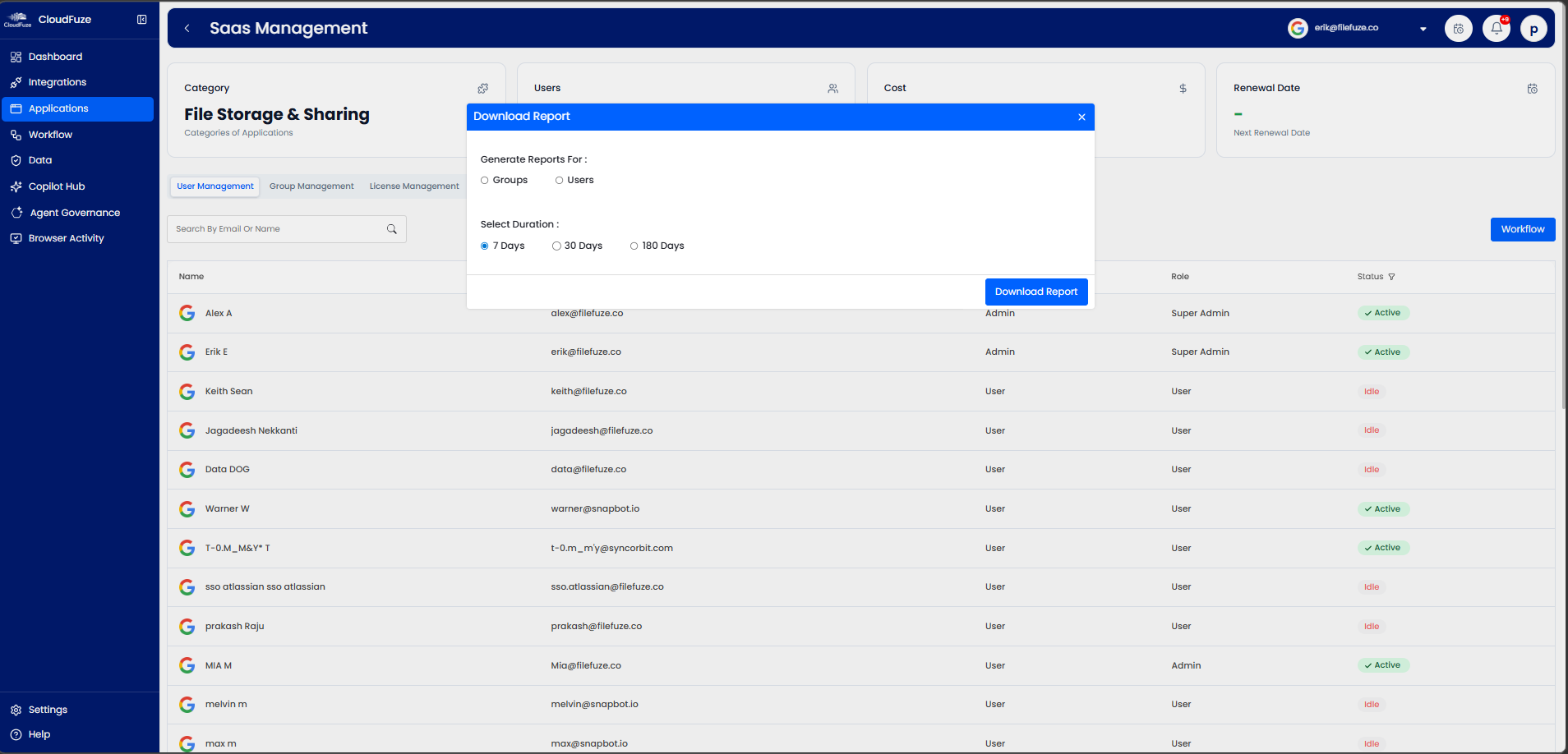
- Complete Google Workspace Visibility: IT executives can see every SaaS and AI app connected to your Google domain, its user activity, actual cost, and IT approval status in one place.
- User Permission Monitoring: IT teams can monitor users’ data permissions and OAuth access in their Google Workspace tenant and maintain audit-ready browser activity logs.
- License Optimization Insights: IT managers can surface redundant IT apps tied to your employees’ Google accounts, unused Google Workspace licenses, and upcoming Google Workspace renewals automatically.
- Automated User Lifecycle Workflows: IT admins can grant and revoke user access across Google Workspace and connected apps through automated user onboarding and offboarding workflows.
- Gemini Governance: IT leaders can govern all Gems (agents) and Gemini usage that your engineering, QA, and sales teams connect to your Google Workspace data before permission sprawl takes hold.
Take a look at our Google Workspace management dashboard:
Native Google Workspace Features vs CloudFuze Manage
The table below shows the difference between Google Workspace native features and CloudFuze Manage:
| Capability | Google Workspace Admin Console | CloudFuze Manage |
|---|---|---|
| Google App and User Administration | Fully covered | Fully covered with other integrated apps |
| Third-party SaaS App Discovery | Partial (OAuth list only) | Full, with license usage, subscription cost, and IT approval status |
| Shadow AI and AI Agent Visibility | Limited or no shadow app visibility | Full shadow app discovery and governance |
| License Management Scope | Google editions only | Google Workspace, along with 190+ SaaS and AI apps |
| Subscription Cost and Renewal tracking | Google billing only | Automated across the full stack |
| User Onboarding/Offboarding Automation | Google accounts only | End-to-end user lifecycle workflows across your connected apps |
| Audit-ready Activity Reporting | Google services | Unified across SaaS and AI apps |
Simplify SaaS Management in Google Workspace with CloudFuze Manage
SaaS management in Google Workspace is what covers the management of your third-party tools, AI apps, software & AI licenses, and user access paths that grow around your Google environment every week.
Our platform, CloudFuze Manage, helps IT teams proactively govern their Google Workspace to avoid unnecessary breach costs, failed IT audits, and license renewal with a flexible per-user pricing plan.
Take control of every app connected to your Google environment with CloudFuze Manage. Schedule a free demo today to see how your IT team can gain full visibility into your IT environment and save up to 30% on license waste.
Frequently Asked Questions
1. What are the best tools for SaaS management in Google Workspace?
The strongest SaaS management setup pairs your native Google Workspace admin console with a unified SaaS management platform, such as CloudFuze Manage. It extends your Google admin console with full third-party app discovery, license optimization insights, OAuth monitoring, and automated user lifecycle management for 190+ leading SaaS and AI apps, including Google Workspace, Salesforce, HubSpot, OpenAI, Claude, and more.
2. How to audit third-party applications connected to Google Workspace?
Log in to your Google Admin console, then go to Security > API controls > App access control to list all your apps with OAuth grants. Then assess each app’s scopes, active users, and business owner. But it doesn’t show shadow IT or Shadow AI apps connected to your employee’s Google account.
CloudFuze Manage automates this audit, flagging new grants, risky scopes, and abandoned software and AI apps, including shadow IT/AI, so you don’t have to rebuild your IT inventory every quarter.
3. What are the security risks of unmanaged SaaS apps in a Google setup?
Unmanaged apps carry OAuth tokens that can read or modify your Gmail, Drive, and Calendar data outside IT’s view. Some security risks include data oversharing, dormant API tokens associated with former employees, over-scoped AI apps, and connected risky third-party apps.
4. How to automate SaaS license provisioning in Google Workspace?
Connect your HR system or identity provider to a SaaS and AI app management platform like CloudFuze Manage, which maps user roles to app entitlements. When someone joins, changes roles, or leaves, their Google Workspace edition and connected SaaS licenses update automatically. CloudFuze Manage handles this end-to-end, including allocating licenses during employee onboarding and reclaiming them during offboarding.
5. What are the ways to monitor SaaS app usage in the Google Workspace environment?
Native Workspace reports show activity for Google apps only. To monitor your full SaaS and AI spectrum, use a platform (CloudFuze Manage) that tracks per-user activity, employee login frequency, and license usage across every connected app.
About the Author: Rashmi Ramesh



