
Move Public Teams from MS Teams to Google Chat Easily
Are you thinking about switching from Microsoft Teams to Google Chat?
If so, you may be concerned about how to easily move your public teams from MS Teams to Google Chat without losing chat history, attachments, or disrupting your day-to-day operations.
Many organizations face this challenge because MS Teams does not offer a native migration tool for public Teams migration.
But we at CloudFuze make the MS Teams to Google Chat migration easier than you think.
In this post, we’ll explore how our industry-leading migration tool eases the process of transferring Teams chats to Google Workspace.
Manual Public Teams Migration vs. CloudFuze Migration
There is a considerable difference between manually moving public teams and using the CloudFuze tool for the process.
This table shows the limitations of manual migration and the advantages of using our chat migration tool.
| Key Factor | Manual Approach | With CloudFuze |
|---|---|---|
| Public Team Chat Migration | There is no native way to move public Teams from Microsoft Teams to Google Chat. | CloudFuze provides full support to migrate public Teams directly into Google Chat. |
| Chat History and Metadata Preservation | Manual exports often result in lost threads, timestamps, and attachments | CloudFuze preserves all chat history, metadata, and all file attachments. |
| Support for both DMs and Channels | Migrating both direct messages and public channels requires a complex set of manual steps. | CloudFuze supports the migration of both public Teams and DMs with auto/CSV user mapping. |
| Scalability and Performance | Handling large-scale migrations is slow, error-prone, and difficult to manage. | CloudFuze is built to scale and can handle thousands of users with high accuracy. |
| Security and Compliance | Manual methods increase the risk of data breaches and compliance issues. | CloudFuze ensures enterprise-grade encryption and meets compliance standards (ISO 27001, SOC 2 Type 2 & GDPR). |
5 Easy Steps to Move Your Public Teams from MS Teams to Google Chat Using CloudFuze
- Start by contacting our migration professionals. We’ll help you evaluate your MS Teams setup and develop the best plan for transitioning to Google Chat.
- Log in to our webapp and securely connect your Microsoft Teams (source) and Google Workspace (destination) accounts with admin credentials.

- Our advanced CSV mapping feature helps you match contacts, public Teams channels, and shared files between MS Teams and Google Chat.

- You can perform a pilot migration to validate the accuracy of your data transfer. Moreover, our enterprise-grade cloud migration tool makes sure that all your files, threads, messages, and timestamps are seamlessly transferred.

- When you are ready, launch your entire migration by clicking “Start Migration”. Also, you can monitor the migration’s progress through our intuitive dashboard, which gives you real-time visibility and updates.


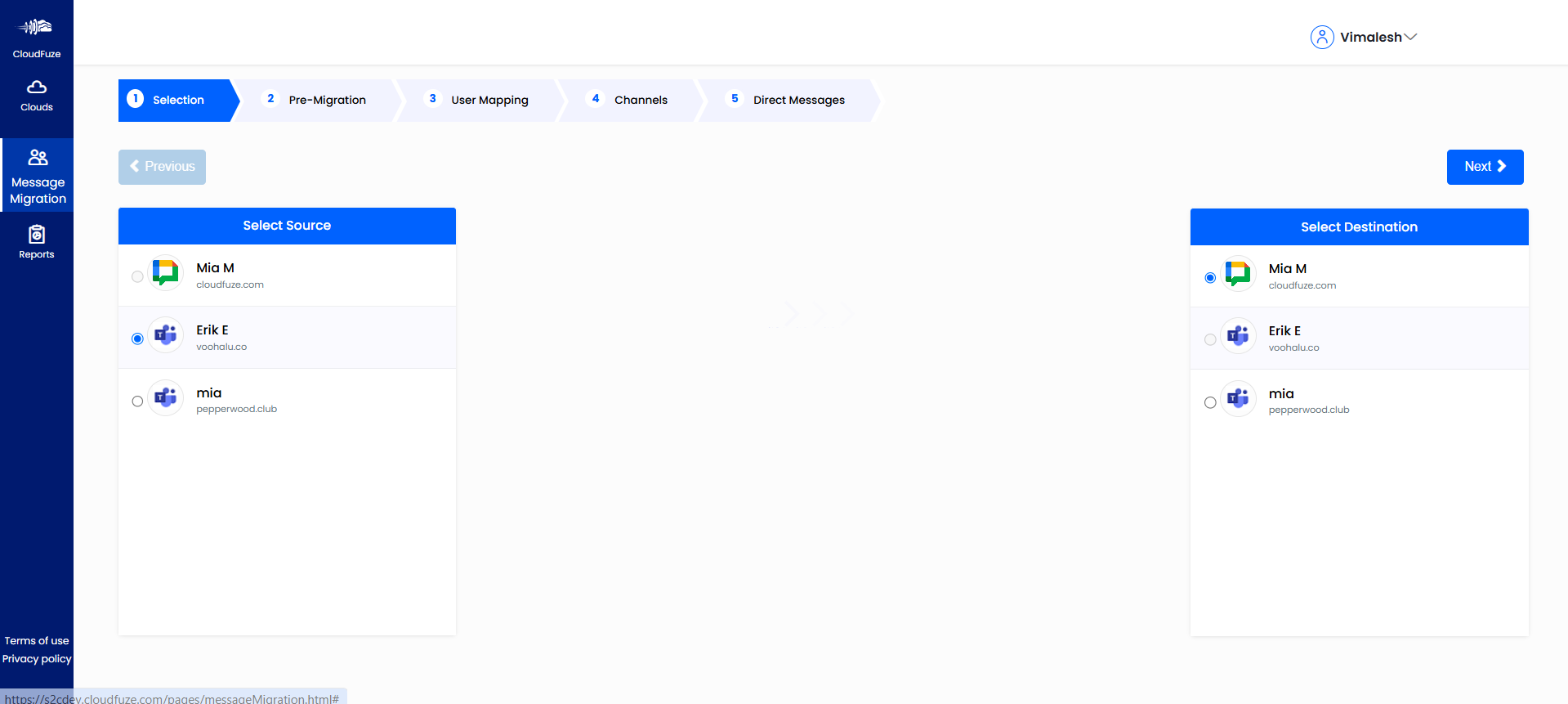

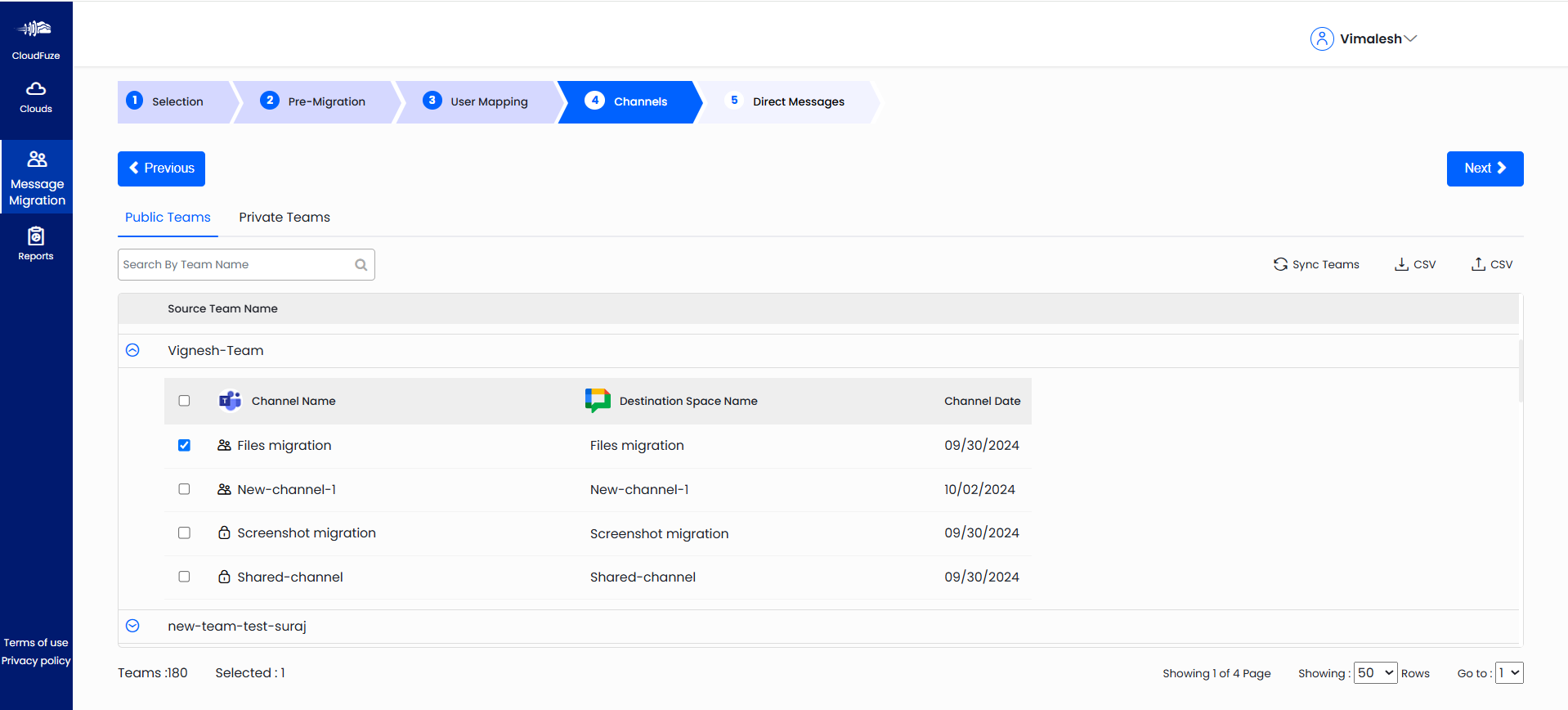
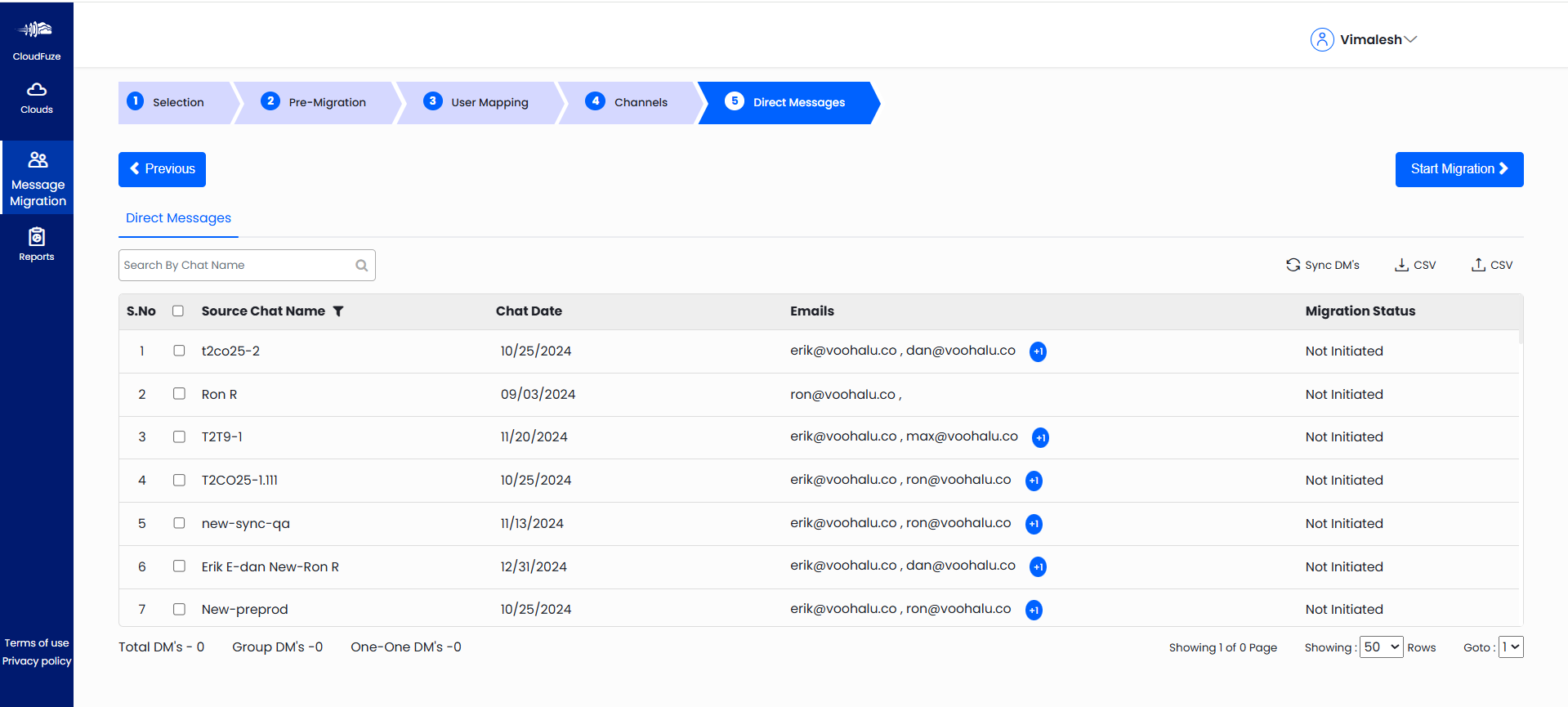

Effortless Migration of Public Teams with CloudFuze
Moving public Teams from Microsoft Teams to Google Chat can be a challenging task. However, we at CloudFuze offer a secure, reliable, and advanced approach to migrating your public Teams from Microsoft Teams to Google Chat.
Our enterprise-grade chat migration tool ensures every message, file, and conversation, whether in public Teams or private Direct Messages, is migrated securely and accurately in your new Google Workspace environment.
Schedule a free and no-obligation consultation to experience how easy it is to migrate to Google Chat with us.
Frequently Asked Questions
1. Can I move public Teams channels from Microsoft Teams to Google Chat while maintaining all chat history?
Yes. CloudFuze allows you to move your public Teams channels to Google Chat while maintaining the entire chat history, including threads, timestamps, reactions, and emojis.
2. Can CloudFuze export Teams direct messages (DMs) to Google Chat?
Absolutely. CloudFuze supports both direct messages (DMs) and group chats.
3. Can I export TBs of Teams direct messages (DMs) to Google Chat?
Absolutely. CloudFuze can transfer TBs as well as PBs of data from MS Teams to Google Chat.
About the Author: Rashmi Ramesh



