
How to Download Microsoft Office 365 SOC Reports
Some organizations, especially large enterprises, need numerous security and compliance reports such as SOC from cloud service providers (CSPs) for internal audit and review purposes. Enterprises that use Microsoft 365 (formerly Office 365) often need to download Microsoft’s SOC reports. If you are an IT admin or manager trying to figure out how and where you can download Microsoft 365/Office 365 SOC audit reports, continue reading this article.
Microsoft 365 SOC Compliance
Currently, Microsoft has achieved SOC 1 (Type 1), SOC 2 (Type 2), and SOC 3 compliance. All Microsoft’s cloud services are audited at least once in a year by third-party auditors.
Please keep in mind that only SOC 3 report is available for the public. Companies who wish to access SOC 1 and SOC 2 reports must sign a non-disclosure agreement with Microsoft.
As an IT admin, you need to know and remember that not all Microsoft cloud services are SOC 1, SOC 2, and SOC 3 compliant. For example, Azure DevOps Services doesn’t have SOC 3 compliance but is SOC 1 and SOC 2 compliant.
Fortunately, Microsoft has achieved all three types of SOC compliance for the Microsoft 365 product. Here is how you can download each one of them.
If you are new to Microsoft 365, remember that Microsoft maintains a portal called Service Trust where all the documents related to security and compliance are available. SOC, ISO, GRC, FedRAMP, PCI/DSS, etc. are some of the audit reports you can download from there.
The following are the quick steps to Download Microsoft Office 365 SOC 1, SOC 2, and SOC 3, Reports.
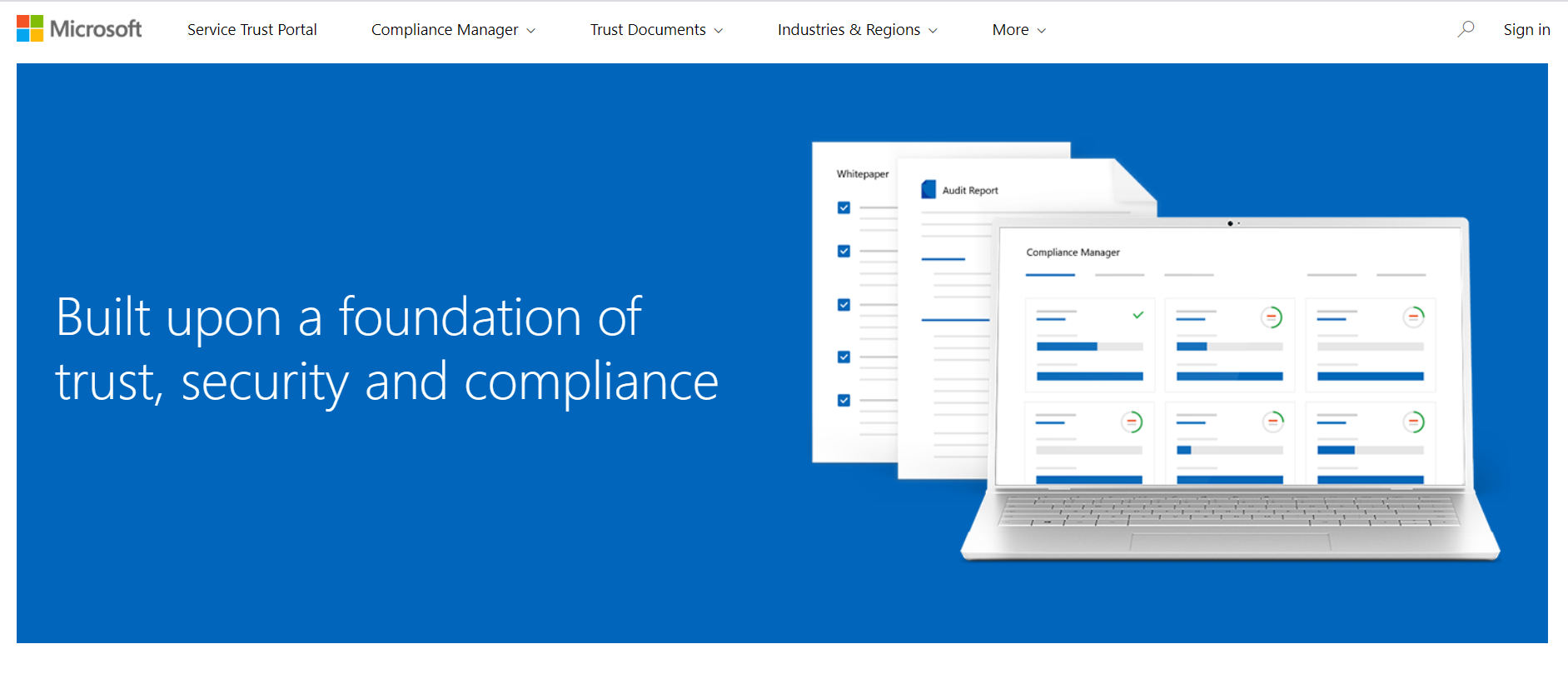
1. Go to Microsoft’s Service Trust Portal
Go to servicetrust.microsoft.com. As said earlier, all the security and compliance information of all Microsoft products can be found there.
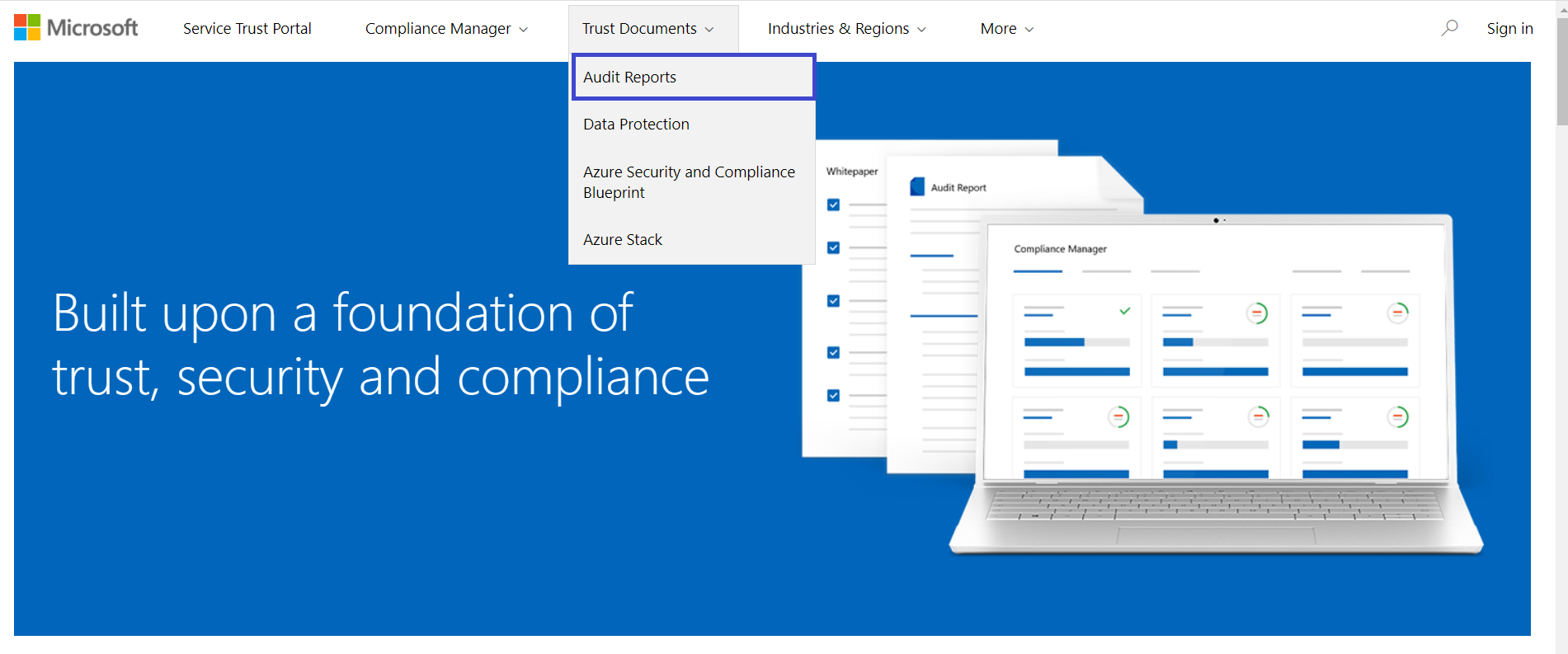
2. Go to Audit Reports
Locate the Trust Documents menu item and hover on it to find the Audit Reports link. Click on it.
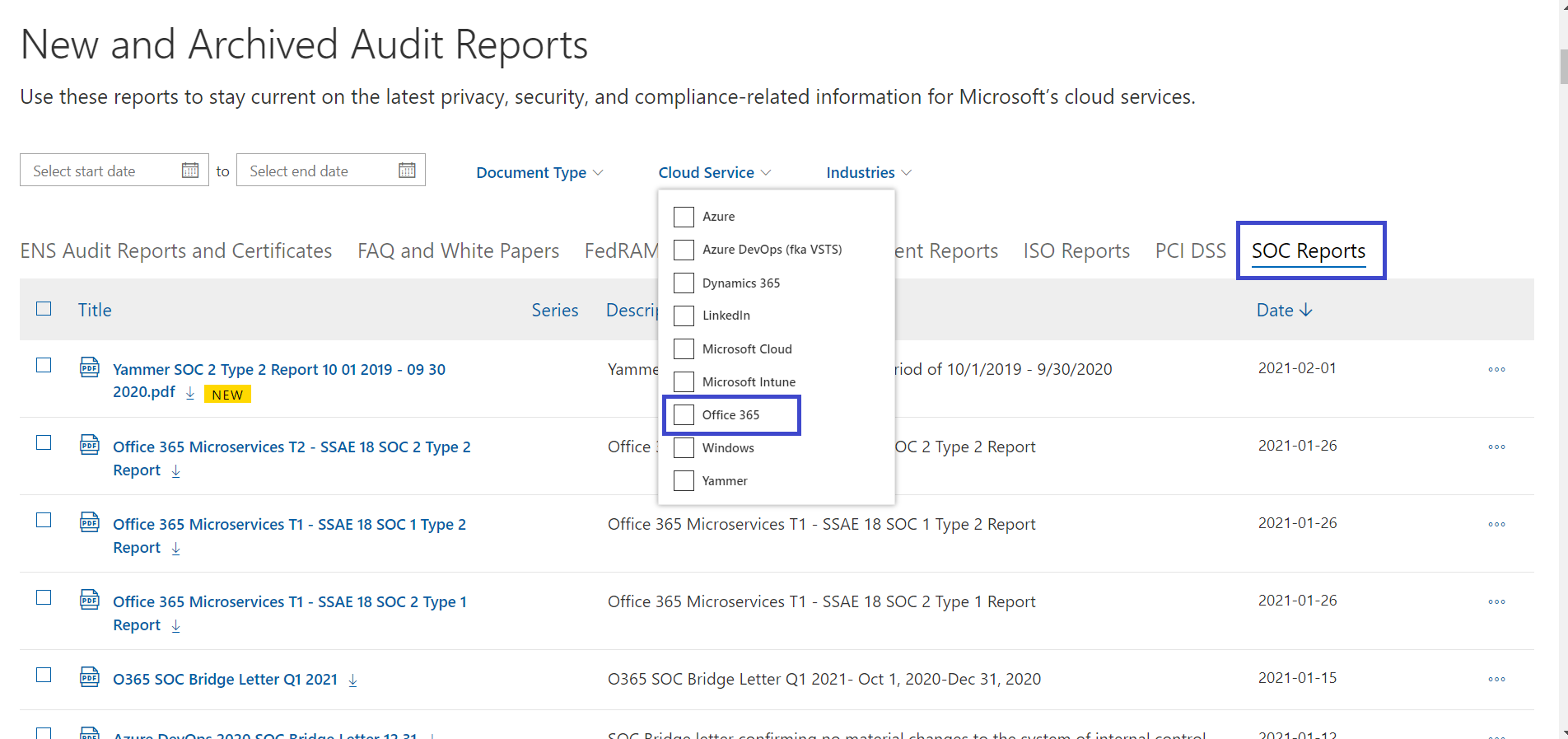
3. Locate Office 365 SOC 1, SOC 2, and SOC 3, Reports
The Audit Reports page displays the list of all downloadable/accessible reports with the ability to apply product-level filters. Go to the SOC tab and choose Office 365 as the cloud service. You should be able to see all three types of SOC audit reports available for download.
Click on the report you want to download. Microsoft will prompt you to log in to your Microsoft 365 account. Enter your Microsoft 365/Office 365 login details and download the report. Please note that these reports are free to download for all Microsoft users.
About the Author: Arun Jyothi



