
How to Modernize Microsoft 365 with Migration & Governance
Over the past decade, Microsoft 365 adoption and consolidation trends have evolved from simply migrating data from on-prem systems into governance-focused modernization.
Now, the Microsoft 365 modernization journey is not only about migrating content to Microsoft 365 but also governing it to keep content and permission sprawl in check and making the cloud platform ready for safe Copilot deployment and enablement.
Migration is no longer the finish line; it’s now the starting point for governance, security, and AI readiness.– Anthony Raymond, Head of Strategic Partnerships, CloudFuze.
In this in-depth guide, we’re taking a look at the new way to modernize Microsoft 365 through strategic migrations and Copilot-ready governance. Let’s start!
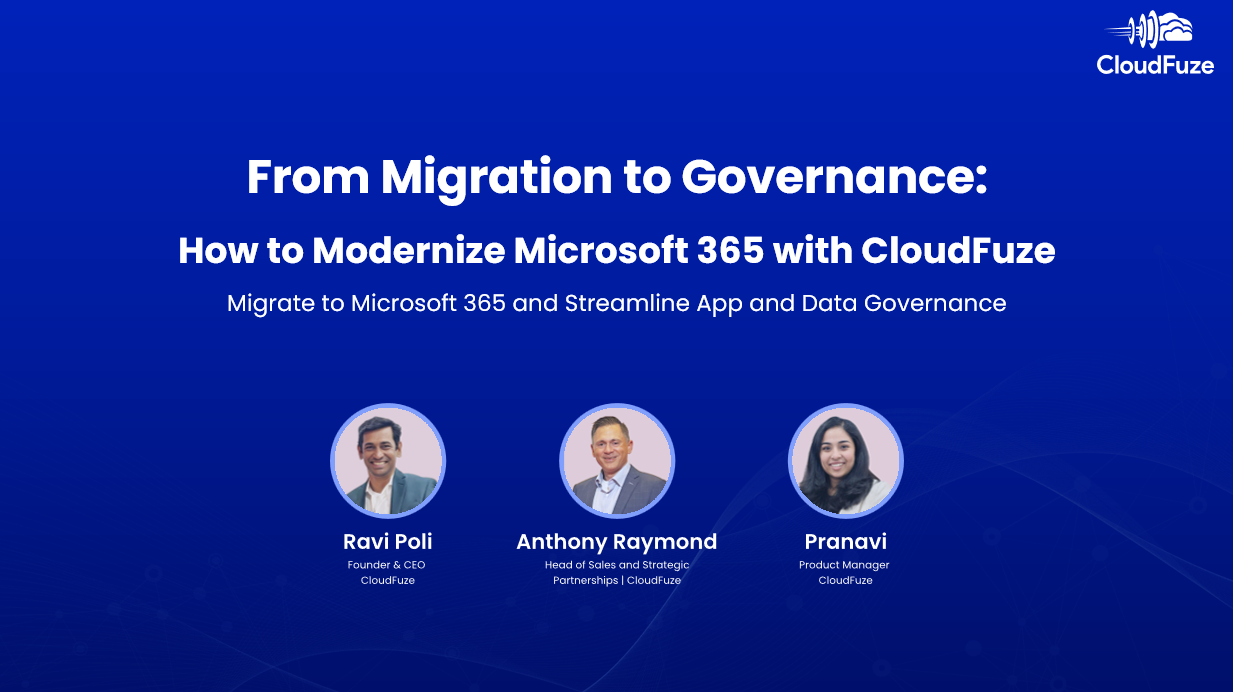
We also recently had a webinar on Microsoft 365 modernization strategies. You can watch the full recording here.
Key Takeaways:
Start the Modernization Journey by Consolidating into Microsoft 365
Your organization may already be partially using Microsoft 365 and planning to consolidate all operations within the cloud suite by transitioning away from other platforms.
Or your organization may be completely new to Microsoft 365 and planning a migration from current cloud platforms. In both scenarios, a strategic migration helps lay a solid foundation for modern, AI-focused governance in Microsoft 365.
To migrate strategically to Microsoft 365, you must:
- Prepare the scope of migration
- Ensure sufficient API calls are available
- Map users and create user batches
- Create a migration roadmap and timeline
- Have a change management plan
- Plan for cutover and post-migration integration
When migrating content, chat messages, and emails to Microsoft 365, you must not only transfer data but also preserve full context by retaining:
- Sharing permissions
- Timestamps
- Hyperlinks (links embedded in files)
- File versions
- External shares
- Shared links
- Chat history
- Message replies
- Pinned messages
- Message reactions
- Message attachments
- User mentions in messages
- Email threads and attachments
- Calendar events and attachments
With full context preservation, you can retain collaboration patterns and workflows for every individual user and all teams and groups. This, in turn, helps maintain operational continuity in Microsoft 365 post migration.
CloudFuze Migrate is best positioned to enable this type of strategic migration and consolidation into Microsoft 365. At CloudFuze, we started our journey with migration solutions more than a decade ago. And we have tried and tested expertise in the migration landscape.
With CloudFuze Migrate, we have helped large enterprises, such as Warner Bros. Discovery, REHAU, Teach for America, etc., successfully migrate to Microsoft 365.
Optimize Microsoft 365 for Copilot Deployment
As your organization scales operations in Microsoft 365 through tools like SharePoint, OneDrive, Outlook, Teams, etc., oversharing of files internally and externally is inevitable. Oversharing then leads to permission sprawl and raises the risk of sensitive data being shared and accessed by unauthorized users.
What’s even worse is that content and permission sprawl make the entire Microsoft 365 ecosystem unsafe for Copilot deployment. According to a CData report titled “State of AI Data Connectivity Report: 2026 Outlook,” over 50% of IT leaders cite data governance as the biggest AI deployment blocker.
But why?
When your Microsoft 365 environment has widespread content sprawl, disjointed permission, and unaccounted file sharing, they become active exposure points from where Copilot surfaces sensitive information to unauthorized users which, in turn, can lead to security issues and compliance violations.
But this is not a Copilot problem; it’s a governance problem.
Copilot does what it is designed to do, which is to provide information from existing resources through natural language responses. The key is to govern and optimize content and sharing in your Microsoft 365 tenant well enough to ensure safe and compliant Copilot usage.
With CloudFuze Manage, you can solve the content and permission sprawl problem by setting up specific governance policies.
Start by understanding your organization’s data health in Microsoft 365 through the tool’s Data Sprawl dashboard.
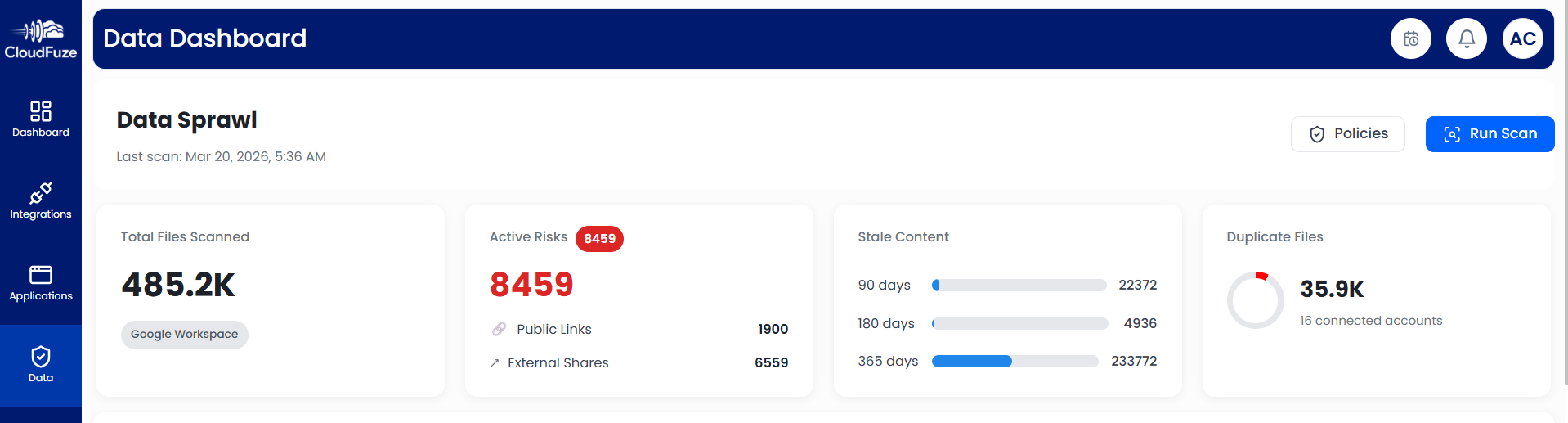
Once you understand active risks associated with public links, external shares, duplicate files, stale content, and broken inheritance, you can start framing governance policies.
CloudFuze Manage’s Data Governance dashboard helps you set specific governance policies, such as:
- Creating alerts whenever users share files externally
- Setting policies to avoid external sharing in specific departments like human resources and legal teams
- Revoking public links whenever they are created
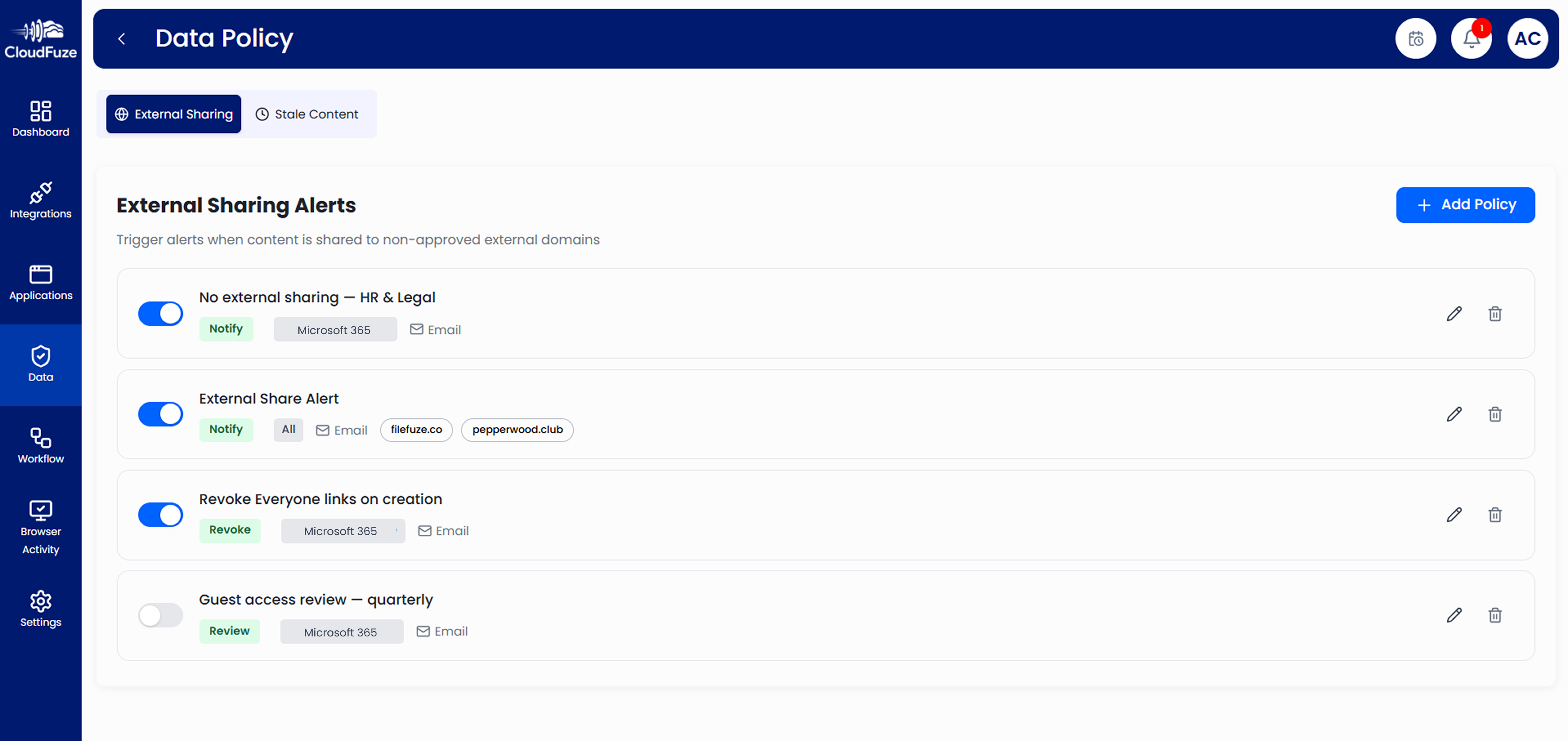
The best part is CloudFuze Manage ensures continuous governance. Every new permission or every new external sharing link that users create is evaluated against your existing governance policies to ensure full compliance regularly.
By creating these types of specific data and content governance policies and enforcing continuous compliance, your IT team can avoid manual work, which, otherwise, can take a lot of time and resources.
Other areas of Microsoft 365 governance that you must focus on include:
- Shadow IT and Shadow AI control
- User lifecycle management
1) Shadow IT and Shadow AI Control
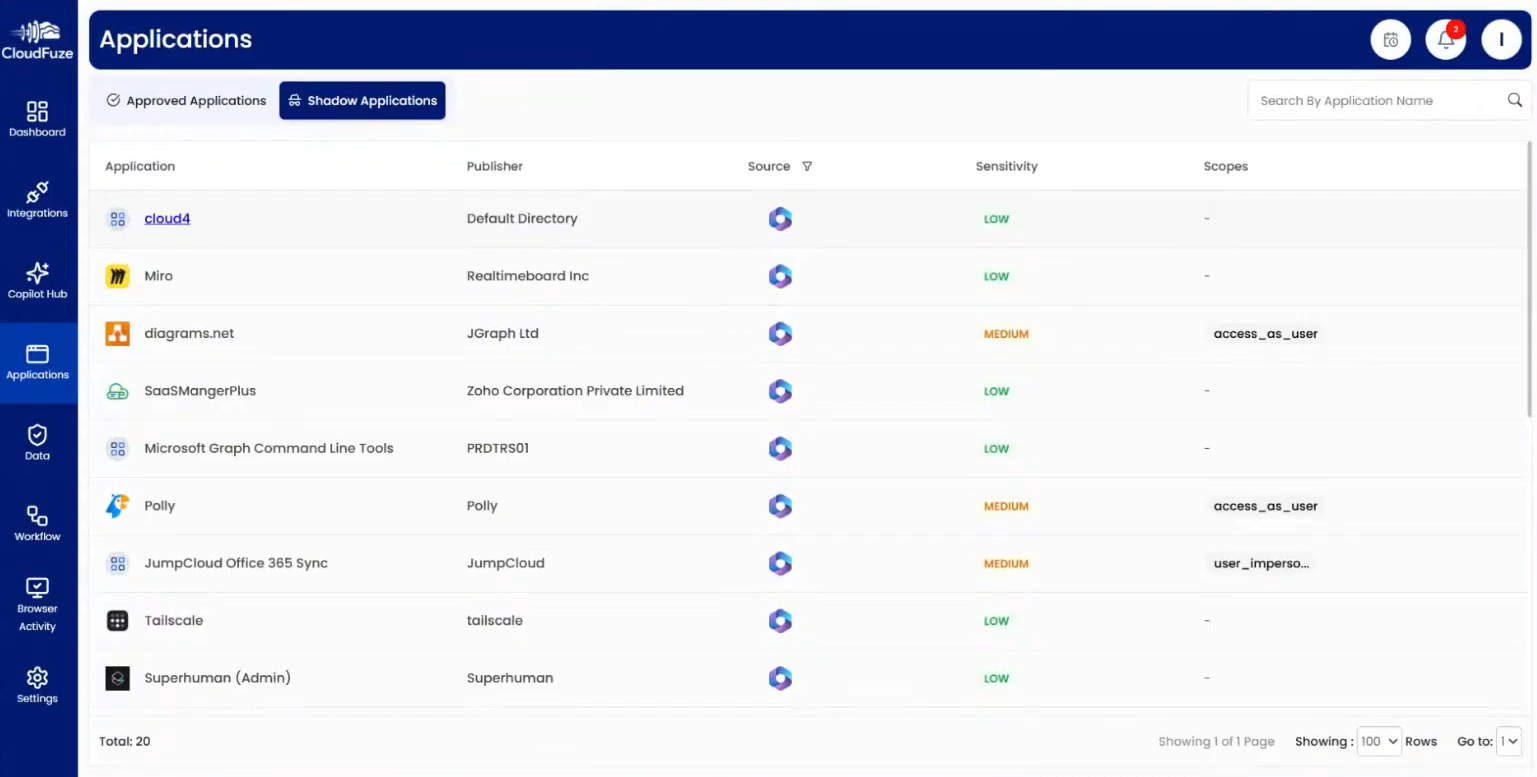
As AI tools proliferate, users are connecting more number of AI tools and integrations to Microsoft 365. While this sounds beneficial on paper, it actually raises security risks and overall costs. It is because in most cases, users connect AI tools and integrations without the IT team’s approval.
CloudFuze Manage helps you control Shadow IT and Shadow AI by surfacing all the apps and integrations that have remained hidden from IT oversight.
2) User Lifecycle Management
All the Microsoft 365 governance policies you set will not have 100% impact if they are not continuous and applicable across the entire lifecycle of each user in your organization.
To make governance a living process in your Microsoft 365 ecosystem, it is important to align all the policies every time a new user joins, and every time an existing user is offboarded.
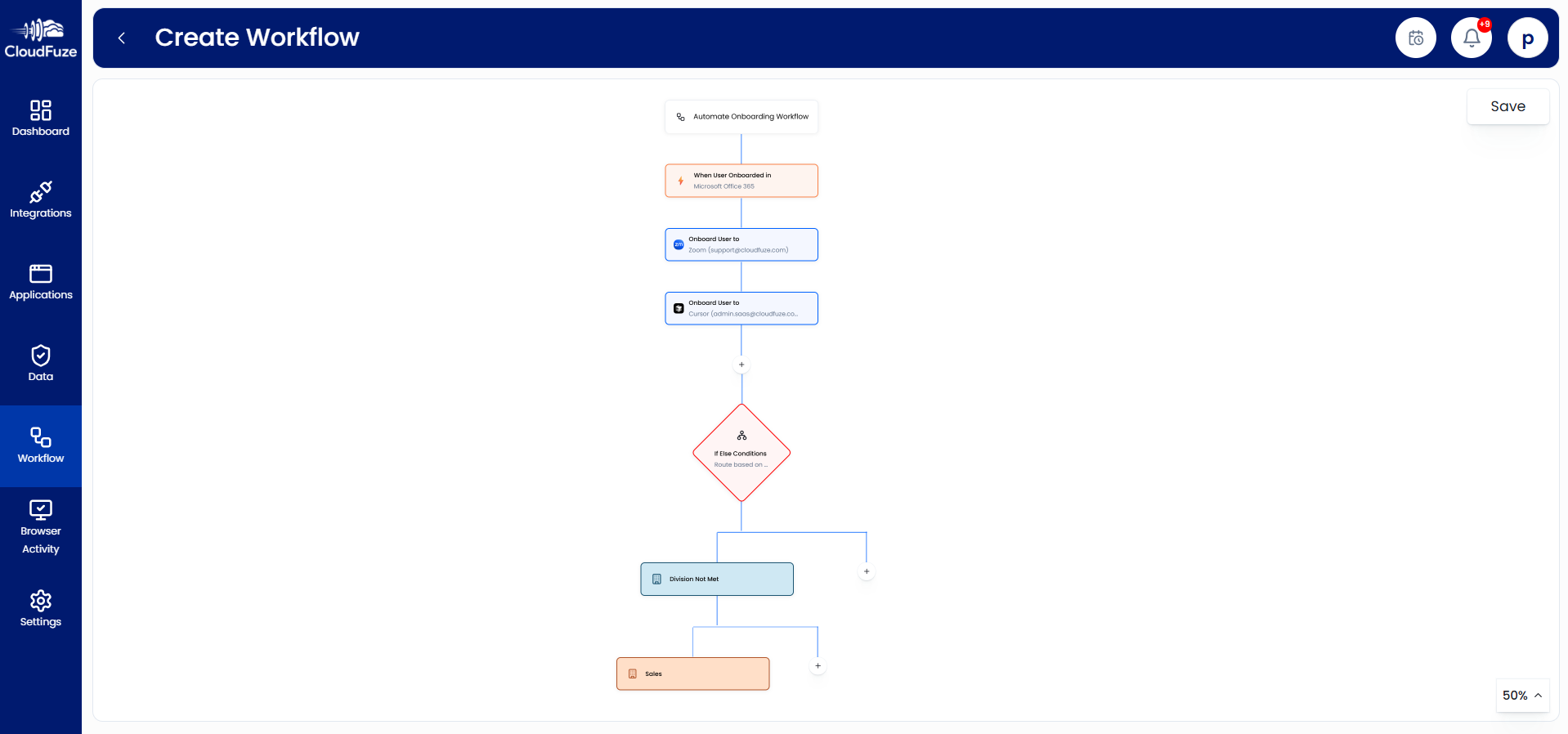
Using CloudFuze Manage’s User Lifecycle Management functionalities, you can automate the process of setting governance policies every time a new user is onboarded and revoke accesses whenever a user is offboarded from your Microsoft 365 tenant.
Establish Continuous Microsoft 365 Governance After Copilot Deployment
Once your Microsoft 365 environment is well governed and optimized for AI readiness, you can proceed with Copilot deployment. And after deployment, it is equally important to ensure continuous governance to gain maximum value from Copilot investments.
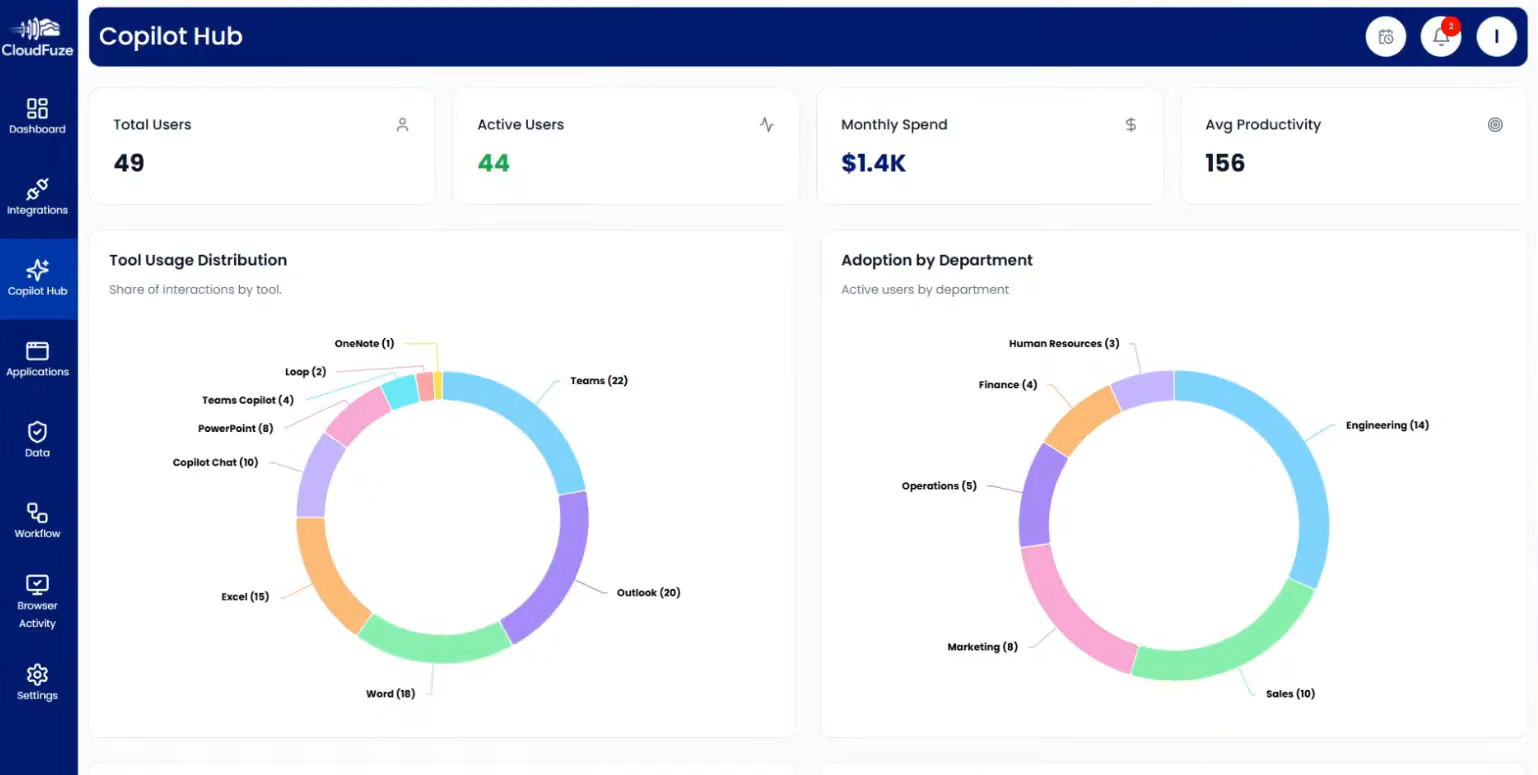
CloudFuze Manage provides a dedicated Copilot Hub dashboard through which you can get in-depth insights on Copilot usage across your organization. You can instantly view several key metrics such as copilot usage patterns across various Microsoft 365 apps like Outlook, Teams, etc.
Other important metrics, such as Copilot adoption across all departments, daily usage patterns, etc., help your organization take informed decisions to reshape AI enablement efforts.
So, with a combination of strategic migration along with full context preservation, content and permission sprawl governance, shadow IT and shadow AI control, user lifecycle management, license management, and Copilot usage tracking, you can govern continuously and accelerate your organization’s Microsoft 365 modernization journey with CloudFuze.
We have also been recognized by Gartner as one of the representative vendors in Microsoft 365 governance tools in their report titled “Market Guide for Microsoft 365 Governance Tools.” Read the full announcement here.
Interested in a Free Microsoft 365 Modernization Assessment?
Our experts are ready to help you understand more about Microsoft 365 modernization and show how your organization can accelerate this journey with maximum impact. Contact us today!
Frequently Asked Questions
1. What is Microsoft 365 modernization and what are its key components?
Microsoft 365 modernization is about consolidating into the cloud suite and establishing complete governance to improve operations and enable secure and compliant AI adoption.
2. Why is Microsoft 365 modernization important for organizations in 2026?
Businesses that efficiently modernize their Microsoft 365 environment in 2026 can unlock maximum value through continuous governance, secure and compliant AI adoption, cost optimization, and more.
3. How to maximize Microsoft 365 value?
The best proven way to maximize Microsoft 365 investment value is to optimize it through proper governance, modernize the cloud suite with secure and complaint AI deployments, and by aligning spend with license usages.
About the Author: Pankaj Rai



