
Copy Timestamps from ShareFile to SharePoint Online
If you are an enterprise planning to perform ShareFile to SharePoint migration, it is important to have your metadata intact during your transition. Moving necessary file features like timestamps from Citrix ShareFile helps you maintain file integrity in the new SharePoint Online environment.
In this blog post, we have shared the process to copy timestamps from ShareFile to SharePoint Online accurately.
Key Takeaways:
Why Copy Timestamps from ShareFile to SharePoint Online?
It is important to transfer files from ShareFile to SharePoint along with timestamps for the following reasons:
- Enrich workflow experience
- Maintaining compliance audits
- Internal governance policies
- Easier team collaboration
Challenges in Preserving Timestamps During ShareFile to SharePoint Migration
Businesses can face the following challenges when copying files from Citrix ShareFile to SharePoint along with timestamps. Common errors when migrating timestamps to SharePoint Online from SharePoint include:
| Challenges | How CloudFuze Tool Tackles It |
|---|---|
| Timestamp Corruption | Maintains the original timestamps, including creation and modification dates |
| Handling Timestamps in File Versions | Transfers all file versions, including timestamps corresponding to each file version |
| Schema Differences | Overcomes platform differences by accurate transfer of timestamps |
Use a reliable migration tool such as CloudFuze Migrate to avoid challenges during ShareFile migration along with crucial metadata such as timestamps. With this, have a clear idea on how to verify timestamps after ShareFile to SharePoint migration.
What Tools Can Automate the Process of Copying Timestamps from ShareFile to SharePoint Online?
Due to platform differences and varying data structures, generic methods fall short of accurately migrating timestamps. Manual export methods fail to restore ShareFile timestamps to Microsoft SharePoint during migration.
It is best to opt for an advanced migration tool for your transfer. Choose a trustworthy ShareFile-to-SharePoint migration tool that transfers your entire data, including necessary metadata such as timestamps, file versions, permissions, and more.
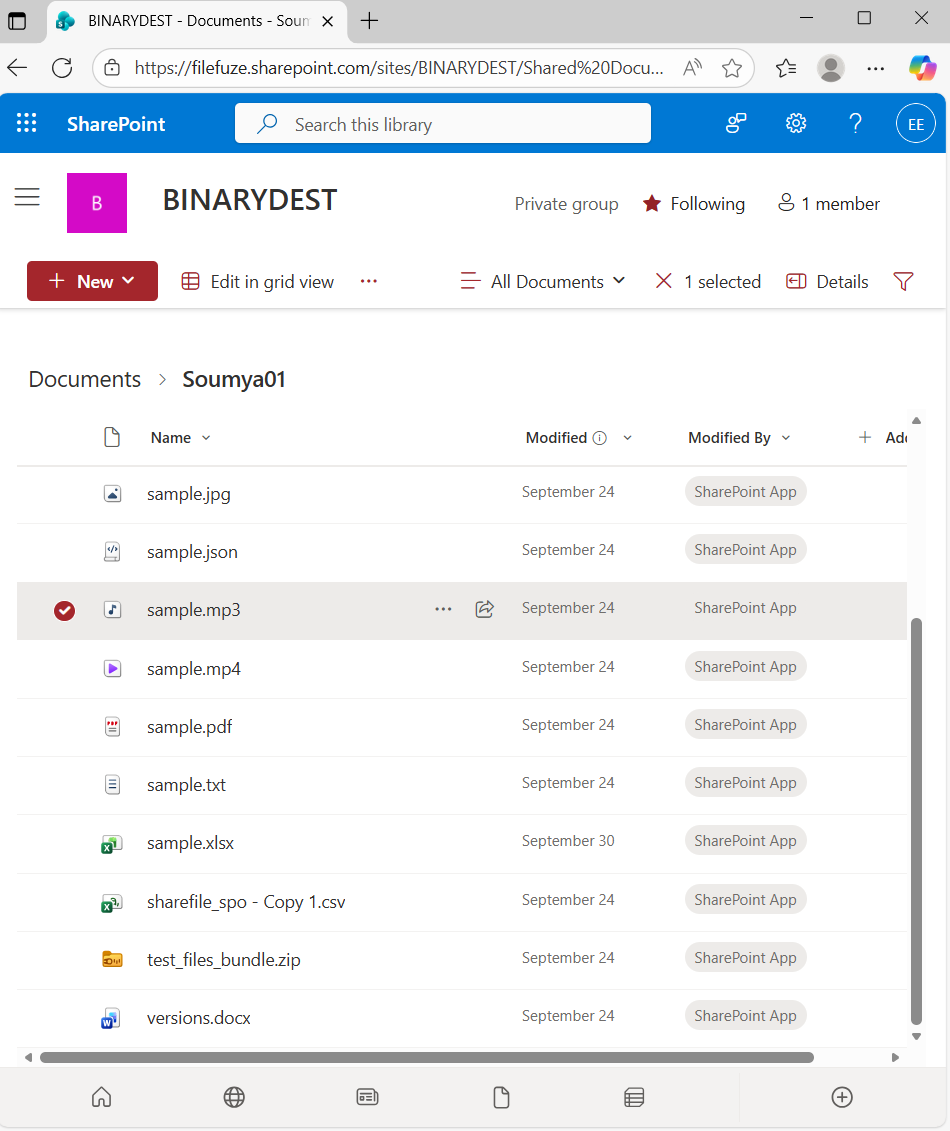
Screenshots Showing ShareFile Timestamps Migration to SharePoint Using CloudFuze Migrate
Image 1: Shows files in ShareFile with timestamps.
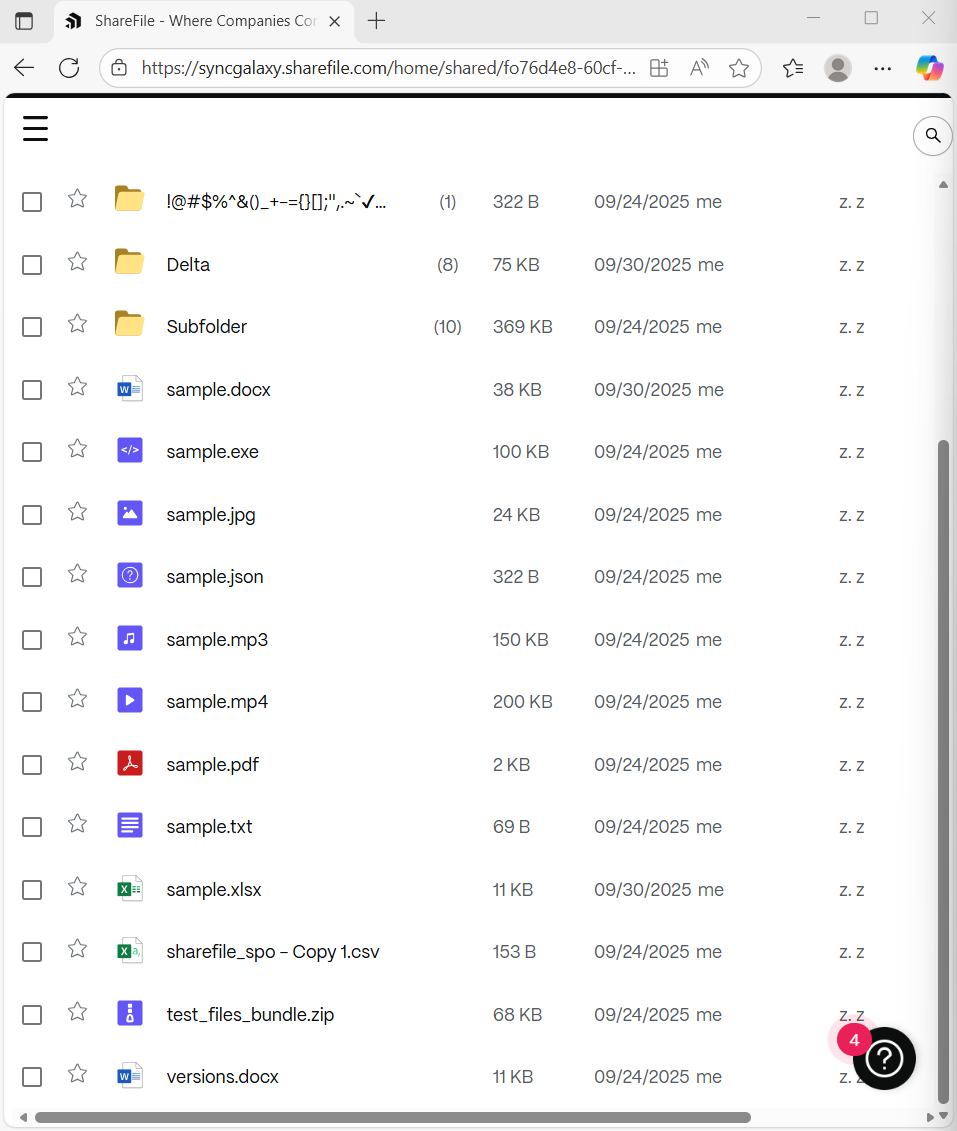
Image 2: ShareFile timestamps migrated through CloudFuze Migrate with complete replication at SharePoint.
How to Ensure Data Integrity After Copying ShareFile Timestamps to SharePoint Online?
Businesses can ensure data integrity after copying ShareFile timestamps to SharePoint through following ways:
- Verify if all files and folders have the exact timestamps through deep analysis.
- Validate the created and modified dates after your transition to SharePoint.
- Check the migration reports for complete timestamps retention after your migration.
What Do Customers Say About Us?
We have an impressive rating of 4.7/5 stars in Gartner Peer Insights Review. Here is a Gartner review from one of our customers:
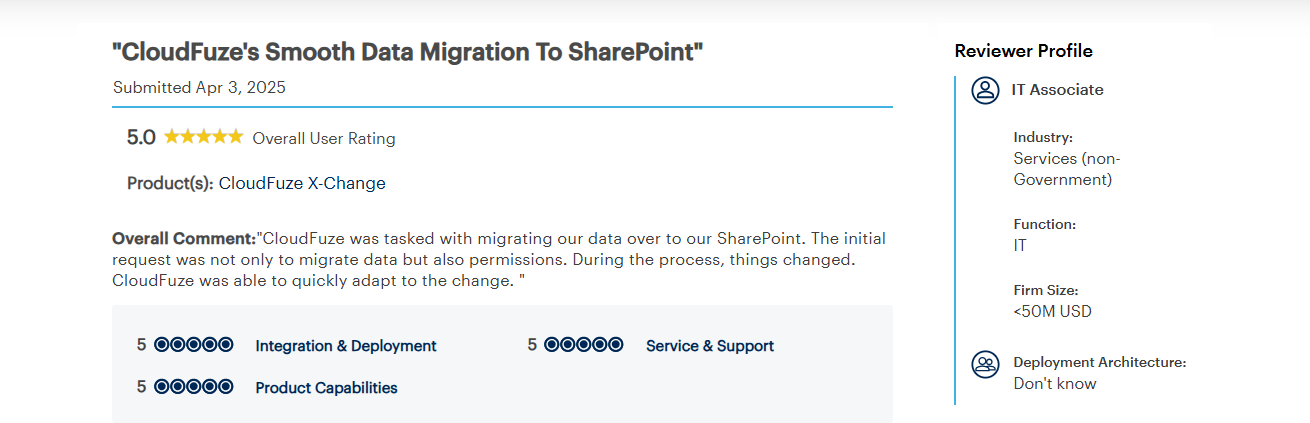
According to the review, CloudFuze Migrate helped the customer with successful migration to SharePoint. Our customer praised us for a quicker adaptation to the changes during the migration journey.
Transfer Timestamps to SharePoint from ShareFile with CloudFuze Migrate
If you are planning to perform a complete transition to SharePoint, then it is essential to use an advanced migration tool. By using CloudFuze Migrate, enterprises can securely copy timestamps from ShareFile to SharePoint Online and other necessary metadata.
Contact us for a free and no-obligation demo of our SharePoint migration tool!
Frequently Asked Questions
1. How to migrate timestamps from ShareFile to SharePoint?
You can migrate timestamps to Microsoft SharePoint with complete replication using our advanced migration tool. With CloudFuze Migrate, you can transfer your ShareFile data and necessary metadata such as timestamps, versions etc. Accurately.
2. What are the pricing plans in ShareFile?
ShareFile pricing plans are tabulated below:
| ShareFile Plans | Pricing Ranges |
|---|---|
| Advanced | $16.00 |
| Premium | $25.00 |
| Industry Advantage | $41.67 |
| Virtual Data Room | $67.50 |
Note that all the pricing ranges given under ShareFile are as per March 2026 data and are applicable only if you hold an annual subscription. You can check the official pricing page for more details.
3. Companies specializing in cloud data migration with metadata retention.
With 12+ years of experience, CloudFuze specializes in providing successful enterprise-level transitions with metadata retention. CloudFuze makes it seamless to migrate data and necessary file features from various cloud platforms with complete replication.
4. Best practices for preserving timestamps when migrating files from a secure file sharing solution to an online team site.
Best practices for preserving timestamps when migrating files:
- Choose an advanced migration tool that helps you with timestamp retention.
- Have a pilot migration and check if the tool seamlessly transfers ShareFile timestamps.
- Check if timestamps stay intact after your pilot migration to the destination platform.
5. How to preserve file creation dates when migrating from an enterprise file sharing service to an online collaboration platform?
With a reliable cloud migration tool like CloudFuze Migrate, businesses can migrate from an enterprise file sharing service to an online collaboration platform. Our tool helps you retain necessary metadata along with your data while ensuring no downtime.
About the Author: Bhavani Asok



