
Outlook to Gmail Transfer: Preserve Read/Unread Email Status
As the number of emails sent worldwide increases from 376 billion per day in 2025 to 424 billion in 2026, mailboxes have emerged as the ultimate record keeper of enterprise communication today. While switching platforms, IT professionals are required to migrate petabytes of data while retaining their structural integrity and metadata information like read/unread status.
In this article, we discuss why read/unread email status retention is essential during an Outlook to Gmail migration and how CloudFuze Migrate provides metadata accuracy for enterprises.
Key Takeaways
Why Businesses Move from Outlook to Gmail
Businesses may move from Microsoft Outlook (Exchange/Office 365) to Gmail (Google Workspace) for various reasons:
- Mergers and acquisitions
- Cost reduction and licensing models
- Adopting a cloud-born collaboration platform
- Integration with other Google Workspace apps like Drive, Meet and Docs
While the business case is strong, the technical execution is complex especially at scale.
Outlook to Gmail Migration Challenges: It’s More Than Inbox Transfer
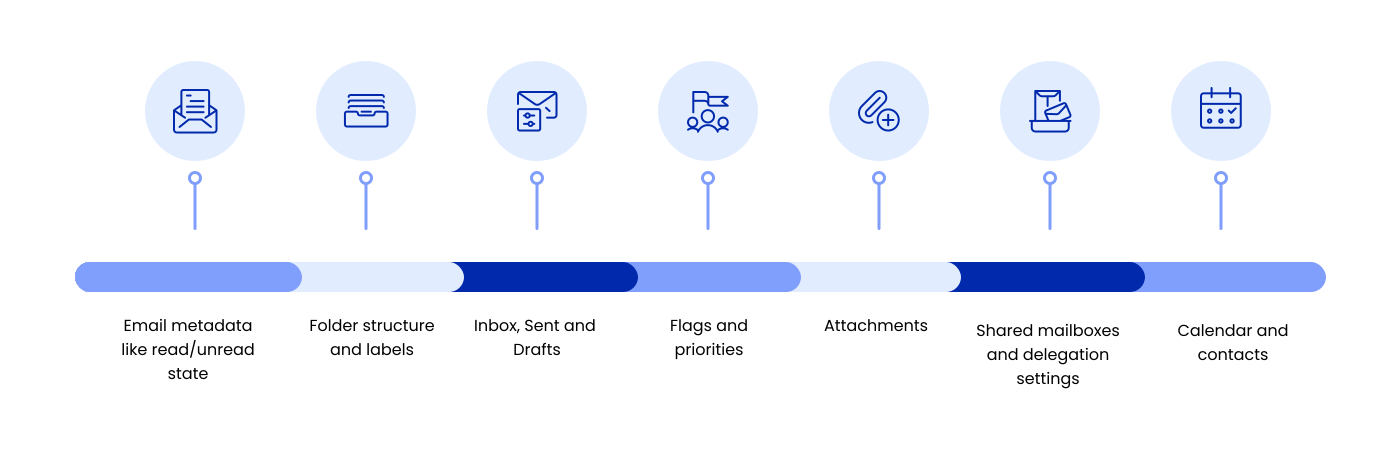
Enterprise Outlook to Gmail migrations often involve 10,000, 50,000, or even 100,000+ mailboxes, making accurate metadata preservation essential. At this scale, even a small metadata inconsistency can affect thousands of users, disrupt workflows, and generate a surge in post-migration support requests.
Email transfer is not just moving inboxes from Outlook to Gmail. Enterprises must deal challenges with:
- Email metadata like read/unread state
- Folder structure and labels
- Inbox, Sent and Drafts
- Flags and priorities
- Attachments
- Shared mailboxes and delegation settings
- Calendar and contacts
Among these, preserving the read/unread status can play a big role in employee productivity post-migration. Users want their Gmail inbox to be in the same state as their old Outlook mailbox whether they opened an email or left it unread intentionally.
Why Read/Unread Status Matters
If read/unread status isn’t preserved correctly during Outlook to Gmail migration, users can quickly lose confidence in the new system and become confused about which messages still need attention.
This often leads to duplicated work, missed communication, and a more complicated onboarding experience after migration. It can also slow down adoption of Gmail because employees feel they have to re-triage their inbox from scratch. That’s why enterprises need a migration solution with strong metadata support that accurately carries read/unread status into the target environment.
Why Read/Unread Status Gets Lost
Many basic migration methods copy only email content and attachments, but not all mailbox metadata.
IMAP-based migrations, in particular, may not reliably preserve message properties such as read/unread status, categories, or folder attributes. That’s why enterprises typically prefer API-based migration tools that can accurately transfer mailbox metadata.
How CloudFuze Migration Tool Preserves 100% Read/Unread Status in Outlook to Gmail Transfer
At CloudFuze, we’ve designed our email migration tool to preserve user-specific metadata and critical details accurately, such as read/unread status for large enterprises with 50,000+ mailboxes.
Our Outlook to Gmail transfer tool begins the migration process with a thorough scanning of the source Outlook mailbox, where the critical metadata related to read status, sender, timestamps, folder location, etc., is extracted. Backed by SOC 2 Type II, ISO 27001, and secure OAuth authentication, CloudFuze makes the migration process secure and reliable.
Our migration tool creates logs post-migration that prove the correctness of this metadata, which gives CTOs/CIOs complete visibility about the migration process. Additionally, our tool supports delta migrations to capture the incremental changes accumulated during a one-time migration.
In short, our email migration tool:
- Preserves read/unread status of emails
- Preserves folder structure and hierarchy
- Includes flags, importance and delivery receipts for email
- Migrates attachments and inline images
- Secure, encrypted and compliant migration
Before vs. After: Outlook to Gmail Migration with Read/Unread Status Intact
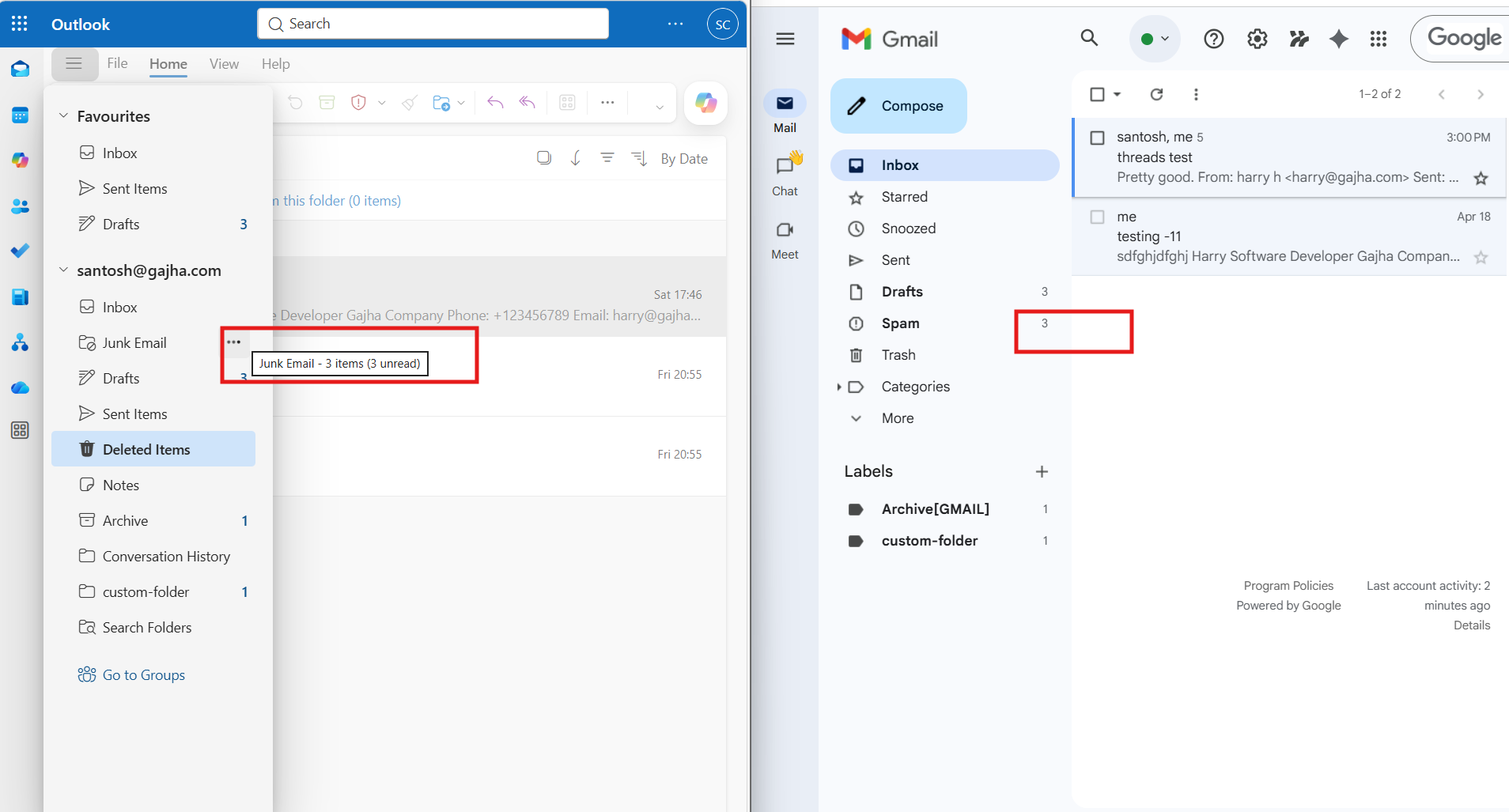
The screenshot demonstrates that CloudFuze accurately preserves the read/unread status of emails during an Outlook to Gmail migration.
On the left side of the above screenshot, it can be seen that there are three unread emails in the selected folder of the Outlook mailbox.
After migrating to Gmail, it can be seen that the same number of unread emails are migrated and shown in the Gmail label on the right side of the above screenshot.
Emails that were marked as read in Outlook remain read in Gmail, while unread emails continue to appear as unread. This confirms that CloudFuze preserved the read/unread state rather than simply transferring email content.
How does using IMAP for email transfer from Outlook to Gmail compared to other methods?
IMAP-based migrations are suitable for basic email transfers but often have limitations when it comes to preserving metadata such as read/unread status, folder hierarchy, categories, and mailbox settings. API-based migration methods using Microsoft Graph or Exchange Web Services (EWS) provide greater accuracy, faster performance, and more reliable metadata preservation.
CloudFuze preserves critical mailbox attributes, including read/unread status, timestamps, folder structure, attachments, and labels.
IMAP vs CloudFuze Migration
| Feature | IMAP | CloudFuze |
|---|---|---|
| Read/Unread Status | Limited | ✅ |
| Folder Hierarchy | Partial | ✅ |
| Email Metadata | Limited | ✅ |
| Attachments | ✅ | ✅ |
| Delta Migration | ❌ | ✅ |
| Enterprise Reporting | ❌ | ✅ |
| Large-scale Migration | ❌ | ✅ |
Common Mistakes to Avoid
- Migrating with a tool that copies only message content but not metadata.
- Skipping pilot testing before full rollout.
- Not running delta syncs near cutover, which can leave status changes behind.
Ensure a Complete Outlook to Gmail Migration Success
We offer the most reliable, performant, and accurate email migration solution in the industry. Don’t let broken email states or lost folder hierarchies slow down your transition to Google Workspace. Let us handle the complexity of email migration down to the smallest metadata so you can focus on business.
Contact CloudFuze’s enterprise migration experts today to schedule a technical assessment and live demo.
Frequently Asked Questions
1. Will the read/unread status of emails be preserved during migration?
Yes, our CloudFuze Migrate tool will preserve the read/unread status of every email during migration from Outlook to Gmail. Each email’s state is mapped and mirrored in Gmail, so you won’t face any confusion.
2. How To Transfer My Emails from Outlook to Gmail Without Compromising Their Read/Unread Status?
Well, if you are looking for a way to shift your emails from Outlook to Gmail while retaining their read/unread statuses, then you should consider utilizing an enterprise-level migration tool such as CloudFuze Migrate, which would ensure that the email metadata remains intact and the status post-migration also stays unaltered.
3. What tools or software can be used to transfer Outlook emails to Gmail and Retain the Read/Unread Status?
There are various kinds of tools available that allow you to carry out an email migration process from Outlook to Gmail. If you opt for an enterprise-level email migration tool like CloudFuze, then you can expect to maintain all your email metadata, such as its status, timestamps, folder structure, attachments, and labels.
4. What common challenges might occur when transferring emails from Outlook to Gmail?
Some common challenges that you may face during an Outlook to Gmail mail move include: loss of read/unread status, missing folder structure, migration issues related to attachments, API throttling, authentication errors, permission mismatch, and much more. With the help of an automated email migration platform, most of these hurdles get eliminated, ensuring complete data integrity!
5. How can I verify that my Outlook emails were transferred to Gmail with their read/unread status preserved?
Post-migration, check out a sample mailbox in both Outlook and Gmail. Cross-check the number of emails, folder organization, any attachments, timestamps, and whether an email is marked as read or unread. You could also rely on migration reports and log files generated by the migration tool itself.
About the Author: Aayushi Raj



