
How to Turn on G Suite Google Drive Notifications
Notifications are an important part of any business cloud storage and collaboration suite. Irrespective of the cloud, every employee must configure the notification settings properly to ensure they stay on top of communication and not miss out on important things.
Most business cloud suites follow a conservative approach when it comes to defining default settings fearing that too many notifications annoy their customers. Therefore, as a user, it is important you configure notifications as per your need. In this article, we discussed how to configure notification settings in G Suite’s Google Drive.
Check out our Dropbox to Google Drive migration guide for the migration steps.
Step 1: Access Google Drive
Go to drive.google.com or just google.com and log in to your Google account using your G Suite user login credentials.
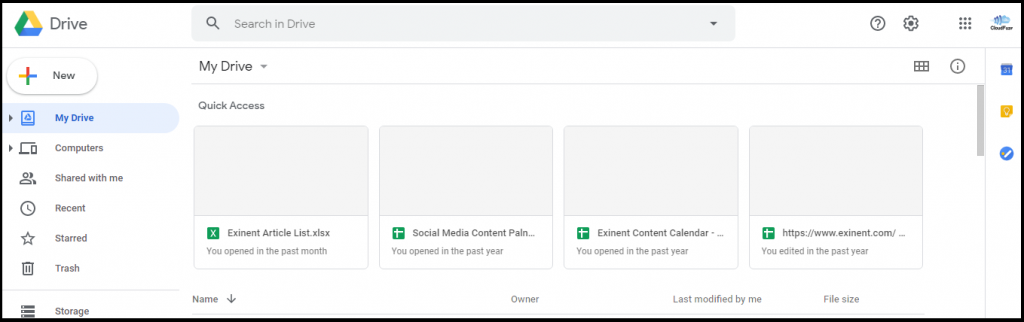
Step 2: Click on Settings
Locate the settings icon in the top right corner of the page and click on it. It opens a dropdown with few settings options. Now, click on the Settings link.
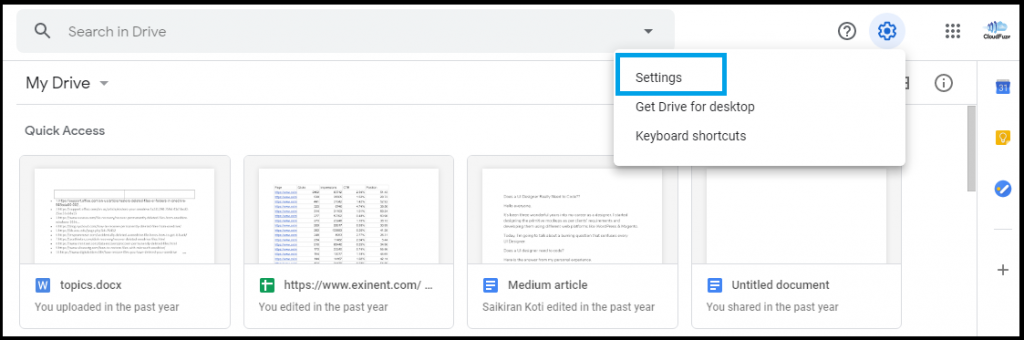
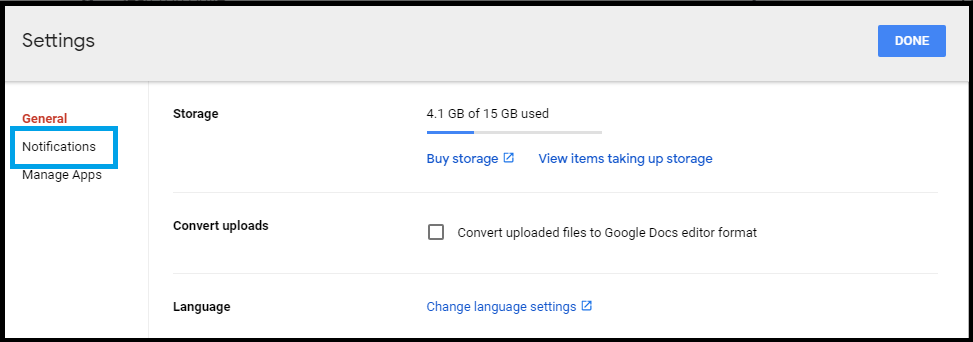
Step 3: Go to Notification Settings Page
Click on the Notification link and that will take you to the notifications page.
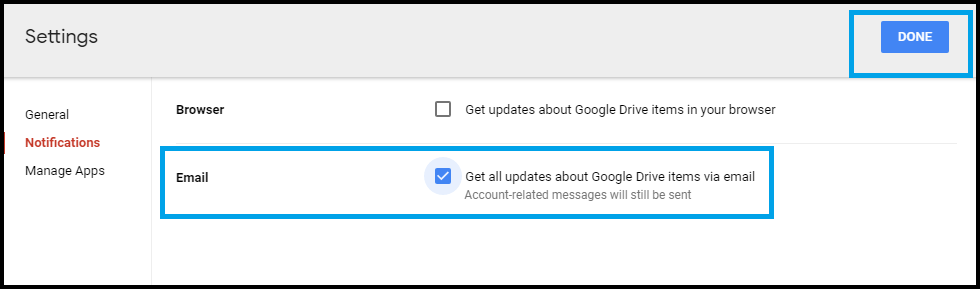
Step 4: Select What You Want to Get Notified About
Google notifies G Suite users via push notification or email about the content updates or changes. You may select email as a mode of notifications as well. But keep in mind that you may receive too many emails depending upon your team’s activities.
We hope you found this article on Google Drive helpful.
About the Author: Arun Jyothi



