
SaaS Management for IT Managers: A Simple Guide

SaaS management for IT managers is beneficial for tracking SaaS applications, used and unused software licenses, and AI tools in your organization. Effective, automated SaaS management helps IT managers like you reduce wasted IT spend, close SaaS security gaps, and automate user access.
Also, Gartner projects that worldwide software spending will surpass $1.4 trillion in 2026, largely fueled by AI features embedded in SaaS tools you already own. Most IT managers, without SaaS and AI app management software like CloudFuze Manage, rely on guesswork for projecting their tech stack visibility during SaaS audits.
In this blog post, you’ll discover the key benefits IT managers gain from better SaaS management.
Key Takeaways
What Is SaaS Management and What Are the Key Benefits for IT Managers?
SaaS management is the centralized practice of discovering, optimizing, and governing all SaaS applications your organization uses.
The benefits IT managers get from using a SaaS management platform are:
- Full visibility into every SaaS app, including its owner, used licenses, and shadow IT tools in use.
- Cost optimization by reclaiming unused and duplicate software licenses.
- IT compliance and security readiness through standardized, enforced user access policies and audit trails.
- User lifecycle workflow efficiency by automating employee onboarding, offboarding, and RBAC.
Instead of asking your finance teams “what are the SaaS subscriptions we are paying for?”, you get a live answer, and the IT controls to act on it through SaaS management solutions like CloudFuze Manage.
The Hidden Security Risks of Spreadsheet-Based SaaS Management
When IT managers rely on a shared spreadsheet to track enterprise-wide SaaS applications, a few common security and IT operational problems tend to show up quickly.
The first and foremost risk is that shadow IT and shadow AI go unnoticed when you completely rely on spreadsheets for tracking SaaS usage. This is also emphasized in Microsoft’s Work Trend Index, which reports that 78% of employees already bring their own AI tools to work. At the same time, IBM’s 2025 research shows that only about 37% of organizations have proper AI governance in place.
At the same time, spreadsheet data becomes stale within a month, and it may seem to be accurate the day you build it, but it gets outdated by the next week. Meanwhile, unused app licenses, duplicate software & AI tools, and over-permissioned data access keep piling up in your background. In turn, most IT managers overlook this license and content sprawl.
And when audit time comes, a shared spreadsheet simply cannot prove who had access to which applications and for how long, which leaves your enterprises exposed to serious compliance and data breach gaps.
The result is that your IT budgets are wasted by up to 30%, and you face growing IT security and compliance liabilities.
Spreadsheet-Based vs. Automated SaaS Management
This table exactly shows the difference between manual SaaS systems management and an automated platform:
| Capability | Spreadsheet / Manual | Automated Platform (CloudFuze Manage) |
|---|---|---|
| SaaS App & AI discovery | Manual spreadsheets are incomplete | Continuous, automatically surfaces shadow IT/AI |
| Software License tracking | Static, error-prone in spreadsheets | Real-time license usage and seat-level clarity |
| User Onboarding/offboarding | IT admins take hours to provision an employee | Zero-touch, policy-driven user automation |
| Subscription Renewals | Easy to miss without automated alerts | Proactive alerts before 30/60 days deadline |
| Cost optimization | Guesswork | Cost-saving recommendations from actual license & app usage |
| Compliance & audit | Hard to prove GDPR and other standards with a spreadsheet | Built-in user access controls and audit trails |
| SaaS usage analytics | Basic, manual app usage tracking | Up-to-date SaaS usage analytics |
| Shadow IT & AI Detection | Manual identification | Automated shadow tool discovery |
SaaS Management Best Practices for IT Managers
Effective SaaS systems management follows a clear pattern. As an IT manager, these are a few best practices that you must follow:
- Make sure to centralize SaaS discovery to surface every software application, including shadow IT.
- Always right-size your enterprise-wide SaaS licenses by matching license seats to real usage, not based on headcount.
- Automate the user lifecycle to grant and revoke user access the moment roles change.
- Do not forget to enforce security policy for SaaS application access, official data handling, and AI usage across your company.
- Regularly review your SaaS and its license usage instead of waiting for renewal season or an audit.
How IT Managers Can Successfully Implement SaaS Management
A unified SaaS and AI governance platform like CloudFuze Manage helps IT managers securely and cost-effectively control their organization’s SaaS stack.
Here’s how IT managers can implement SaaS management with CloudFuze Manage:
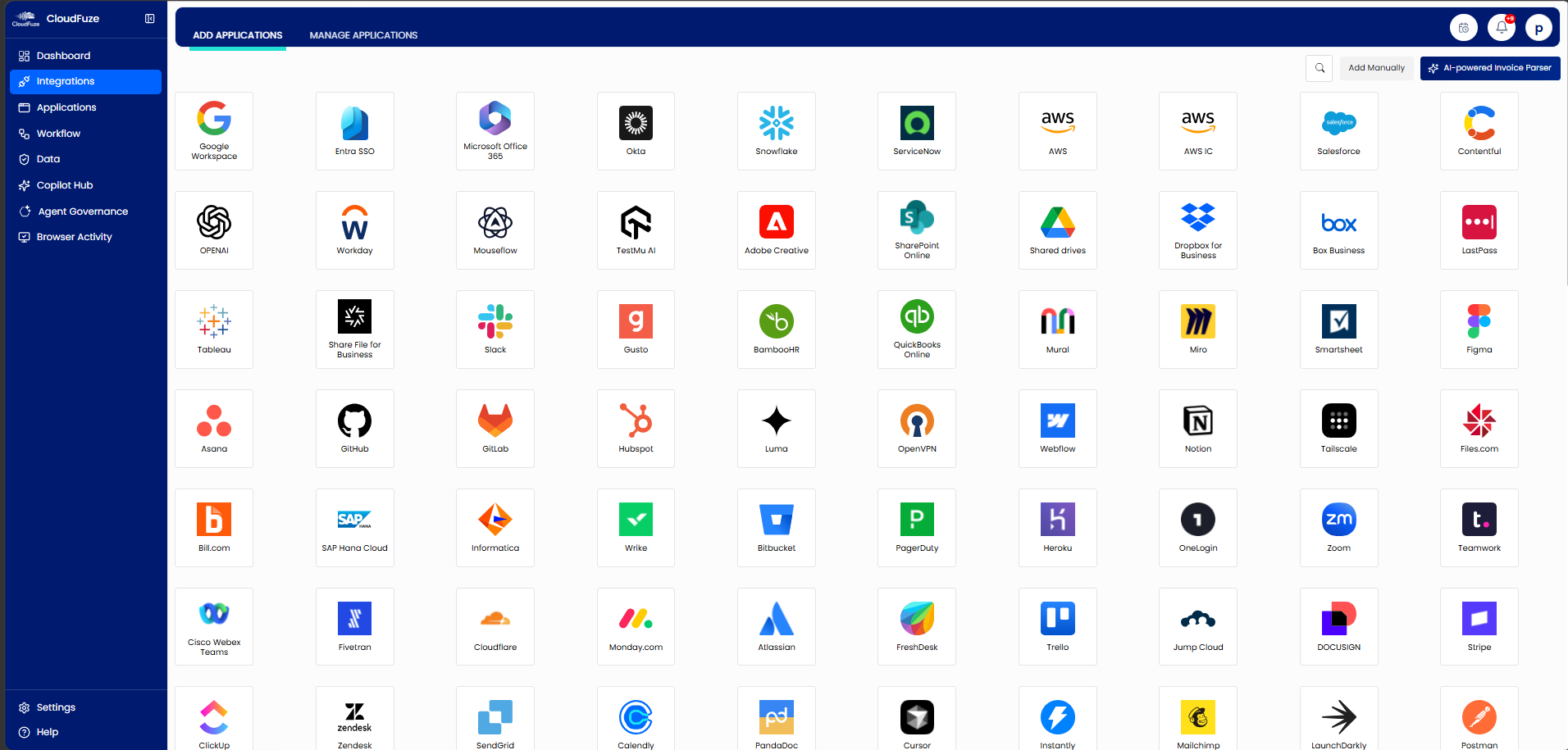
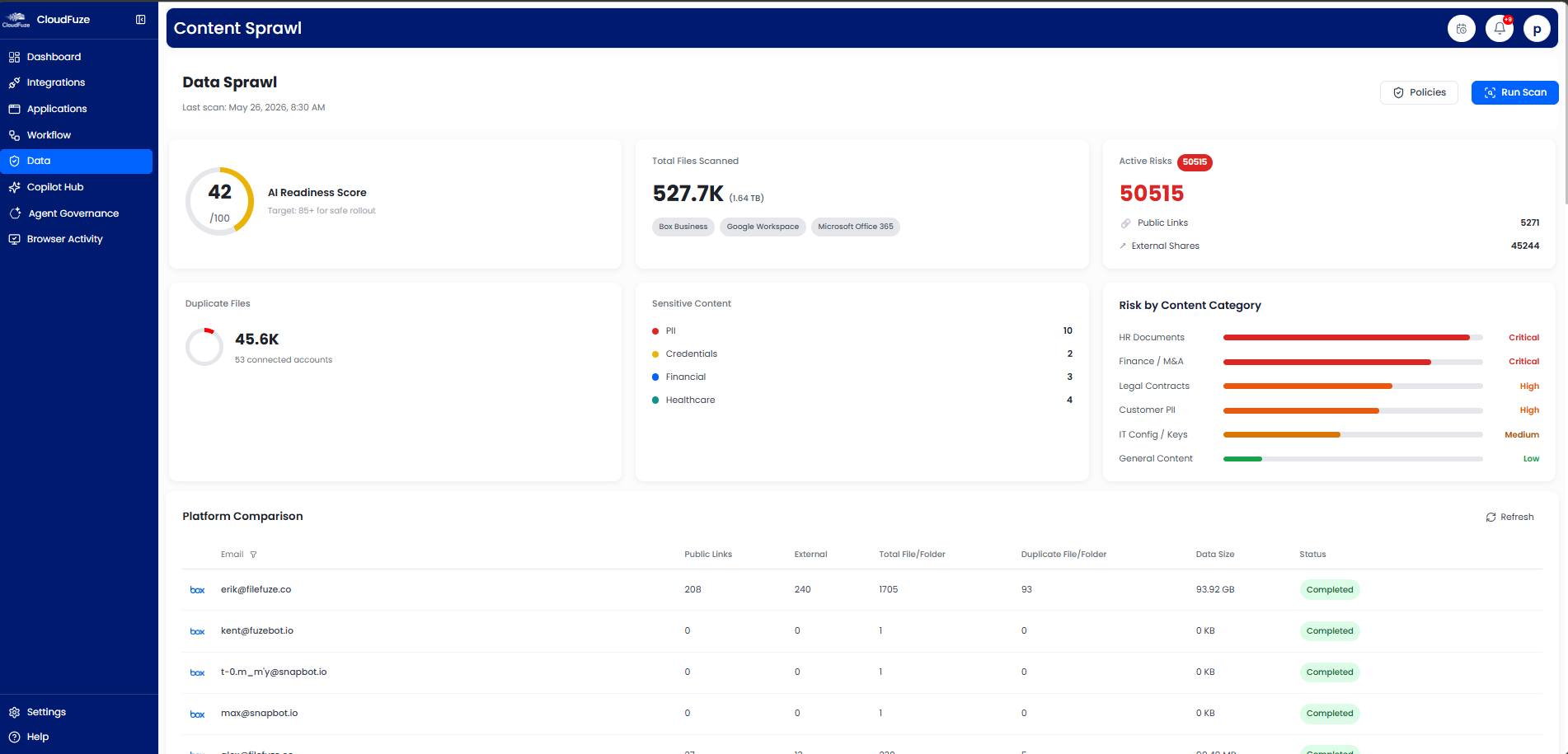
- Connect All Your Apps Instantly: You can connect 190+ leading SaaS and AI tools (Notion, Box, Dropbox, OpenAI, Claude, Gemini, and more) without writing a single line of code and uncover shadow IT effortlessly.
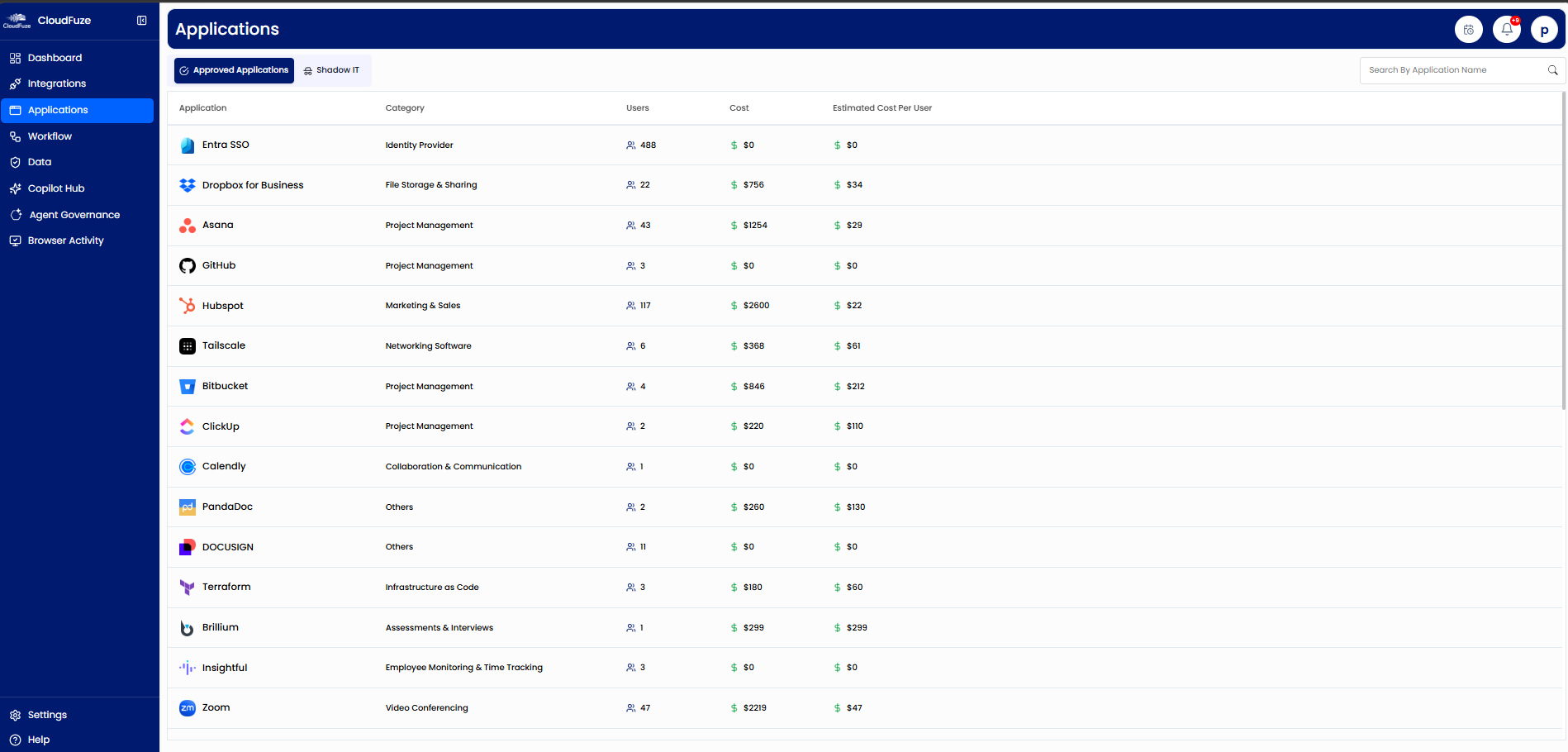
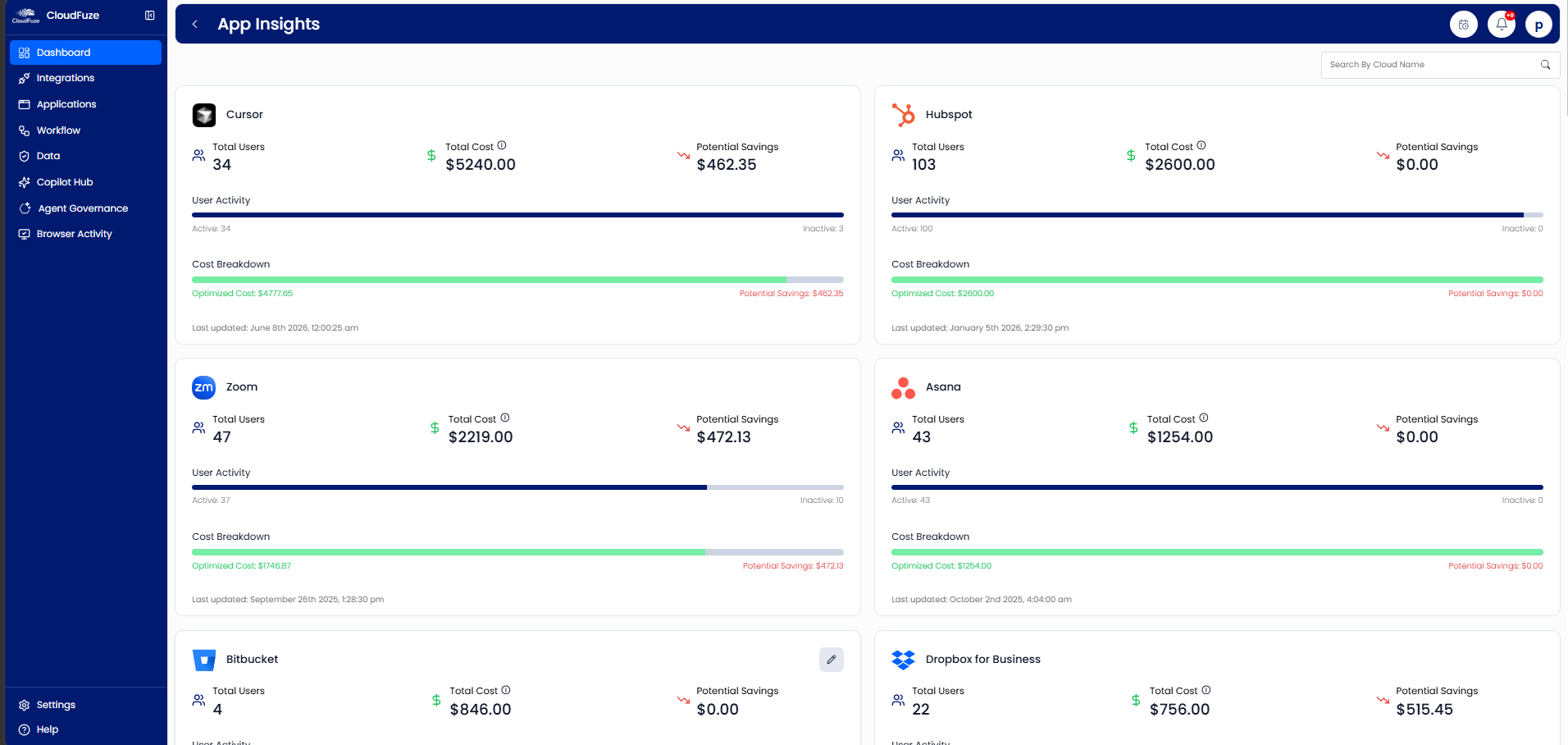
- Cut IT Costs by 20–30%: You can easily identify unused subscriptions, eliminate hidden expenses, and save up to 30% of your IT costs.
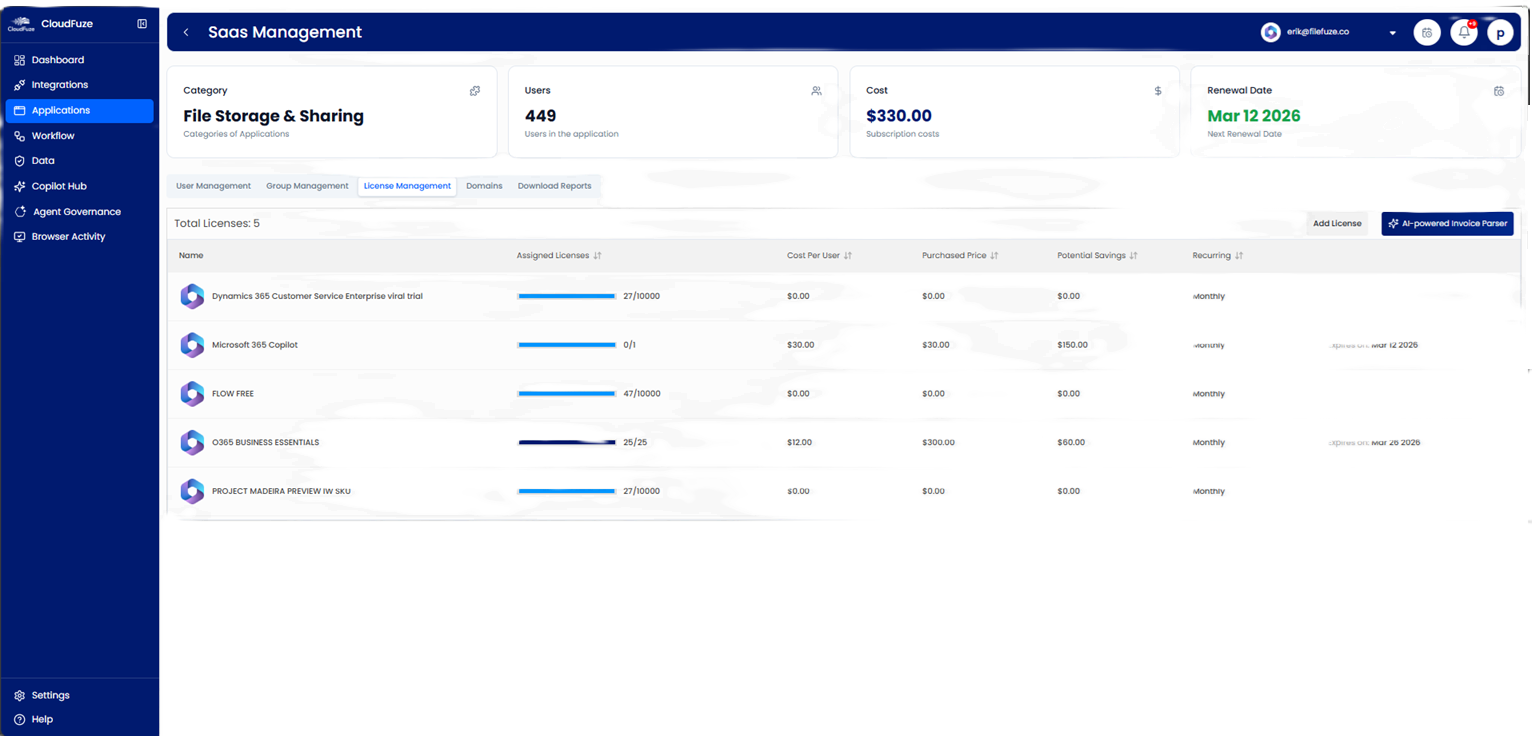
- Manage Org-Wide Licenses in One Place: You can track licenses, renewals, usage, and costs from a single dashboard.
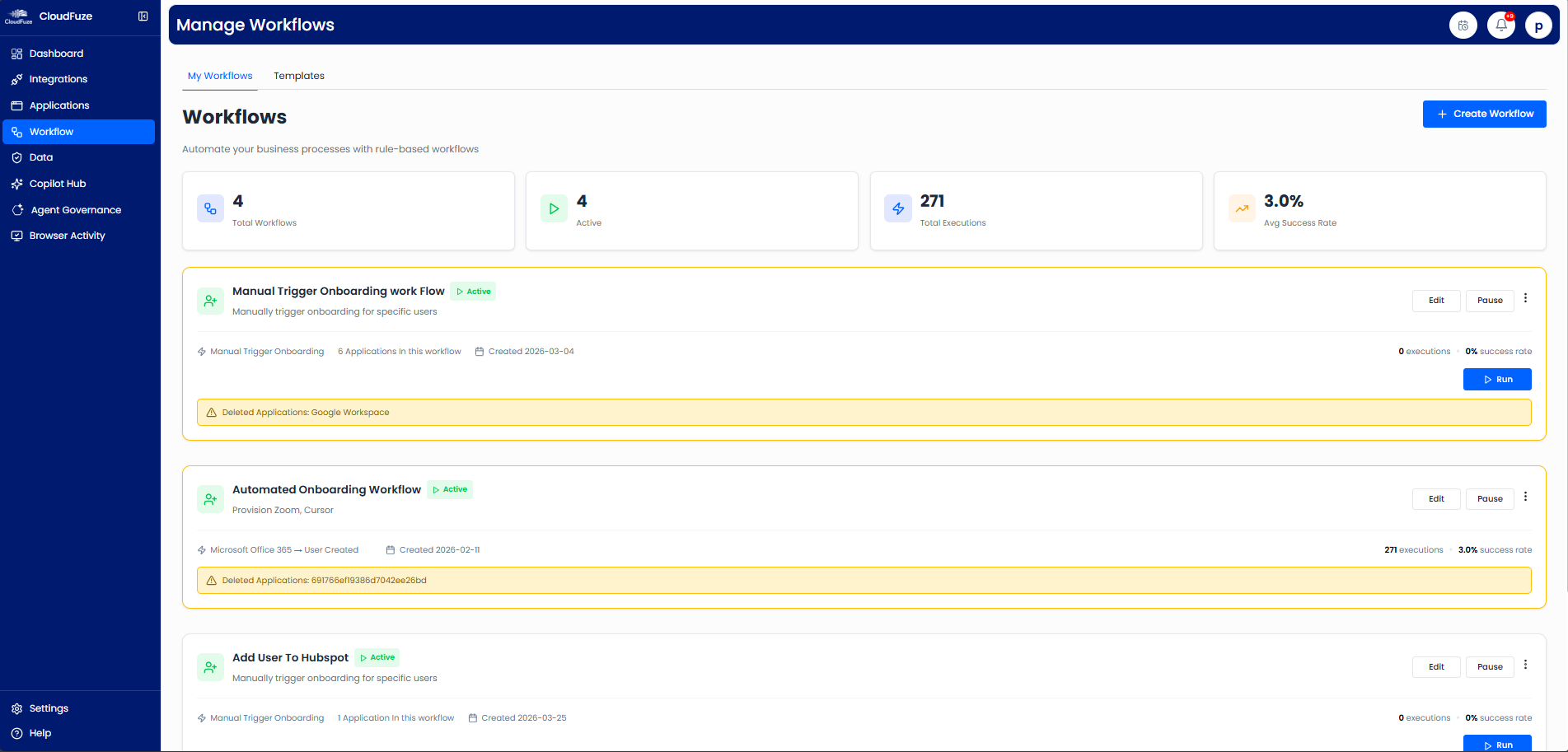
- Zero-Touch Employee Onboarding & Offboarding: You may save several hours per employee per month by automating user lifecycle workflows.
- Enforce IT Security Policies: You can control user access and protect sensitive data across all applications by implementing a standardized IT policy org-wide.
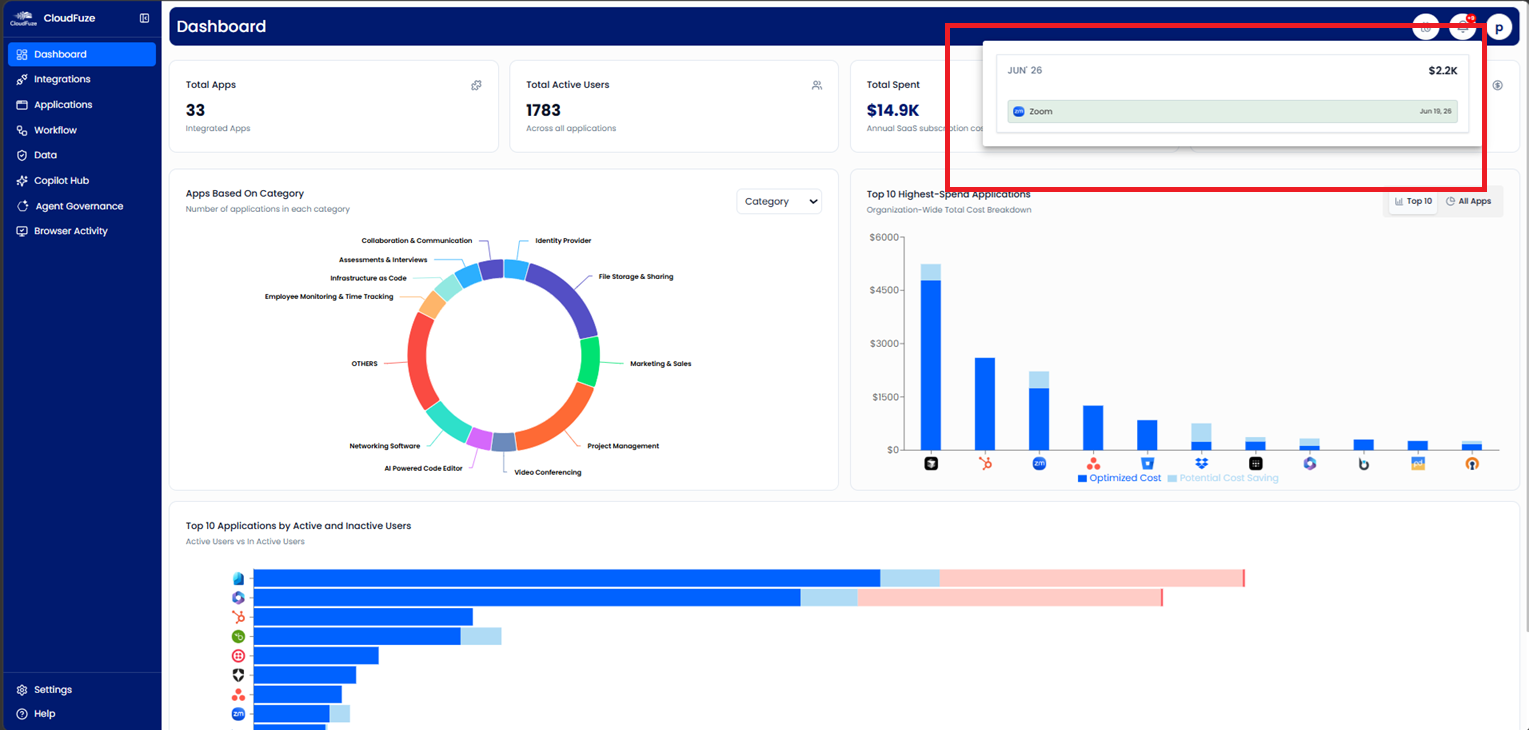
- Stay Ahead of Renewals: You receive subscription renewal alerts and avoid missed deadlines and auto-renewals.
- Make Wise Budgeting Decisions: You can use real-time reports to guide SaaS budgeting, license optimization, and strategic planning.


SaaS Management for IT Managers: Simplified with CloudFuze Manage
Effective SaaS management for IT managers is a necessity to eliminate SaaS sprawl, rising costs, shadow AI, and compliance issues throughout their enterprise.
Platforms like CloudFuze Manage give IT managers complete control over their SaaS and AI in a single, intuitive IT dashboard.
If you are interested in mapping your entire SaaS and AI footprint in minutes, talk to our experts and get a free demo of our platform!
Frequently Asked Questions
1. What are the best SaaS management tools for IT managers in mid-sized companies in 2026?
CloudFuze Manage is one of the best SaaS management tools built for mid-sized IT teams, offering enterprise-grade IT control with flexible per-user pricing.
2. What features should IT managers look for when choosing a SaaS management solution for IT teams?
While choosing a SaaS management solution for IT teams, IT managers must prioritize automated app discovery, live license usage analytics, user lifecycle automation, and audit-ready compliance features.
Tools like CloudFuze Manage deliver all four, along with shadow AI detection and AI-powered cost-saving recommendations (using Manage AI).
3. How can IT managers gain full visibility into all SaaS applications and licenses in use?
With solutions like CloudFuze Manage, IT managers, CIOs, and CTOs can continuously discover every app in use, its owner, and license consumption (including shadow IT) in a single inventory.
4. How can IT managers identify and mitigate shadow IT risks in SaaS portfolios?
IT managers can reduce shadow IT by identifying unsanctioned apps, regularly reviewing app access, and applying clear app usage policies. Solutions like CloudFuze Manage help uncover shadow IT fast with SSO logs and browser activity.
5. How can IT managers automate SaaS spend reporting?
A SaaS management service like CloudFuze Manage tracks license usage and spend across every app, along with intelligent cost-saving insights so IT managers can act on license waste without manual spreadsheets.
About the Author: Rashmi Ramesh



