
Google Drive vs. OneDrive Comparison for Businesses [2026]

Introduction
It goes without saying that Google and Microsoft are now leading the cloud storage migration space.
Both Google Drive and OneDrive offer businesses benefits through seamless integration and advanced features.
This Google Drive vs OneDrive comparison guide is designed to help businesses choose the right option between the two.
1. Google Drive vs OneDrive: Pricing
Here’s a tabulation of OneDrive’s plans and pricing including Teams:
| Cloud | Plan | Price/user/month | Storage | AI Powered Assistance |
|---|---|---|---|---|
| OneDrive | OneDrive for Business (Plan 1) | $5.00 user/month, paid yearly | 1 TB of cloud storage per user | Add-on available for chat powered with Copilot |
| Microsoft 365 Business Basic | $6.00 user/month, paid yearly | 1 TB of cloud storage per user | Add-on available for chat powered with Copilot | |
| Microsoft 365 Business Standard | $12.50 user/month, paid yearly | 1 TB of cloud storage per user | Add-on available for chat powered with Copilot |
Here’s a glimpse of OneDrive’s plans and pricing including Teams:

Image source: OneDrive (Teams Included)
Here’s a tabulation of OneDrive’s plans and pricing without Teams:
| Cloud | Plan | Price/user/month | Storage | AI Powered Assistance |
|---|---|---|---|---|
| OneDrive | OneDrive for Business (Plan 1) | $5.00 user/month, paid yearly | 1 TB of cloud storage per user | Add-on available for AI chat powered with Copilot |
| Microsoft 365 Business Basic | $4.40 user/month, paid yearly | 1 TB of cloud storage per user | Add-on available for AI chat powered with Copilot | |
| Microsoft 365 Business Standard | $9.29 user/month, paid yearly | 1 TB of cloud storage per user | Add-on available for AI chat powered with Copilot |
Here’s a tabulation of OneDrive’s plans and pricing without Teams:

Image source: OneDrive (Teams Excluded)
The table below compares Google Drive’s pricing plans:
| Cloud | Plan | Price/user/month | Storage | AI Assistance |
|---|---|---|---|---|
| Google Drive | Starter | $3.50/ user per month | 30 GB; pooled storage per person | Gemini app AI assistant basic access |
| Standard | $7/ user per month | 2 TB; 65x more than Starter | Gemini app AI assistant expanded access | |
| Plus | $15.40/ user per month | 5 TB; 2.5x more than Standard | Gemini app AI assistant expanded access | |
| Enterprise | Customized Quote | 5 TB or upgrade for more | Gemini app AI assistant expanded access |
Pricing ranges under Google Drive and OneDrive are as per January 2026 data and are applicable only when you take an annual subscription.
You can check the official pricing pages of Google Drive and OneDrive for more details.
Here’s a glimpse of Google Drive’s plans and pricing:

Image source: Google
For a detailed comparison between each plan of Google Drive and OneDrive, we recommend checking their official pricing pages:
If you find OneDrive’s plans resonating well with your business requirements, you can explore the scope of migrating from Google Drive to OneDrive.
How Do the Pricing Models of Google Drive and OneDrive Compare for Business Plans In 2026?
From the discussed pricing models of Google Drive and OneDrive, we can infer that:
- OneDrive provides diverse plans where you can choose from with or without Teams.
- OneDrive pricing for Microsoft 365 Business Standard is less when compared to Google Workspace’s Plus plan.
- The starter plan is comparatively less in Google Workspace when compared to OneDrive.
- Irrespective of the chosen OneDrive plan, users can avail for add-on for AI chat powered with Copilot.
More on Google Drive vs OneDrive: Pricing
- Google Drive provides a free trial of 14 days for every plan. Microsoft OneDrive provides a free trial of 30 days to Microsoft 365 Business Basic and Business Standard plans.
- Google Drive limits 10 users to use free trial and OneDrive permits up to 25 users to add up during trial.
- After your one-month free trial ends in OneDrive, your subscription automatically converts into a 1 year paid subscription. Users can cancel anytime during the free trial period to stop future charges.
If your trial period ends in Google Drive and you haven’t set up billing, your account will be suspended.
If you already added your payment information, you don’t need to do anything. Your paid subscription automatically starts when your trial ends.
2. Google Drive vs OneDrive for Business: Cloud Suite Features
Google Workspace and Microsoft 365 are two of the most robust cloud suite ecosystems in the market, and they share many similarities in features.
Google Drive
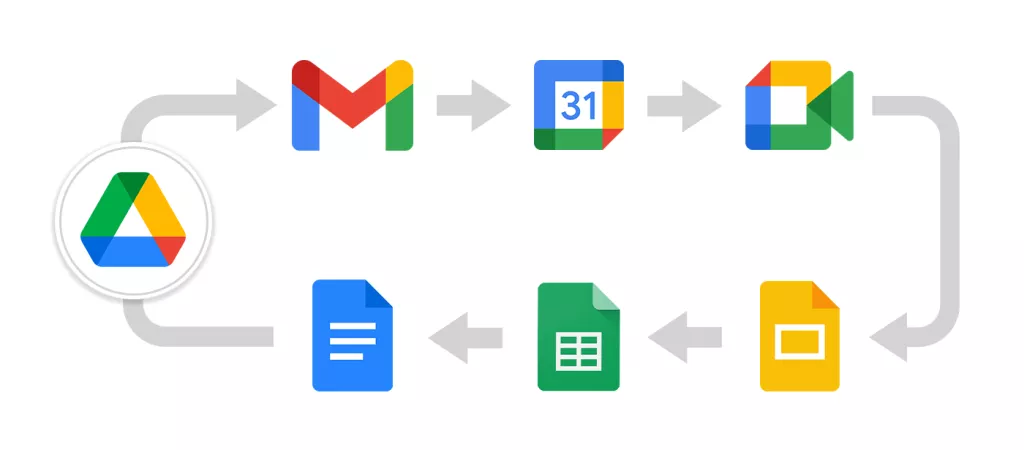
Google Drive seamlessly syncs with Gmail, Google Meet, Google Docs, Sheets, Slides, Google Calendar, Google Chat etc.
In the Business Starter plan, there is limited access to Gemini in Workspace apps. Businesses get complete access to Gemini with Business Standard, Business Plus and Enterprise plans.
Microsoft OneDrive for Business
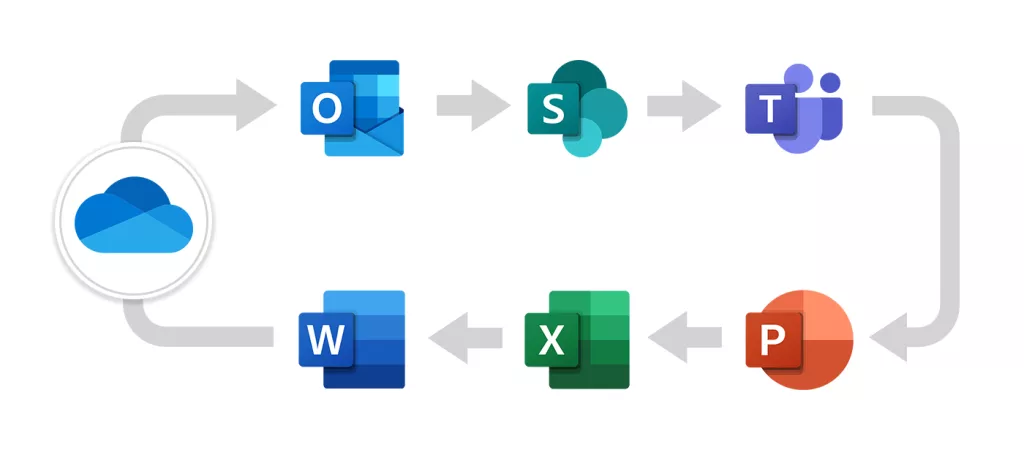
With OneDrive for Business, you have access to web and mobile versions of Outlook, Word, Excel, PowerPoint, and OneNote.
With OneDrive, you can always have up-to-date desktop versions of Outlook, Word, Excel and PowerPoint.
There is limited access to Copilot in the OneDrive for Business plan. Businesses get complete access to Copilot with Microsoft 365 Business Basic and Microsoft 365 Business Standard plans.
Note that to purchase Microsoft 365 Copilot, customers must have a qualifying plan for enterprise or business.
Businesses planning Google Drive to OneDrive for Business migration usually move to Microsoft 365 to access SharePoint Online and Microsoft Teams, two of the most popular and powerful team collaboration tools.
3. Google Drive vs Microsoft OneDrive: Security
Enterprise-grade security is the core feature of any cloud suite that matters the most to any type of business.
Google Drive and OneDrive offer world-class security, which is one of the primary reasons they are the two most popular business cloud suites.
Google Drive
Every file uploaded to Google Drive is AES256-bit encrypted both in transit and at rest.
Your company may permit you to use Workspace Client-side encryption to encrypt Drive, Docs, Sheets, and Slides files for added security.
Any Drive file type, including Office and PDFs, can be uploaded as encrypted Drive files.
Security & Management features supported in Google Workspace are as follows:
| Features | Business Starter Plan | Business Standard Plan | Business Plus Plan | Enterprise Plan |
|---|---|---|---|---|
| 2-step verification | Supported | Supported | Supported | Supported |
| Group-based Policy Controls | Supported | Supported | Supported | Supported |
| Advanced Protection Program | Supported | Supported | Supported | Supported |
| Endpoint Management | Supported | Supported | Supported | Supported |
OneDrive for Business
When data transits into the service from clients, and between datacenters, it’s protected using Transport Layer Security (TLS) encryption in OneDrive.
Each file encrypts at rest using a unique AES256 key, and the system encrypts these keys with a set of master keys stored in Azure Key Vault.
Security features supported in Microsoft OneDrive are as follows:
| Features | OneDrive For Business (Plan 1) | Microsoft 365 Business Basic | Microsoft 365 Business Standard |
|---|---|---|---|
| Password Protected or Expiring Link Settings | Supported | Supported | Supported |
| Secure Storage, Real-time Coauthoring | Supported | Supported | Supported |
| Data Encryption in Transit and at Rest | Supported | Supported | Supported |
| Advanced Identity and Access Management with Microsoft Entra ID | Supported | Supported | Supported |
4. Google Drive vs OneDrive: Support
Both Google Drive and OneDrive offer premium support for all paid users. Both Google and Microsoft have dedicated online knowledge bases as well.
Google Drive
Paying users of Google Drive can access 24/7 customer support through phone, chat, and email.
Microsoft OneDrive
Microsoft offers 24/7 phone, chat, and email support to all OneDrive users.
The customer support of both cloud storage is one of the best in the market.
5. Google Drive vs OneDrive: AI Assistance
Google Drive offers Gemini AI assistance while OneDrive offers Microsoft 365 Copilot as AI support to users.
Google Drive
Businesses can ensure enterprise-grade security and privacy while using Gemini AI with their Google Workspace plans.
Businesses can access Gemini in the following apps when using a Business Standard/Business Plus/ Enterprise plans:
- Gmail
- Docs
- Sheets
- Slides
- Vids
- Drive
- Meet
- Chat
Businesses using Starter plan can access Gemini in Gmail and Vids. Irrespective of the plan, all users can:
- Avail Gemini app on web or mobile
- Build custom AI experts for any topic with Gems.
AI powered Assistance with OneDrive
Below table discusses Copilot assistance to different plans in OneDrive:
| Features | OneDrive For Business (Plan 1) | Microsoft 365 Business Basic | Microsoft 365 Business Standard |
|---|---|---|---|
| Advanced Grammar and Style Suggestions | Basic features | Basic features | Supports All features |
| Create Custom Chatbots Using Power Virtual Agents for Teams | N/A | Included in the version with Teams | Included in the version with Teams |
| AI Chat in Apps Providing Latest Web Information, Writing assistance, And Data Analysis | N/A | Supported | Supported |
| AI Chat Powered by Your Work Sources and Context | Available as an add-on | Available as an add-on | Available as an add-on |
What Are the Best Practices for Implementing Google Drive and OneDrive in a Business Setting In 2026?
Best practices for implementing Google Drive and OneDrive in a business setting in 2026 include:
- Choose the best plan by considering team size, required storage, and business requirements.
- Use AI-powered assistance to help your team manage tasks without stress.
- Ensure a secure environment by having your teams educated on compliance policies.
- Regularly take feedback from your team members and implement necessary procedures.
Need Help Migrating to Google Drive or OneDrive?
The discussed Google Drive vs OneDrive comparison can help you decide on your preferred cloud platform.
Whether you are planning to move to Microsoft 365 or Google Workspace, CloudFuze Migrate can seamlessly perform your transition.
Talk to our cloud migration experts today for a one-stop migration solution!
Check out How CloudFuze Migrate Transfers from Google Drive to OneDrive
What Do Customers Say About Us?
As a reliable cloud migration partner, we have helped many firms perform successful migrations.
We have a rating of 4.7/5 in Gartner Peer Insights Review. Here is a recent December 2025 Gartner review from one of our customers.

According to the review, the customer praised our migration team for their successful transition. They also appreciated us for being very communicative throughout the migration.
Frequently Added Questions
1. Can I use OneDrive and Google Drive at the same time?
Yes, you can use OneDrive and Google Drive at the same time. But you may be paying for licenses extra. So, to avoid any conflicts or sync issues, you can migrate to a single platform for easier access.
2. Is Google Drive free?
Yes, each Google account provides free storage of 15 GB which is shared across Gmail, Google Drive, and Google Photos.
3. How do I delete files or folders in OneDrive?
Microsoft OneDrive allows you to delete individual files or images as well as entire folders and everything within them. You can recover deleted files via the OneDrive recycle bin if necessary.
4. How do the security features of Google Drive and OneDrive differ for business applications in 2026?
Files uploaded to Google Drive are AES256-bit encrypted both in transit and at rest.
Each OneDrive file encrypts at rest using a unique AES256 key. Then the system encrypts those keys with a set of master keys stored in Azure Key Vault.



Leave A Comment