
Steps to Check Google Document Storage in Google Drive
Effectively managing Google storage helps you avoid running into storage run-out issues. Since a major portion of storage gets consumed in Google Drive, it is necessary to check out the applications on it for storage management.
In this blog post, we have provided detailed steps on how to check Google Document storage.
Key Takeaways:
Steps To Check the Storage Used by Google Documents in Google Drive
Here are the steps on how to check storage usage specifically for Google Documents:
1. Open Google Drive
- Go to Google Drive
- Sign in with your Google account.
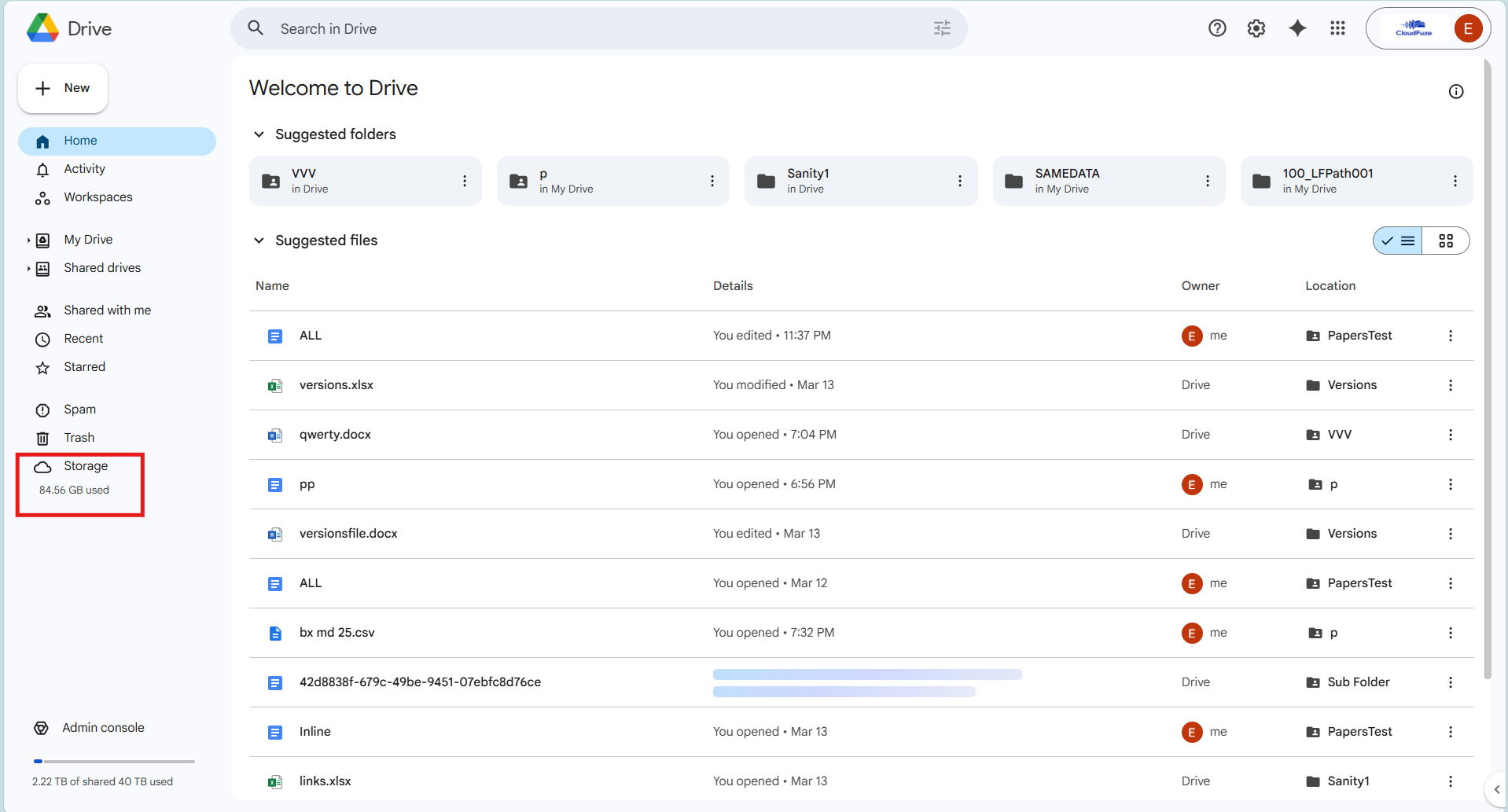
2. Go to Storage Section
- On the left sidebar, scroll down.
- Click “Storage”.

3. View Storage Usage
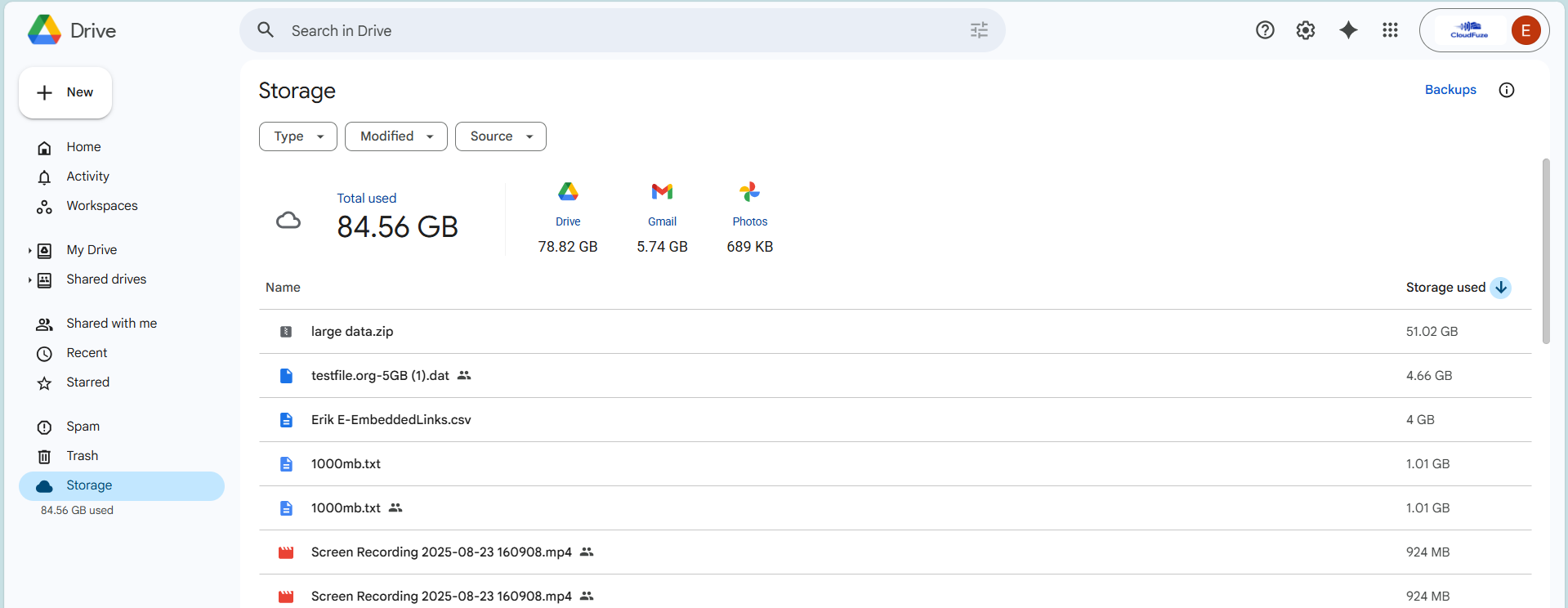
Here you will see:
- Total storage used
- Breakdown of files using storage
- Files sorted by largest size.

4. Check Google Docs Files
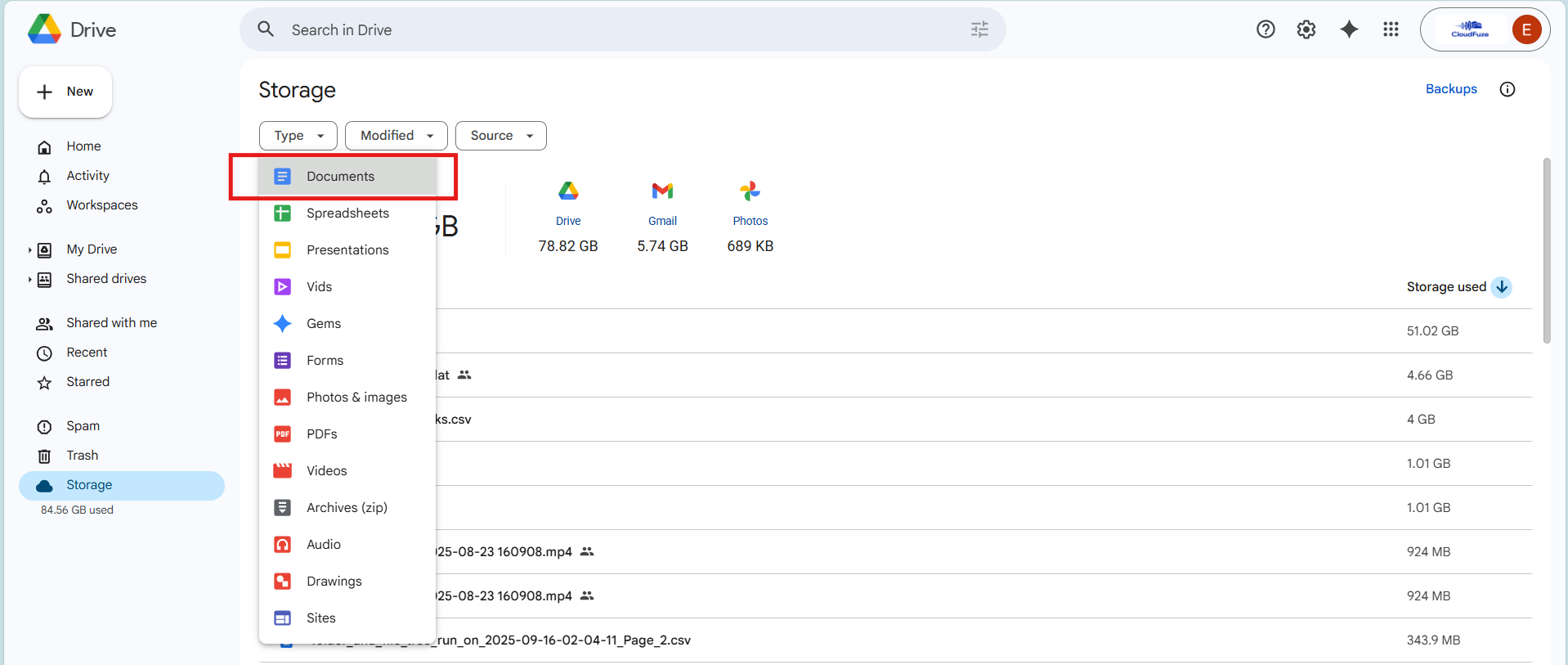
- In Google Drive, choose Type –> Documents.
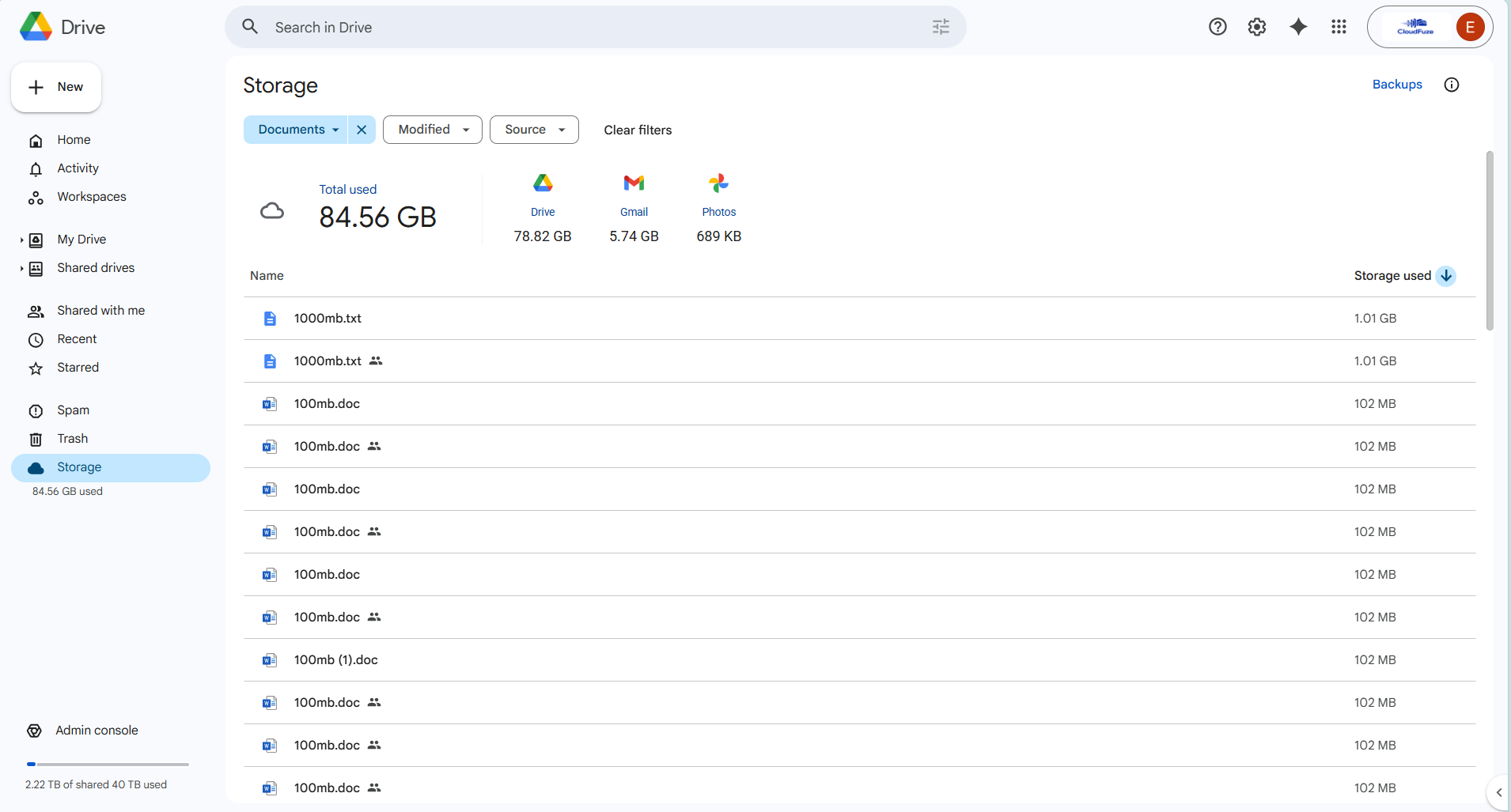
- This now shows only Google Docs files along with used storage.


Migrate Large Petabytes of Google Documents with CloudFuze
CloudFuze Migrate helps enterprises migrate Google Docs at high volume with complete replication. Leverage our advanced migration tool to move large Google Drive files between cloud platforms securely.
Contact us to learn more about our migration solution in detail.
Frequently Asked Questions
1. How to check Google Drive storage on mobile app?
One can check Google Drive storage on android mobiles by following these steps:
- Tap the Google Drive app icon on your device to open it.
- Tap the three horizontal lines in the upper left corner.
- In the menu, tap “Storage”.
- You’ll see a pie chart showing used and available storage.
- Below the pie chart, check the space Google Drive occupies.
2. Do shared documents take up storage in Google Drive?
Yes, shared documents in Google Drive do count toward your storage quota. Storage issues appear to the document owner, not to the people who share it. If you are the owner, the file will use your Google Drive storage space, even if others have access to it.
3. Does a shared document count as Google Drive storage?
No, a document shared with you does not count against your Google Drive storage limit. It only counts against the storage of the original owner. The file appears in your “Shared with me” section but uses no space in your account. However, if you make a copy of that shared file, the new copy will count against your storage.
4. How do you use Google Documents?
You will need a Google account to use Google Docs. Users can add and edit text and share files and folders with necessary teams easily with Google Documents. For more details, check out how to use Google Docs on the official page.



Leave A Comment