
Move Outlook Mailboxes, Sub-calendars to Gmail for 500+ Users
When switching from Outlook to Gmail, you need to transfer your Google Calendar and sub-calendar events, along with emails and contacts, to stay productive. Choosing a trusted tool helps you perform large-scale migration of 500+ users from Outlook to Gmail securely.
In this blog post, we discuss how to move Outlook Sub-calendars to Gmail using CloudFuze Migrate.
Key Takeaways:
What are Sub-calendars In Outlook and How Do They Function?
In addition to the default Outlook calendars, users can create other Outlook calendars. For example, you can create a calendar for your personal appointments, separate from your work calendar.
In Outlook, sub-calendars allow you to manage multiple schedules within a single account. They function as independent folders for events. You can view them along with your main calendar.
What are the Common Challenges of Moving Outlook Sub-calendars to Gmail?
Common issues when you move Outlook sub-calendars to Gmail:
- One-time import limitations
- Sub-calendar structure loss
- Shared/sub-calendar permissions issues
- Sync lag and corruption
- Time zone disruptions
- Recursive meeting errors
- Attachment failures
Why Bulk Outlook to Gmail Calendar Migrations Fail?
There are several reasons to which you can face an unexpected failure during a high-volume Outlook to Gmail migration:
- API throttling issues
- Issues in moving recurrence events
- Missing calendar event timestamps
- Migration downtime issues
Why Bulk Outlook to Gmail Calendar Migrations Fail?
There are several reasons to which you can face an unexpected failure during a high-volume Outlook to Gmail migration:
- API throttling issues
- Issues in moving recurrence events
- Missing calendar event timestamps
- Migration downtime issues
What are the Best Methods to Transfer Sub-calendars From Outlook to Gmail?
While generic methods can help you transfer small amounts of data, it does not work for sub-calendars migration for 500+ users. Use a reliable cloud migration tool like CloudFuze Migrate helps you transfer Outlook calendars along with important features such as:
- Normal calendar events
- Recurring calendar events
- Calendar event timestamps
- Calendar event attachments
- Normal sub-calendar events
- Recurring sub-calendar events
- Sub-calendar event timestamps
- Sub-calendar event attachments
How CloudFuze Migrates Helps You Move Outlook Sub-calendars to Gmail?
Image 1: The image below shows Outlook sub-calendars.
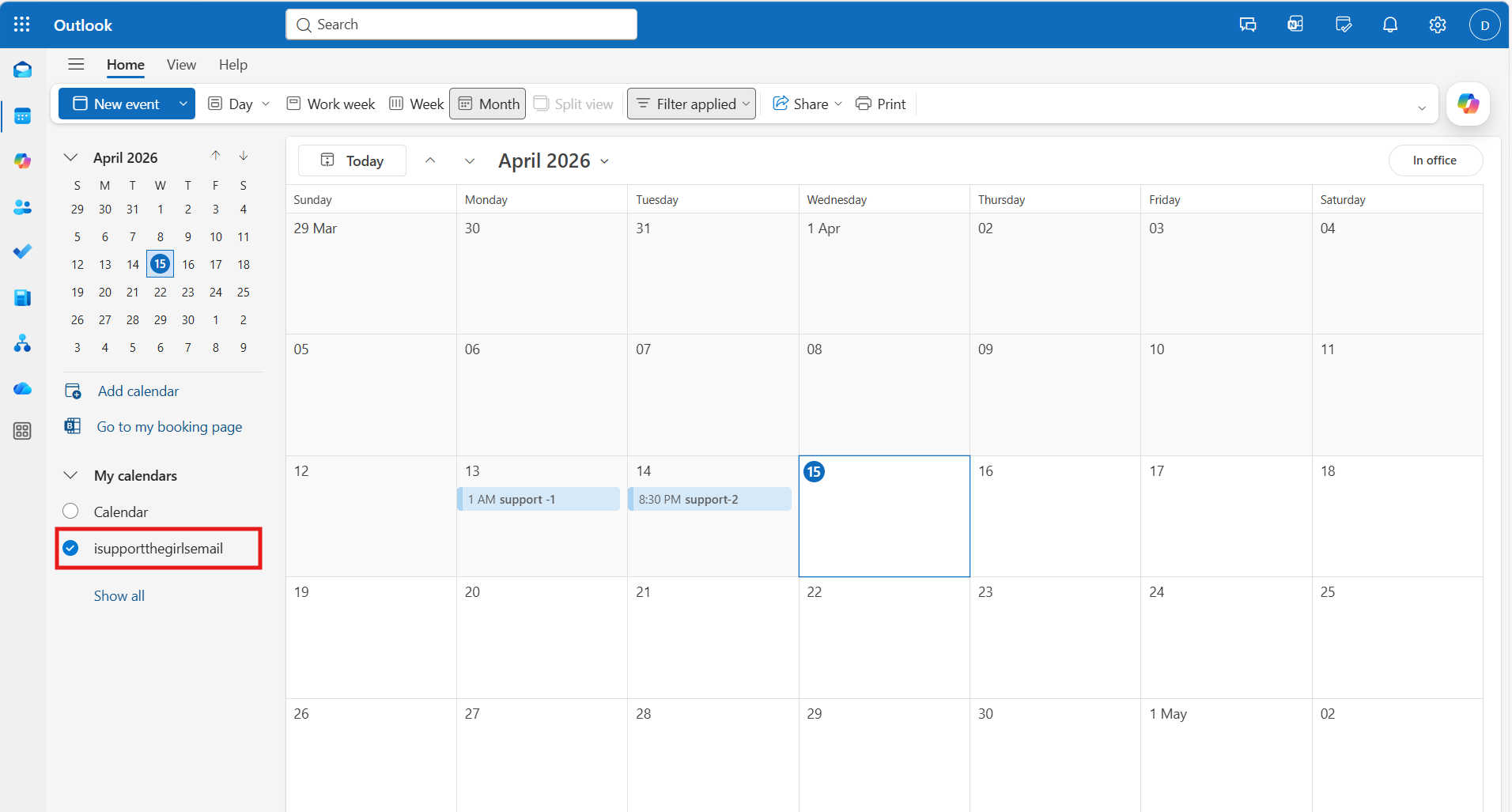
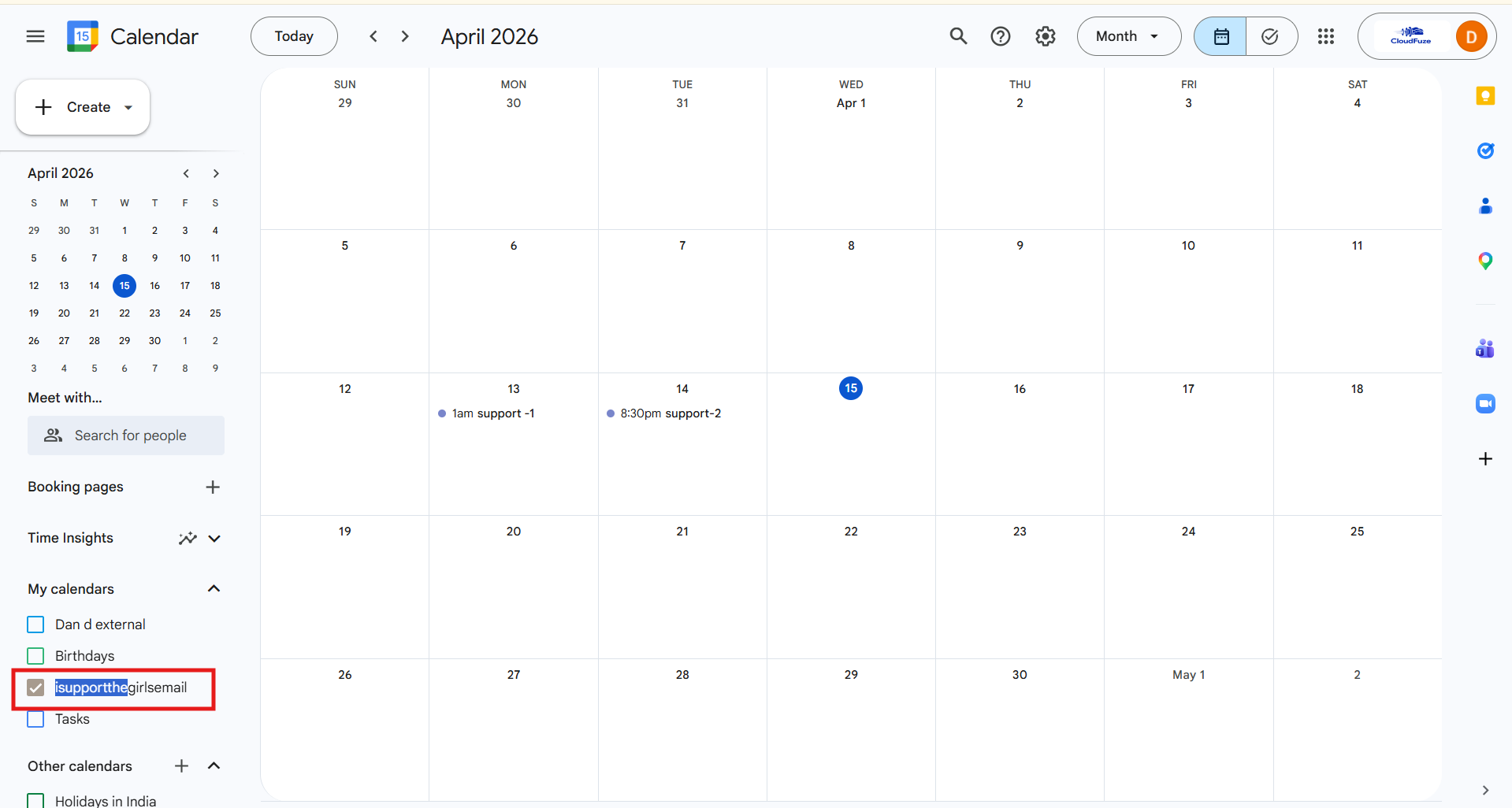
Image 2: Shows complete replication of sub-calendars to Gmail using CloudFuze Migrate.
In the image below, Dan d external is the primary calendar. Any calendar you create after your primary calendar is called a secondary calendar or a sub-calendar. When creating a secondary calendar, you can choose whether to place it under “My calendars” or “Other calendars.”
How Can You Confirm That Outlook Sub-calendars Have Been Successfully Moved to Gmail?
You can confirm succesful transfer of Outlook sub-calendars to Gmail through following ways:
- Check if the sub-calendars you transferred from Outlook remain intact.
- Ensure that all events, including necessary timestamps and attachments, are correct.
- Validate migration accuracy by checking migration reports.
- Open the Google Calendar app. Check if the transferred sub-calendars are properly synced.
Watch out How Our Tool Performs Outlook to Gmail Migration
Move Outlook Sub-Calendars to Gmail Accurately with CloudFuze Migrate
Exporting a calendar with multiple sub-calendars to a different online platform is no longer complex. With a clear step-by-step process, you can import sub-calendars from one email system like Outlook to a different one such as Gmail.
Whether you’re migrating a few sub-calendars or thousands, our Outlook to Gmail migration tool helps you move sub-calendar events, timestamps, and attachments without any data loss.
Contact today for a free and no-obligation demo and consultation.
Frequently Asked Questions
1. What’s the easiest way to move shared calendars from one email provider to another?
The easiest way to move shared calendars from one email provider to another is by using a trusted email migration tool. CloudFuze Migrate helps you migrate shared calendars while preserving necessary timestamps and attachments intact.
2. What are common errors in bulk Outlook to Gmail calendar migrations?
Common errors in bulk Outlook to Gmail calendar migration:
- Missing events
- Time zone issues
- Data corruptions
- Syncing issues
3. Is there a way to transfer Outlook calendar to Google calendar?
Yes, you can transfer Outlook calendar to Google calendar using CloudFuze Migrate. With calendar events, you can move essential features such as attachments, events, timestamps, etc.
4. What are common issues when importing ICS files to Google Calendar
Common issues when importing ICS files to Google calendar:
- File size limits
- Time zone corruption
- Invalid file formats
About the Author: Bhavani Asok


