
A Guide on Easier Steps to Permanently Delete a Google Account
Google Workspace users can delete their Google accounts at any time. Once you delete a Google account, the user will lose all the data and content in that account. Note that all essential data linked to your account, such as emails, files, calendars, and photos, will be deleted. In this blog post, we have discussed steps on how to delete a Google account.
Key Takeaways:
What Is the Process for Permanently Deleting a Google Account?
Here are detailed steps on how to permanently delete a Google account:
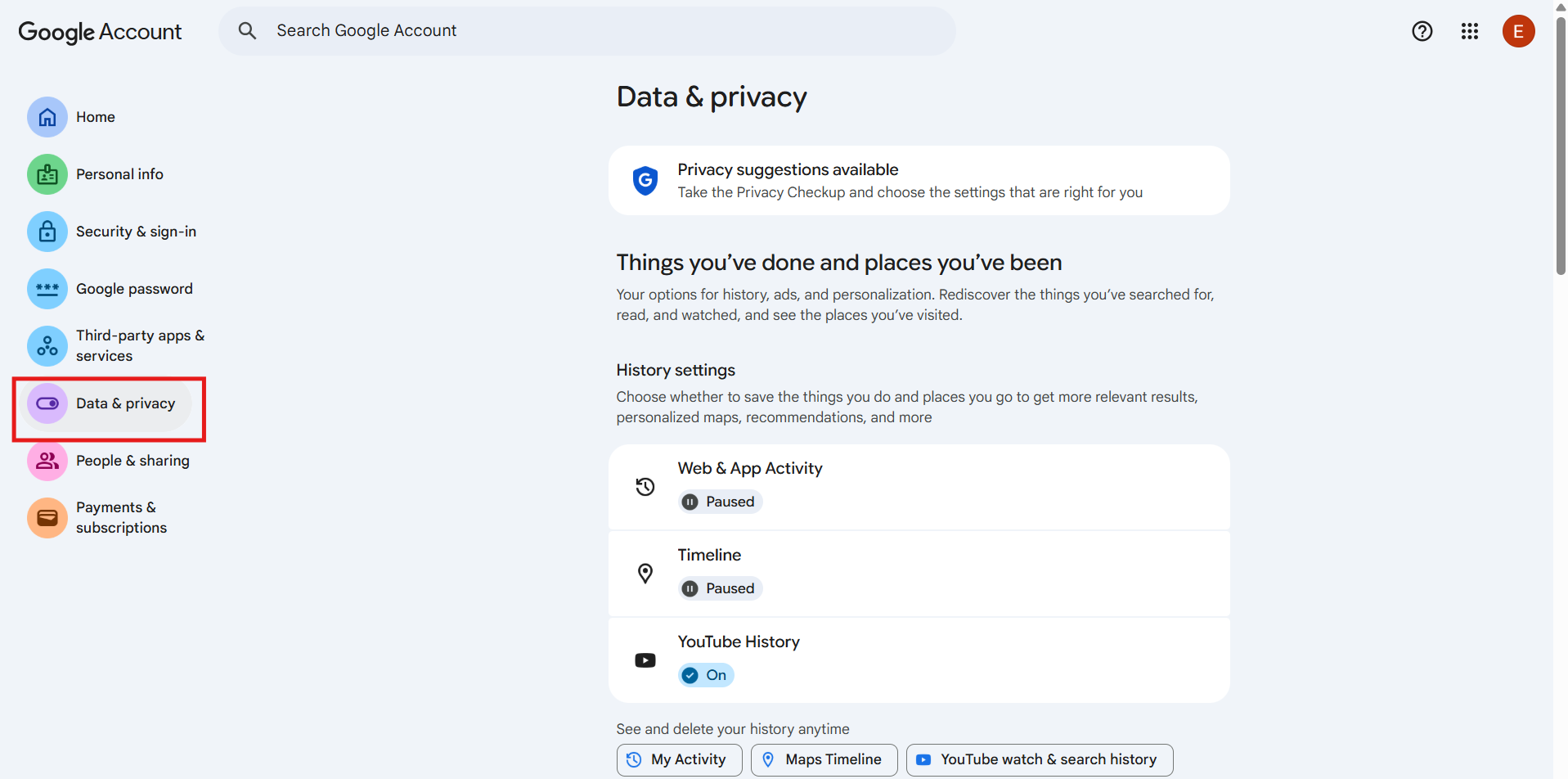
- Visit the Data & Privacy section of your Google Account.
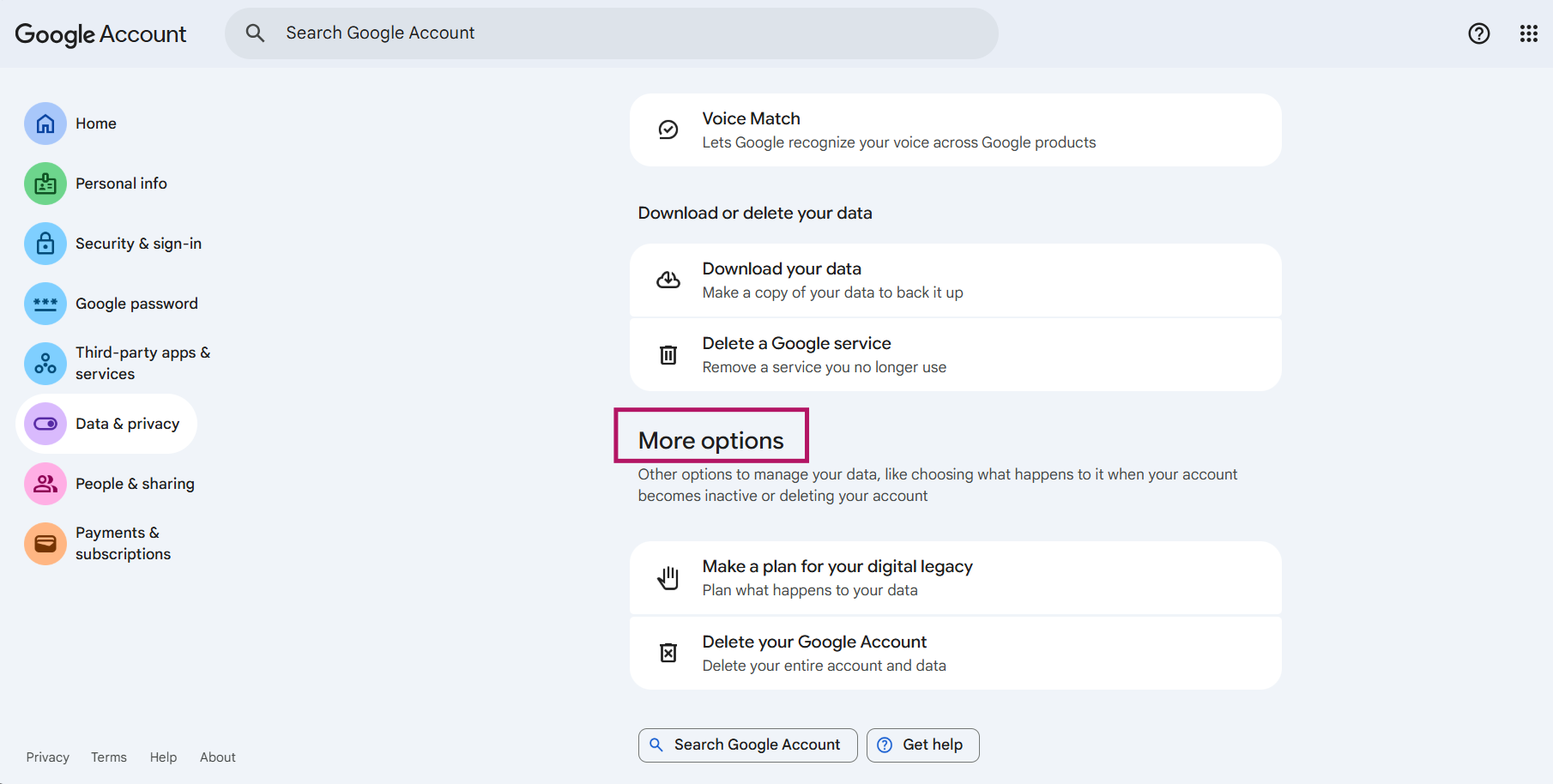
- Scroll to More Options at the bottom of the page.
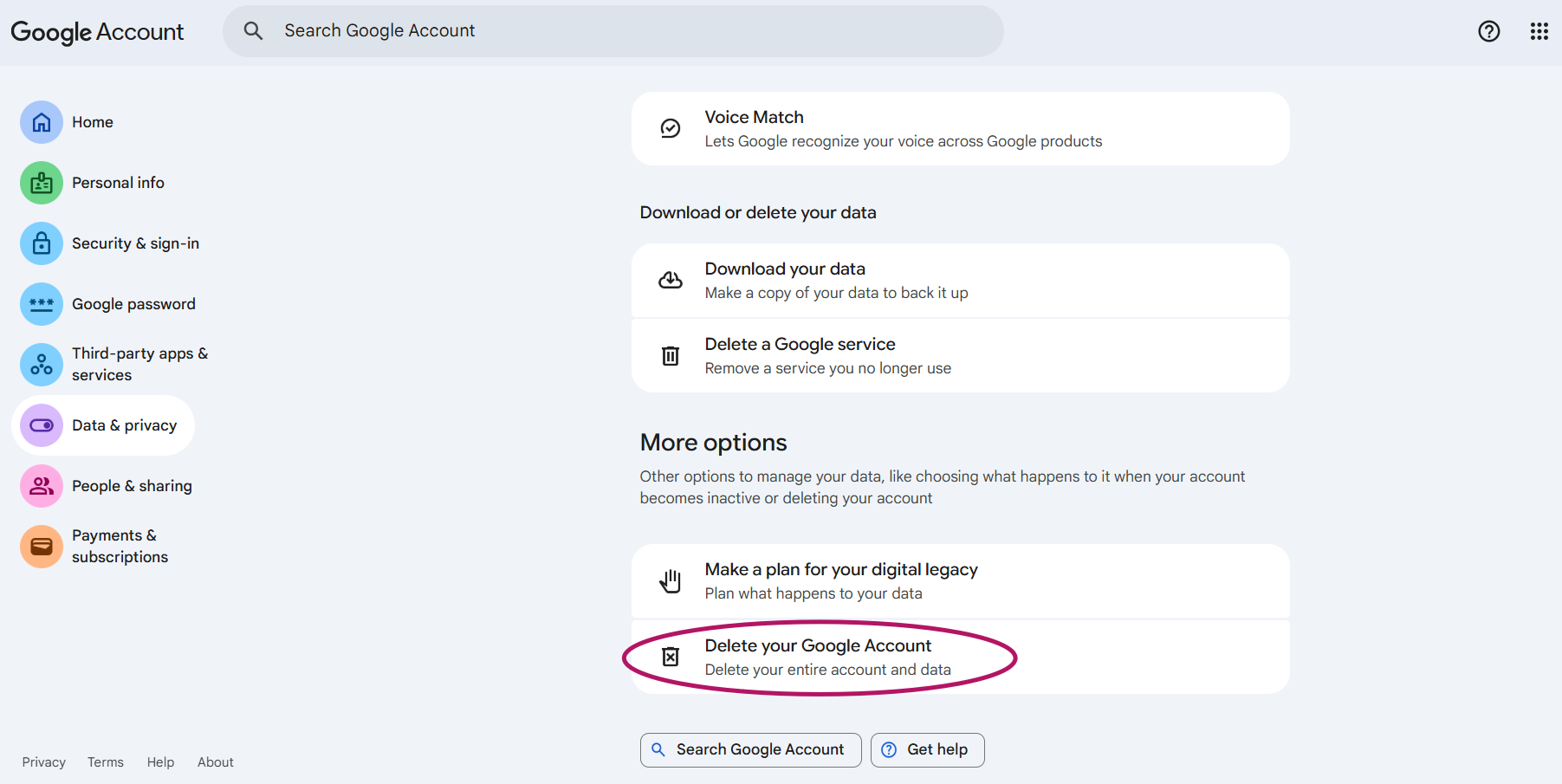
- Now click on “Delete your Google Account”.
- On clicking it, follow further instructions to delete your account.
Note: If you have more than one Google account, deleting one won’t delete the others.
How Do I Permanently Delete My Online Email Account?
Steps to permanently delete email account:
- Visit the Data & Privacy section of your Google Account.
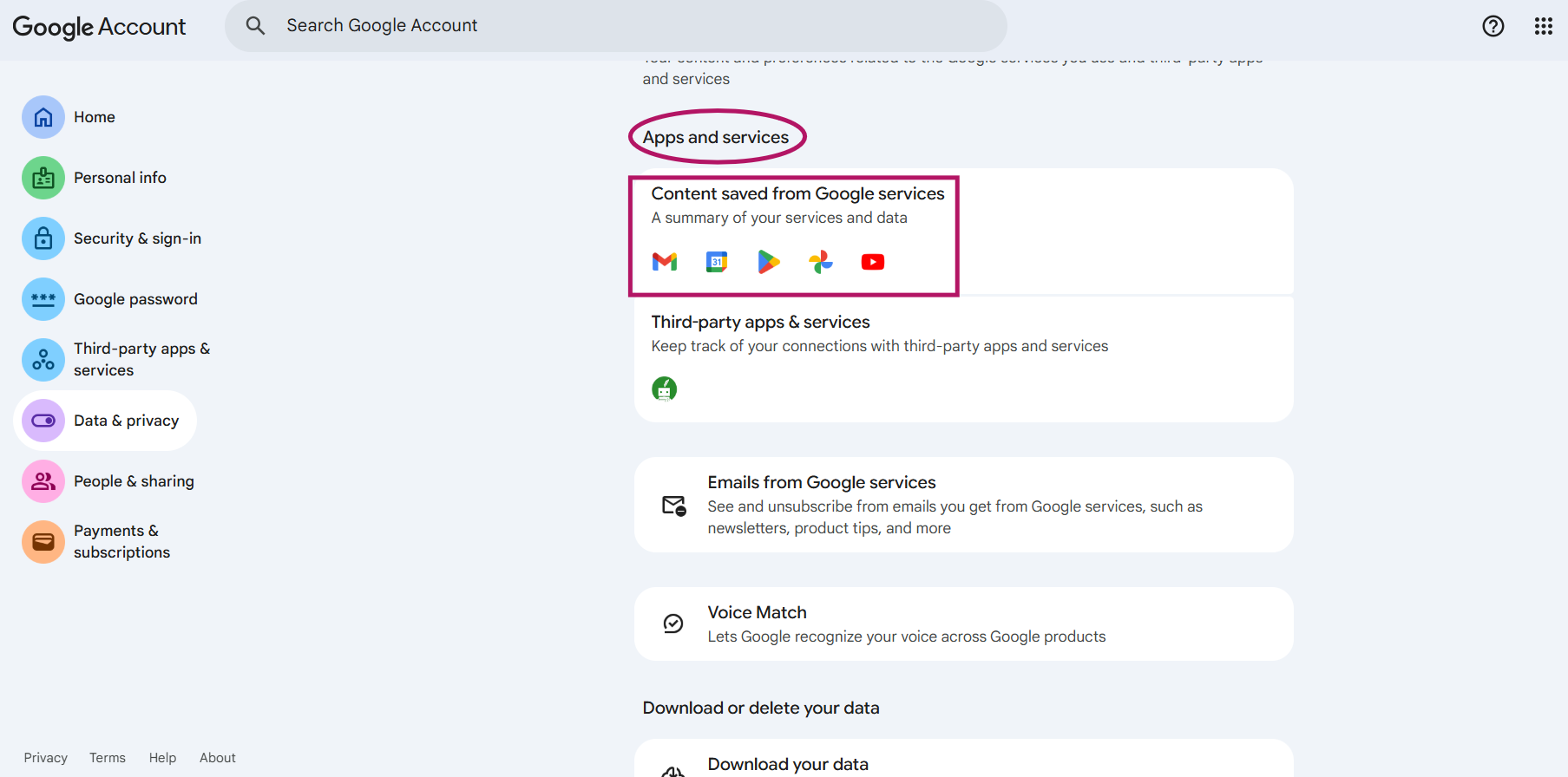
- Scroll to Apps and Services –>Content Saved from Google Services.

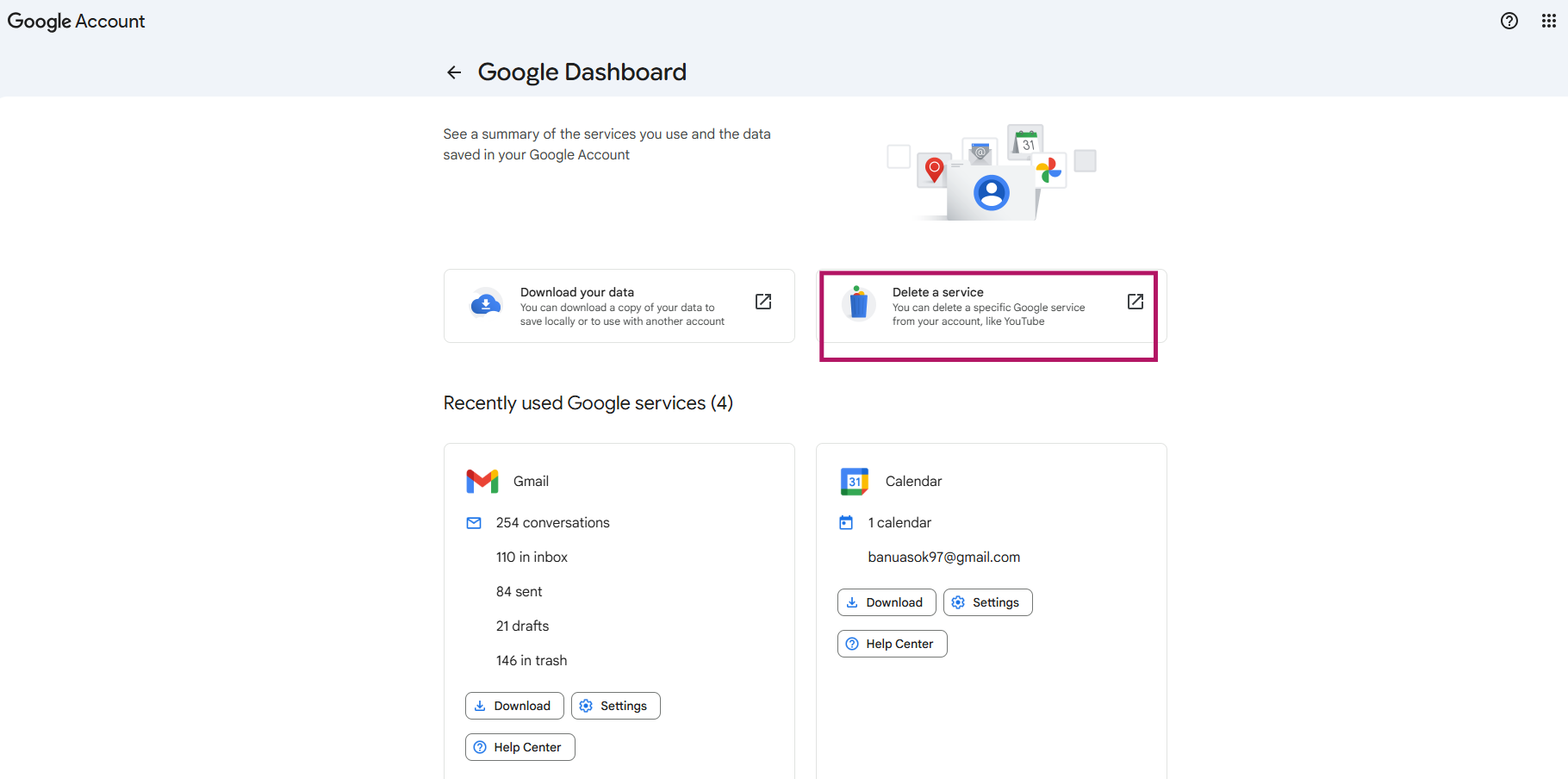
- Now the Google dashboard page appears. Now click on Delete a service.

- The Gmail login page appears. Provide your password and continue.
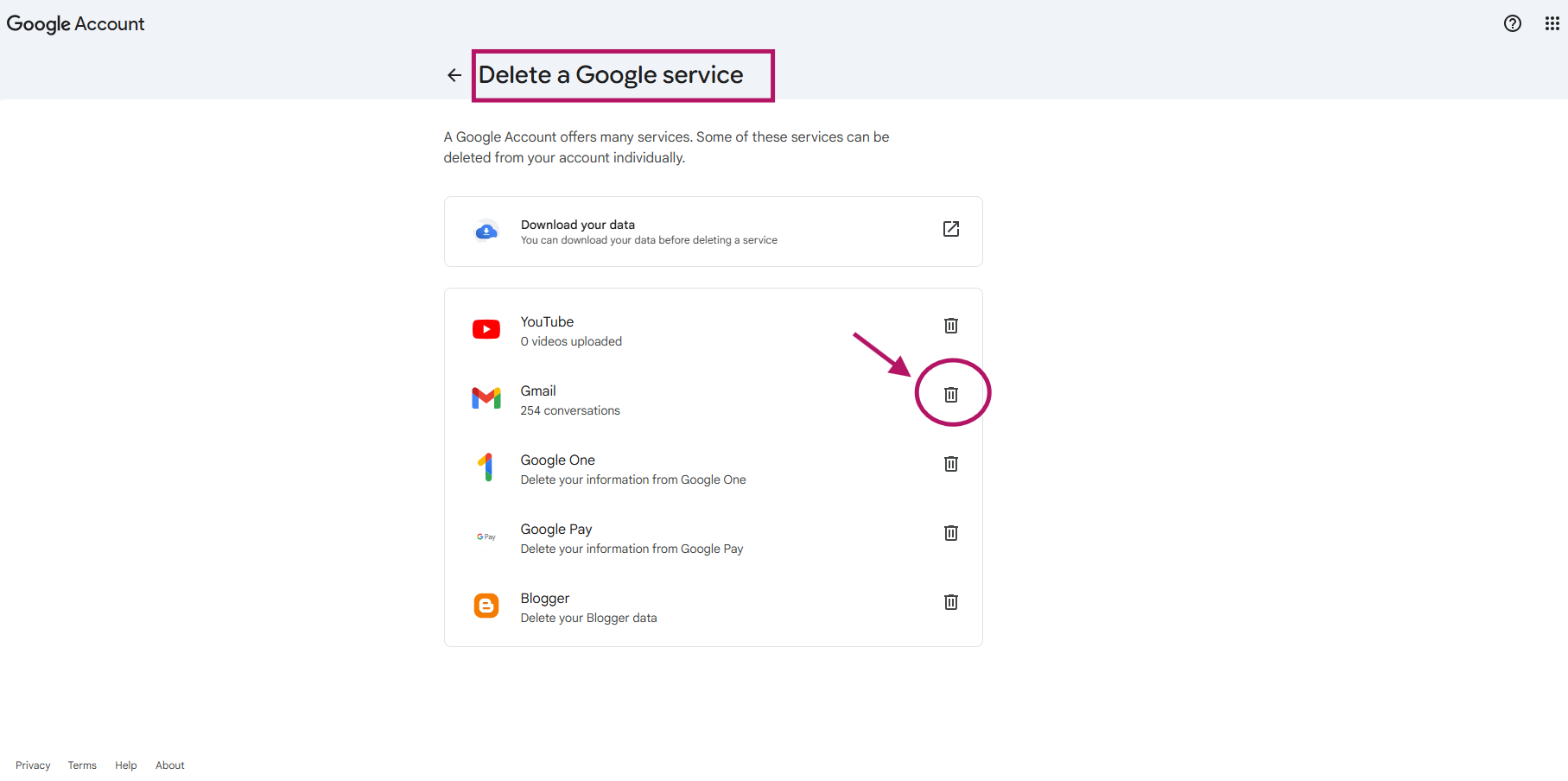
- Now Delete a Google Service page appears. Now you can proceed to delete the Gmail account.

How To Recover a Google Account After Permanent Deletion and What are the Limitations?
You can recover your Google account after you have recently deleted it. So, a user may ask, “Can I recover a deleted Google Account, and how?”
You can restore your access to a deleted account along with your data. If you had deleted your account a while ago, you may not be able to recover it.
If you can’t sign in, try to get back into your Google account by following these steps:
- Go to the Account recovery page.
- Complete the steps for account recovery.
Try to answer all of the questions. If unsure of an answer, give your best guess rather than moving on to another question.
Conclusion
Deleting a Google account can be easily done without any trouble on following the steps provided in the guide. Stay tuned with our blog section for technical updates.
Frequently Asked Questions
1. What are common reasons for permanently deleting a Google account?
Common reasons for permanently deleting a Google account:
- Hacking issues
- Accidental deletions
- Account prone to data breaches
- Security standard compliances
2. How to delete Google account on Android phone?
Steps to delete a Google account on an Android phone:
- Open the Settings app on your Android device.
- Click on Passwords & Accounts.
- Under “Accounts,” tap on Remove account.
- To confirm, click Remove account –>Delete.
For more detailed information, check out the official page here.
3. What data is permanently lost when deleting Google account?
Once you proceed to delete your Google account, you will lose all the data and content in that account, such as emails, files, calendars, and photos.
About the Author: Bhavani Asok


