
How to Migrate Gmail Folders to Outlook: A Complete Guide
Migration of Gmail folders to Outlook can be tricky, especially when the need is to transfer not just emails but whole folder structures along with attachments, labels, contacts, calendars, and metadata. Be it an individual platform shift or an enterprise shifting users from Google Workspace to Microsoft 365, intelligent planning of the migration is required to avoid data loss, downtime, or disruption in work.
In this blog post, we’ll take you through the entire process of migrating Gmail to Outlook, explain manual and automated ways, and highlight why we at CloudFuze offer the most reliable and scalable solution for business and IT teams.
Key Takeaways:
Migrating Gmail Folders to Outlook
If Gmail is to be migrated to Outlook for business, the transfer will have to retain all of the Gmail labels so that users are presented with something familiar upon login into Outlook.
For instance, Gmail may have labels for Projects, Clients, or Invoices, each containing important emails and nested sub-labels.
Here’s what that migration looks like:
Folder (Label) Mapping
Each Gmail label is mapped to a matching Outlook folder. Example:
Gmail Label Projects → Outlook Folder Projects
Gmail Label Invoices → Outlook Folder Invoices
Sub-labels like Clients/A → Outlook subfolder Clients → A
Email Transfer
Email content in the labels specified, along with attachments and metadata such as timestamps, sender/recipient information, flags, and read/unread status, are transferred.
Verification
After migration, users will have their Gmail structure replicated in the form of Outlook folders. No messages are lost, and the folder hierarchy remains intact.
The result? Users can keep doing their work in Outlook, without needing to reorganize or search for emails.
What Are the Risks of Migrating Gmail Folders to Outlook, And How to Avoid Them?
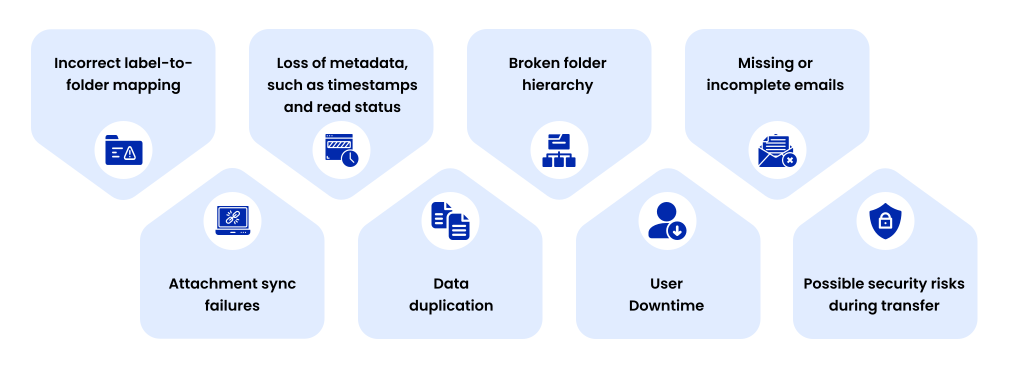
Some common challenges that may arise when migrating Gmail folders to Outlook include:
- Incorrect label-to-folder mapping
- Loss of metadata, such as timestamps and read status
- Broken folder hierarchy
- Missing or incomplete emails
- Attachment sync failures
- Data duplication
- User Downtime
- Possible security risks during transfer
The best way to avoid these risks is by using a specialized and enterprise-grade Gmail to Outlook migration tool like CloudFuze Migrate, which preserves metadata, maintains folder structure, ensures accurate mapping, prevents duplication, and secures the migration with encrypted transfers and audit logs, all while keeping downtime to zero.
Two Ways to Migrate Gmail Folders to Outlook
There are mainly two ways to transfer Gmail folders to Outlook:
- Manual Gmail-to-Outlook Migration
- Gmail-to-Outlook Migration with CloudFuze – Recommended for businesses
Method 1: Manual Migration-IMAP & PST
Manual migration is available using IMAP and PST file exports with the Outlook desktop application.
Steps
- Enable IMAP from within Gmail settings.
- Generate a Gmail App Password, if 2FA is enabled.
- Set up your Gmail account in the Outlook desktop application.
- Let Outlook synchronize all emails and labels in Gmail.
- Export emails into a .pst file: File → Open & Export → Import/Export → Export to a file.
- Import PST to your Outlook account or to any other Microsoft 365 mailbox.
Limitations:
- Time-consuming and necessitates constant syncing
- High chance of missing metadata
- Gmail labels might not map properly to Outlook folders
- May not scale to large organizations
- No centralized reporting or audit capability
While this can be done by individuals, manual migration is not practical or safe when enterprises have to migrate thousands of users or millions of emails.
Method 2: Gmail-to-Outlook migration using the CloudFuze Tool (Recommended)
Our CloudFuze migration tool (CloudFuze Migrate) provides a fully managed, secure, and scalable migration from Gmail to Outlook for SMBs and high-growth large enterprises, with no downtime while maintaining data integrity.
What CloudFuze Migrates:
- Emails: All folders, labels, and sub-labels
- Attachments
- Contacts
- Calendars
- Metadata: timestamps, sender/recipient details, flags
- Read/Unread status
- Permissions & sharing information (where applicable)
How does our migration tool work?
- Connect Google Workspace-Gmail as the source.
- Connect Microsoft 365 (Outlook) as a destination.
- Select the items to migrate, such as contacts and calendars.
- Begin the migration. Our tool runs in the background without disrupting users.
- Download detailed logs and reports for compliance and auditing purposes.
At CloudFuze, we ensure a smooth migration with zero downtime and complete folder preservation.
How Gmail Labels Look in Outlook After the Migration

Before Migration: Gmail
In the left screenshot (source) you can see the Gmail label “bhoo” that includes nested labels and multiple emails.
After Migration: Outlook
After migration, as shown in the right screenshot (destination), “bhoo” will appear as an Outlook folder with its structure, all emails, subfolders, attachments, and metadata just as they were.
For a detailed and easy email migration process overview, don’t forget to watch this video:
Folder/Data Preservation Table
| Feature | Gmail Label | Outlook Folder | Preserved After Migration? |
|---|---|---|---|
| Folder Hierarchy | Yes | Yes | ✔ Yes |
| Read/Unread Status | Yes | Yes | ✔ Yes |
| Attachments | Yes | Yes | ✔ Yes |
| Email Metadata: Timestamps, Starred/ Important status, unread/read status | Yes | Yes | ✔ Yes |
When to Use a Professional Migration Tool: CloudFuze Migrate?
Manual Outlook migration works for individuals, not for:
- Large organizations
- Multiple Gmail Accounts
- Enterprise mailboxes with complicated folder structures
- Data with stringent compliance requirements
Our professional tool, CloudFuze Migrate, ensures:
- 100% Folder hierarchy preservation
- Accurate metadata mapping
- Zero Downtime
- Automated user mapping
- Complete reporting and audit logs
Ready to Safely Migrate Gmail folders to Outlook?
Migration of Gmail folders to Outlook can be performed manually, but it is a very complex, slow process, and full of potential errors in cases of large mailboxes or enterprise environments.
Our CloudFuze Migrate tool is a safe and effective way for such organizations to move Gmail folders, labels, emails, contacts, and calendars to Outlook faster, more accurately, and at scale.
Talk to our CloudFuze migration experts today and get a tailored migration plan.
Frequently Asked Questions
1. Is it possible to keep my email folder hierarchy intact when moving from Gmail to Outlook?
Yes, CloudFuze migrates your Gmail to Outlook, including the entire folder structure, email metadata, and attachments.
2. How to migrate Gmail folders to Outlook using official migration tools?
While Microsoft does provide IMAP or Import/Export options, CloudFuze offers a fully managed, faster and secure migration solution with zero data loss and zero downtime.
3. Do popular email migration tools support the transfer of Gmail folders to Outlook?
Yes, and CloudFuze stands out with the guarantee that 100% folder hierarchy, email timestamps, read/unread status, and attachments are fully preserved.
4. What are the advantages of moving Gmail folders to Outlook?
CloudFuze offers enterprises smooth migration, zero downtime, secure data transfer, and an overall hassle-free transition with complete metadata and folder structure intact. At CloudFuze, we migrated millions of users and petabytes of data with complete fidelity.
About the Author: Aayushi Raj



