
Simple Steps on How to Access and Download Dropbox Content
If you are using the Dropbox platform, it is essential to know how to access and download files. In this blog post, we have discussed easy ways to access and download Dropbox content.
Key Takeaways:
What Are Common Issues When Downloading Large Dropbox Folders?
Large Dropbox files can take a long time to download. One can also face bandwidth constraints. So, prefer to download Dropbox folders in batches. This helps you ensure large folders without facing any issues. Ensure to have a good internet connection when downloading large Dropbox folders.
Steps to Perform Dropbox Content Access and Download
Here are simple steps to access Dropbox content and download them using a web browser:
- Visit https://www.dropbox.com
- Sign in to your Dropbox account.
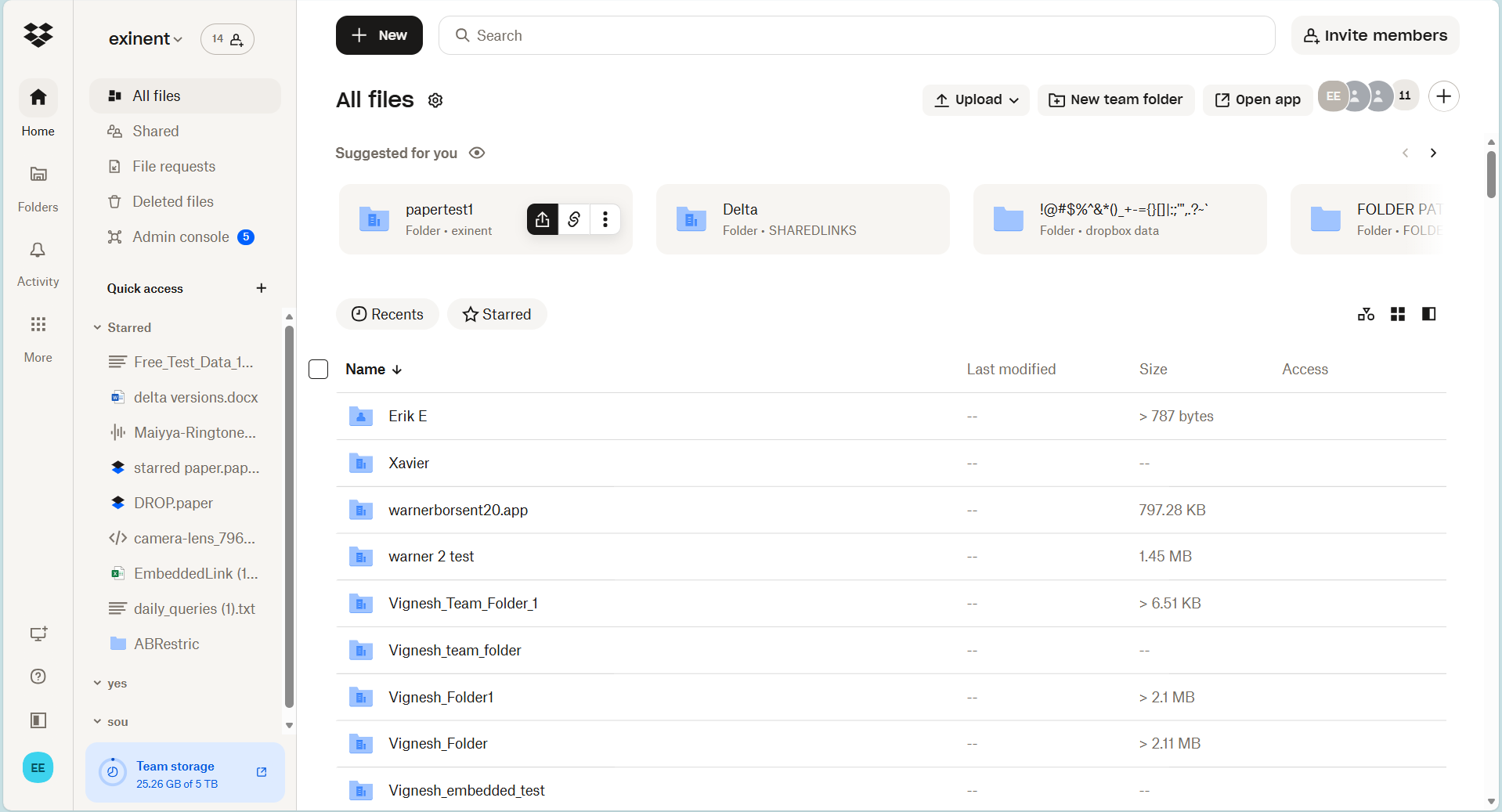
- Tap on “All files”.
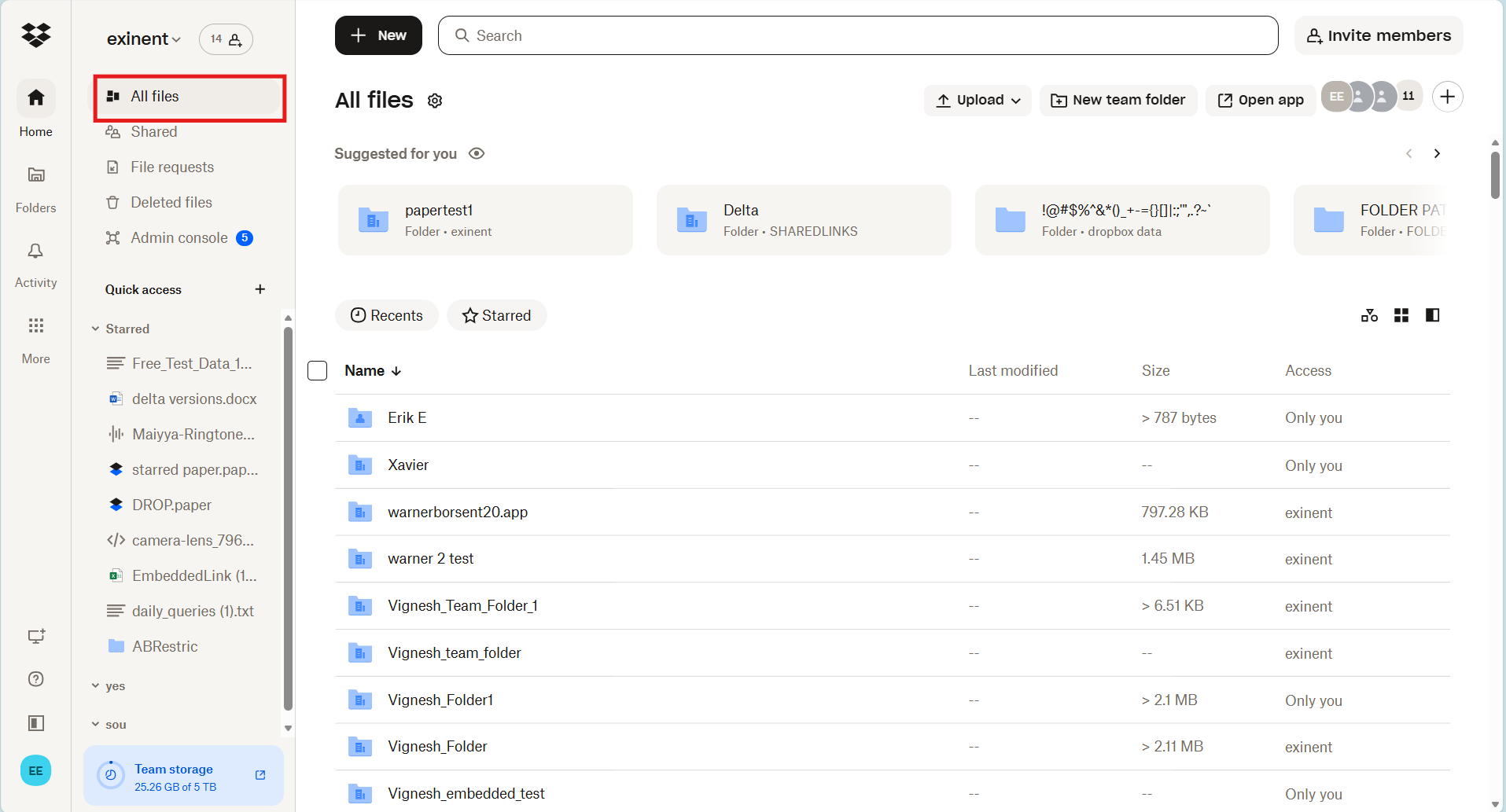
- You can also search for the file by providing the file name.
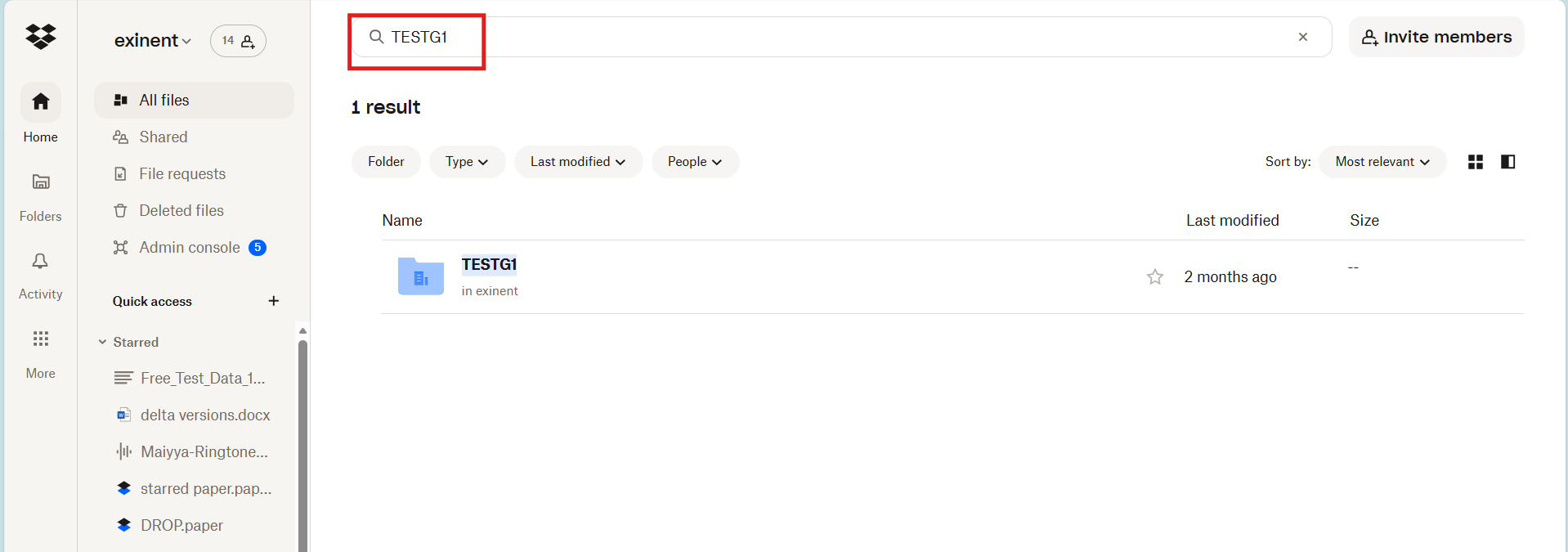
- Now click on the chosen file.
- Click the checkbox. Now proceed to download the file.
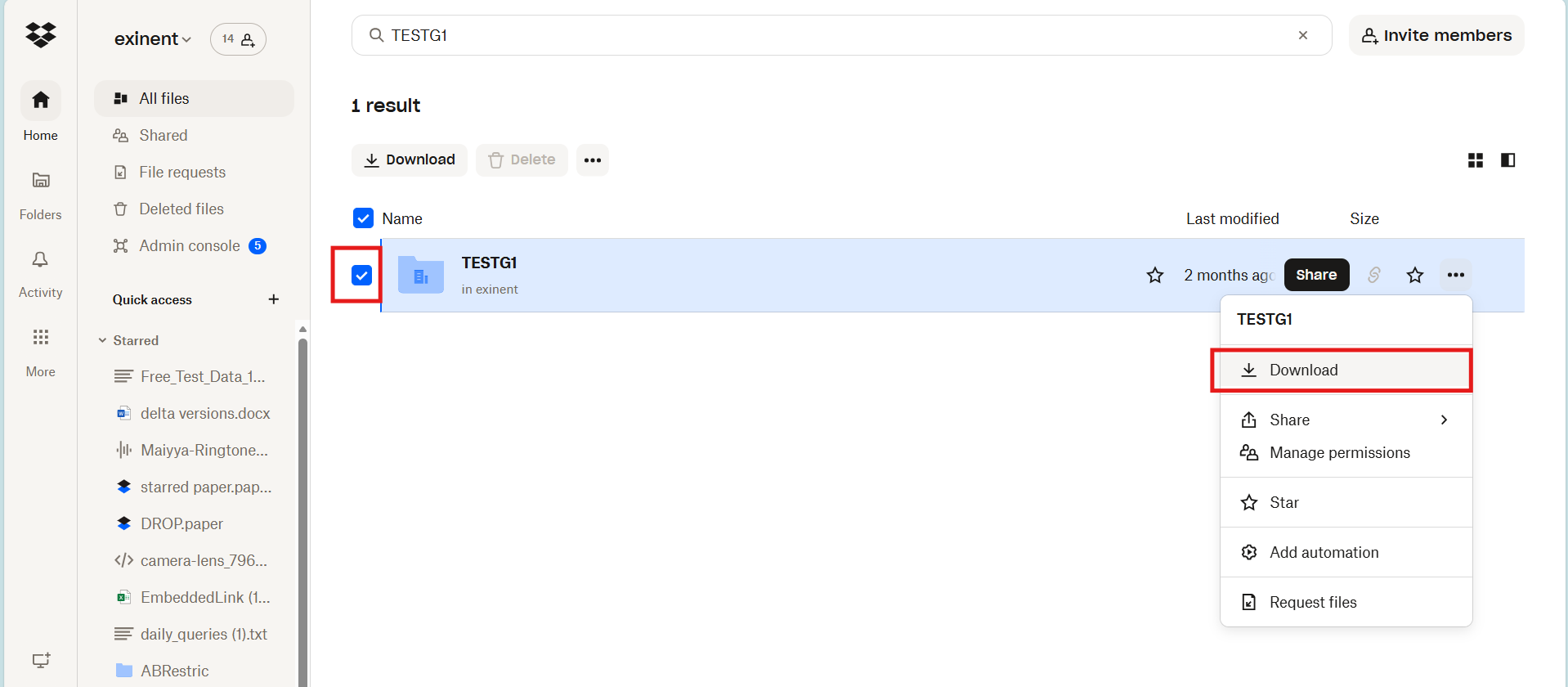
- Click on Downloads to check the file.
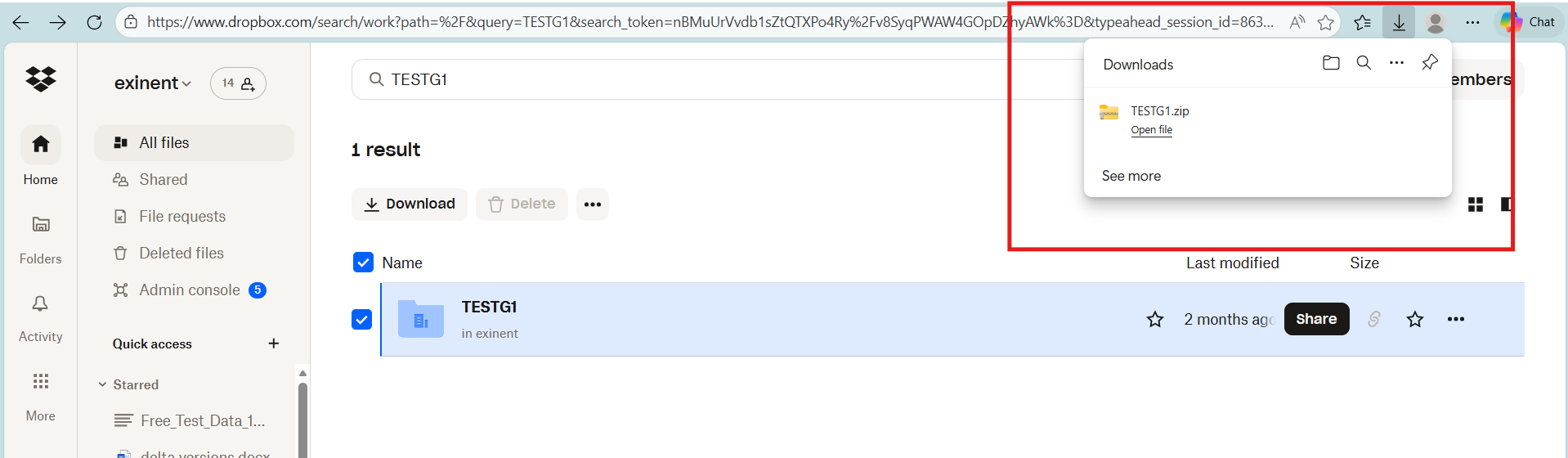


One can also access Dropbox content directly by downloading multiple files or folders.
- Select multiple files using checkboxes.
- Click Download.
- Here is an example of selecting 4 files to download.
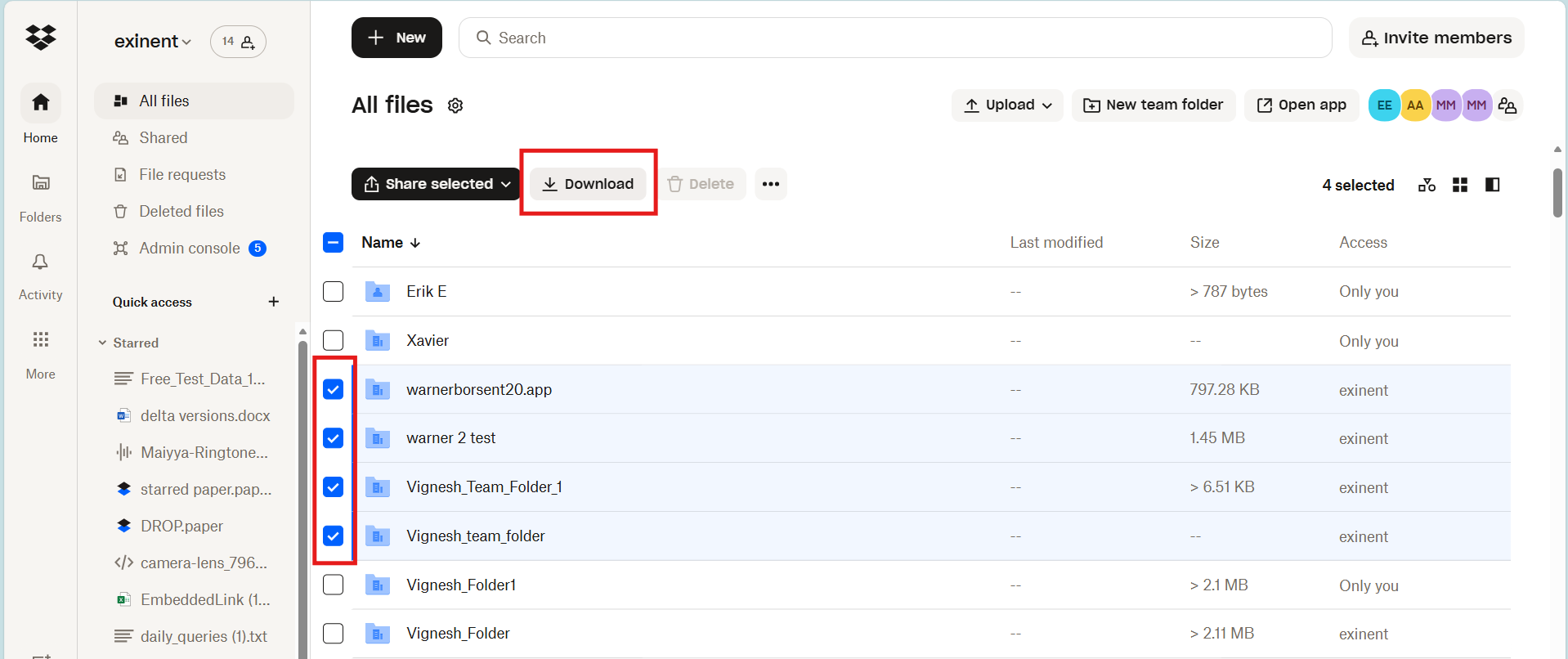
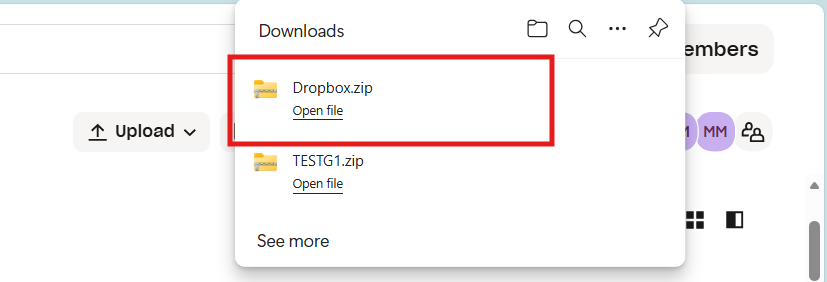
- Now, it will download as a zip folder.


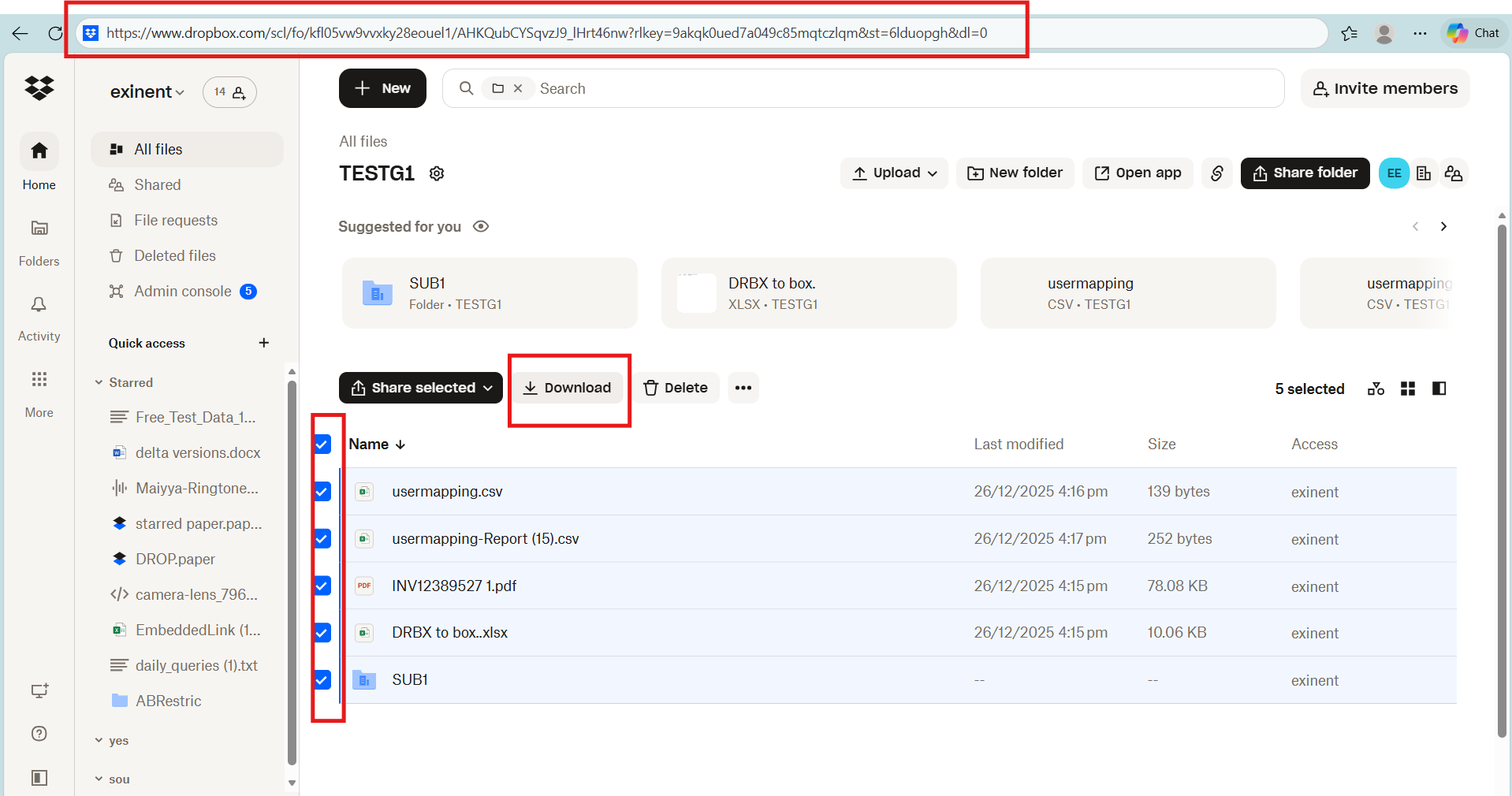
Here we have discussed another method on how to download Dropbox content through shared links.
- Open a shared link.
- Click the Download button.

Conclusion
Users can easily access and download Dropbox content with the simple steps discussed in this blog post. Stay updated with our blogs for the latest technology updates on cloud platforms.
Frequently Asked Questions
1. What are the common challenges and limitations users encounter when trying to access and download content from Dropbox?
Major challenges and limitations when trying to access and download content from Dropbox:
- File size restrictions
- Network issues
- File sync issues
- Storage issues
2. How to access and download Dropbox content from multiple files or folders?
Steps to download multiple files:
- Log in to dropbox.com.
- Tap on the files or folders.
- Click the checkboxes next to the files/folders you want to download.
3. What are common problems users face when trying to access Dropbox files?
Common problems users can face when trying to access Dropbox files:
- File sync issues
- Permission errors
- Offline access issues
- File corruption issues
- Dropbox file sharing link issues
- Slow file loading or download speed
- Dropbox account login issues
- File not found or deleted files



Leave A Comment