
Suppress Email Notifications During Migration with CloudFuze
Suppressing email notifications is an essential part when you are initiating a cloud data migration. If as an organization, you are concerned about how to mute email notifications during migration, then you are at the right place.
In this blog post, we have covered how to suppress email notifications during migration with CloudFuze Migrate.
Key Takeaways:
What Is Email Notification Suppression in The Context of Cloud Migrations?
Email notification suppression in the context of cloud migrations refers to suppression of email notifications when sharing email permissions during migration to respective Gmail or Outlook platforms.
Businesses can effectively manage email notifications by enabling the option to suppress internal and external emails during migration using CloudFuze Migrate.
Email Notification Suppression Functionality in CloudFuze Migrate
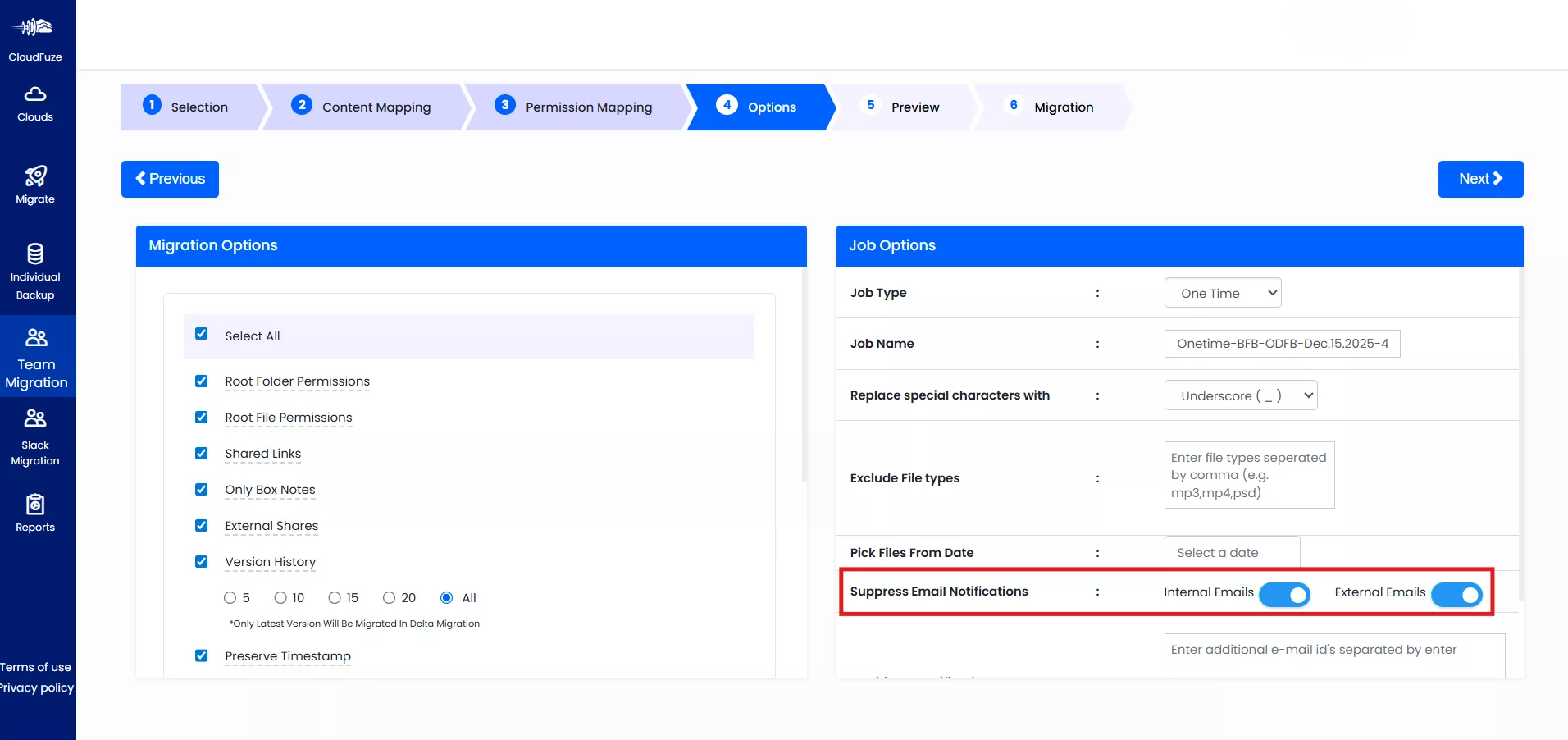
Image 1: The screenshot (of our migration tool CloudFuze Migrate) shows the option to suppress internal and external emails during migration.
Internal and External Emails in Migration Job Options
During the Migration Job Options stage, CloudFuze allows admins to selectively suppress email notifications for internal and external users:
Internal Emails:
Internal emails refer to users within the same organization. It refers to employees using corporate email addresses (e.g., alex@xyz.com, erik@xyz.com, ben@xyz.com). These email addresses belong to the internal users (Alex, Erik, Ben, etc.).
When the Internal Emails toggle is enabled, you can suppress all notification emails sent to internal users during the migration.
External Emails:
External emails refer to users outside the organization, including third-party collaborators using personal or email domains such as Gmail, Outlook, Yahoo, or other external providers.
Enabling the External Emails toggle suppresses email notifications sent to these external recipients when users transfer permissions or shared access.
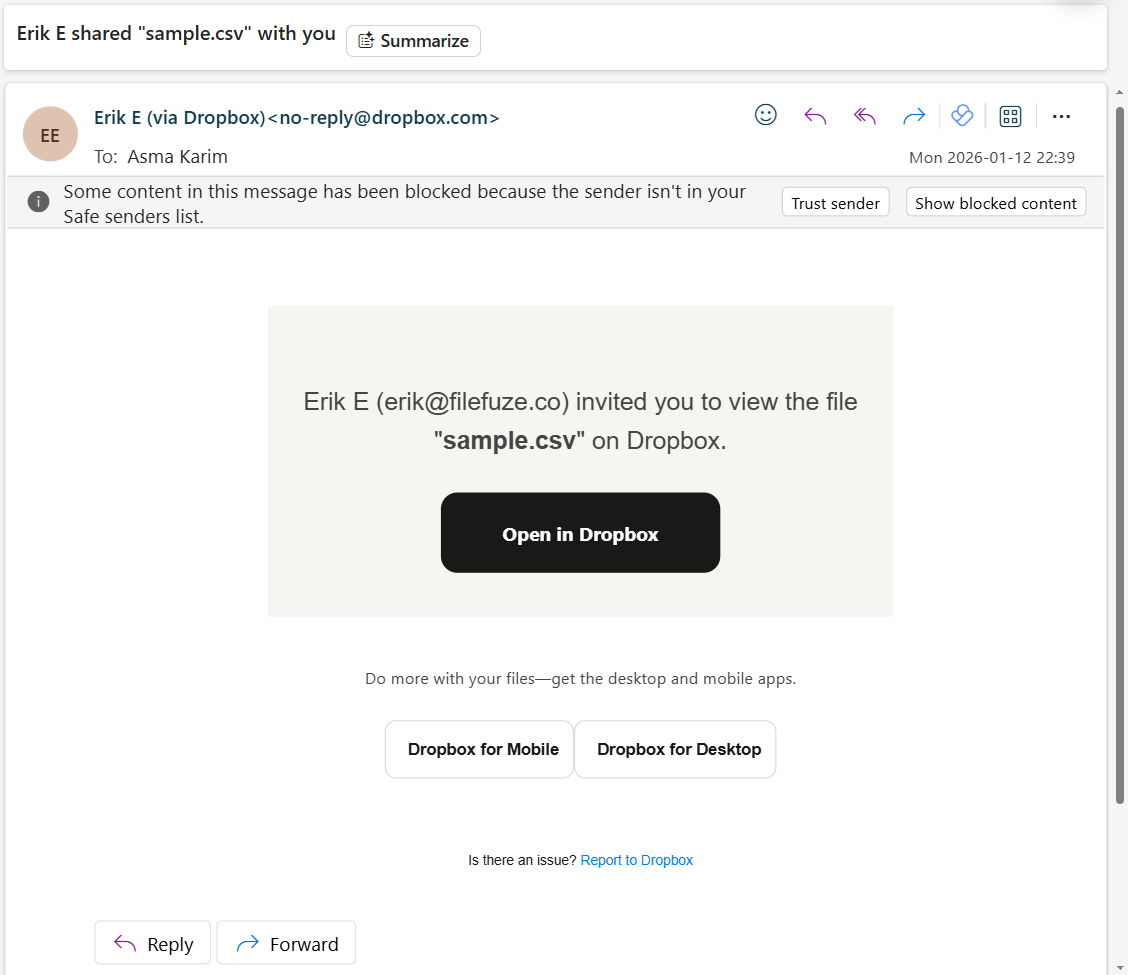
Image 2: The screenshot below demonstrates how email notifications are generated from the source platform when you transfer permissions during migration.
Users receive an “invited” email notification from Dropbox when someone shares a file or folder with their email address during the migration.
CloudFuze Migrate’s Email Notification Suppression functionality stops OneDrive from sending email notifications for the same permission assignment.
This confirms that users can successfully suppress the email notifications that are typically received as “shared” notifications.
How Does CloudFuze Manage Email Notifications During Data Migration?
Our Email Notification Suppression functionality allows businesses to avoid automatic email alerts generated during migration.
When this option is enabled, users do not receive notification emails related to file or folder sharing, permission assignments, or access updates performed as part of the migration process.
Disabling emails manually can be time-consuming when you are performing an enterprise-level transfer. By automating email notification suppression, CloudFuze Migrate helps you avoid unnecessary email traffic and prevent user confusion.
Suppress Email Notifications with CloudFuze Migrate
CloudFuze Migrate helps you automate the email notification suppression functionality. With our migration tool, ensure a complete migration along with your data and metadata.
Contact us for your succesful migration today!
Overview of Our Migration Tool
What Do Customers Say About Us?
CloudFuze has a rating of 4.7/5 on Gartner Peer Insights Review. Here is a September 2025 Gartner review by our customer:
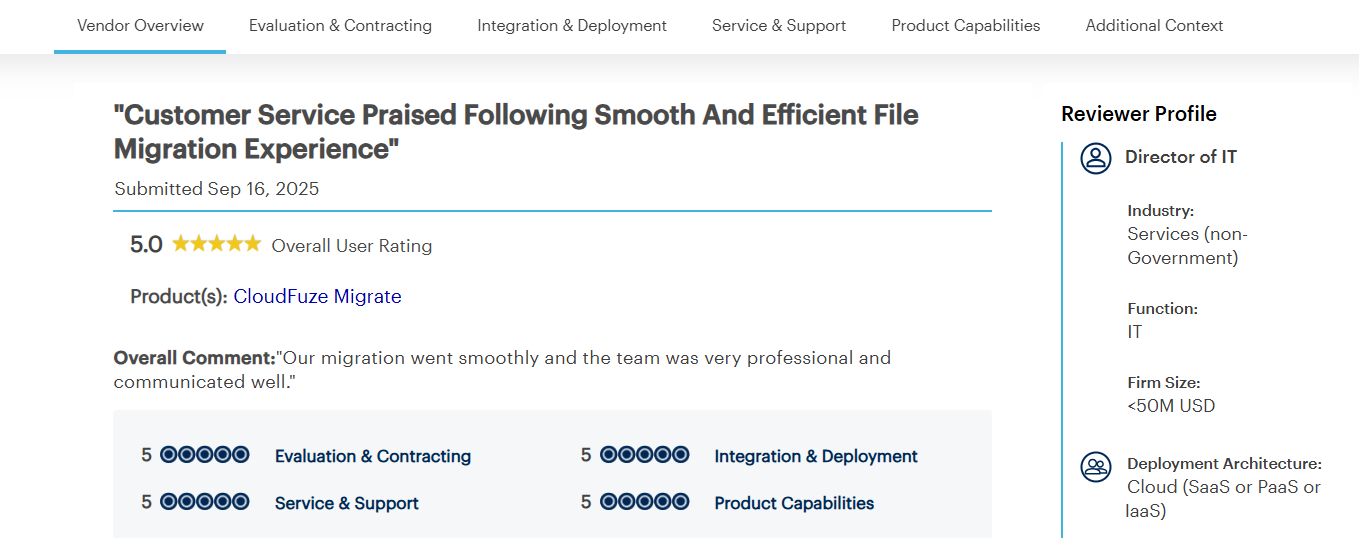
The customer ensured a smooth transfer, seamless communication throughout the transition using CloudFuze Migrate.
Frequently Asked Questions
1. How to prevent users from receiving migration status emails during mailbox migration?
Businesses can prevent users from receiving migration status emails during mailbox transfer using CloudFuze Migrate. Turn on the options to suppress email notifications while sharing the permission of your emails during migration with CloudFuze Migrate.
2. Can admins disable email notifications during cloud email migration projects?
Yes, admins can disable email notifications during cloud email migration projects. Disabling manually can be time-consuming for admins. CloudFuze Migrate automates this with the email notification suppression functionality.
3. Why is suppressing email notifications important during data migrations?
Suppressing email notifications is important during data migrations to:
- Avoid user frustrations
- Enhance customer experience
- Enrich user experience
With CloudFuze Migrate, businesses can suppress email notifications during cloud migrations.
About the Author: Bhavani Asok


