
How to View Group Insights in Yammer
Yammer is an intra-org social media platform made especially for business users. Yammer comes as a part of the Office 365 bundle at no extra cost. With COVID-19 pushing millions of employees from around the world to work from home, Yammer saw a rise in the recent months. More and more companies are using Yammer to improve communication between teams as well as team members.
Step 1: Log in to Your Yammer Account
Go to yammer.com and enter your Office 365 login details to access your account homepage. Alternatively, you can log in to Yammer from office.com. Keep in mind that you must be an Office 365 admin to perform this task.

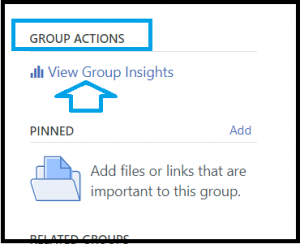
Step 2: Click on View Group Insights
Find the View Group Insights link under the Group Actions.
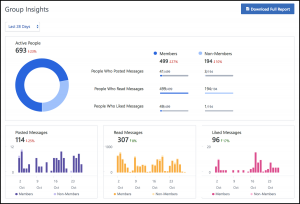
Step 3: Group Insights Get Displayed
Upon clicking, the group insights of your company will be displayed on the webpage. You can select different timelines for the data such as Last week, last 14 days, last 24 days, etc.
We hope you found this article on Yammer helpful.
About the Author: Arun Jyothi



